
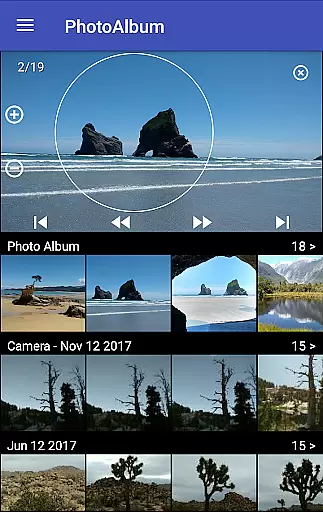
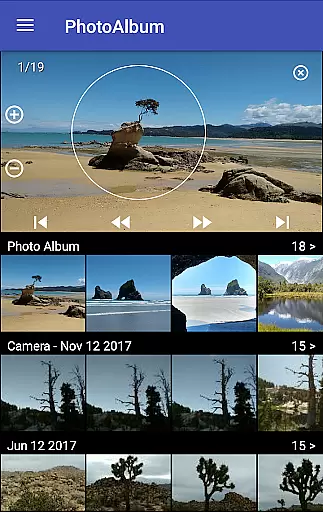
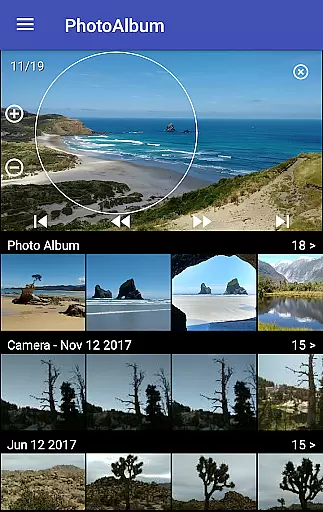
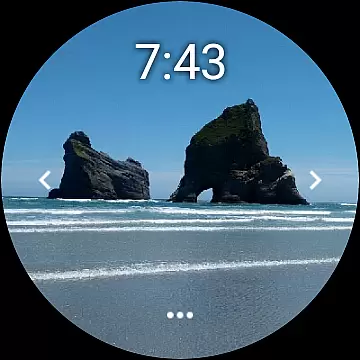
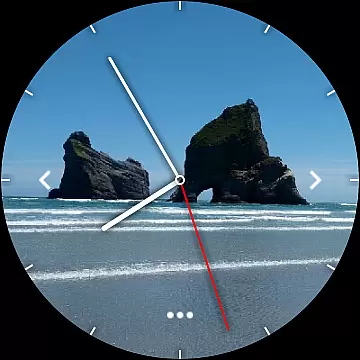
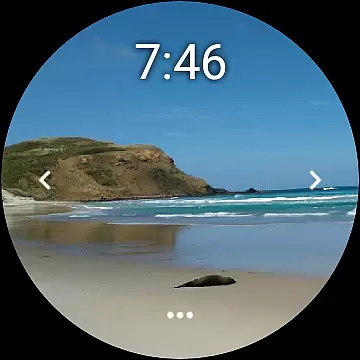
Photo Album Watch Face is a unique photography app that allows users to personalize their smartwatch faces with favorite pictures from their phone. This app bridges mobile and wearable technology, enabling seamless synchronization of photo albums between devices.
The core functionality includes automatic picture cycling on the smartwatch or manual navigation through taps. It supports Wear OS smartwatches and works independently of the phone after initial setup. Users can download new images via the companion mobile app, making it versatile for those wanting both connectivity and standalone use.
This app is ideal for individuals who value personalization and practicality in wearable tech. By transforming your smartwatch into a dynamic photo album, it offers both aesthetic appeal and easy access to cherished memories right on your wrist.
Photo Album Watch Face stands out with its innovative features tailored for photography enthusiasts. The app's primary feature is its ability to sync selected photos from a phone to a smartwatch, creating a rotating display of personal images.
Users benefit from intuitive controls: they can either let the watch cycle through images automatically or swipe left/right for manual browsing. The tap-to-download functionality allows users to refresh the photo selection directly from the watch interface. Additionally, the app operates independently once photos are downloaded, though the mobile app is required for updates.
What sets this app apart is its compatibility with Wear OS devices and its dual-mode functionality. Whether connected to a phone or used standalone, Photo Album Watch Face maintains performance and user experience, offering a personalized and engaging way to interact with wearable technology.
Real-time capture and preview functionality is essential for ensuring that users can see exactly what their smartwatch face will look like before finalizing their selection.
Photo Album Watch Face offers a seamless experience where users can choose their favorite images directly from their phone and instantly preview them as their watch face. This immediate feedback loop allows for quick adjustments and optimal photo selections.
The ability to cycle through pictures automatically or manually by swiping left or right further enhances the user's control over their watch face display, providing both convenience and personalization.
This feature not only elevates the aesthetic appeal of the smartwatch but also ensures that users have a dynamic and personalized timepiece that reflects their style and memories.
AI beauty and enhancement features are increasingly popular in photography apps, offering users the ability to refine and enhance their photos with natural-looking results.
While Photo Album Watch Face does not explicitly market itself as an AI-powered app, its intuitive design and ease of use suggest underlying smart technologies that help optimize image display on various smartwatch models.
Users benefit from this by having their selected images displayed in the best possible way, with enhancements that maintain the authenticity of the original photos while adapting to different screen sizes and resolutions.
This ensures that every picture looks vibrant and clear, enhancing the overall user experience without compromising the integrity of cherished memories.
User-friendly interface
Seamless device integration
Customizable photo selection
Automatic image cycling
Supports Wear OS
Requires companion app
Limited offline functionality
Phone app dependency
No direct photo editing
Premium feature costs

AI portrait generator and polaroid AI selfie, fun AI generated AI photo creator!
 4.30
4.30
Easily stitch panoramas from multiple photos or video.
4.40
Create funny photos and videos with the popular Time Warp Scan filter.
4.90
AI photo editor with hair editor, retouch tools, hair color changer & filters!
4.50
Automatically backup your photos and videos to computer, NAS and Cloud services
4.60
Future baby face generator: AI kids generator, kid face! What my baby look like?
4.40
Use AI Video Generator to turn your words to ai generated videos.
4.50
PhotoSync Bundle Add-On License. Enables all features and services in PhotoSync.
4.60
Your Family Calendar + Photos. Manage your Skylight Calendar and Skylight Frame.
4.40
Pro version: AR sun/moon tracker for any date. Tool for photographers & planners
4.90
Easily view, share, delete photos with Gallery.
4.70
Amazing Photo Effects - The most fun you can have with your photos!
4.70
Enhance, retouch & create your story - Share the moment with Photoshop Express.
4.60
Cut and paste photo editor & eraser to customize photos easy and swap faces fun
4.50
Create collages easily! Nice pic collage maker & background eraser for Instagram
4.50
Fit multiple photos on one post. Create carousels & scroll layouts for Instagram
4.50
A light meter for true photographers.
4.20
What celebrity do you look like? Celebs will find your celebrity match!
4.10
Professional quality photo edits with the new Snapseed.
4.00


User Reviews