
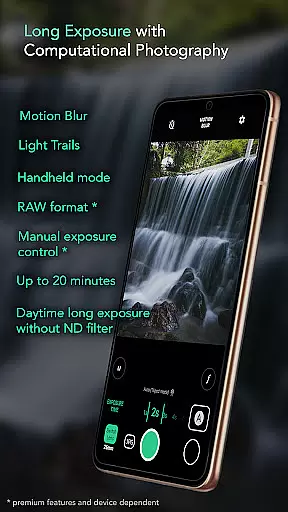
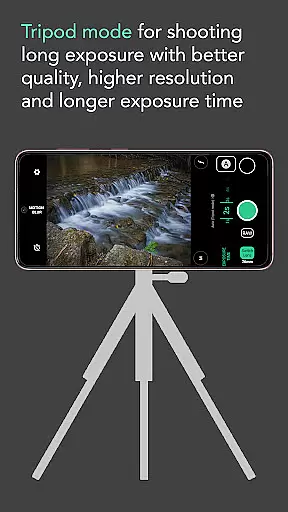
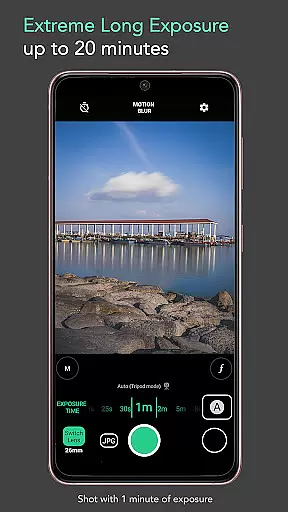
Motion ProCam is a specialized camera application designed to simplify the process of capturing long exposure photographs. This app enables users to effortlessly create stunning motion blur and light trails effects by intelligently aligning multiple images into one final photo. Whether shooting during the day or night, Motion ProCam eliminates the need for ND filters while preventing overexposure, making it an ideal tool for both amateur photographers and enthusiasts.
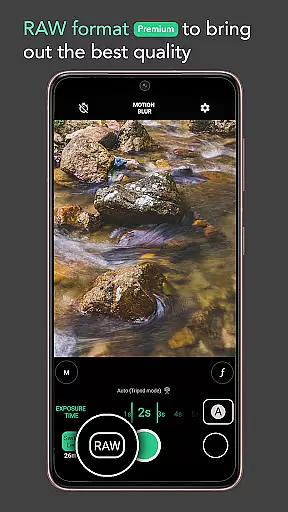
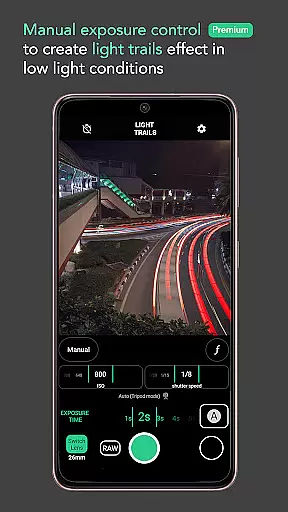
With advanced computational photography techniques, this app combines tens or even hundreds of images to produce professional-grade long exposure shots. It offers unique features such as auto stabilization in handheld mode, selectable effects like motion blur or light trails, and extended exposure times of up to 20 minutes. Additionally, premium functionalities like RAW format support and manual exposure control provide users with greater creative control and superior image quality.
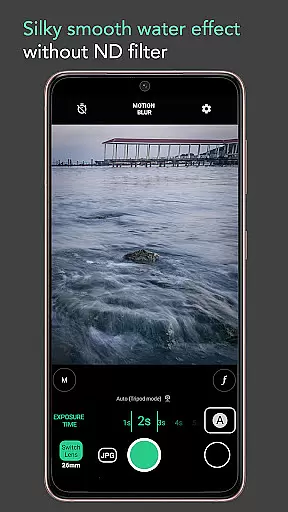
Ideal for capturing silky smooth waterfalls, seascapes, light trails, moving clouds, and more, Motion ProCam transforms ordinary scenes into extraordinary works of art. Its intuitive interface and powerful tools make it accessible for all skill levels while delivering exceptional results that enhance any photographer's portfolio.
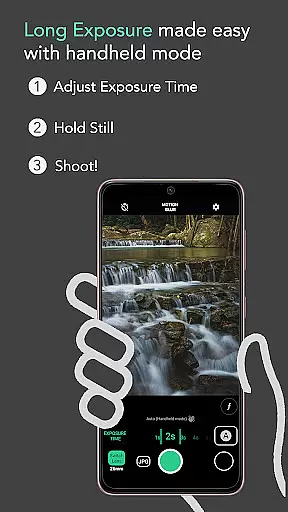
Motion ProCam stands out with its innovative approach to long exposure photography, offering a range of features tailored to meet the needs of both casual users and photography enthusiasts. One of its key strengths is the auto stabilization feature, which allows users to capture sharp images even when shooting handheld for up to five seconds. This ensures consistent quality without requiring additional equipment.
The app also excels in providing versatile shooting options, including selectable effects such as motion blur and light trails, catering to different creative visions. With exposure times extending up to 20 minutes, users can experiment with various lighting conditions and subjects, from serene waterfalls to bustling cityscapes. The inclusion of volume buttons as a shutter trigger adds convenience and flexibility during shoots.
For those seeking professional-level control, Motion ProCam offers premium features like RAW format support and manual exposure settings. These advanced tools empower users to fine-tune their images and achieve the highest possible quality. Whether removing crowds from busy tourist spots or capturing creamy smooth lakes and seas, this app provides everything needed to elevate long exposure photography to new heights.
Real-time capture and preview functionality is essential for ensuring that users can accurately frame and adjust their shots before capturing the final image. Motion ProCam offers a seamless experience by providing instant feedback on the exposure settings and effects applied.
This app allows photographers to see the long exposure effects, including motion blur and light trails, in real time as they adjust the camera settings. This immediate visual feedback helps users fine-tune their images without the need for trial and error, thus saving time and enhancing the creative process.
By enabling real-time previews, Motion ProCam ensures that even complex computational photography techniques are accessible to users of all skill levels. The ability to visualize the end result before capturing the photo significantly boosts user confidence and satisfaction.
While Motion ProCam focuses primarily on long exposure photography, it also incorporates advanced AI beauty and enhancement features that ensure natural-looking results. These enhancements are subtle yet effective, preserving the authenticity of the original scene while elevating its visual appeal.
The app uses sophisticated algorithms to automatically align and stabilize images, which is particularly beneficial when shooting handheld during long exposures. This feature not only enhances image quality but also eliminates the need for additional equipment like tripods or ND filters, making professional-quality photography more accessible.
For enthusiasts seeking the best possible quality, premium features such as RAW format and manual exposure control provide further refinement options. These tools empower users to capture stunning long exposure photos with creamy smooth water effects, moving clouds, and vibrant light trails, all while maintaining a natural and realistic appearance.
User-friendly interface
Auto stabilization
Daytime long exposure
Premium RAW support
Versatile effects
Premium features locked
Limited free options
High battery usage
Complex for beginners
Occasional glitches

Gallery show photo, video, slideshow, is perfect 3D effect private photo albums.
 4.80
4.80
How would you look like with a differently shaped nose, chin or lips?
3.90
Find time and duration of different sunlight phases at any location
4.90
Edit like a pro with Hypic. Apply filters, AI effects, & magic touch.
4.40
Transform photos into videos! Create realistic or anime-style images easily!
4.50
Light-weight Media Gallery app for Android made with Jetpack Compose
4.60
AI photo enhancer with Sora 2! Enhance, descratch, and colorize your old photos.
4.50
Enhance, retouch & create your story - Share the moment with Photoshop Express.
4.60
Easily view, share, delete photos with Gallery.
4.70
Pro version: AR sun/moon tracker for any date. Tool for photographers & planners
4.90
1M influencer's special filter
4.60
Viewfinder, Light meter, Reciprocity failure time, DOF & Bellows Extension
4.60
Discover & download millions of art for The Frame TV or Hisense CanvasTV
4.60
Trendy TikTok time warp scan funny filter app brings you unique photos & videos.
4.40
Create & Edit with AI: AI Remove, Enhance, Retouch, Filter
4.10
Transform Photos: Edit, Beautify and Craft Memories & Make Collages!
4.10
live datamoshing
4.00
Astrophotography with your smartphone, photo live stacking and much more!
3.90
Remote control the phone camera shutter from your smartwatch and take a picture
1.60


User Reviews