
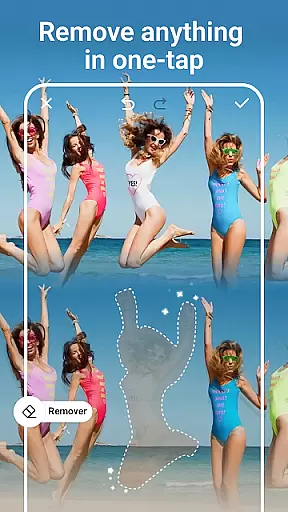
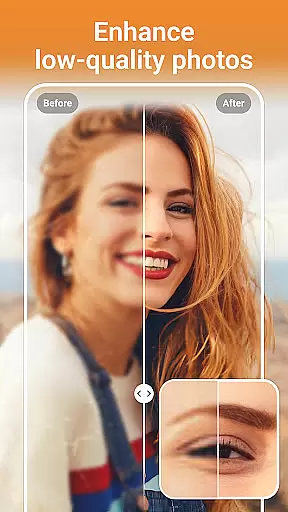

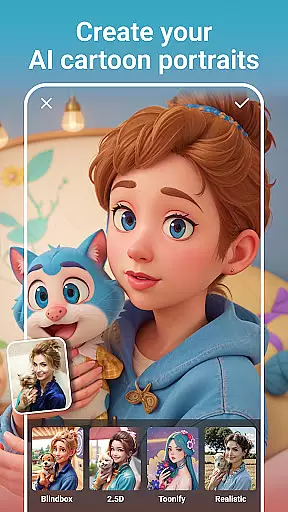
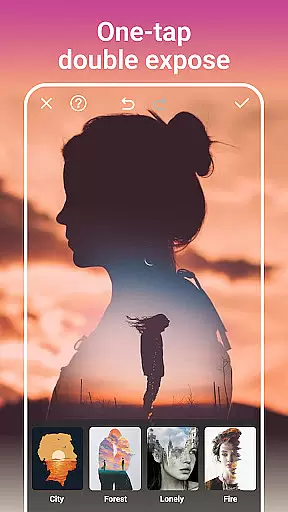
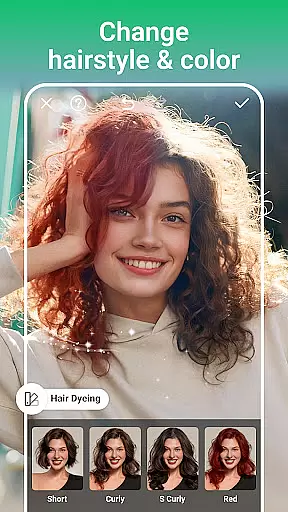
AI Photo Editor - PhotoArt is a comprehensive photography application that utilizes artificial intelligence to provide users with an extensive suite of photo editing tools. The app's core functionality lies in its AI-driven features such as One-Tap Enhance, Magic Eraser, AI Face Swap, and more, which cater to both amateur and professional photographers. With over 100 filters and effects, it allows users to embrace their signature style while offering advanced tools like HSL, Curves, and Split Tone for meticulous color adjustments.
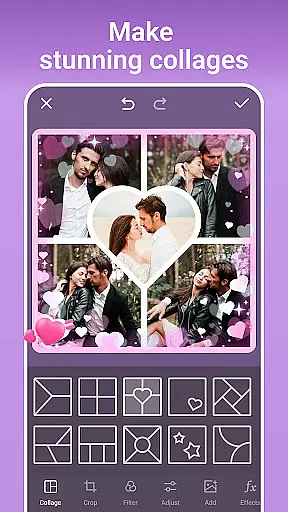
Beyond basic editing, PhotoArt enables users to enhance photo resolution, restore old photos, and remove unwanted objects seamlessly. Its creative capabilities extend to making stunning collages, perfecting portraits, and even transforming images into cartoon representations. Whether you're looking to create watermark-free art for social media or experiment with stylistic changes, PhotoArt delivers both ease of use and depth in features, ensuring high-quality results for every user.
PhotoArt stands out with its innovative AI-powered tools designed to simplify complex photo editing tasks. The One-Tap Enhance feature allows users to instantly improve image quality, while the Magic Eraser intelligently removes unwanted elements from photos without leaving traces. Unique offerings like AI Face Swap and AI Cartoon Filters enable fun yet sophisticated transformations that require no specialized skills.
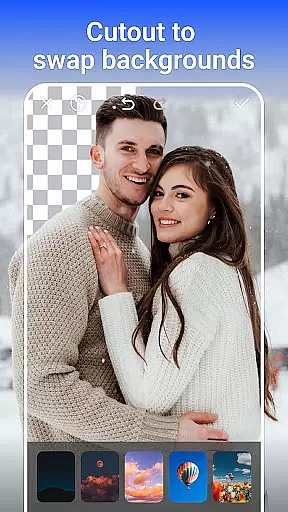
The app also excels in providing creative control through professional-grade tools such as Double Exposure, HSL adjustments, and Curves. Users can personalize their images further with custom stickers, text overlays, and background changes. Additionally, PhotoArt supports storytelling via customizable collages and offers revolutionary features like Age Changer and Sky Replacement, which push the boundaries of traditional photo editing. These robust functionalities ensure that users can achieve virtually any visual effect they desire.
Real-time capture and preview functionality is essential for any photography app, allowing users to see exactly what their final image will look like before taking the shot. PhotoArt excels in this area by providing a seamless experience where every adjustment, filter, or effect applied is instantly visible through the camera preview.
The app leverages advanced AI algorithms to ensure that all enhancements, such as lighting adjustments, filters, and effects, are accurately represented in real time. This means users can experiment with different styles and settings, seeing immediate results without any lag or delay.
This feature significantly enhances the user experience by eliminating guesswork from photography. Whether adjusting exposure levels, applying creative filters, or experimenting with portrait modes, users can be confident that the preview they see is precisely what they'll capture, ensuring high-quality photos every time.
By offering reliable real-time capture and preview capabilities, PhotoArt empowers users to take better photos effortlessly, making professional-level photography accessible to everyone.
AI beauty and enhancement features have become a cornerstone of modern photo editing, allowing users to refine and perfect their images with unprecedented ease. PhotoArt stands out by focusing on natural-looking enhancements that preserve the authenticity of the original photo while elevating its overall appeal.
The app's AI-driven tools intelligently analyze facial features and skin tones to apply enhancements that look genuine and unforced. From smoothing skin textures to brightening eyes and perfecting smiles, every edit is carefully calibrated to maintain a realistic appearance. Advanced algorithms ensure that changes blend seamlessly with the original image, avoiding the over-processed look common in other apps.
Users benefit from a wide array of customizable options, enabling them to tailor enhancements to their specific preferences. Whether it's subtle touch-ups or more pronounced edits, PhotoArt delivers results that enhance natural beauty without compromising the photo's integrity.
With its commitment to natural enhancement, PhotoArt ensures that every edited photo retains its unique character and charm, empowering users to create stunning images that reflect their true selves.
User-friendly interface
Extensive filter library
Advanced AI tools
High-quality results
Versatile editing options
Occasional processing delays
Some features may overwhelm beginners
In-app purchases required for premium content
Heavy storage usage
Limited offline functionality

Transform photos into videos! Create realistic or anime-style images easily!
 4.50
4.50
Cartoon and artistic effects for your photos and videos
4.70
HD Camera Pro with HD Video shooting, Panorama, Photo editor , Beauty Camera.
4.50
Movie camera, supports pro recording settings for filming. Try it and be amazed!
4.50
Enhance, retouch & create your story - Share the moment with Photoshop Express.
4.60
Pro version: AR sun/moon tracker for any date. Tool for photographers & planners
4.90
RAW video capture with advanced controls
4.40
Discover & download millions of art for The Frame TV or Hisense CanvasTV
4.60
Edit photos with the picture generator: PS2 & AI Clay filters, cartoon effects.
4.50
Gallery show photo, video, slideshow, is perfect 3D effect private photo albums.
4.80
Perfect body tune & face app - photo retouch, makeup, slim body & beautify face.
4.80
Enhance, upscale, and transform your images — on your device, without limits
4.70
PhotoSync Bundle Add-On License. Enables all features and services in PhotoSync.
4.60
Add Watermark - Sign your pictures with a text or logo. Effective, quick, easy!
4.50
Future baby face generator: AI kids generator, kid face! What my baby look like?
4.40
How old age camera Gender Swap App Face Shape Hairstyle App Hair Styler App fun!
4.00
USB Storage Access for Photos, Videos, Music and Documents
3.80
Pet Camera
3.70
Long exposure camera with computational photography
2.60


User Reviews