
Luminar: Photo Editor is a comprehensive mobile photo editing application designed for both Android and ChromeOS users. This app combines powerful AI-driven tools with an intuitive, interactive interface that responds to touch gestures, providing users with a seamless editing experience. The streamlined design offers unparalleled control through smoothly gliding sliders and spinning dials, eliminating complicated processes and allowing more room for creativity.
One of the standout features of Luminar is its suite of Smart AI enhancements. These include SkyAI for sky replacement, EnhanceAI for quick photo quality adjustments, StructureAI for detail enhancement, RelightAI for dynamic lighting control, SkinAI for automatic skin retouching, and BodyAI for realistic body shaping. Additionally, the app provides all-in-one powerhouse tools such as Curves, Details, Crop, Landscape, Monochrome, Erase, and Photo Filters, making it a versatile choice for photographers of all levels.
Designed specifically for devices running Android 11 or later and ChromeOS with Android Runtime support, Luminar ensures a smooth and responsive editing workflow. Whether you're editing on your phone or Chromebook, this app delivers professional results with ease. With options like RAW file support and diverse subscription plans, Luminar: Photo Editor caters to both beginners and professionals seeking next-level photo editing capabilities.
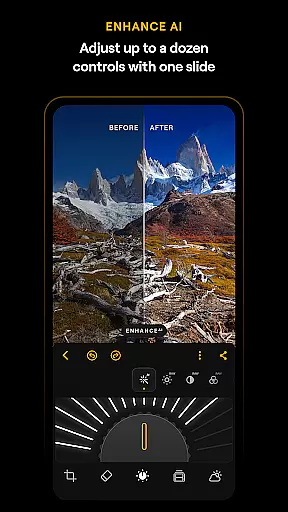
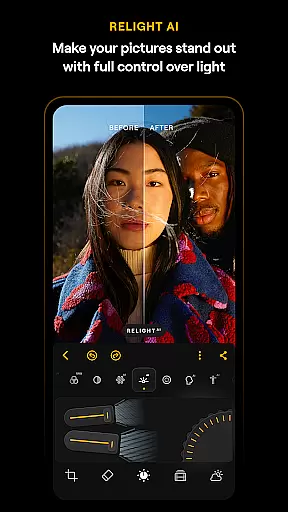
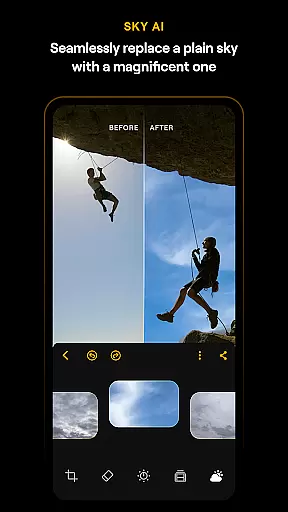
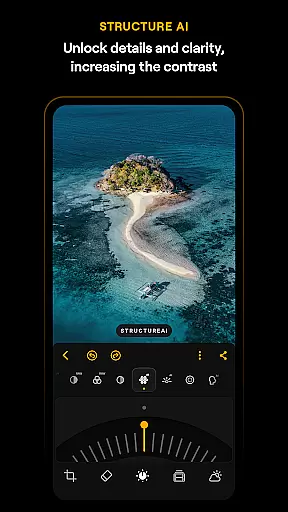
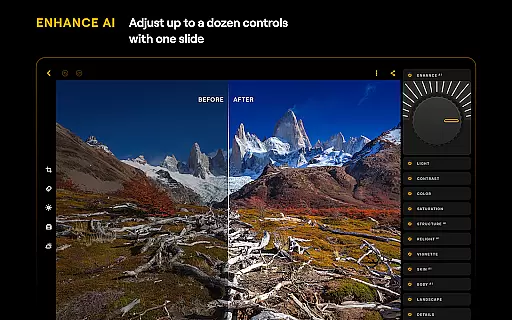
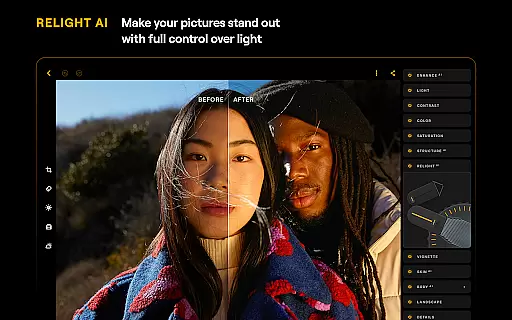
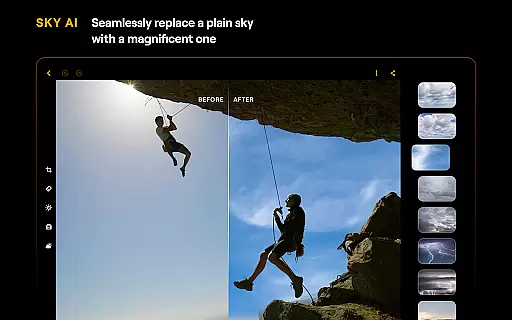
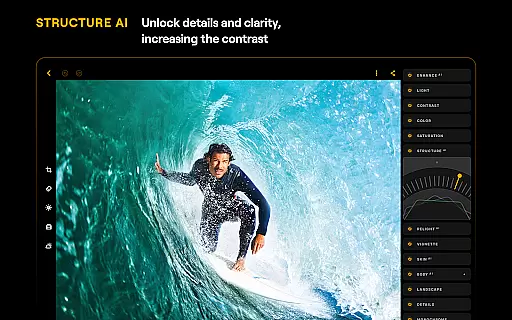
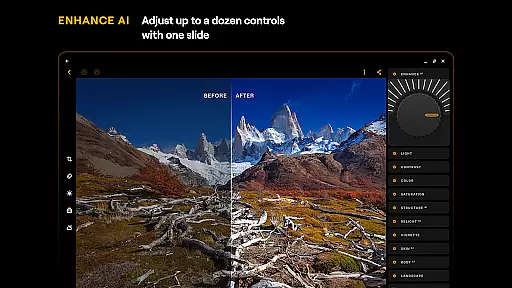
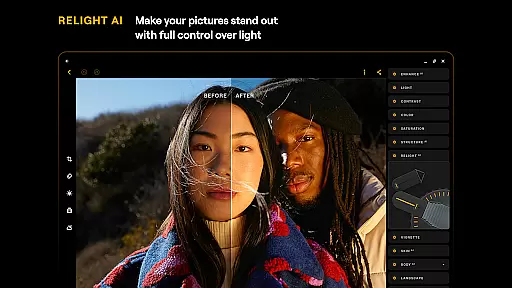
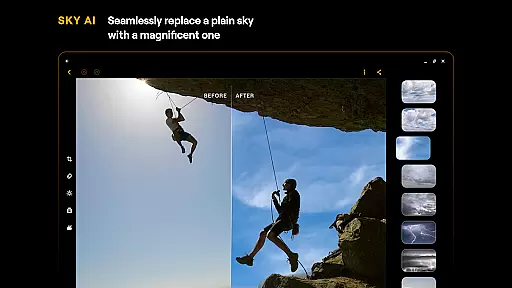
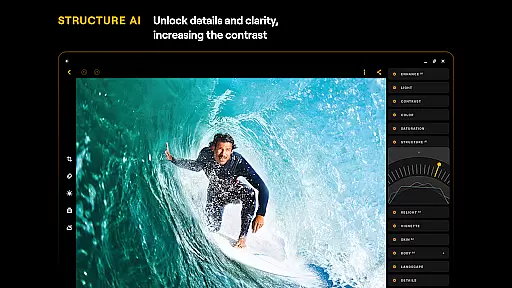
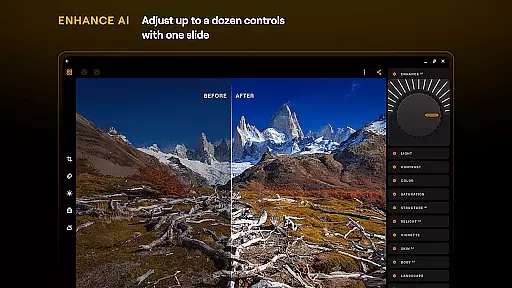
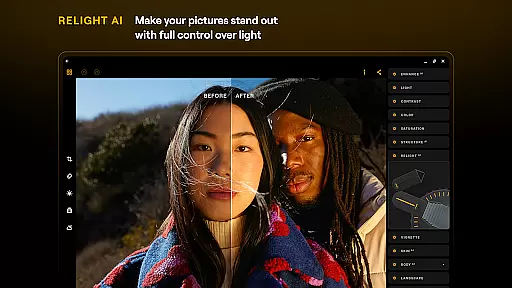
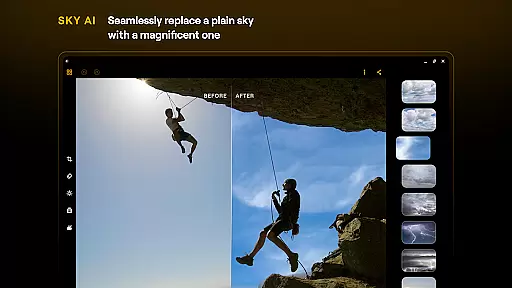
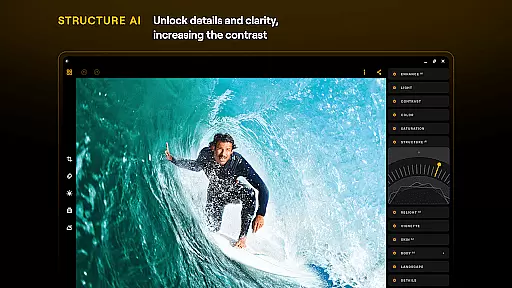
Luminar: Photo Editor stands out due to its rich array of features tailored to enhance the photo editing experience. One of the most notable aspects is its use of cutting-edge AI technology. Tools like SkyAI allow users to replace dull skies with vibrant ones, creating impressive backdrops instantly. EnhanceAI simplifies the enhancement process by adjusting color, tone, and clarity with a single slide, delivering professional results in seconds. StructureAI helps unlock hidden details and improve image contrast and texture, while RelightAI gives users full control over exposure and light sources.
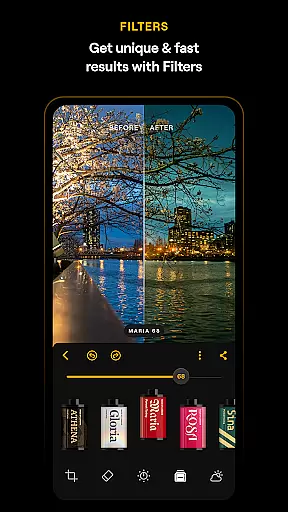
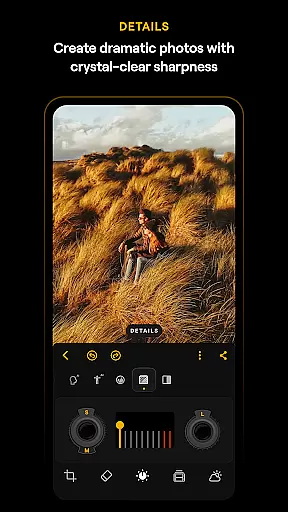
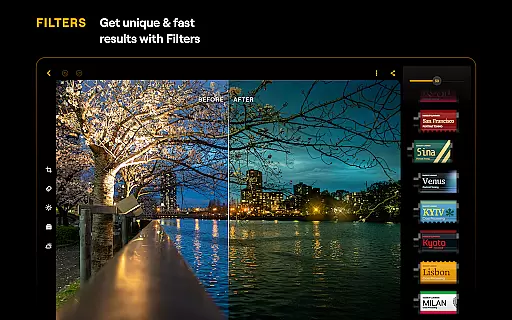
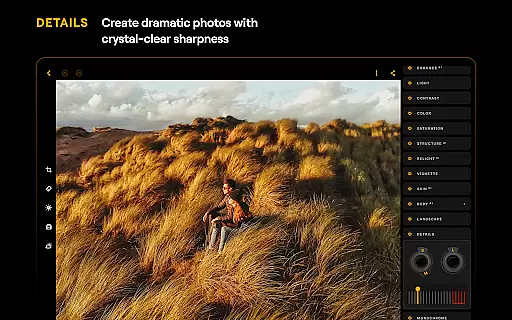
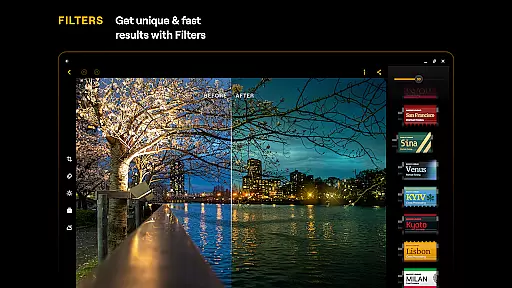
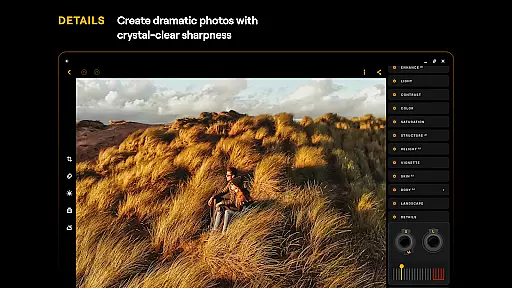
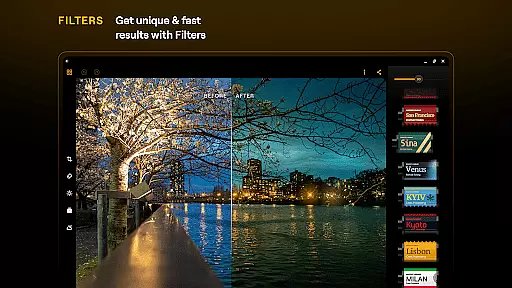
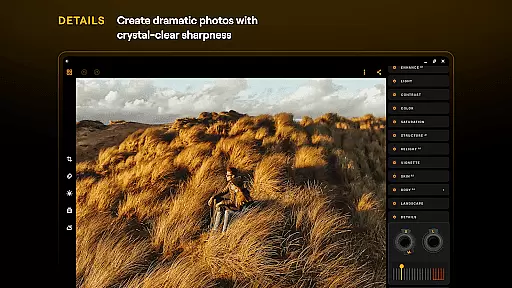
In addition to AI-driven tools, Luminar offers a comprehensive set of manual editing features. Users can take advantage of Curves for precise color and tone adjustments, Details for enhancing image clarity, and Crop for perfect composition. The Landscape tool transforms outdoor shots by enhancing golden hour lighting or brightening foliage, whereas Monochrome converts color photos into stunning black-and-white masterpieces. The Erase feature removes distracting elements effortlessly, and Photo Filters add unique styles to images. Furthermore, the app supports RAW file editing, preserving maximum image quality and offering flexibility in post-processing.
The seamless integration with Android devices ensures a smooth user experience. Available on devices running Android 11 or later and ChromeOS with Android Runtime support, Luminar's responsive interface is built for creativity on the go. Its compatibility with various devices makes it a versatile tool for photographers who need reliable performance whether they're using a smartphone or a Chromebook.
Real-time capture and preview functionality is essential for ensuring that photographers can accurately frame and adjust their shots before capturing the final image. Luminar: Photo Editor offers a seamless experience in this domain, allowing users to visualize changes instantly as they edit.
The application's interface is designed to respond to intuitive gestures, providing users with smoothly gliding sliders and spinning dials that react realistically to touch. This tactile feedback, combined with sound, creates an engaging and interactive editing process that lets users fine-tune their images with precision.
With real-time preview capabilities, photographers can experiment with different settings and observe the effects immediately. This feature not only saves time but also enhances creativity by enabling users to explore various artistic possibilities without delay.
Ultimately, Luminar's real-time capture and preview empower users to achieve their desired results efficiently and effectively. By delivering a responsive and visually accurate representation of each edit, the app ensures that the final output matches the photographer's vision perfectly.
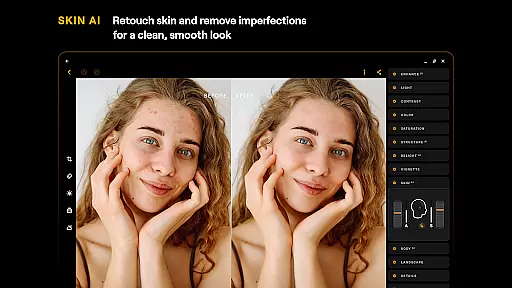
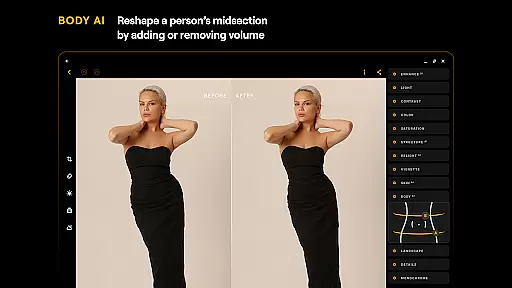
AI-driven beauty and enhancement features are becoming increasingly popular in photo editing applications. Luminar: Photo Editor stands out by offering tools like SkinAI and BodyAI, which focus on delivering natural-looking enhancements while preserving the authenticity of the subject.
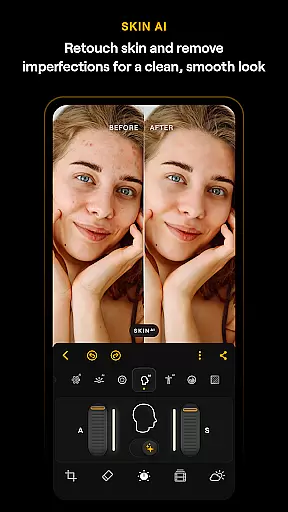
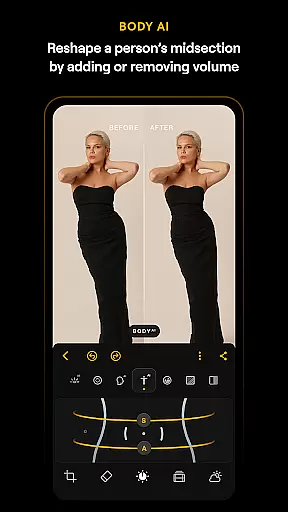
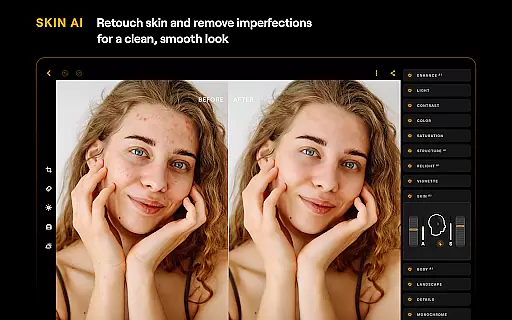
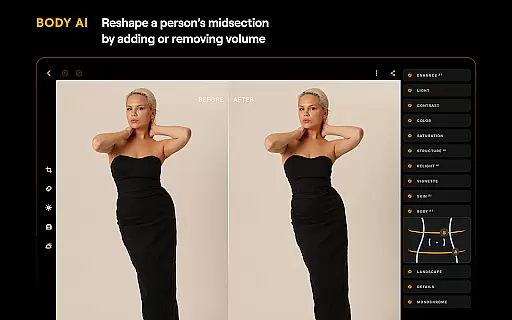
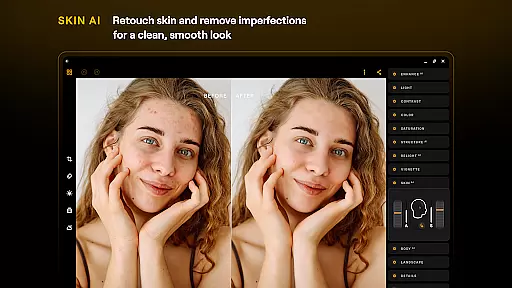
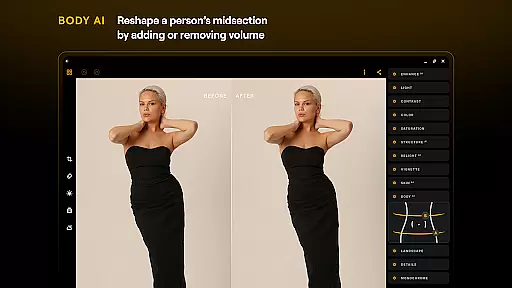
SkinAI automatically retouches skin, removing imperfections and creating a clean, smooth result without appearing artificial. This feature intelligently identifies areas for improvement, ensuring that edits enhance rather than detract from the original image. Similarly, BodyAI allows for realistic adjustments to a subjectu2019s midsection, adding or removing volume in a way that maintains proportion and realism.
These AI enhancements are powered by cutting-edge technology that understands the nuances of human anatomy, resulting in edits that look genuine and professional. Users can achieve polished yet believable outcomes, whether they're editing portraits or fashion shots.
By prioritizing naturalness in AI beauty enhancements, Luminar: Photo Editor caters to both amateur and professional photographers who seek high-quality results. The app's sophisticated algorithms ensure that every edit respects the integrity of the original photograph while elevating its overall aesthetic appeal.
User-friendly interface
Powerful AI tools
RAW file support
Versatile editing options
Cross-device compatibility
Paid subscription required
Advanced features may overwhelm beginners
Limited free trial period
High system requirements
Occasional performance lags

AI portrait generator and polaroid AI selfie, fun AI generated AI photo creator!
 4.30
4.30
Long exposure camera with computational photography
2.60
How would you look like with a differently shaped nose, chin or lips?
3.90
1M influencer's special filter
4.60
What celebrity do you look like? Celebs will find your celebrity match!
4.10
Create collages easily! Nice pic collage maker & background eraser for Instagram
4.50
GCamera allows all GCam features on all phone models! Better photos with GCamera
3.30
RAW video capture with advanced controls
4.40
PhotoSync Bundle Add-On License. Enables all features and services in PhotoSync.
4.60
Collage your moments in one tap: 1000+ layouts, filters, stickers, and texts.
4.90
AI photo enhancer with Sora 2! Enhance, descratch, and colorize your old photos.
4.50
Photo editor & gallery. Crop pictures & edit photos offline, no wifi!
4.50
Search, tag and rate your way to an organized image gallery
4.40
Turn your phone into a professional camera - full DSLR manual photography
4.30
A light meter for true photographers.
4.20
The #1 app for B&W film developing featuring an advanced darkroom timer.
4.10
Gallery Slideshow is slideshow maker app for slideshow from your gallery photos.
3.90
Astrophotography with your smartphone, photo live stacking and much more!
3.90
Be your best in every shot! Fix, edit and retouch your face in selfies & photos.
3.70


User Reviews