
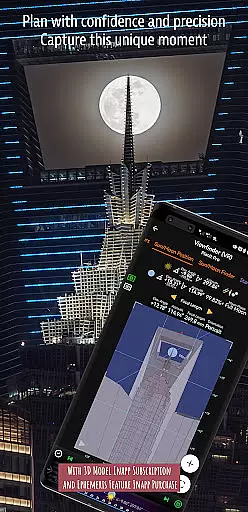
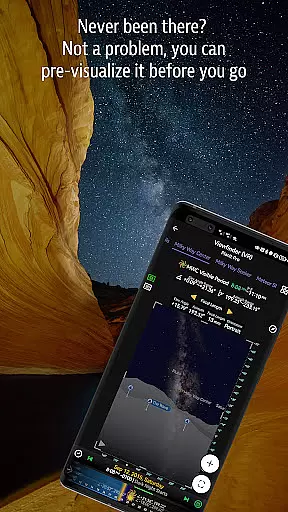
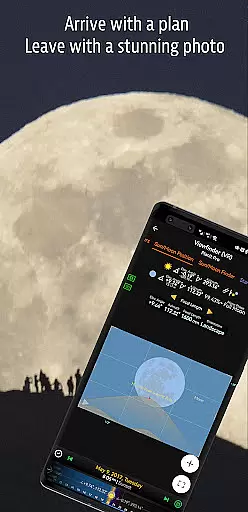
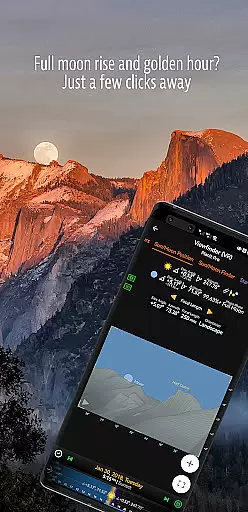
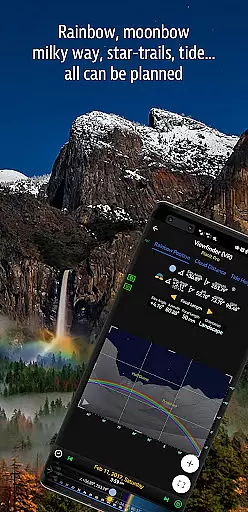

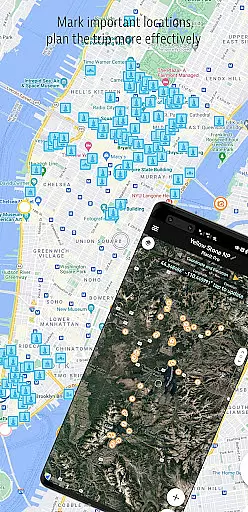
Planit Pro is an advanced photography planning application designed specifically for landscape, travel, and nature photographers. The app serves as an all-in-one solution by integrating map-based tools with simulated viewfinder technology, enabling users to pre-visualize scenes before capturing them. With features such as GPS coordinates, elevation data, sunrise and sunset times, moonrise and moonset directions, and celestial object tracking, Planit Pro helps photographers optimize their shoots.
In addition to its robust location scouting capabilities, the app includes specialized tools like depth of field (DoF) calculation, hyperfocal distance measurement, and exposure/ND filter calculators. These functionalities are complemented by offline support, allowing users to preload maps and elevation files for use in remote areas without network connectivity. Whether you're planning a time-lapse sequence or searching for the Milky Way, Planit Pro ensures that photographers can prepare thoroughly and execute their creative vision with precision.
Planit Pro offers a comprehensive suite of features tailored to meet the needs of professional and amateur photographers alike. One standout feature is its ability to overlay critical information directly onto maps, including sun/moon positions, star trails, and milky way visibility. This allows users to plan their shoots down to the smallest detail. The app also provides augmented reality (AR) and virtual reality (VR) simulations, giving users a realistic preview of how their final images will look.
Another key aspect of Planit Pro is its extensive set of photography tools. These include focal length recommendations, panorama planning, aerial photography aids, and tide predictions. Additionally, the app supports advanced calculations for time-lapse sequences, solar and lunar eclipses, and even rainbow position predictions. By combining these technical tools with user-friendly interfaces, Planit Pro empowers photographers to focus on creativity while ensuring they have all the necessary data at their fingertips.
Real-time capture and preview functionality is essential for photographers who need to visualize their shots before taking them. Planit Pro offers this by integrating advanced mapping and simulated viewfinder technologies.
The app provides real-time data on celestial objects such as the Sun, Moon, and Milky Way, allowing users to pre-visualize scenes with precision. This feature ensures that photographers are well-prepared and can plan their shoots down to the last detail.
By leveraging GPS coordinates, elevation data, and other critical metrics, Planit Pro delivers an accurate representation of what the final image will look like. This empowers photographers to make informed decisions about composition, lighting, and timing.
Ultimately, the real-time capture and preview capabilities of Planit Pro save both time and resources, enabling photographers to focus more on the creative aspects of their work rather than the technicalities.
While primarily a tool for landscape and astro-photography, Planit Pro also incorporates features that enhance the natural beauty of captured images through precise calculations and simulations.
The app includes tools for exposure settings, ND filter calculations, and light metering which collectively ensure that each photograph's natural essence is preserved and enhanced. These features help in achieving the perfect balance between artificial enhancements and natural aesthetics.
Planit Prou2019s sophisticated algorithms predict optimal shooting conditions, such as the golden hour or blue hour, ensuring that photos are taken when natural light is at its best. This meticulous attention to detail results in breathtakingly beautiful yet authentic photographs.
With these AI-driven enhancements, photographers can consistently produce high-quality images that maintain the integrity and allure of the natural landscape, making every shot not just a photograph but a masterpiece.
Comprehensive feature set
Offline functionality
Augmented reality previews
Celestial object tracking
User-friendly interface
Steep learning curve
Requires device storage
Premium price point
Occasional bugs
Complex UI for beginners

Superimpose one photo on top of another using the original Superimpose app!
 3.20
3.20
A reflected light meter with spot metering and incident light metering.
4.40
Future baby face generator: AI kids generator, kid face! What my baby look like?
4.40
Hair color changer, AI haircut app, fun hair editor and buzz cut filter for all!
3.80
Your personal guide to the sun and moon. Plan ahead, visualize and predict!
4.70
A light meter for true photographers.
4.20
PhotoSync Bundle Add-On License. Enables all features and services in PhotoSync.
4.60
A unique animation app. Powerful, easy to use, and lots of fun.
4.30
Discover How to Plan any Sun, Moon and Milky Way Photo You Imagine in Seconds
4.70
AI Photo Editor with 100+ Filters, Effects! Remove BG, Retouch & Photo Enhancer.
4.80
Safe & smart flight with Go Fly drone controller for 40+ drone camera, zone map
4.50
Transform photos into videos! Create realistic or anime-style images easily!
4.50
AI portrait generator and polaroid AI selfie, fun AI generated AI photo creator!
4.30
Create & Edit with AI: AI Remove, Enhance, Retouch, Filter
4.10
How would you look like with a differently shaped nose, chin or lips?
3.90
Create amazing frames with up to five photos. Rounded corners, effects and more!
3.60
GCamera allows all GCam features on all phone models! Better photos with GCamera
3.30
Raw Image Viewer. Gallery with support of raw images (.cr3, .cr2, .nef, .raf).
2.00
Photo Album Watch Face shows your favorite pictures as a Watchface.
1.90


User Reviews