
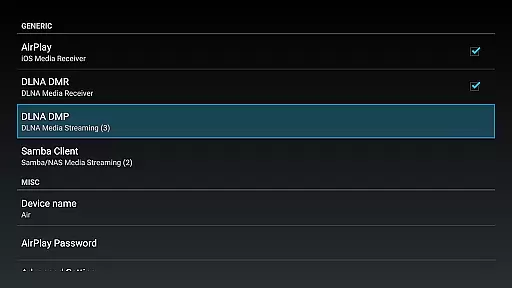
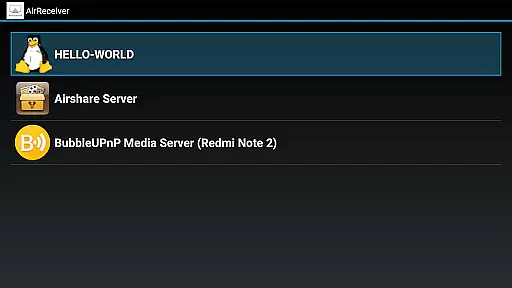

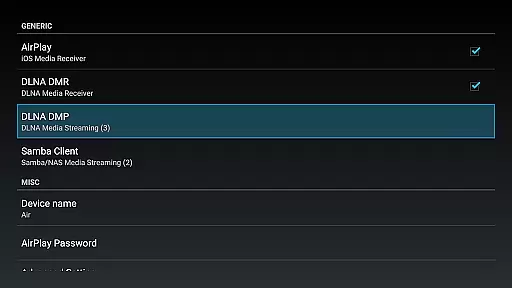
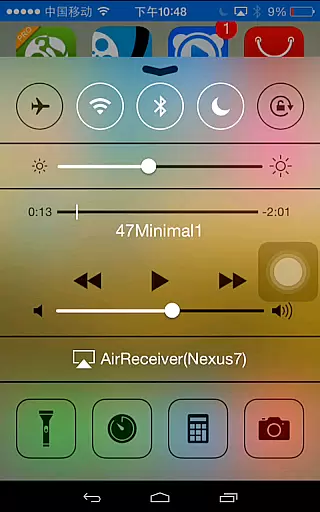
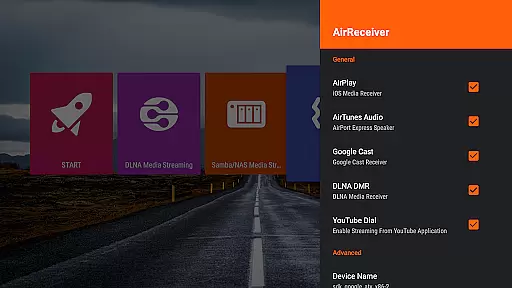
AirReceiver AirPlay Cast DLNA is a versatile video player and editor designed for seamless media streaming across devices. This application supports multiple protocols including AirPlay, Cast, Wireless Display, and DLNA, allowing users to stream screens, photos, music, and videos from their phones or laptops directly to a TV.
With its ability to run in the background as a service, AirReceiver ensures uninterrupted streaming to Android devices, making it particularly suitable for Android TV/Box setups. The app also offers advanced features such as support for YouTube videos, audio sync with other AirExpress devices, and compatibility with AirParrot for mirroring PC screens on Android tablets.
Whether you're looking to enjoy multimedia content on a larger display or need a reliable solution for presentations, AirReceiver provides a comprehensive toolset that enhances your viewing experience while maintaining high performance standards.
AirReceiver stands out with its robust feature set tailored for both casual and professional use. One of its key strengths is the support for various streaming protocols like AirPlay, Cast, Wireless Display, and DLNA, which ensures broad compatibility with different devices and ecosystems.
The app excels in performance with full support for IOS16 and AirMirror functionality, offering top-tier performance among third-party AirPlay applications. Users can take advantage of unique capabilities such as slideshow features, configurable network names, and the option to start the service on boot, enhancing convenience and customization options.
Additionally, AirReceiver facilitates Windows Screen Mirroring through the free tool AirSender, enabling users to mirror their PC screens effortlessly. These features collectively make AirReceiver a powerful choice for anyone seeking a flexible and efficient media streaming solution.
Video format compatibility is a crucial feature for any video player or editor, ensuring that users can enjoy content in various formats without technical hindrances. AirReceiver AirPlay Cast DLNA supports an extensive range of video formats, making it versatile and user-friendly.
This application allows streaming from multiple sources such as AirPlay, Cast, Wireless Display, and DLNA. Whether you're looking to stream videos from your phone, laptop, or other devices, AirReceiver ensures seamless playback on your TV or Android device.
With dedicated support for YouTube videos and full compatibility with IOS16, AirReceiver stands out by offering uninterrupted streaming experiences across different platforms. This means you won't have to worry about converting files or dealing with unsupported formats.
The ability to run in the background as a service adds another layer of convenience, allowing continuous media streaming without interrupting other tasks. Users benefit from configurable network names and options to start on boot, enhancing accessibility and ease of use.
AI-powered editing features are transforming how we interact with multimedia content by providing intelligent tools that simplify complex tasks. Although AirReceiver AirPlay Cast DLNA primarily focuses on streaming capabilities, its integration with advanced technologies offers unique advantages.
AirReceiver supports functionalities like AirMirror, which delivers top-notch performance among third-party AirPlay applications. This feature leverages AI to optimize screen mirroring processes, ensuring high-quality display outputs even under heavy CPU loads.
Additionally, the app's slideshow feature benefits from AI enhancements, enabling smooth transitions and efficient management of photo streams. These capabilities make it easier for users to create engaging presentations directly from their mobile devices.
While not traditionally categorized as an editor, AirReceiveru2019s smart syncing with other AirExpress devices showcases its potential in delivering synchronized audio experiencesu2014a testament to its underlying technological prowess.
User-friendly interface
Multi-protocol support
Background service operation
Advanced streaming options
Compatibility with various devices
High CPU load for AirMirror
Limited to powerful devices
Potential conflicts with other apps
No built-in media player
Refund policy restrictions

Online Videos Player
 3.90
3.90
Video Player - Unlimited features, 30 days money back guarantee.
4.60
Full HD Video mp3 Player, MP4 player play 1080p, File manager, Video Downloader
4.40
KMPlayer Plus (Divx Codec) officially support Divx codec.
4.30
An easy-to-use and all-round screen recorder with audio
4.80
Seamlessly connect and control your smart devices, anytime, anywhere with ease.
4.60
GENRAL PRO - General Pro is the best video player that fully supports all formats.
4.70
This app is an emulator of some specific IPTV boxes
3.50
Video player with 4K & 1080P support, popup play, background play and subtitle.
4.20
Flud is a simple and beautiful BitTorrent client for Android.
4.80
?100% FREE! Download & save videos? safely in this app. All formats supported.
4.60
Cast movies, tv shows and live streams to Chromecast, Roku, DLNA, Fire TV & more
4.60
Video player, file manager for all formats, 4K/HD media player supports subtitle
4.30
Powerful Video Editor & Photo Editing App —— Quick Edits & Stunning Effects!
4.30
Your media, on your terms.
4.10
Connect EasyCap or UVC devices for recording and broadcast video/audio stream
3.60
Watch full episodes of your favorite Cartoon Network and Cartoonito shows!
3.50
Client application for NextPVR software
3.00
Video player with powerful streaming playback and various convenient features.
2.10


User Reviews