
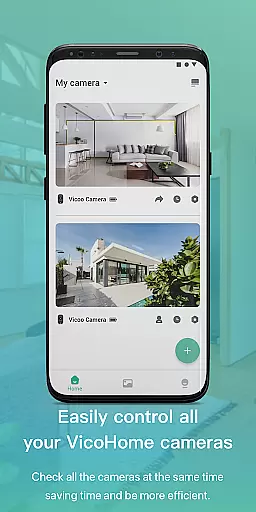
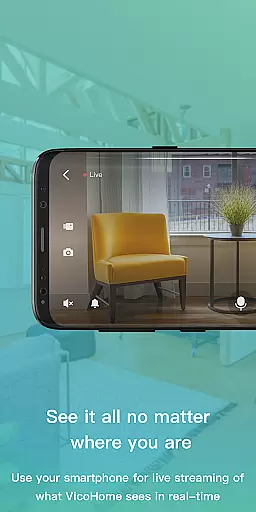
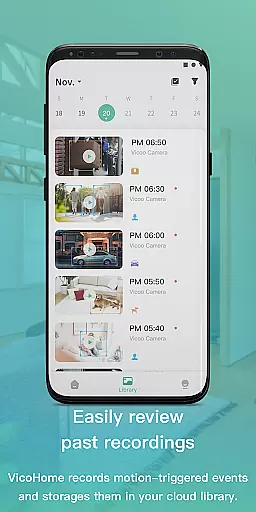
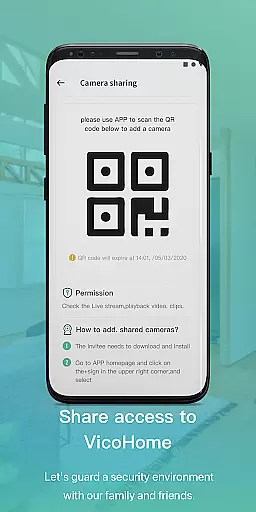
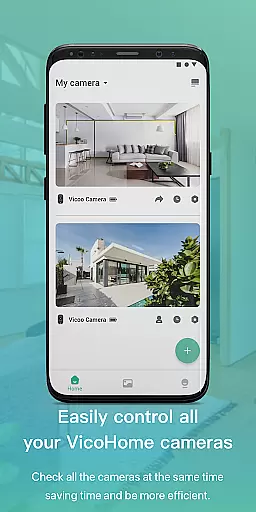
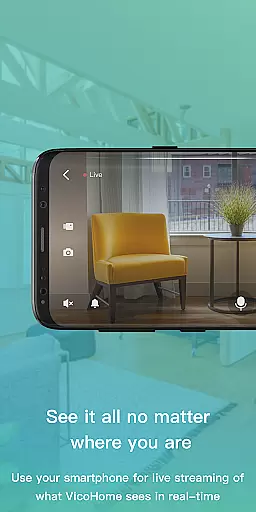
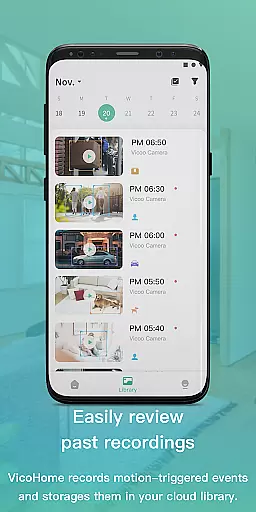
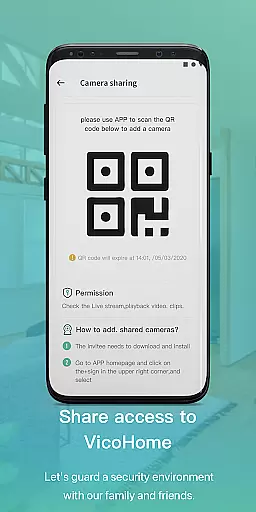
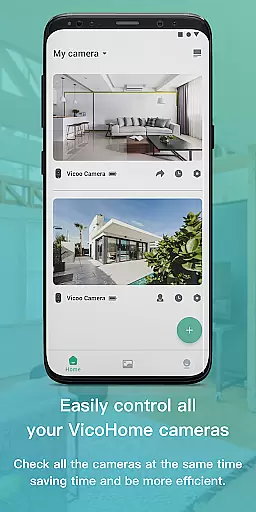
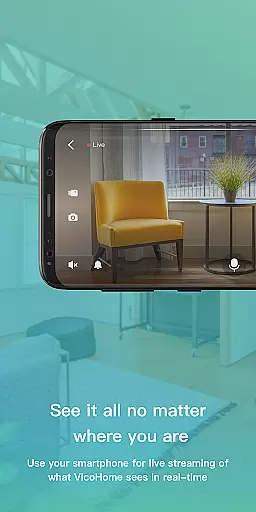
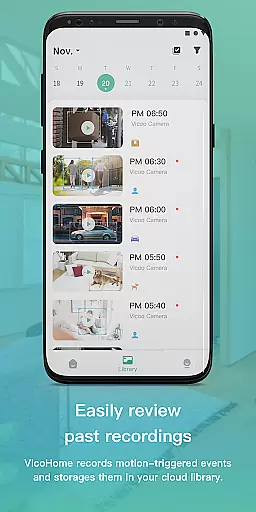
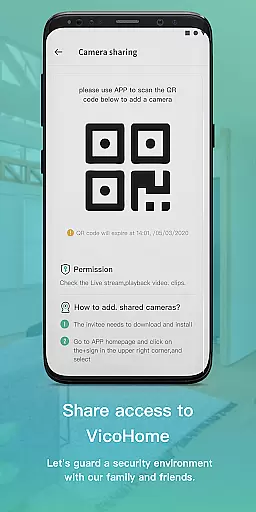
VicoHome is a smart home monitoring application that allows users to connect with their smart devices, especially cameras, from anywhere and at any time. Through its live screen feature, users can easily observe real-time situations at home, ensuring peace of mind whether they are at work or on vacation. Additionally, the app provides access to past recordings, allowing users to review previous footage without missing any important details.
The application is designed for homeowners who want to enhance their home security and keep track of daily activities. With VicoHome, users can conveniently manage multiple cameras, making it an essential tool for modern smart homes.
VicoHome offers a comprehensive set of features tailored for smart home security. One of its standout capabilities is the live screen functionality, which enables users to view real-time video feeds from connected cameras. This ensures immediate awareness of any activity within the monitored areas. Furthermore, the app supports cloud storage, allowing users to store and retrieve recorded videos effortlessly.
In addition to live monitoring, VicoHome provides motion detection alerts, notifying users whenever unusual movements are detected. Users can customize alert settings based on specific needs, such as setting sensitivity levels or defining active hours. These features collectively empower users to maintain robust surveillance over their properties while enjoying the flexibility of remote access.
Video format compatibility is a crucial feature for any video player, ensuring that users can access their content in various formats without technical barriers. VicoHome supports multiple video formats commonly used by smart cameras, allowing seamless playback of recorded footage.
The application ensures that whether you're viewing live streams or recorded videos, the format will not hinder your ability to monitor your home. This flexibility enables users to connect different camera models and brands, making it a versatile solution for home security needs.
By supporting standard and high-definition formats, VicoHome guarantees that users won't miss any details when reviewing past footage. The app's comprehensive format support enhances user experience by providing smooth, uninterrupted video playback across devices.
AI-powered editing features are revolutionizing how users interact with their video content. VicoHome incorporates intelligent tools that allow users to enhance their recorded videos effortlessly. These features include automated scene detection, smart trimming, and optimized video quality adjustments.
The AI algorithms analyze video content to identify important events, enabling users to focus on critical moments without manually sifting through hours of footage. This functionality is particularly useful for identifying unusual activities or specific timeframes within the recorded videos.
Additionally, VicoHome's AI enhancements ensure that even low-light recordings maintain clarity and detail. By leveraging advanced processing techniques, the app delivers professional-grade video improvements that were previously only available in desktop editing software, all within a mobile application.
User-friendly interface
Real-time monitoring
Cloud storage integration
Motion detection alerts
Multi-camera support
Limited device compatibility
Subscription fees apply
Occasional connectivity issues
No 24/7 customer support
Basic free plan limitations

Save photos and videos from social apps in one tap.
 3.60
3.60
IPTV-Smarters Player Pro M3U - Watch Live Stream TV Channels with Chromecast
4.00
Create & edit videos with AI
4.30
AirMirror is Receiver for Screen Mirroring and Casting from Apple Devices.
3.60
High-Quality USB Camera Viewer & HDMI Display
4.70
GENRAL PRO - General Pro is the best video player that fully supports all formats.
4.70
Play and download HD videos from all sources — fast, simple, and all-in-one.
4.0
Download videos and play them offline
4.70
The essential companion to your Blue Iris PC software
2.50
Play ALL formats in 4K & HD. Video downloader, MP3 player, Chromecast & more.
4.80
Flud is a simple and beautiful BitTorrent client for Android.
4.80
#1 Torrent App on Android ** No Ads Ever + Battery Saver **
4.80
AI Video Editor with Music, Filter, Slideshow, Effect, Merge & Trim Video.
4.80
Download Hub, easy and private way to download and enjoy your videos offline
4.80
Video Player - Unlimited features, 30 days money back guarantee.
4.60
Create photo video with music & template. AI video maker for stunning slideshow.
4.60
Cast movies, tv shows and live streams to Chromecast, Roku, DLNA, Fire TV & more
4.60
All format media Player, no need video converter any more!
4.00
1)AirPlay/DLNA Mirroring/Streaming, up to 4 connections; 2)Samba/NAS/DMS Player.
4.00


User Reviews