
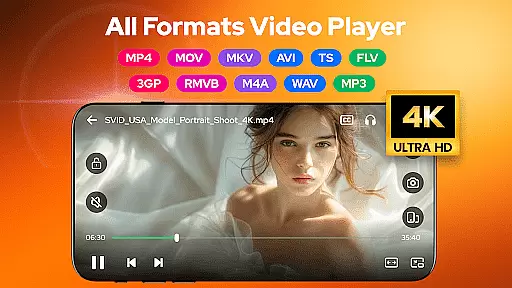

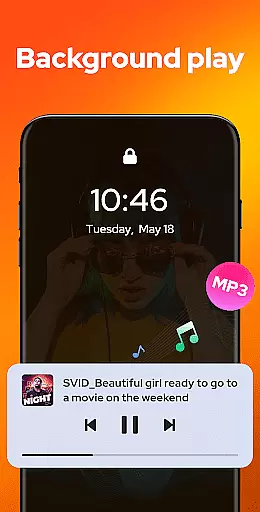
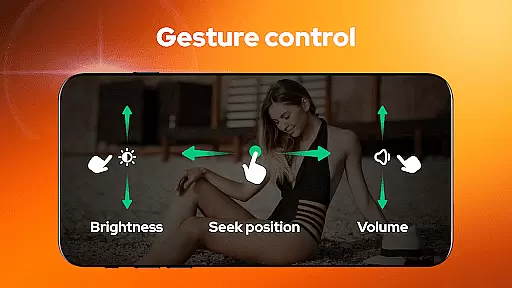
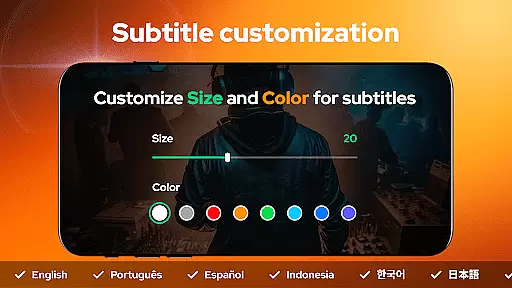
Video Player - AnyPlay is a versatile all-in-one media solution for Android users. This application combines a powerful video player, an efficient file manager, and a high-quality video downloader in a single package. Supporting videos in all formats, it provides an exceptional playback experience with features like customizable subtitles, gesture control, and pop-up playback.
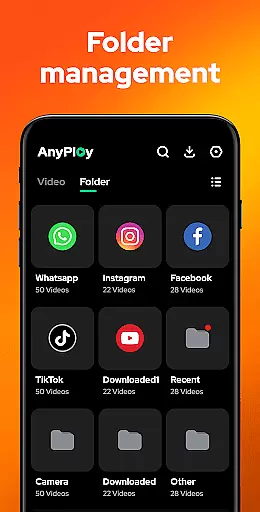
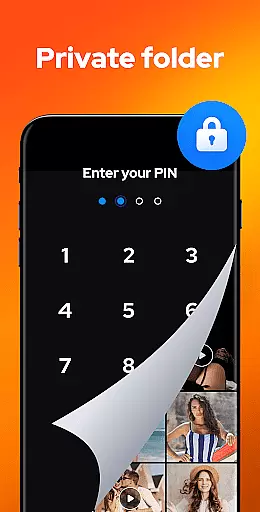
The app's intelligent file management system automatically detects and organizes all media files on your device, presenting them in clear lists for easy access. With privacy protection features such as hiding videos in private folders, and additional capabilities including HD music playback and background play, AnyPlay meets diverse media consumption needs. Whether you're watching videos, managing files, or enjoying music, this app offers a comprehensive solution for all your media requirements.
AnyPlay distinguishes itself through its extensive feature set tailored for media enthusiasts. The app's HD video player supports all formats and offers advanced subtitle customization, allowing users to adjust color, size, and import local or online subtitles. Its smart gesture controls enable intuitive fast-forwarding, rewinding, and volume adjustments, while the pop-up play feature lets users multitask during video playback.
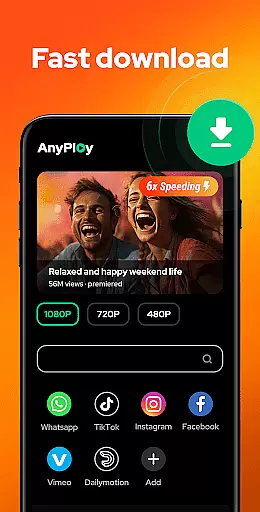
The built-in file manager automatically scans and organizes media files across phone storage and SD cards, supporting various formats including MKV, MP4, and AVI. Users can sort files by multiple criteria and hide sensitive content in private folders. Additionally, the HD video downloader includes a built-in browser for downloading videos from any website, with resolution options ranging from 1080P to 360P. These comprehensive features make AnyPlay a complete media management solution.
Video Player - AnyPlay stands out with its exceptional video format compatibility, ensuring users can enjoy a seamless playback experience regardless of file type. The app supports an extensive range of formats including MKV, MP4, AVI, and many more, making it a versatile choice for all video playback needs.
The importance of this feature lies in its ability to eliminate the common frustration of format incompatibility. By incorporating both hardware and software decoders, the app guarantees high-quality playback for virtually any video file on your device.
Users benefit from having a centralized location for managing and playing all their media files without the need for additional conversion tools. This not only saves time but also preserves the original quality of the videos, providing an uninterrupted viewing experience.
With Video Player - AnyPlay, you can confidently play videos from any source, knowing that the app is designed to handle diverse file types efficiently. This adaptability ensures that your media library remains accessible and enjoyable, regardless of how varied your video collection may be.
AnyPlay incorporates AI-powered editing features that elevate the video management experience to new heights. These intelligent tools allow users to effortlessly enhance their videos through automated processes that optimize visual and audio elements.
The significance of AI in video editing cannot be overstated. It streamlines tasks such as color correction, audio enhancement, and subtitle generation, enabling users to produce professional-grade content without requiring specialized skills or equipment.
By leveraging these advanced capabilities, users can transform ordinary footage into engaging stories with minimal effort. The built-in equalizer and reverb effects further enrich the auditory experience, ensuring every clip sounds as good as it looks.
This innovative approach to video editing empowers creators to focus on storytelling rather than technical details. With AnyPlay's AI-driven enhancements, producing high-quality multimedia content becomes an intuitive and rewarding process, setting a new standard for mobile video editors.
User-friendly interface
Comprehensive format support
Advanced privacy features
Efficient file management
High-quality playback
May consume more storage
Some features need premium
Occasional ads display
Complex for beginners
Battery consumption concern

Video Player - Unlimited features, 30 days money back guarantee.
 4.60
4.60
Save photos and videos from social apps in one tap.
3.60
Cast to Chromecast, Xbox, Fire Stick, Roku, DLNA, Smart TV & No Feature Limited!
4.50
Fast video downloader & private browser. Save HD clips to watch offline.
4.40
Create photo video with music & template. AI video maker for stunning slideshow.
4.60
Live TV, anywhere in your home
3.80
High-Quality USB Camera Viewer & HDMI Display
4.70
Video&Drama Player All Format is a HD video player, music player
3.00
Make videos you’re proud to share with Edits, a video editor for creators.
4.70
Screen recorder with audio to take live videos & Screenshot in high quality!
4.70
Cast movies, tv shows and live streams to Chromecast, Roku, DLNA, Fire TV & more
4.60
Movie maker & video editing app with AI effects and green screen
4.30
Video Downloader is an utility that can save videos and music from web sites
4.20
Browser for Samsung TV to stream webvideos, online movies and livestreams in HD
4.10
Explore the largest library of free GIFs, Stickers & Memes - or create your own!
3.90
Livestream, news, & gaming content. Watch, chat, and upload. Join Rumble today!
3.80
AirMirror is Receiver for Screen Mirroring and Casting from Apple Devices.
3.60
All in one multi protocols stream receiver for AirPlay, Cast and DLNA.
3.60
Watch full episodes of your favorite Cartoon Network and Cartoonito shows!
3.50


User Reviews