
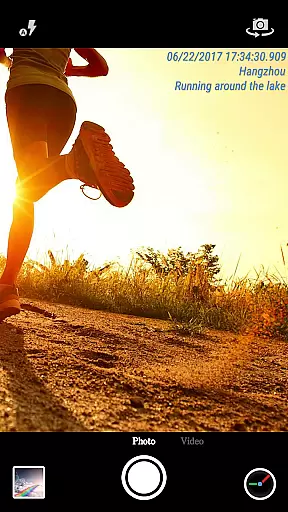
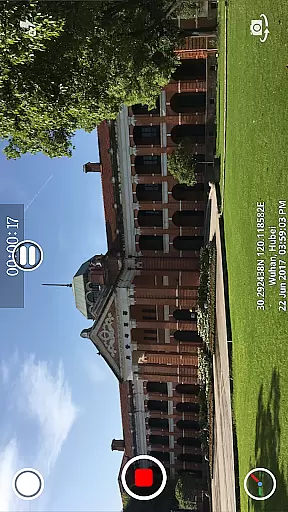
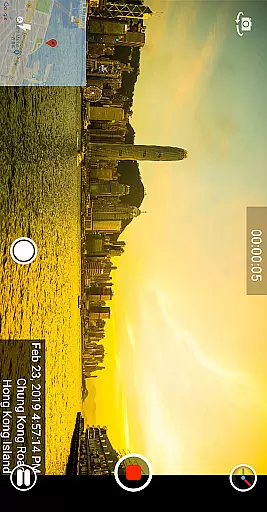
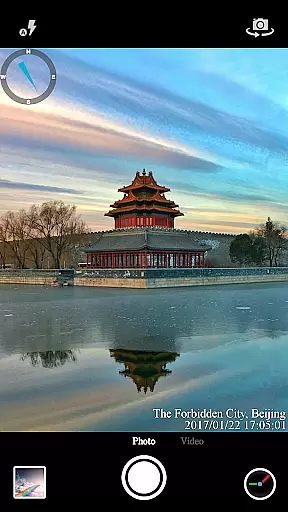

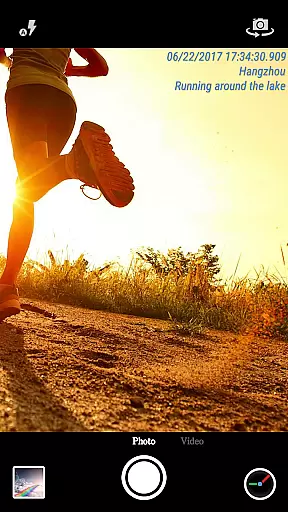
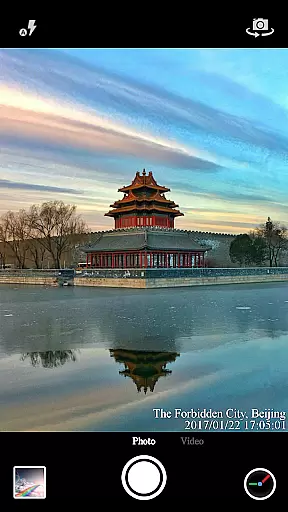
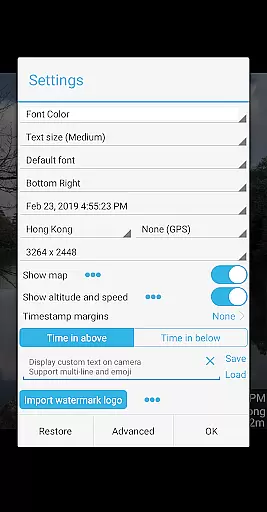

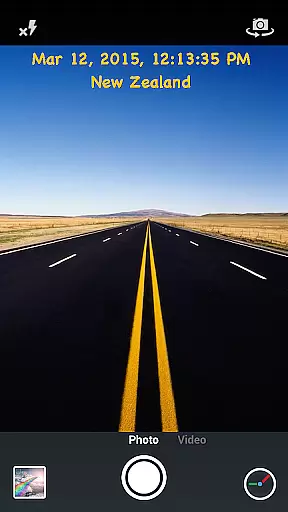
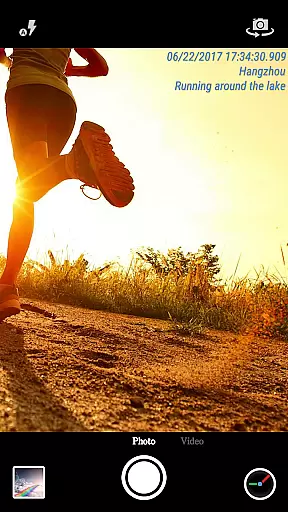
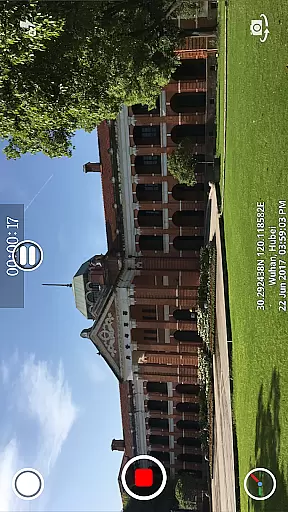
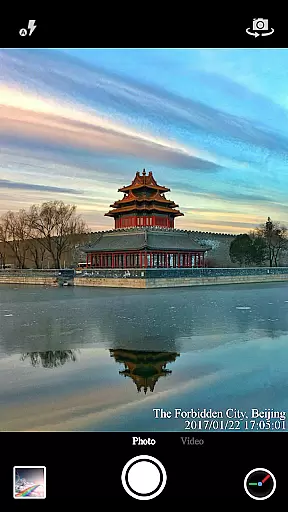
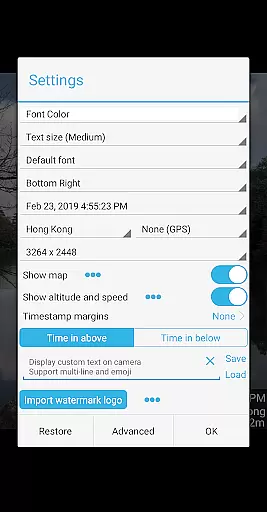

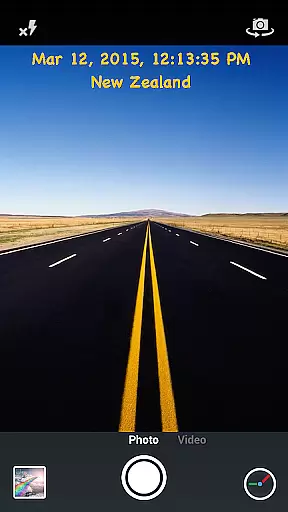
Timestamp Camera Pro is a powerful video and photo editing application that allows users to add real-time timestamp watermarks while capturing media. The app supports 61 different timestamp formats, giving users the flexibility to choose their preferred style. It also offers advanced customization options such as changing font styles, colors, sizes, and positions, making it suitable for both personal and professional use.
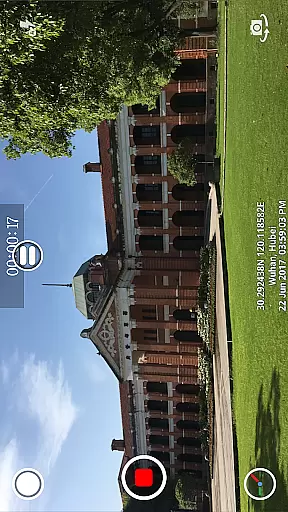
In addition to timestamps, the app provides features like location tagging, altitude, and speed display, which are particularly useful for creating informative and context-rich videos. Whether you're documenting an event, conducting surveillance, or simply enhancing your personal videos, Timestamp Camera Pro ensures that every moment is accurately marked with time and location data.
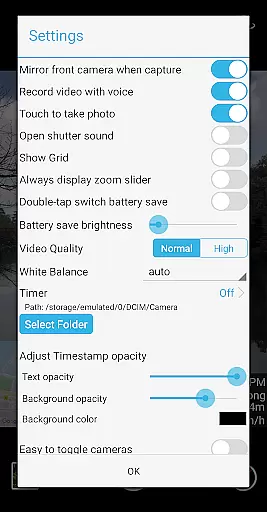
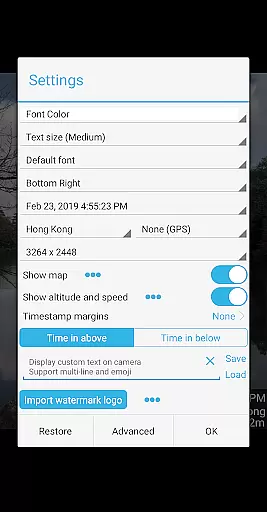
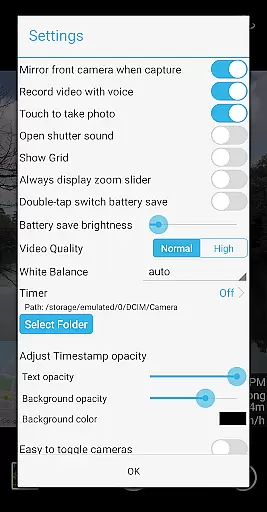
One of the standout features of Timestamp Camera Pro is its ability to record videos with millisecond accuracy in timestamp watermarks. This precision is unmatched by other apps in the Video Players & Editors category. Users can customize the appearance of the timestamp by adjusting font opacity, background color, and position on the screen, ensuring that the watermark complements the content without being obtrusive.
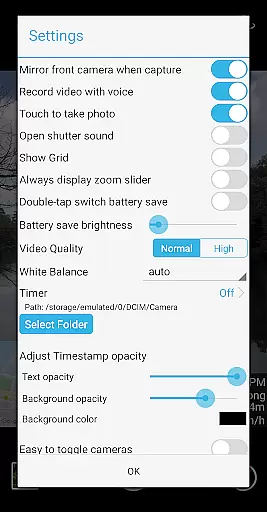
The app also includes creative tools such as custom text overlays, emoji integration, and map displays. These features allow users to personalize their videos further by adding descriptive text, fun emojis, or geographical context through interactive maps. Additionally, support for recording with or without audio, battery saver mode, and the option to turn off shutter sounds make this app versatile and user-friendly.
Timestamp Camera Pro caters to various shooting environments with support for both portrait and landscape orientations, resolution adjustments, and direct saving to SD cards. These capabilities ensure that users can capture high-quality photos and videos while maintaining optimal device performance.
Timestamp Camera Pro stands out with its extensive video format compatibility, ensuring that users can work with a wide array of file types without any hitches. The app supports popular formats such as MP4, AVI, and MOV, making it versatile for various devices and platforms.
Beyond just basic playback, the app allows real-time effects to be applied to videos regardless of their format. This includes the unique feature of adding timestamp watermarks accurate to the millisecond, which is preserved across all compatible formats.
Users benefit from customizable video resolutions and the ability to save videos directly to an SD card, streamlining the process for both casual and professional use. These features ensure that no matter the video format, Timestamp Camera Pro maintains both quality and functionality.
One of the standout AI-powered editing features of Timestamp Camera Pro is its intelligent auto-correction tools. These tools automatically adjust brightness, contrast, and color levels, optimizing video quality with minimal user input required.
The app also leverages AI to enhance its core functionalities, like the real-time addition of time and location stamps. Users can customize these stamps extensively, changing fonts, colors, sizes, and positions, all processed smoothly through advanced algorithms.
Additionally, the AI integration extends to mapping features, where users can overlay maps onto their videos. The app intelligently adjusts map scale, transparency, and position based on the video content, providing a seamless and professional editing experience.
Real-time timestamping
Highly customizable
Accurate to milliseconds
Supports location tagging
User-friendly interface
May drain battery faster
Some features require premium
Limited free version
Occasional bugs reported
Interface could be simplified

Online Videos Player
 3.90
3.90
Your media, on your terms.
4.10
HD video maker with no watermark, no ads & vlog maker with music, PIP, text
4.50
Support 1000+ Video Format, Subtitle Download, mp3 & Background Play, Cast On TV
4.60
Download website videos fast&privacy
4.40
Watch IPTV on your Android device
4.60
LumaFusion: The Ultimate Storytelling Experience for Video Editing
4.10
Create, Publish & Maximize
4.70
Manage your YouTube channel on the go
4.40
Download Hub, easy and private way to download and enjoy your videos offline
4.80
Tik & Story Saver-Download ALL social media videos, photos & reels no watermark.
4.80
VLC Remote lets you control your VLC Media Player on Mac, PC or Linux.
4.60
Fast, private downloading, video saving, social media
4.50
Browser for Fire TV to stream webvideos, online movies, livestreams in HD
4.40
Viddo: Generate Action Figure, AI Anime, AI kiss, AI hug Video from image & text
4.40
Video player, file manager for all formats, 4K/HD media player supports subtitle
4.30
KMPlayer Plus (Divx Codec) officially support Divx codec.
4.30
Make your own Animations, Video and Photo Edits, Visual Effects, and more!
4.00
All in one multi protocols stream receiver for AirPlay, Cast and DLNA.
3.60


User Reviews