
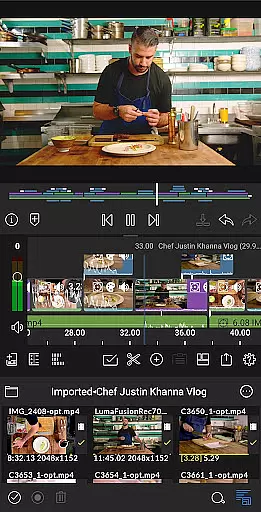
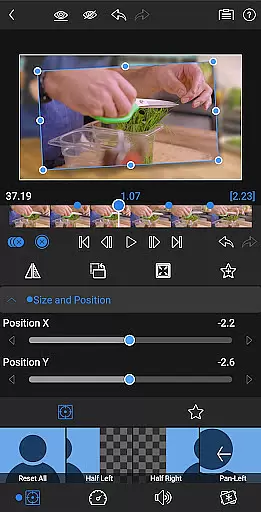
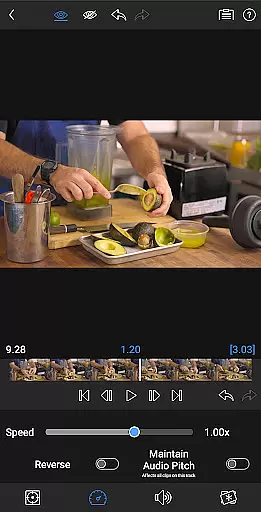
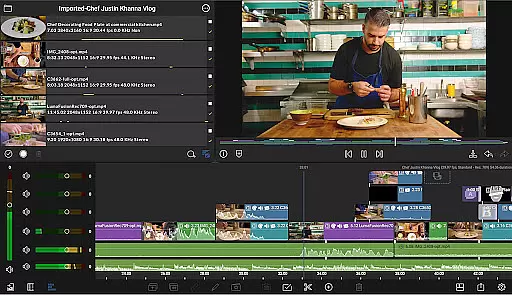
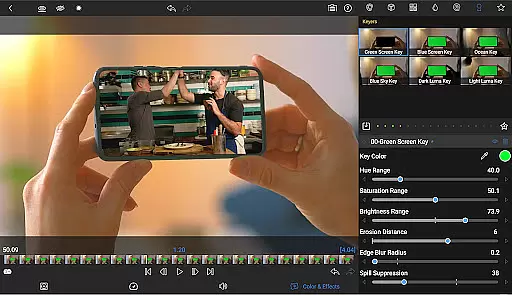
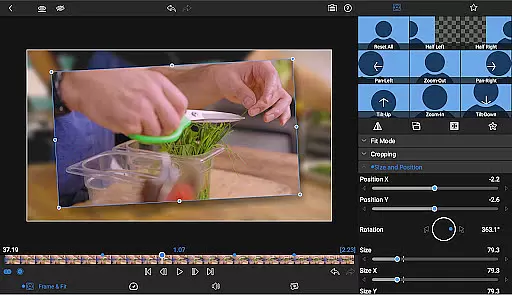
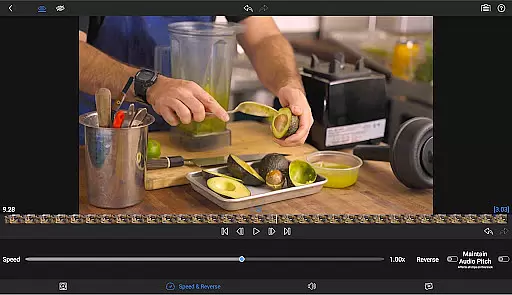
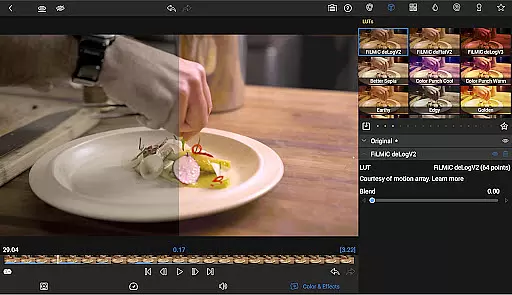
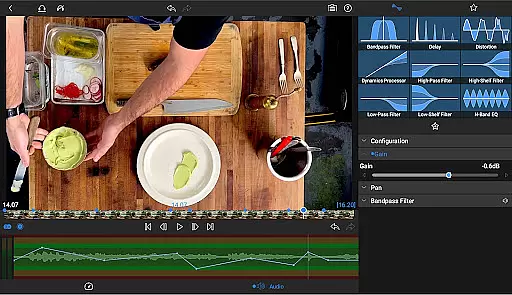
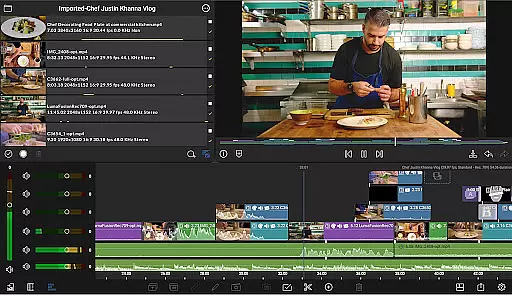
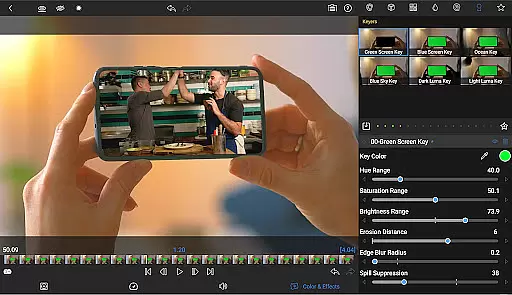
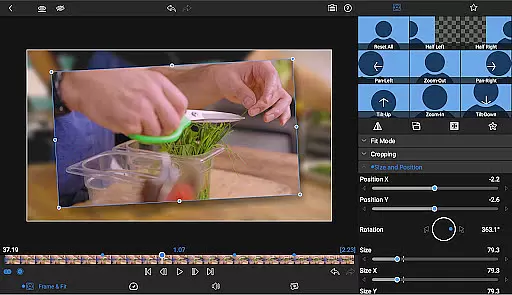
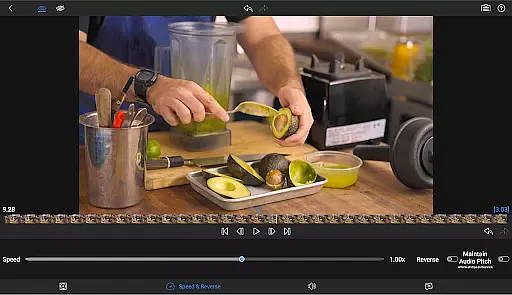
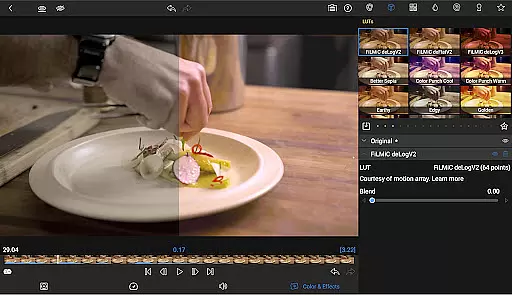
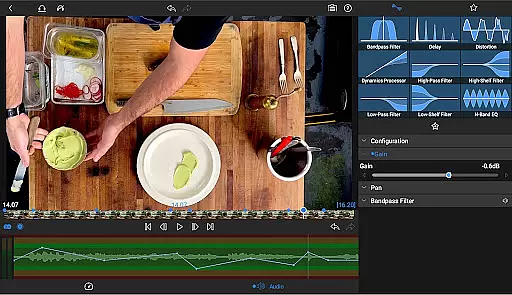
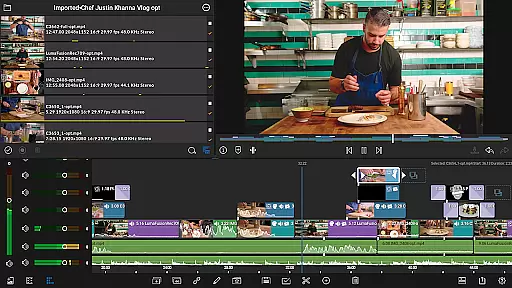
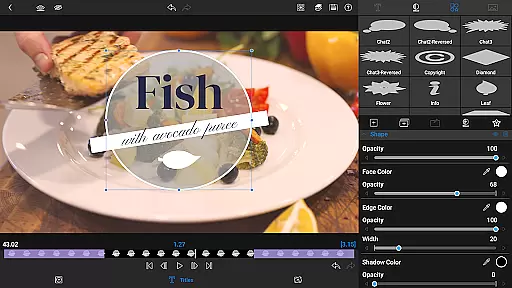
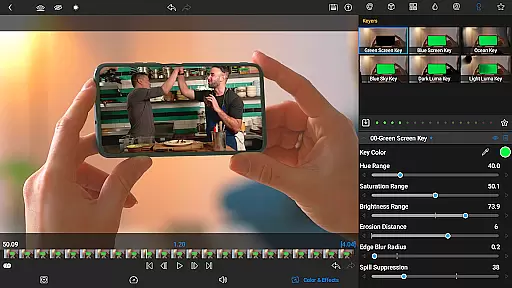
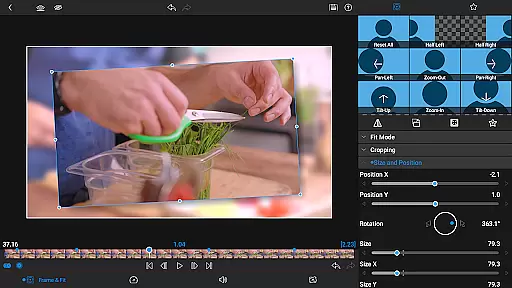

LumaFusion stands as a premier mobile video editing application, designed for storytellers and content creators who demand professional-grade tools on the go. With its intuitive touch-screen interface, users can seamlessly edit videos up to 4K resolution across six versatile video tracks, complemented by an additional six audio-only tracks for rich soundscapes.
The app's standout feature is its flexible timeline that combines track-based and magnetic editing, empowering editors with fluid media handling and precise control over transitions, markers, and voiceovers. Advanced functionalities such as green screen effects, color correction, and layered text options make it a comprehensive solution for creative professionals.
Whether crafting social media clips or cinematic masterpieces, LumaFusion offers project flexibility with varied aspect ratios and frame rates. Its extensive audio controls, customizable titles, and integration capabilities with cloud storage ensure a polished final product ready for effortless sharing across platforms.
LumaFusion distinguishes itself through a robust set of features tailored for both amateur enthusiasts and seasoned professionals. The app provides an unparalleled editing experience with its unique combination of a track-based and magnetic timeline, enabling smooth manipulation of multiple layers of video and audio tracks. This dual functionality ensures efficient workflow management while maintaining high-quality output.
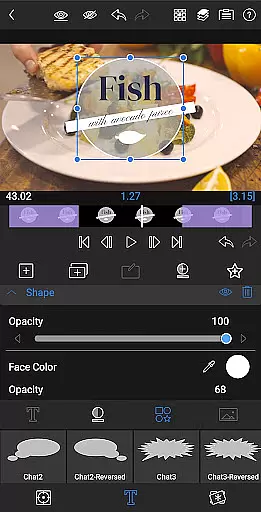
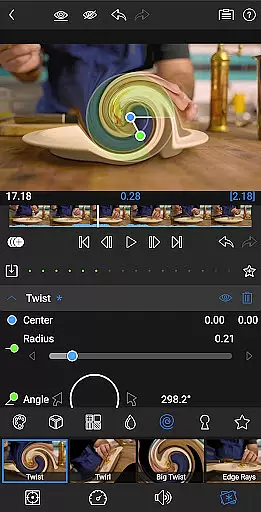
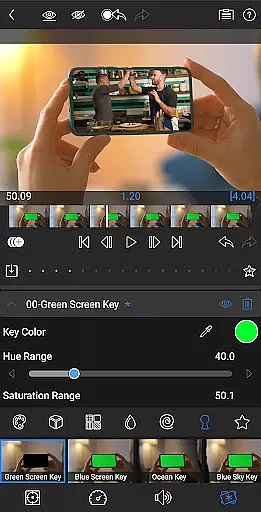
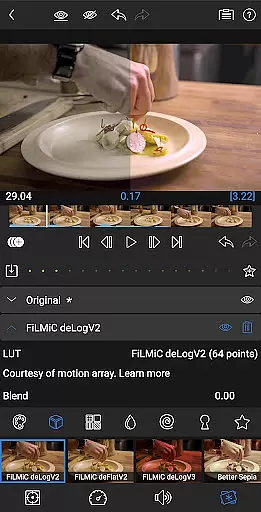
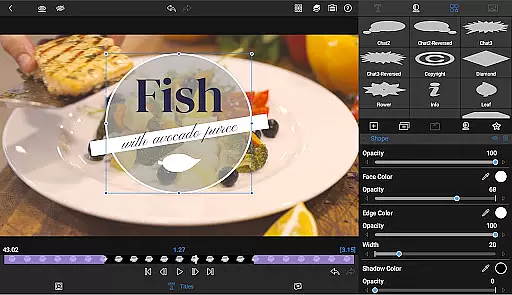
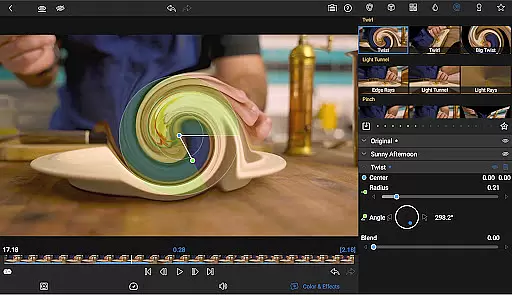
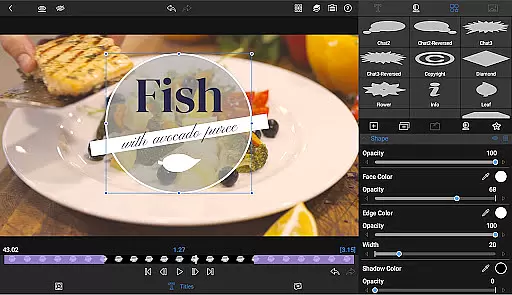
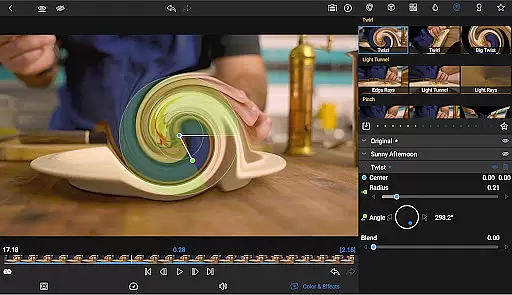
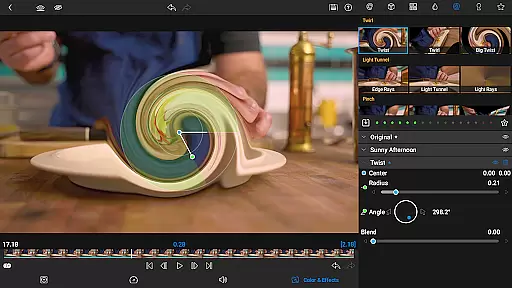
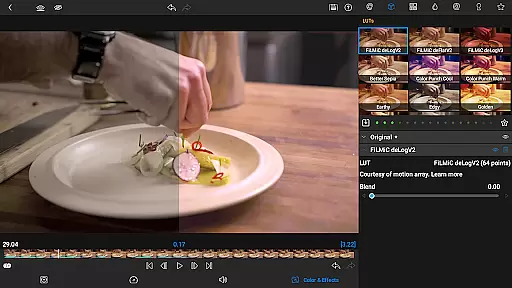
Creative expression is amplified with advanced compositing tools like green screen and chroma keys, alongside powerful color correction instruments. Users can import LUTs, animate effects using unlimited keyframes, and save custom presets for consistent styling across projects. Additionally, multilayer text options allow for intricate title designs that enhance visual storytelling.
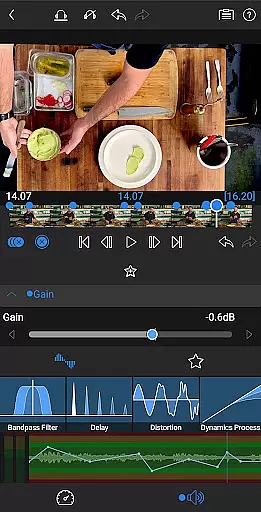
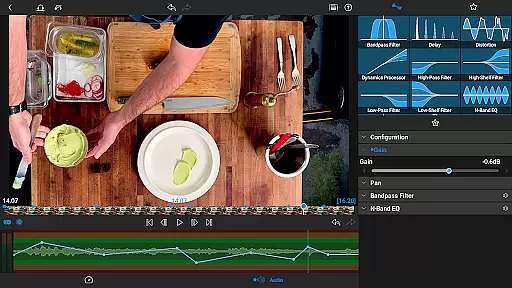
Audio refinement is equally prioritized, offering parametric EQs, precise level adjustments via keyframing, and support for various audio formats including stereo and dual-mono setups. These meticulous controls guarantee balanced mixes ideal for interviews or complex soundscapes. Furthermore, optional in-app purchases unlock speed ramping and enhanced animation curves, elevating motion graphics to new heights.
Video format compatibility is a crucial feature for any video editing application, including LumaFusion. This ensures that users can import, edit, and export videos in various formats, making the editing process versatile and flexible.
LumaFusion supports media up to 4K resolution and allows editing from the Media library and directly from USB-C drives, providing flexibility in accessing content wherever it is stored. Whether your footage is in MP4, MOV, or other common formats, LumaFusion handles them with ease, ensuring smooth handling of high-quality media.
The benefit of this extensive video format compatibility is the ability for creators to work with diverse footage without worrying about conversion issues. This saves time and maintains the quality of the original files throughout the editing process.
Moreover, LumaFusion's support for different aspect ratios and frame rates, from widescreen cinema to social media formats, enhances its versatility. Creators can produce content tailored for specific platforms while retaining professional-grade quality.
AI-powered editing features are revolutionizing the way video editors work by automating complex tasks and enhancing creativity. In LumaFusion, these features provide intelligent tools that simplify the editing process, allowing storytellers to focus more on their narrative and less on technicalities.
One notable AI feature is the automatic audio ducking, which intelligently balances music and dialogue levels. This ensures that voiceovers and spoken content remain clear and audible, even when background music is present. Additionally, advanced color correction tools and waveform analysis enable precise adjustments, helping creators achieve their desired look effortlessly.
Another advantage is the availability of customizable text and effect presets, which can be saved and shared. These presets leverage AI to learn user preferences, offering quick access to frequently used animations and styles. This not only speeds up the workflow but also maintains consistency across projects.
Overall, AI-powered editing in LumaFusion empowers creators with efficient, intuitive tools that enhance productivity and creativity. By integrating smart technologies, the app provides a seamless editing experience that caters to both amateur and professional needs.
Intuitive user interface
Professional editing tools
Flexible timeline options
Advanced color correction
Comprehensive audio controls
Subscription required for full access
In-app purchases necessary
Steep learning curve
High system requirements
Limited free features

Auto video maker with music & exclusive filters. Video editing made simple.
 4.50
4.50
Connect 2 UVC devices for recording and broadcast video/audio stream
3.90
HD video & music player - All format support with floating & PIP mode!
3.80
Watch full episodes of your favorite Cartoon Network and Cartoonito shows!
3.50
Turn your phone into a wireless camera!
4.20
Explore the largest library of free GIFs, Stickers & Memes - or create your own!
3.90
Video Downloader, Multiple Resolution Options, Video Player
4.50
Add date and time watermark to photos and videos
4.50
Download Hub, easy and private way to download and enjoy your videos offline
4.80
?100% FREE! Download & save videos? safely in this app. All formats supported.
4.60
Search & download videos from net with all video downloader, auto-detect & safe.
4.60
Fast, private downloading, video saving, social media
4.50
Powerful Video Editor & Photo Editing App —— Quick Edits & Stunning Effects!
4.30
VLC for Android is the best open source video and music player, fast and easy!
4.10
IPTV-Smarters Player Pro M3U - Watch Live Stream TV Channels with Chromecast
4.00
Cast to Smart TV, Fire TV. Cast video, photo - Fast & Stable!
3.90
Capture images & record videos for USB Camera, Webcam, Microscopes, Endoscopes
3.80
You can play SWF format file!
2.50
Video player with powerful streaming playback and various convenient features.
2.10


User Reviews