
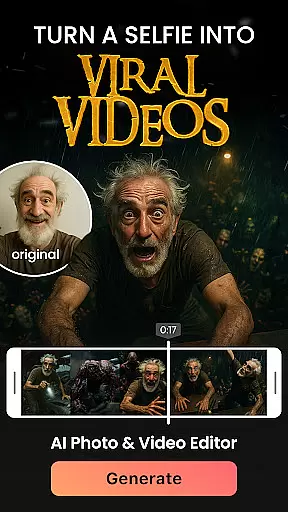

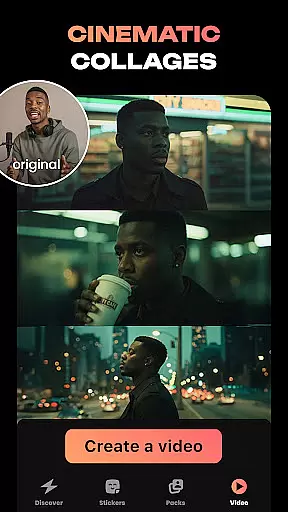
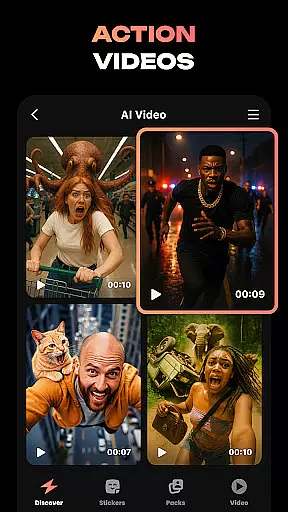
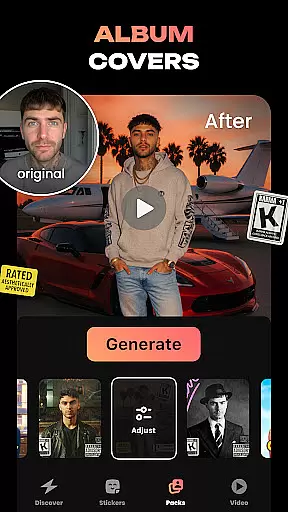
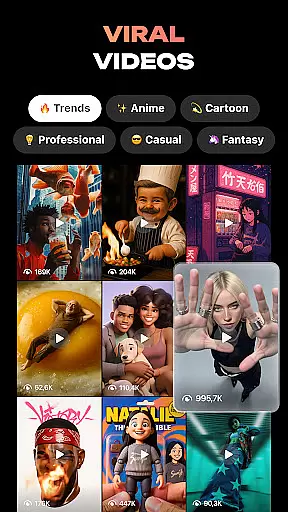
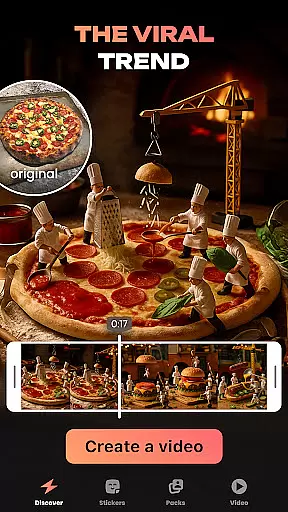
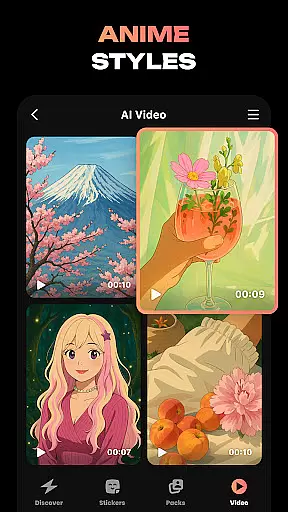
Hula is an innovative photography app that leverages AI technology to transform your photos and videos into creative masterpieces. With a focus on self-expression, this app allows users to create personalized avatars, viral video content, and unique photo-to-video transformations. Whether you want to turn your selfie into a magazine-style shoot or create custom stickers for messaging apps, Hula provides endless possibilities for creativity.
The app stands out with its diverse range of features such as Baby Generator, Anime & Cartoon filters, and Time Travel effects. These tools enable users to explore different artistic styles and eras, making it perfect for social media enthusiasts and creative professionals alike. Hula moves with you, adapting to your imagination and bringing your ideas to life effortlessly.
Hula offers a rich set of features designed to enhance your digital content creation experience. One standout capability is the ability to bring photos to life by transforming them into eye-catching videos, such as a virtual stroll through Paris or a chic photoshoot. The Baby Generator feature lets you upload photos of you and your partner to predict your future baby's appearance, delivering stunningly cute and realistic results.
Additionally, Hula enables users to create custom sticker sets from selfies, perfect for spicing up chats on platforms like iMessage, Instagram, and WhatsApp. The AI-powered transformation tools allow you to see yourself in various styles, from vintage glamour to muscled superhero looks. With Anime & Cartoon filters, you can give your photos and videos a nostalgic or fantastical twist, ensuring your content stands out in any feed.
Real-time capture and preview functionality is essential for photography apps like Hula. This feature allows users to see exactly what the camera sees, ensuring they capture the perfect shot every time.
Hula takes this a step further by integrating AI-powered tools that enhance the real-time preview experience. Users can apply various styles and transformations to their images before taking the shot, allowing for unparalleled creativity and self-expression.
The benefit of this feature is clear: users can experiment with different looks and styles without needing to retake photos multiple times. Whether it's transforming into an anime character or adopting a vintage aesthetic, Hula's real-time preview ensures users achieve their desired outcome efficiently.
AI beauty and enhancement features are crucial for modern photography apps. These tools help users refine their images while maintaining a natural appearance, avoiding the over-processed look that plagues many photo editing apps.
Hula excels in this area by offering a variety of AI-driven enhancements. From smoothing skin textures to adjusting facial features, these tools work seamlessly to create stunning yet authentic results. The app's algorithms are designed to preserve unique characteristics, ensuring each edited photo remains true to the individual's identity.
Users benefit from this feature by achieving professional-quality edits without extensive photo editing knowledge. The natural-looking enhancements boost confidence and allow for creative expression, making every shared image on social media platforms stand out with authenticity and style.
User-friendly interface
Versatile style options
High-quality transformations
Unique Baby Generator
Engaging social features
Some features may require payment
Occasional processing delays
Limited free content
Privacy concerns with uploads
Steep learning curve for beginners

Long exposure camera with computational photography
 2.60
2.60
Create & Edit with AI: AI Remove, Enhance, Retouch, Filter
4.10
Natural Beauty, Selfie Retouch
4.30
Turn your phone into a professional camera - full DSLR manual photography
4.30
Amazing Photo Effects - The most fun you can have with your photos!
4.70
Photo editor & gallery. Crop pictures & edit photos offline, no wifi!
4.50
AI Photo Editor with 100+ Filters, Effects! Remove BG, Retouch & Photo Enhancer.
4.80
Hair color changer, AI haircut app, fun hair editor and buzz cut filter for all!
3.80
Your Family Calendar + Photos. Manage your Skylight Calendar and Skylight Frame.
4.40
Gallery show photo, video, slideshow, is perfect 3D effect private photo albums.
4.80
Photo editor: AI filters, photo enhancer, pic collage maker, AI art generator.
4.80
Unblur, enhance & restore photos with powerful AI photo enhancer tools.
4.60
PhotoSync Bundle Add-On License. Enables all features and services in PhotoSync.
4.60
Create AI photos & videos with Enhancer; restore, fix, beautify, enhance photos
4.50
AI portrait generator and polaroid AI selfie, fun AI generated AI photo creator!
4.30
Be your best in every shot! Fix, edit and retouch your face in selfies & photos.
3.70
An interval timer to automate photo taking process for timelapse
2.90
Raw Image Viewer. Gallery with support of raw images (.cr3, .cr2, .nef, .raf).
2.00
Add a dreamy vibe to your selfies and videos with soft style filters
4.3


User Reviews