
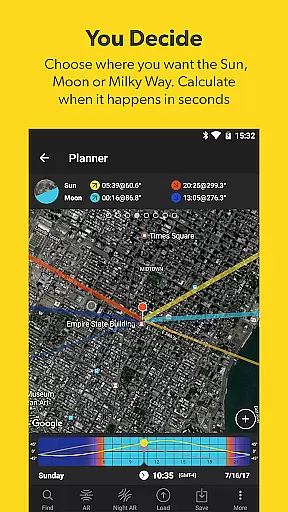



PhotoPills is a comprehensive photography planning tool that unlocks creative potential by helping photographers turn imaginative Sun, Moon, and Milky Way scenes into reality. The app offers an all-in-one solution for planning and executing legendary photos, making it invaluable for capturing landscapes, night skies, weddings, and more.
With features like the 2D Map-Centric Planner, Augmented Reality views, and various calculators, PhotoPills ensures you are well-prepared for every shoot. Whether you're scouting locations or adjusting your frame for the perfect composition, this app provides the tools necessary to get the shot right.
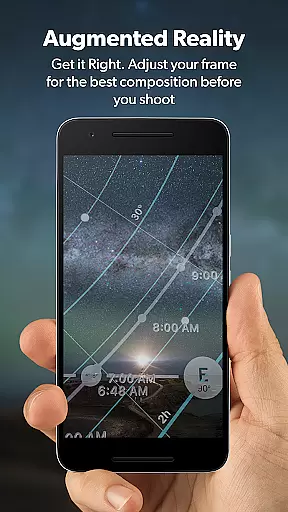
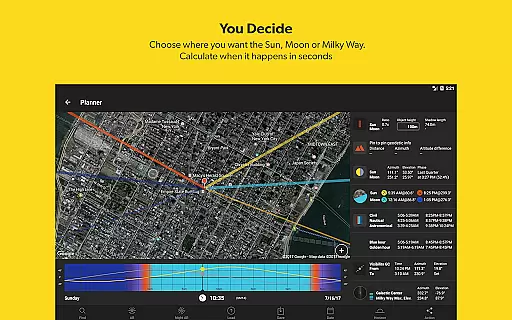
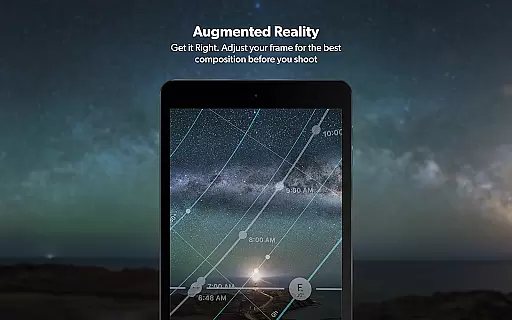
PhotoPills stands out with its robust set of features tailored for photographers. The app includes a 2D Map-Centric Planner for Sun, Moon, and Milky Way alignments, allowing users to plan shoots with precision. Its Augmented Reality functionality offers 3D views of celestial bodies, enhancing the planning process.
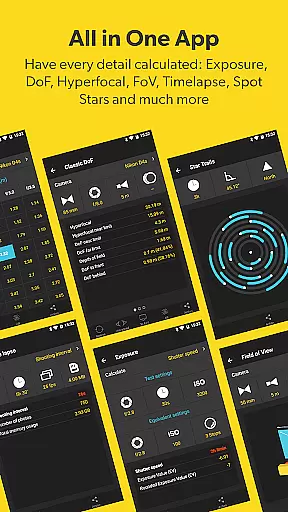
Additional features include a Photo Plans Manager, Location Scouting Tool, and widgets for quick access to daily information. With calculators for long exposure, timelapse, and more, PhotoPills equips photographers with everything needed to execute their creative ideas effectively.
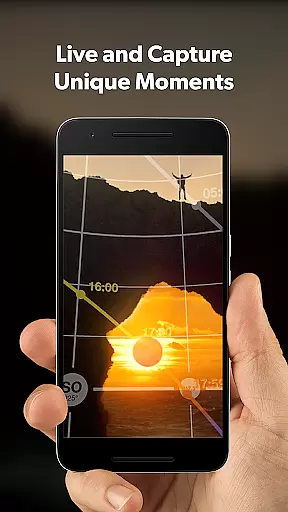
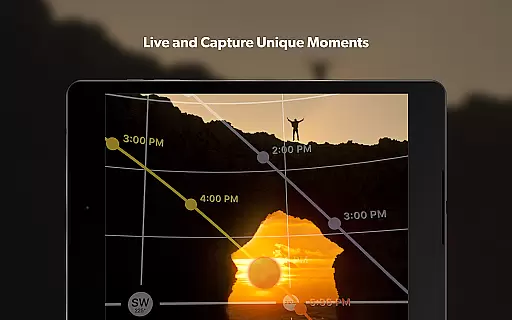
Real-time capture and preview functionality is essential for photographers who need to ensure their shot is perfectly composed before pressing the shutter. PhotoPills offers this feature through its advanced 3D Augmented Reality views, allowing users to visualize exactly where the Sun, Moon, and Milky Way will appear in their frame.
This innovative tool helps photographers adjust their composition with precision, ensuring that celestial bodies align perfectly with the chosen landscape. By utilizing real-time data, PhotoPills provides an accurate representation of how the final image will look, thus eliminating guesswork and enhancing creative control.
The benefits of this feature are immense, as it empowers photographers to plan their shots down to the last detail. Whether capturing the perfect sunset or the majestic arc of the Milky Way, PhotoPills ensures that every element is precisely where it should be, resulting in truly legendary photographs.
Ultimately, the real-time capture and preview feature in PhotoPills transforms the way photographers interact with their environment. It opens up new artistic possibilities, enabling creators to bring their wildest imaginations to life with confidence and accuracy.
While PhotoPills does not focus on AI beauty enhancements typical in portrait photography apps, it excels in enhancing the natural beauty of landscapes and celestial phenomena. The app's augmented reality features allow photographers to preview and capture scenes with the Sun, Moon, and Milky Way in breathtaking detail, ensuring that the inherent beauty of these elements is preserved and showcased.
PhotoPills achieves this by providing precise planning tools and real-time information about celestial events. This allows photographers to choose the optimal time and location for their shoots, capturing scenes under the best possible conditions. The result is a series of stunning images that highlight the natural splendor of the world around us.
Users benefit from this approach by gaining access to powerful tools that enhance their creative process without artificial manipulation. The emphasis on natural beauty ensures that each photograph tells a genuine visual story, resonating with authenticity and emotional impact.
In summary, PhotoPills' dedication to showcasing natural beauty through meticulous planning and precise execution sets it apart from traditional AI enhancement tools. Photographers can trust that their images will reflect the true essence of the moment captured, delivering awe-inspiring results that honor the legacy of their craft.
User-friendly interface
Comprehensive planning tools
Innovative augmented reality
Endorsed by photography masters
Extensive calculator suite
High learning curve
Some features require compass
Premium price point
Occasional bugs reported
Complex for beginners

AI portrait generator and polaroid AI selfie, fun AI generated AI photo creator!
 4.30
4.30
Create funny photos and videos with the popular Time Warp Scan filter.
4.90
Perfect body tune & face app - photo retouch, makeup, slim body & beautify face.
4.80
Amazing Photo Effects - The most fun you can have with your photos!
4.70
AI photo enhancer with Sora 2! Enhance, descratch, and colorize your old photos.
4.50
Professional quality photo edits with the new Snapseed.
4.00
Your personal guide to the sun and moon. Plan ahead, visualize and predict!
4.70
Professional camera app that brings DSLR manual photography controls to Android.
4.20
Effortlessly make high-quality GIFs from images & videos without any watermarks.
4.70
Pro version: AR sun/moon tracker for any date. Tool for photographers & planners
4.90
AI Photo Editor with 100+ Filters, Effects! Remove BG, Retouch & Photo Enhancer.
4.80
Light-weight Media Gallery app for Android made with Jetpack Compose
4.60
PhotoSync Bundle Add-On License. Enables all features and services in PhotoSync.
4.60
Search, tag and rate your way to an organized image gallery
4.40
Turn your phone into a professional camera - full DSLR manual photography
4.30
Smart, light, and fast photo and video gallery
4.30
Luminar: Photo Editor - easy picture editing with AI
4.20
Gallery Slideshow is slideshow maker app for slideshow from your gallery photos.
3.90
Remote control of the phone camera from your Wear OS smartwatch
3.70


User Reviews