
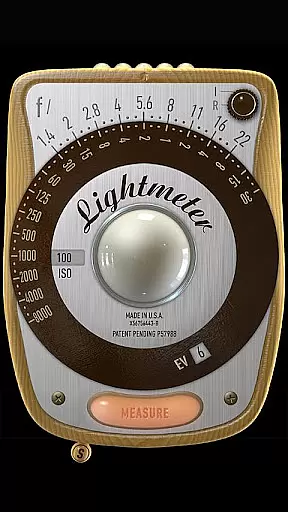
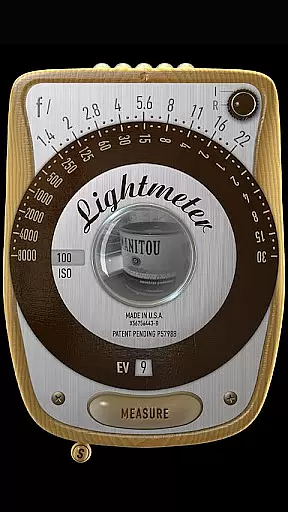
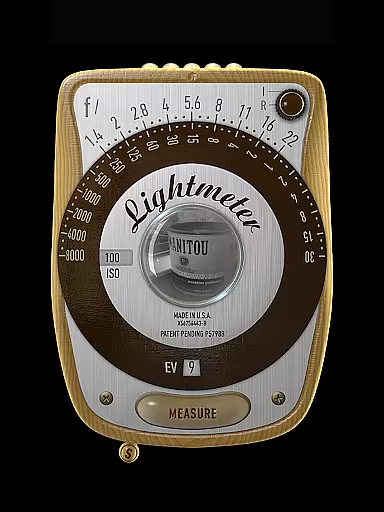
LightMeter is a specialized photography app designed for analog photographers who appreciate traditional techniques. This application provides both reflected and incident light metering capabilities, making it an essential tool for achieving accurate exposure settings in various shooting conditions. With support for ISO ranges from 3 to 6400 and compatibility with devices that can save exposure data to EXIF, LightMeter offers reliable solutions for professional and amateur photographers alike.
The app includes practical features such as low light alerts, camera muting options (where available), and calibration tools. These functionalities ensure users can customize their experience based on specific needs while maintaining high precision levels. Whether you're capturing images in challenging lighting environments or require detailed EXIF information directly on your screen, LightMeter delivers a comprehensive set of tools tailored to enhance your analog photography workflow.
LightMeter stands out with its robust feature set tailored specifically for analog photography enthusiasts. The app supports an extensive ISO range from 3 to 6400, catering to diverse photographic requirements. Its incident light metering function utilizes the device's light sensor, providing precise readings under different lighting conditions. Meanwhile, the reflected light metering option leverages compatible cameras to deliver highly accurate measurements, although this feature may not be universally supported across all devices.
Additional functionalities include a low light alert system that notifies users when ambient light falls below optimal levels, ensuring better image quality. Users also benefit from optional EXIF and sensor info display, vibration feedback upon measurement, and the ability to hold incident light readings for consistent exposure settings. Furthermore, advanced features like spot measurement using camera zoom and alternative ISO selectors offer greater flexibility and control over the photographic process, enhancing overall user experience.
LightMeter offers a unique real-time capture and preview feature that caters to the needs of old school photographers and advanced amateurs in analog photography. This functionality allows users to accurately measure light conditions before capturing their images.
The app provides two types of metering: incident, which requires a light sensor, and reflected, compatible only with certain cameras capable of saving exposure to exif. These features ensure that photographers can rely on their device as a handy tool for getting the right exposure settings.
With additional functionalities such as low light alerts, spot measurement for cameras with zoom, and vibration feedback upon measurement, LightMeter enhances the user's ability to take perfectly exposed photos under various lighting conditions.
While LightMeter does not focus on AI beauty or enhancement features typical in modern photography apps, it emphasizes delivering natural and precise light readings that contribute to authentic image captures without digital alterations.
The calibration feature along with ISO range from 3 to 6400, alternative ISO selector, and state recall upon resuming provide users control over how they wish to handle their film stocku2019s response to different lighting scenarios naturally encountered during shoots.
By supporting all screen resolutions including extra high resolution displays, LightMeter ensures that every photographer gets clear readings and controls regardless of their device specifications, thus maintaining the natural quality of previews without artificial enhancements.
User-friendly interface
Wide ISO range support
Precise light metering
Customizable settings
Comprehensive EXIF data
Limited device compatibility
Reflected light feature restrictions
Camera muting not global
Dependent on hardware quality
Advanced features need specific devices

Photo editor: face & body editor, beauty cam, filters and quality enhancer.
 4.00
4.00
Gallery show photo, video, slideshow, is perfect 3D effect private photo albums.
4.80
Pet Camera
3.70
Perfect body tune & face app - photo retouch, makeup, slim body & beautify face.
4.80
Automatically backup your photos and videos to computer, NAS and Cloud services
4.60
Photo editor & gallery. Crop pictures & edit photos offline, no wifi!
4.50
Hair color changer, AI haircut app, fun hair editor and buzz cut filter for all!
3.80
The original Rarevision VHS look seen everywhere!
4.70
Photo & Video Gallery app to manage albums and save WA Status easily.
4.70
AI Photo Editor with 100+ Filters, Effects! Remove BG, Retouch & Photo Enhancer.
4.80
A must-have app for landscape photographers
4.60
Enhance, retouch & create your story - Share the moment with Photoshop Express.
4.60
Create collages easily! Nice pic collage maker & background eraser for Instagram
4.50
Transform photos into videos! Create realistic or anime-style images easily!
4.50
HD Camera Pro with HD Video shooting, Panorama, Photo editor , Beauty Camera.
4.50
A reflected light meter with spot metering and incident light metering.
4.40
Natural Beauty, Selfie Retouch
4.30
Virtual makeup, hair filters & body tuner—edit from face to full body!
4.20
How would you look like with a differently shaped nose, chin or lips?
3.90


User Reviews