
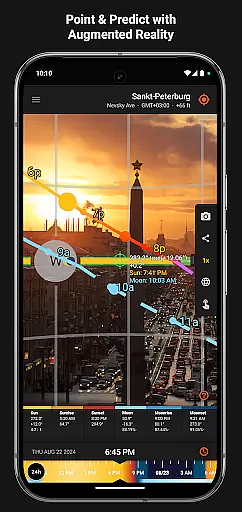
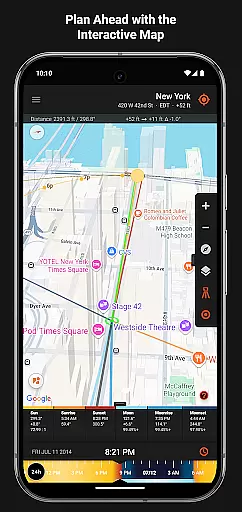
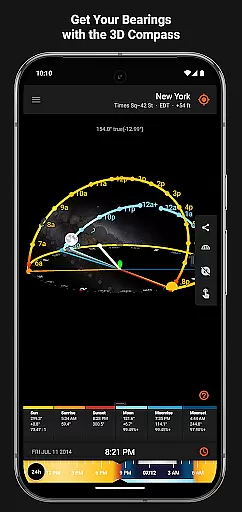
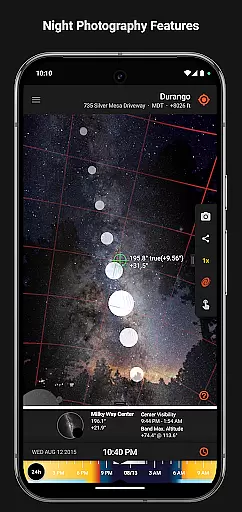

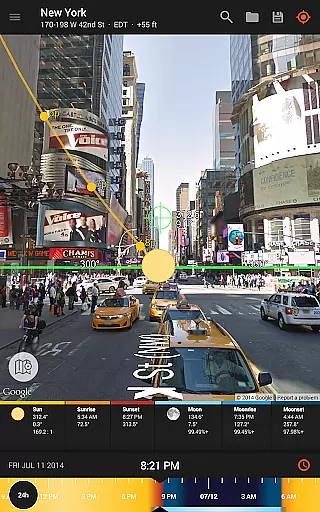
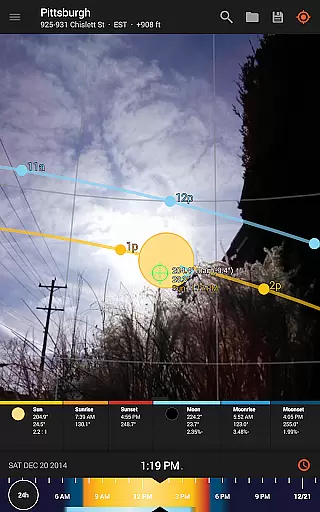
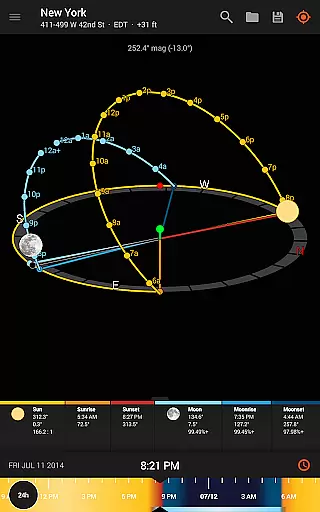
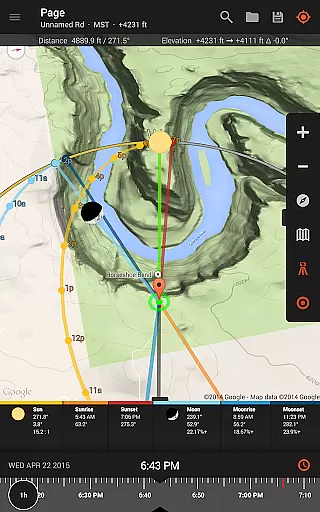
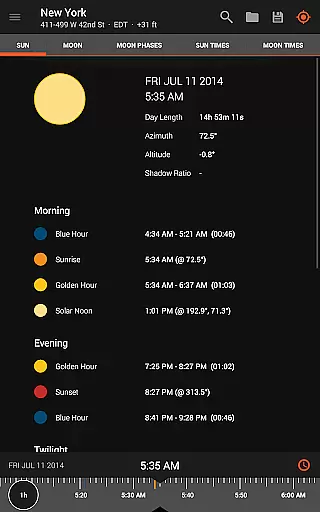
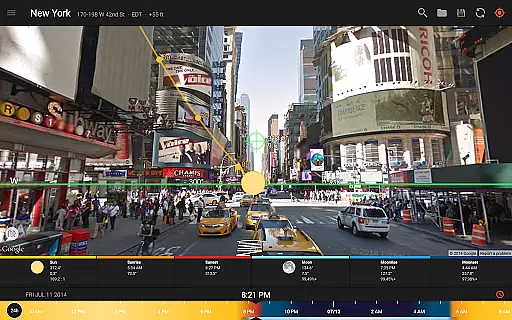
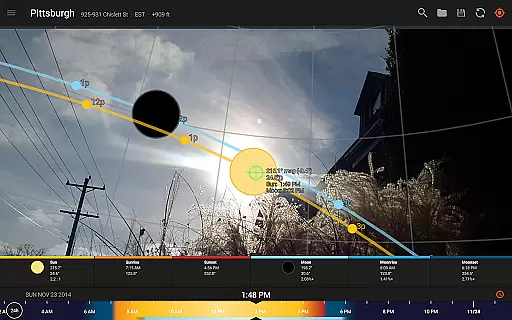
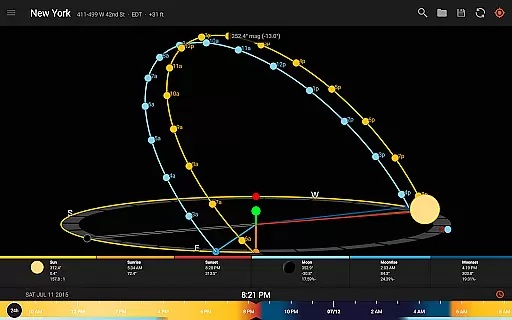
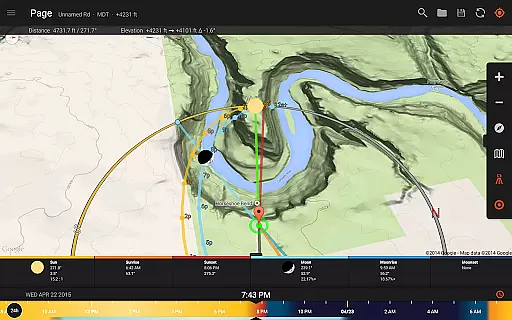
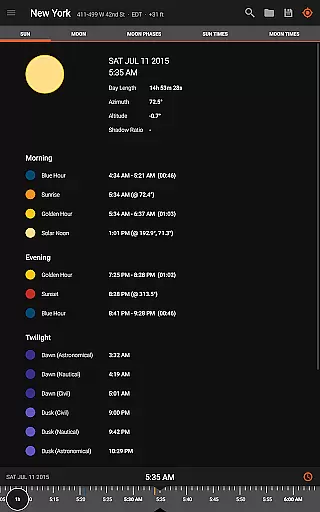
Sun Surveyor is an advanced photography planning tool that empowers users to predict and visualize the positions of the sun, moon, and Milky Way. Designed for photographers, filmmakers, and solar industry professionals, this app provides precise data on sunrise, sunset, golden hour, blue hour, and moon phases. With its augmented reality projections, 3D compass, and interactive map features, Sun Surveyor helps users scout ideal shooting locations and plan their projects with confidence.
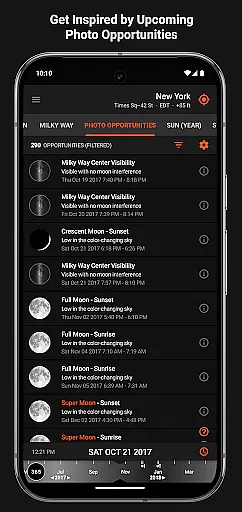
One standout feature is the Photo Opportunities tool, which suggests creative shot ideas based on celestial events. Whether you're capturing a low-hanging full moon during magic hour or preparing for stargazing in total darkness, Sun Surveyor ensures you never miss the perfect moment. Additionally, solar industry professionals can use the app to assess sunlight quality and potential shade obstructions at specific sites, making it invaluable for architectural planning and gardening.
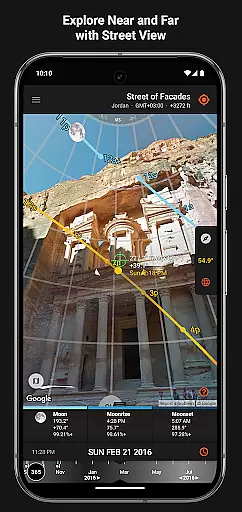
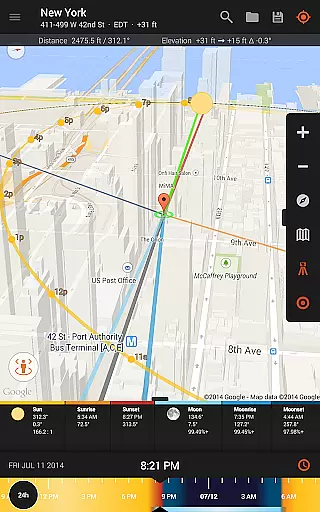
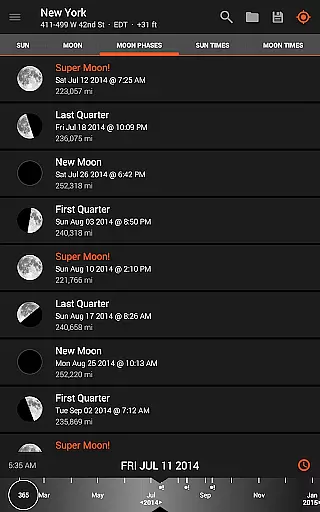
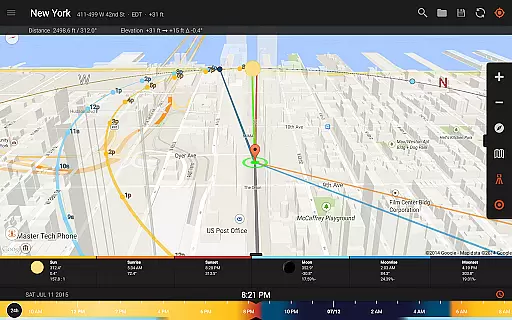
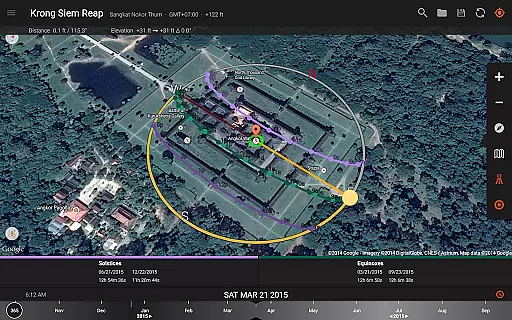
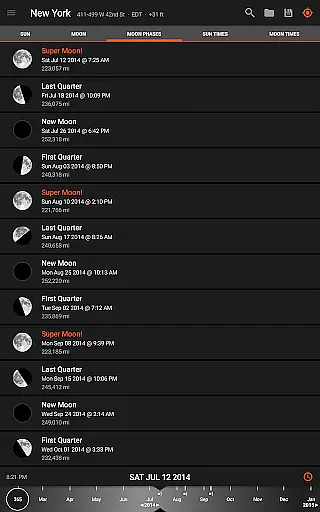
Sun Surveyor offers a comprehensive suite of tools tailored for both creative and technical users. The Live Camera View and Interactive Map with Street View allow users to project the paths of the sun and moon directly onto real-world scenes, helping them pinpoint exact times when celestial bodies will be in desired positions. The app's detailed Ephemeris provides critical information such as moon distance, age, apogee, perigee, and super moon predictions, enabling meticulous planning for night photography and other specialized shots.
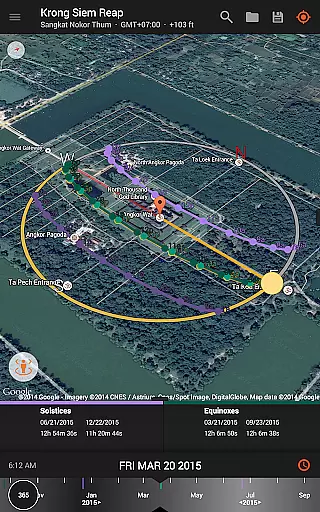
For solar industry professionals, Sun Surveyor includes features like shadow calculations, solstice and equinox path visualizations, and magnetic declination compensation. Offline functionality ensures usability even without a data connection, while integration with Google Earth allows seamless location management. The inclusion of widgets further enhances convenience by providing quick access to sun and moon data directly from your device’s homescreen.
Sun Surveyor revolutionizes the way photographers and filmmakers capture natural light by providing real-time data on sun and moon positions. The Live Camera View feature allows users to see augmented reality projections of celestial paths directly on their device.
This innovative tool enables precise planning for golden hour, blue hour, and all critical lighting periods. Users can accurately pinpoint when and where the sun or moon will appear in the sky, ensuring perfect shot composition every time.
The application's real-time capabilities extend beyond basic positioning, offering detailed information about shadow lengths and angles. This empowers professionals to calculate exact shadow patterns cast by objects, enhancing their ability to plan complex shots with confidence.
While Sun Surveyor doesn't employ traditional AI beauty enhancements, it offers powerful features that naturally enhance photography through precise planning tools. The 3D Compass and Interactive Map provide comprehensive environmental analysis for optimal shot preparation.
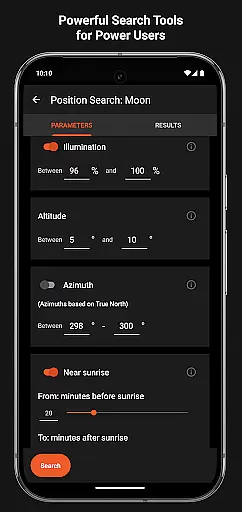
The application's Photo Opportunities feature suggests creative shot ideas based on celestial events, while Position Search helps perfectionists find ideal sun, moon, and milky way positions. These tools enable users to create stunning images without artificial enhancement.
For solar industry professionals, the app's natural enhancement capabilities include visualizing seasonal sunlight patterns and potential shade obstructions. This allows architects and real estate agents to demonstrate accurate lighting conditions throughout the year.
User-friendly interface
Accurate celestial data
Versatile for multiple professions
Offline mode available
Augmented reality support
Compass required for some features
Premium price point
Steep learning curve
Limited free version
Device compatibility issues

Gallery show photo, video, slideshow, is perfect 3D effect private photo albums.
 4.80
4.80
HD Photo gallery and photo manager to edit, hide private photos, videos & albums
4.5
Create & Edit with AI: AI Remove, Enhance, Retouch, Filter
4.10
Photo Exif Editor allows to view, add and modify EXIF data of multiple photos
4.50
Add a dreamy vibe to your selfies and videos with soft style filters
4.0
live datamoshing
4.00
A light meter for true photographers.
4.20
The original Rarevision VHS look seen everywhere!
4.70
Try an anime version, cartoon yourself, and generate AI hug or aging videos!
3.70
See your baby AI baby face generator AI baby maker Face generator babymaker fun!
4.70
A collection of tools and reference tables for DPs, ACs, DITs and Operators.
4.70
Easily create custom gifts, cards, photo books & more on the Shutterfly app!
4.60
Add Watermark - Sign your pictures with a text or logo. Effective, quick, easy!
4.50
AI photo enhancer with Sora 2! Enhance, descratch, and colorize your old photos.
4.50
Effortlessly organize, view and share your photos & videos with Gallery app!
4.40
Shooting photos and records video easily and efficient with professional Camera
4.30
All-in-One Editor & AI Photo Enhancer, Beautify & Retouch, Collage, Cartoonify
4.20
Turn photos into cartoons & avatars! - Photo Editor, Cartoon Face!
3.90
USB Storage Access for Photos, Videos, Music and Documents
3.80


User Reviews