
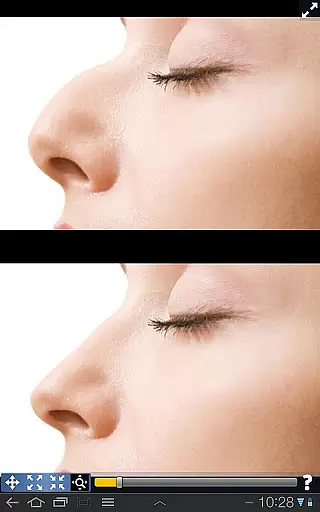
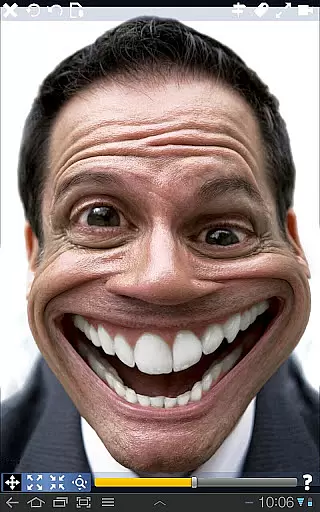
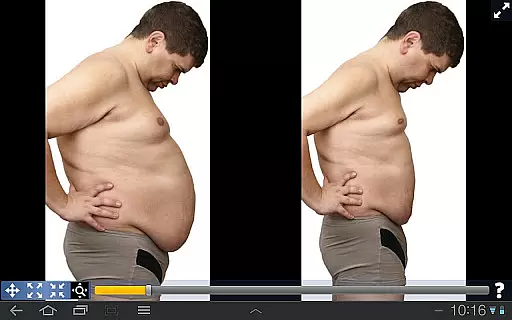
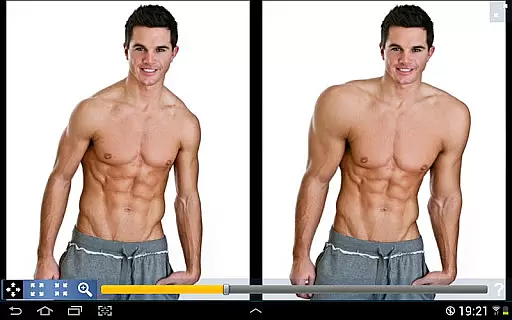
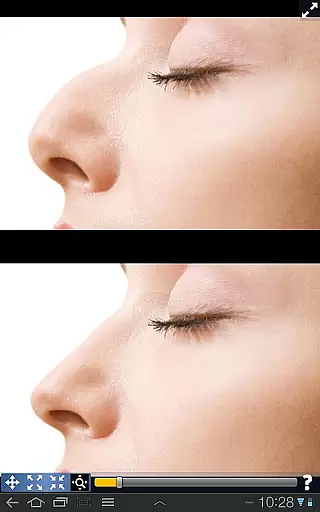
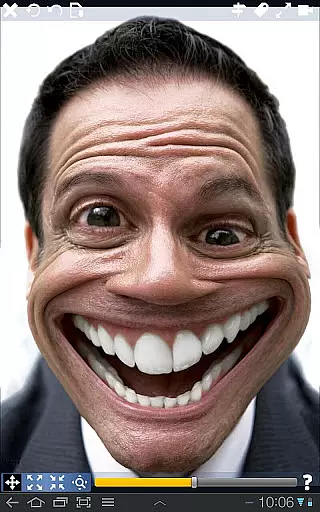
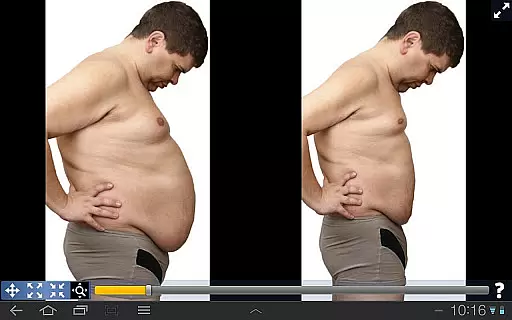
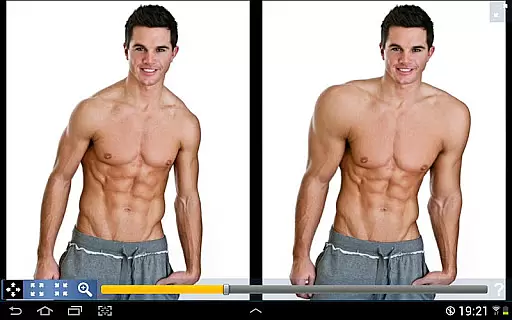
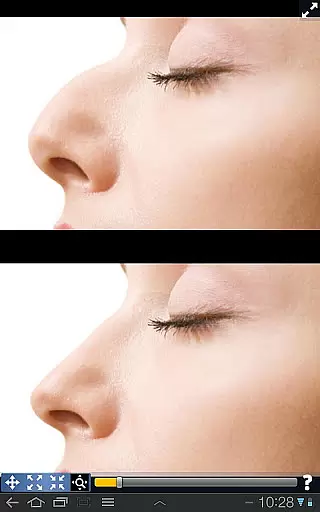
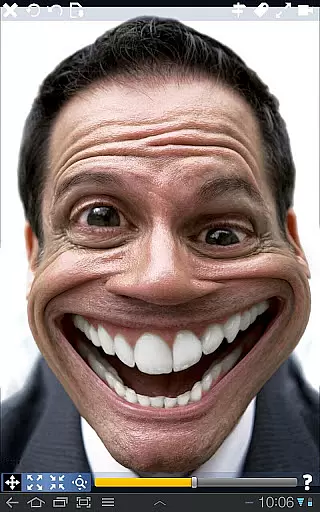
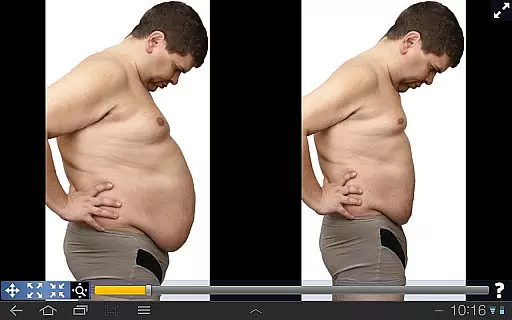
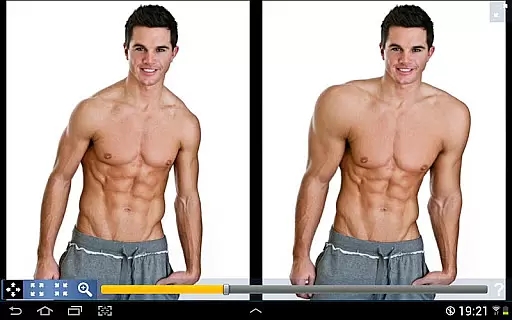
Plastic Surgery Simulator is a versatile photography app designed for creative image manipulation. The core functionality allows users to simulate physical transformations by distorting specific areas of photos, making it ideal for experimenting with different facial features or body shapes. The app's powerful distortion algorithm ensures smooth and realistic modifications while the innovative dual display mode enhances usability on mobile devices.
Beyond basic photo editing, this application serves as a fun tool for social media enthusiasts who want to enhance their online presence through creative imagery. Whether you're exploring potential cosmetic changes or simply enjoying playful photo manipulations, Plastic Surgery Simulator offers an intuitive interface that combines professional-grade features with user-friendly controls.
The app distinguishes itself through two remarkable features that set it apart from other photography applications. First, its sophisticated photo distortion algorithm enables users to create seamless transformations without pixelation or unnatural artifacts. This technology allows for precise adjustments to facial features and body proportions while maintaining image quality.
Second, the unique dual display functionality automatically mirrors your working image when rotating the device to landscape mode. This innovative approach solves the common problem of fingers obstructing the view during edits, providing unobstructed visibility while manipulating images. These features, combined with intuitive drag-and-drop controls, make complex photo manipulations accessible even to novice users.
Real-time capture and preview functionality is essential for any photography app, allowing users to see the effects of their edits instantly. Plastic Surgery Simulator excels in this area by providing immediate visual feedback as users manipulate different facial and body features.
The app's powerful photo distortion algorithm ensures that all transformations appear smooth and natural in real time. This allows users to experiment with various changes, such as adjusting the nose or chin shape, without experiencing any lag or distortion in the preview.
For those using smaller touch devices, the dual display mode enhances the real-time editing experience. By cloning the image on one side of the screen when the device is rotated, users can modify their images without their fingers obstructing the view. This feature significantly improves precision and control during the editing process.
AI beauty and enhancement features are increasingly important in photo editing apps, aiming to improve appearance while maintaining a natural look. Plastic Surgery Simulator incorporates advanced AI algorithms to ensure that all modifications enhance the user's image realistically.
The app provides tools for reshaping and resizing various body parts, such as muscles, lips, and other facial features. These adjustments are powered by AI that understands human anatomy, ensuring that every change looks believable and retains the individualu2019s unique characteristics.
Moreover, the dual display mode not only aids in better visibility but also contributes to achieving more natural enhancements. Users can observe the changes from different angles and make necessary adjustments to achieve the most authentic results possible. This combination of AI-driven enhancements and thoughtful design makes Plastic Surgery Simulator stand out in the photography category.
User-friendly interface
Realistic distortion effects
Innovative dual display
Smooth transformation tools
Social media integration
Limited advanced editing
No undo functionality
Basic color options
Occasional glitches
Ads between sessions

A collection of tools and reference tables for DPs, ACs, DITs and Operators.
 4.70
4.70
Easily stitch panoramas from multiple photos or video.
4.40
HD Photo gallery and photo manager to edit, hide private photos, videos & albums
4.4
Viewfinder, Light meter, Reciprocity failure time, DOF & Bellows Extension
4.60
Perfect body tune & face app - photo retouch, makeup, slim body & beautify face.
4.80
Professional quality photo edits with the new Snapseed.
4.00
Enhance, retouch & create your story - Share the moment with Photoshop Express.
4.60
Easily view, share, delete photos with Gallery.
4.70
A light meter for true photographers.
4.20
Safe & smart flight with Go Fly drone controller for 40+ drone camera, zone map
4.50
[3DSteroid Pro] is a stereoscopic application for Android.
4.30
Smart, light, and fast photo and video gallery
4.30
Create AI Photos, Improve and restore quality of blurry, old or damaged pics.
4.20
Professional photography on your mobile phone
4.20
AI-powered video creator by MiniMax - Where ideas meet cinema
4.20
Photo editor: face & body editor, beauty cam, filters and quality enhancer.
4.00
Photobooth mini FULL app will allow you to add more fun to your parties
4.00
Gallery Slideshow is slideshow maker app for slideshow from your gallery photos.
3.90
Hair color changer, AI haircut app, fun hair editor and buzz cut filter for all!
3.80


User Reviews