

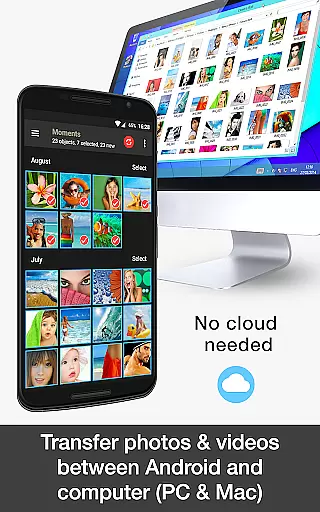


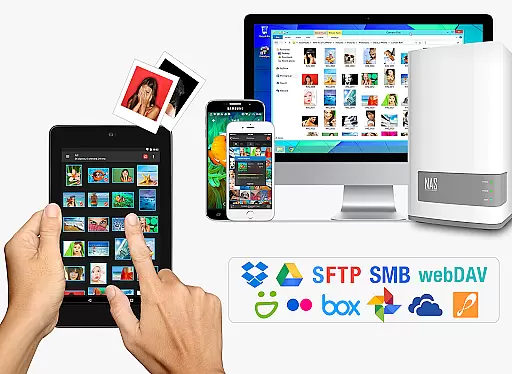
PhotoSync Bundle Add-On is an advanced activation license that unlocks the full potential of PhotoSync, a leading cross-platform solution for wireless photo and video management. This add-on combines Autotransfer, NAS, and Cloud capabilities, allowing users to seamlessly transfer, backup, and share multimedia content across Android, iOS, Windows, and Mac devices.
The bundle offers significant savings compared to purchasing individual add-ons and removes ads from the free version. With over 10,000 positive reviews and millions of successful transfers, PhotoSync stands out as a reliable and secure software with ten years of market presence. The application provides total user control through customizable settings, making it suitable for both casual users and professionals seeking efficient media management solutions.
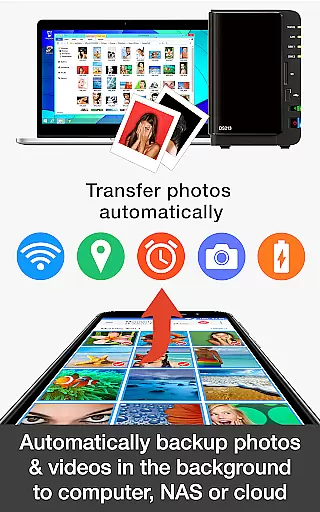
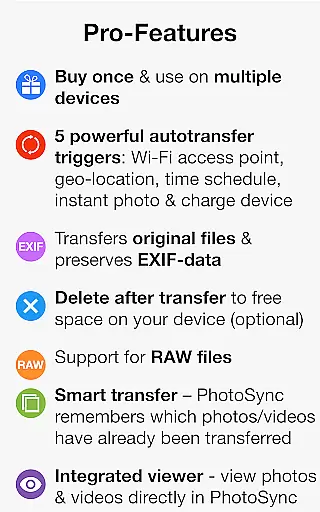
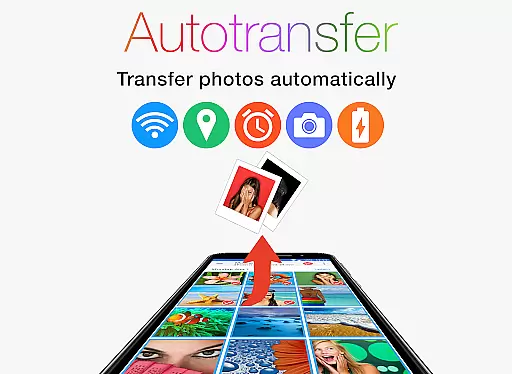
PhotoSync Bundle Add-On introduces powerful features designed to enhance photo and video management. The Autotransfer functionality enables automatic backups based on triggers like Wi-Fi connection, geolocation, or device charging. This ensures your media files are consistently backed up without manual intervention.
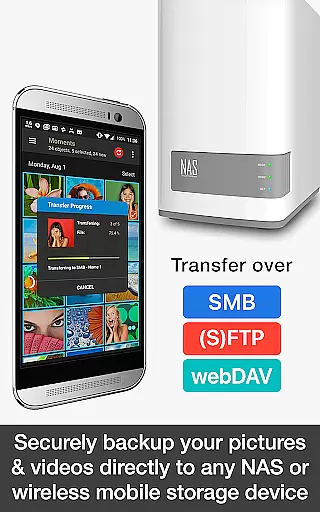
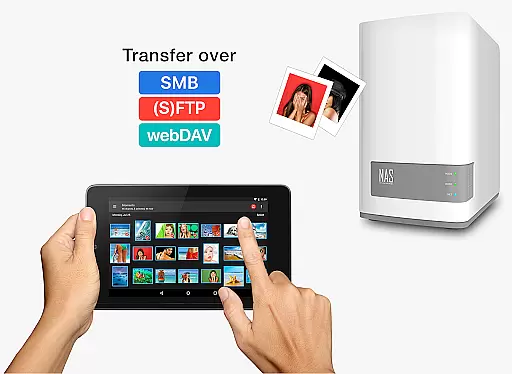
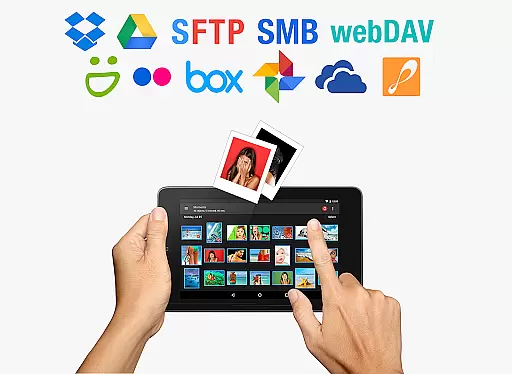
The NAS Add-On allows secure storage and retrieval of multimedia content on network-attached storage devices, remote servers, or personal clouds using protocols such as SMB, (S)FTP, and WebDAV. It supports major brands like Synology, QNAP, and Western Digital, providing flexibility in managing large media libraries. Additionally, the Cloud Add-On facilitates seamless uploads and downloads to popular services including Google Drive, Dropbox, and OneDrive.
These features collectively create a comprehensive ecosystem for managing digital media, ensuring accessibility, security, and convenience across various platforms and devices.
Real-time capture and preview functionality is essential for photography apps as it allows users to see exactly what the camera is capturing before taking a shot. This ensures that photos are framed correctly, lighting is optimal, and unwanted elements are avoided.
PhotoSync Bundle Add-On enhances real-time capture by integrating seamlessly with Android devices, providing users with a live view of their camera feed. The app supports instant photo and video transfers, ensuring that every captured moment is quickly available across all user's devices without delay.
Users benefit from this feature by having complete control over their photography process. With real-time previews, they can adjust settings such as exposure, focus, and composition on-the-fly, resulting in higher quality images. Additionally, the ability to wirelessly transfer files immediately after capture adds a layer of convenience and efficiency to the user's workflow.
The true value of real-time capture and preview lies in its ability to improve the overall photography experience. By offering precise control and instant feedback, PhotoSync empowers photographers to take better shots and manage their media more effectively, ultimately saving time and enhancing productivity.
AI beauty and enhancement features have become increasingly popular in photography apps, allowing users to refine and beautify their photos with natural-looking results. These tools leverage advanced algorithms to enhance facial features, smooth skin textures, and adjust lighting for a polished yet authentic appearance.
PhotoSync incorporates AI-driven enhancements that work harmoniously with its core functionalities. While primarily focused on transferring and backing up media, the app ensures that all edited photos retain their enhanced qualities during transfers. This means users can apply sophisticated AI filters and effects knowing that the final output will remain consistent across all their devices.
For users, the advantage of AI beauty enhancements is twofold. Firstly, it simplifies the editing process by automating complex adjustments that would otherwise require professional skills. Secondly, it delivers natural-looking results that preserve the original essence of the photograph, avoiding the overly processed look that can detract from an image's authenticity.
Ultimately, the integration of AI beauty and enhancement features within PhotoSync underscores the app's commitment to delivering high-quality, visually appealing content. By combining robust file management capabilities with cutting-edge AI technology, PhotoSync offers a comprehensive solution for photographers seeking both convenience and excellence in their digital imaging workflows.
User-friendly interface
Wide platform support
Reliable performance
Customizable options
Cost-effective bundle
Requires initial setup
Paid add-on
Dependent on network
Limited offline use
Complex for beginners

Effortlessly organize, view and share your photos & videos with Gallery app!
 4.40
4.40
HD Photo gallery and photo manager to edit, hide private photos, videos & albums
4.1
Natural Beauty, Selfie Retouch
4.30
Photo Exif Editor allows to view, add and modify EXIF data of multiple photos
4.50
A must-have app for landscape photographers
4.60
Amazing Photo Effects - The most fun you can have with your photos!
4.70
AI Photo Editor with 100+ Filters, Effects! Remove BG, Retouch & Photo Enhancer.
4.80
Fit multiple photos on one post. Create carousels & scroll layouts for Instagram
4.50
Welcome to ProShot, the most powerful camera app on Android.
4.20
Pro version: AR sun/moon tracker for any date. Tool for photographers & planners
4.90
Easily view, share, delete photos with Gallery.
4.70
Cut and paste photo editor & eraser to customize photos easy and swap faces fun
4.50
Movie camera, supports pro recording settings for filming. Try it and be amazed!
4.50
Use AI Video Generator to turn your words to ai generated videos.
4.50
Search, tag and rate your way to an organized image gallery
4.40
Easily stitch panoramas from multiple photos or video.
4.40
Future baby face generator: AI kids generator, kid face! What my baby look like?
4.40
Shooting photos and records video easily and efficient with professional Camera
4.30
Create & Edit with AI: AI Remove, Enhance, Retouch, Filter
4.10


User Reviews