
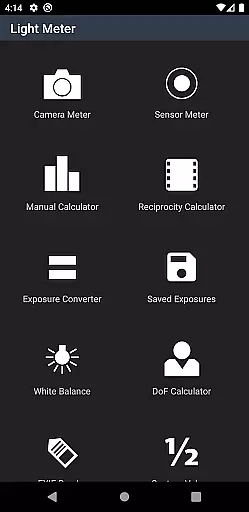
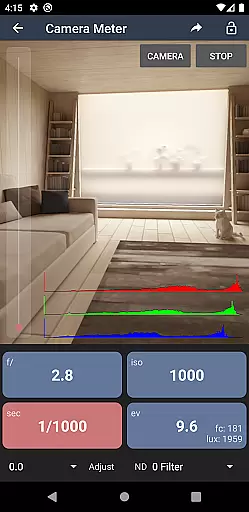
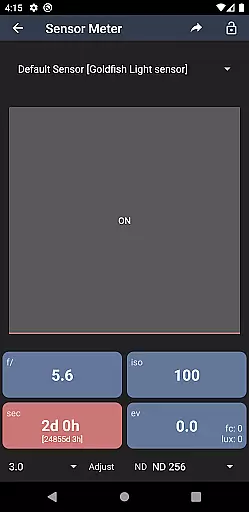
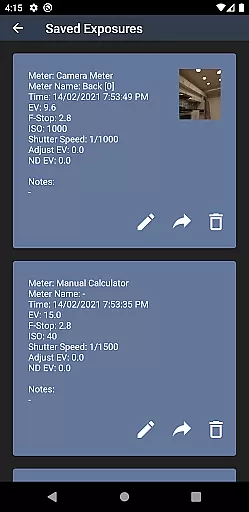
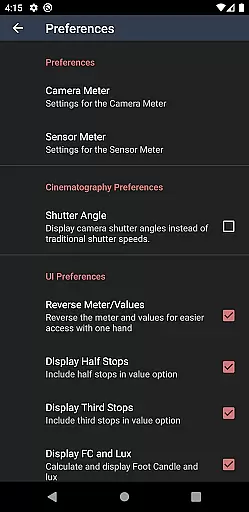
Light Meter is a comprehensive photography tool that combines spot metering through the device's camera and incident light measurement using the built-in light sensor. This app has been rigorously tested for accuracy against industry-standard Gossen and Sekonic meters, ensuring reliable readings across most devices. Whether you are working with film SLRs, pinhole cameras, or cinematographic equipment, Light Meter provides precise exposure measurements to enhance your photography workflow.
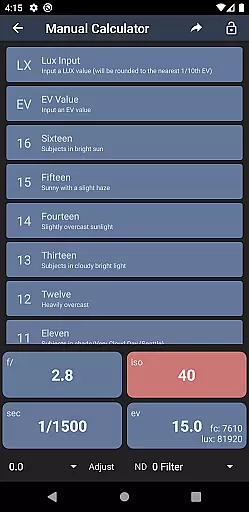
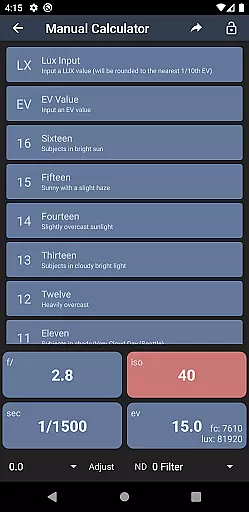
In addition to its core light metering capabilities, the app offers several advanced features including a Color Temperature meter for white balance adjustments, a Reciprocity calculator for long exposures, an Exposure converter, a Manual Sunny Sixteen calculator, a Depth of Field calculator, and an EXIF Reader. These tools collectively make Light Meter an indispensable companion for photographers who demand precision and versatility in their work.
Light Meter stands out with its dual functionality, offering both spot and incident light metering options. The spot metering feature utilizes the device's camera to measure reflected light from specific areas, while the incident light meter measures ambient light using the device's sensor. This dual approach ensures accurate readings in diverse lighting conditions, making it suitable for various types of photography.
Beyond its primary functions, Light Meter includes several specialized tools designed to assist photographers. The Color Temperature meter helps achieve correct white balance settings, while the Reciprocity calculator addresses issues with long exposure times. Additionally, the app features an Exposure converter, a Manual Sunny Sixteen calculator for estimating exposure without a light meter, a Depth of Field calculator for precise focusing, and an EXIF Reader for analyzing image metadata. These features provide photographers with a complete suite of tools to refine their craft.
Real-time capture and preview functionality is essential for photographers who need accurate exposure readings. Light Meter offers both reflected and incident light metering, ensuring precise measurements in various shooting conditions.
The app utilizes the device's camera for spot metering and its light sensor for incident readings. This dual approach provides flexibility and reliability, making it suitable for different types of photography, from film SLR to cinematographic projects.
Users benefit from the app's tested accuracy against professional light meters like Gossen and Sekonic. The real-time feedback allows photographers to adjust settings on the fly, ensuring optimal exposure and image quality.
While primarily a light metering tool, Light Meter also includes features that enhance the photographic process without compromising naturalness. The app offers additional tools such as a Color Temperature meter, Reciprocity Calculator, and Depth of Field calculator.
These features provide photographers with comprehensive support for their craft. The Color Temperature meter helps achieve correct white balance, while the Reciprocity Calculator assists in long-exposure photography. The Depth of Field calculator ensures subjects are in focus as intended.
By integrating these tools into one application, users can streamline their workflow and make informed decisions about their camera settings. This holistic approach enhances the overall photography experience without artificial enhancements or alterations.
Accurate light readings
Comprehensive toolset
User-friendly interface
Reliable performance
Versatile compatibility
Premium price point
Requires calibration
Limited free features
Device-dependent accuracy
No automatic updates

Photo editor: face & body editor, beauty cam, filters and quality enhancer.
 4.00
4.00
Gallery show photo, video, slideshow, is perfect 3D effect private photo albums.
4.80
Cut and paste photo editor & eraser to customize photos easy and swap faces fun
4.50
All-in-One Editor & AI Photo Enhancer, Collage, Cartoonify, Funny Stickers & BGS
4.10
Edit like a pro with Hypic. Apply filters, AI effects, & magic touch.
4.40
Automatically backup your photos and videos to computer, NAS and Cloud services
4.60
Create amazing frames with up to five photos. Rounded corners, effects and more!
3.60
GCamera allows all GCam features on all phone models! Better photos with GCamera
3.30
Pro version: AR sun/moon tracker for any date. Tool for photographers & planners
4.90
The original Rarevision VHS look seen everywhere!
4.70
PhotoSync Bundle Add-On License. Enables all features and services in PhotoSync.
4.60
Easily create custom gifts, cards, photo books & more on the Shutterfly app!
4.60
Photo Exif Editor allows to view, add and modify EXIF data of multiple photos
4.50
Search, tag and rate your way to an organized image gallery
4.40
RAW video capture with advanced controls
4.40
Professional quality photo edits with the new Snapseed.
4.00
Perfect photos with body shaping, BG changer and object remover.
3.70
An interval timer to automate photo taking process for timelapse
2.90
Snap photos remotely using your Garmin watch as the camera trigger
4.0


User Reviews