
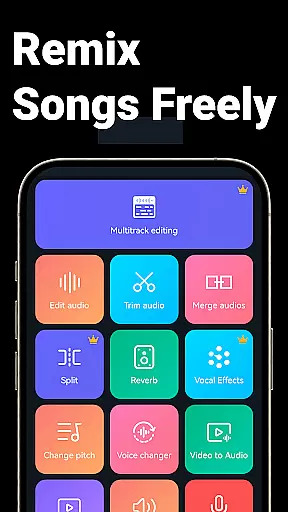
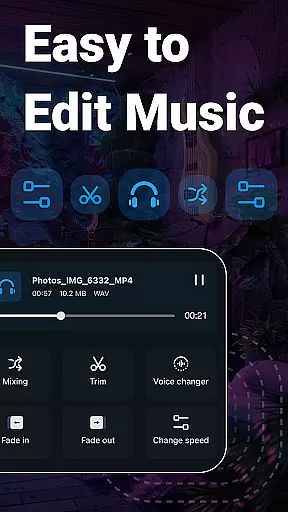
Music Audio Editor, MP3 Cutter is a comprehensive audio editing tool designed for both casual users and professionals on Android. This powerful app allows you to cut, splice, mix, and convert audio files with precision and ease. Whether you're creating custom ringtones or editing music tracks, the app provides all necessary features including vocal removal, pitch adjustment, and format conversion.
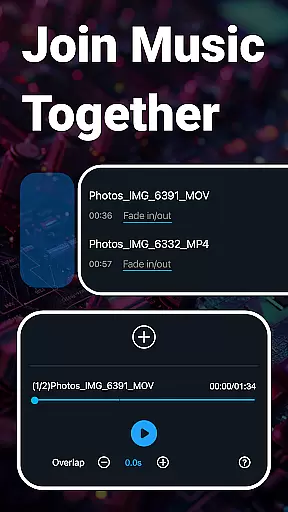
The application stands out with its multitrack editing capabilities, video-to-audio conversion, and batch processing options. You can seamlessly integrate background music, adjust sound volume, and apply fade-in/fade-out effects. Its intuitive interface ensures quick learning, while the rich feature set meets most audio editing needs without requiring multiple apps.
Ideal for musicians, podcasters, and content creators, this app transforms your device into a portable studio. The ability to edit on-the-go offers unmatched convenience, making it perfect for last-minute edits or spontaneous creative projects.
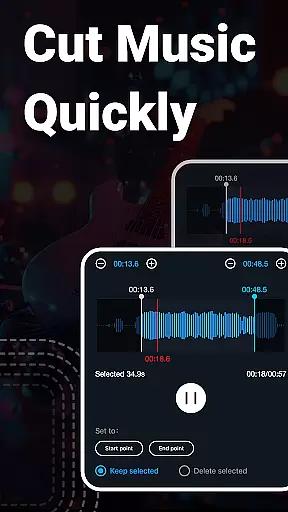
Music Audio Editor, MP3 Cutter boasts an extensive array of features that cater to diverse audio editing requirements. The app's cutting tool allows millisecond-accurate trimming, enabling precise edits. Users can save segments of audio, rename files, and even choose which parts of the track to keep or discard.
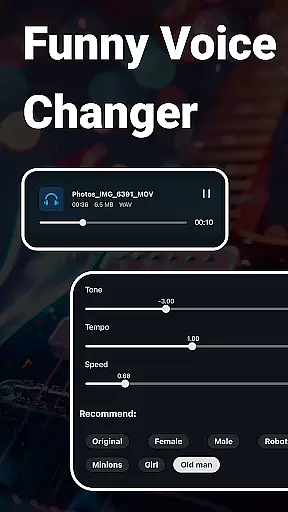
Beyond basic cutting, the app supports advanced functions like audio mixing, tempo adjustment, and equalizer settings. The multitrack editor lets you split audio into multiple channels, add background scores, and mix several tracks simultaneously. Additionally, the voice changer feature offers various effects such as male, female, and robotic voices, enhancing creative possibilities.
Unique capabilities include converting videos to audio, removing vocals from songs, and changing audio formats. With support for batch processing and over 2000 royalty-free music tracks available for download, this app truly serves as an all-in-one solution for audio manipulation and enhancement.
When it comes to music editing applications, the size and authenticity of the music library are crucial factors. Music Audio Editor, MP3 Cutter offers an extensive library with over 2000 royalty-free tracks available for download and use. This vast collection ensures that users have access to a wide variety of music genres and styles without worrying about copyright infringement.
The app's dedication to providing royalty-free music means that creators can confidently use these tracks in their projects, whether for personal enjoyment or commercial purposes. The assurance of copyright authenticity is particularly beneficial for content creators who wish to share or monetize their audio edits on various platforms.
Moreover, the application supports multiple audio formats such as mp3, aac, wav, flac, m4a, and amr. This versatility allows users to work with their preferred file types and ensures compatibility across different devices and systems. By prioritizing both the quantity and legal integrity of its music library, Music Audio Editor, MP3 Cutter empowers users to explore their creativity without limitations.
Audio quality is paramount when editing and producing music, and Music Audio Editor, MP3 Cutter excels in offering diverse audio quality options. Users can adjust sound volume, change music tone and tempo, and even modify playback speed. These features provide granular control over the auditory characteristics of the output, ensuring professional-grade results every time.
In addition to basic editing functions, the app includes advanced tools like a music equalizer with various preset parameters. This allows users to fine-tune their audio files according to specific preferences or requirements. Whether you're looking to enhance bass tones or sharpen treble frequencies, the equalizer feature delivers the precision needed for high-quality audio production.
Furthermore, the ability to convert mono tracks into stereo enhances the richness and depth of your soundscapes. Coupled with batch processing capabilities for video-to-audio conversion and format changes, Music Audio Editor, MP3 Cutter stands out as a comprehensive solution for all your audio editing needs. With these robust features, users can achieve studio-level sound quality from the convenience of their mobile devices.
User-friendly interface
Extensive editing tools
Batch processing capability
High precision editing
Versatile format support
Occasional bugs reported
Advanced features may overwhelm beginners
Interface could be more visually appealing
Limited customer support options
Some features require technical knowledge

VB-AUDIO Software / VBAN-Receptor allows listening to any VBAN Streams
 4.10
4.10
Recording studio w/ 10k beats, pro vocal FX and a network of 20M rappers & fans!
4.60
A sleek, no-frills player designed for true music lovers.
4.20
Powerful 10-Band equalizer pro with sound booster improves Android audio quality
4.30
Turn your Android phone into a professional audio analyser with up to 120 bands.
4.00
Versatile MP3 recorder with auto-backup to Dropbox and Google Drive
4.10
Ringtone Maker is free app create ringtone from music files or your recording.
4.40
Travel To The Music Universe
3.40
Be a true music maker: create beats, mix and make music like a real DJ!
4.30
Offline Music Player & MP3 Player.Powerful equalizer, Lyrics, Themes, Tag Editor
4.80
Most Advanced AI Song Generator and Music Creator. Rap, Pop, Rock, Gospel & more
4.70
The best music and audio player, with beautiful UI, music search and equalizer.
4.60
Offline Music Player&MP3 Player with themes, equalizer, lyrics, music play mode
4.60
Enhance the sound quality of your devices, listen to what you want
4.50
Save hundreds of dollars for a physical strobe tuner and instead use this app.
4.50
A High-Precision Audio Spectrum Analysis App
4.20
Background pads for your band
3.80
Control your MIDI USB or Bluetooth devices in app and avoid some trampling
3.30
Simply convert wav to mp3. Clear. Reliable. Safe.
4.4


User Reviews