
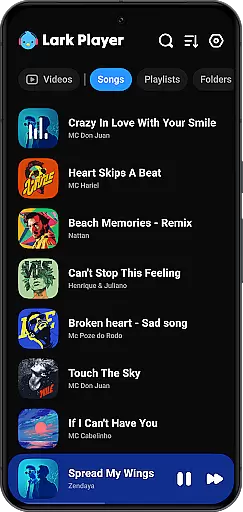
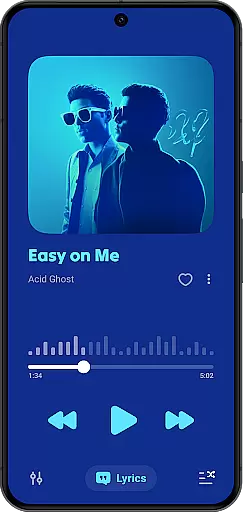
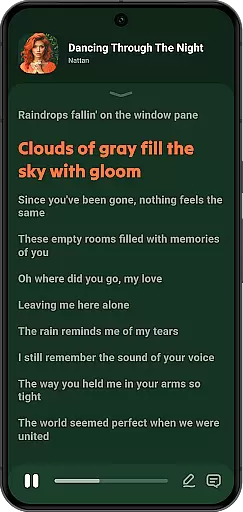
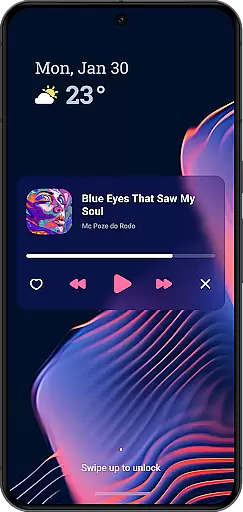
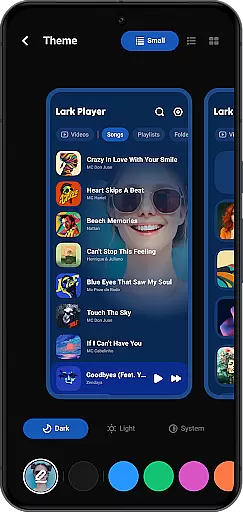
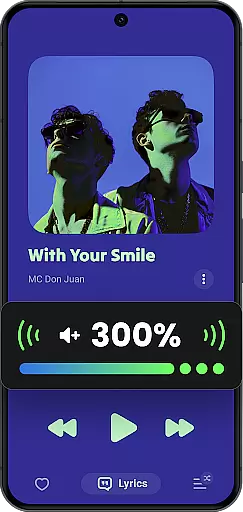
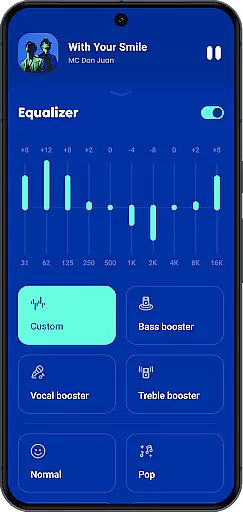
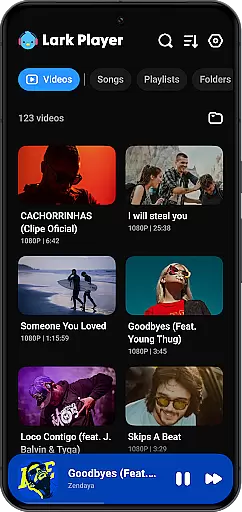
Lark Player is a versatile offline music and video player for Android, supporting all major audio and video formats. With its powerful equalizer, customizable sound settings, and floating window feature, it offers users an enhanced multimedia experience. The app also provides advanced file management capabilities, allowing users to organize music by playlists, albums, and genres.
Designed with user convenience in mind, Lark Player includes features like lyric matching, sleep timer, and background playback. Its sleek interface and customizable themes make it a popular choice among Android users worldwide. Whether commuting or relaxing at home, this app ensures high-quality playback for all your media needs.
One of Lark Player's standout features is its comprehensive format support, handling both audio files like MP3, WAV, FLAC and video formats including MP4, MKV, and MOV. The built-in equalizer offers various preset modes and customizable settings, letting users tailor their listening experience across different genres.
The app's floating player functionality enables multitasking while enjoying media content. Users can adjust window size and position, making it perfect for simultaneous browsing or working. Additional features include smart file organization, playlist creation, and the ability to set local music as ringtones, providing a complete multimedia management solution.
Lark Player offers an extensive music library that supports all major audio formats including MP3, MIDI, WAV, FLAC, AC3, AAC, M4A, and ACC. This ensures users can enjoy a wide variety of music genres without worrying about format compatibility.
While Lark Player is not a music downloader, it emphasizes playing legally acquired offline music files. Users are encouraged to manage their music collections responsibly, respecting copyright laws and artist rights.
The app's dedication to copyright authenticity is evident in its support for matching lyrics with offline songs from the user's phone. This feature allows users to enjoy their favorite tracks with accurate, synchronized lyrics, enhancing the overall listening experience.
With over 100 million users worldwide, Lark Player has established itself as a reliable platform for enjoying high-quality music while maintaining respect for intellectual property.
One of Lark Player's standout features is its powerful equalizer, which provides users with preset modes for various music genres such as Classical, Dance, Folk, Hip-hop, Jazz, Pop, and Rock. These presets allow listeners to customize their sound experience according to their preferences.
The equalizer includes advanced audio enhancement options like bass boost, reverb settings, and sound field adjustments. These tools enable users to fine-tune their audio experience, ensuring optimal sound quality for different types of music and listening environments.
For audiophiles seeking the best possible sound, Lark Player supports high-quality audio formats like FLAC and WAV. This commitment to audio fidelity ensures that users can enjoy their music collection with minimal compression artifacts or quality loss.
Additionally, the player's ability to set local music as ringtones and its support for background playback through the notification bar demonstrate its versatility in handling various audio quality options while maintaining consistent performance across different use cases.
User-friendly interface
Extensive format support
Powerful equalizer options
Floating player functionality
Advanced file management
No built-in music downloader
Offline functionality only
Occasional ads in free version
Limited social features
Basic playlist sharing

Time Guru will strengthen your internal sense of musical time via random muting.
 4.30
4.30
Over 100 million tracks available for high quality streaming and download
4.60
JBL PartyBox APP works with 110/310/710/120/320/520/Encore/Encore 2/Encore Ess 2
4.80
Bass Booster Pro takes auto-equalizing to the next level!
4.30
Recording studio w/ 10k beats, pro vocal FX and a network of 20M rappers & fans!
4.60
Voice recorder - Audio recorder. Best recorder for recording
4.90
Learn and play 2M+ music tabs & chords on guitar, ukulele, bass, and more
4.30
Offline Tunes, Unlimited Vibes
3.90
Uninterrupted Tunes, Unmatched Vibes
3.90
Tune in to the greatest hits on UK Radio | The home of Capital, Smooth & Heart.
4.90
24,000 free audio books and no ads!
4.90
Offline Music Player & MP3 Player.Powerful equalizer, Lyrics, Themes, Tag Editor
4.80
Gorgeous UI, Powerful music Search and Equalizer, the great choice for you!
4.70
Let your Android device with the sound effects you want
4.50
DJ Music Mixer Pro is a real DJ controllers and DJ Music Studio to remix DJ.
4.40
A High-Precision Audio Spectrum Analysis App
4.20
VB-AUDIO Software / VBAN-Receptor allows listening to any VBAN Streams
4.10
The official Sonos app
4.10
Sheet music reader, piano & music note player. Play music score & learn to read.
3.90


User Reviews