
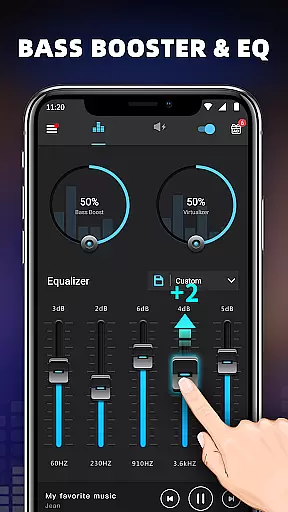
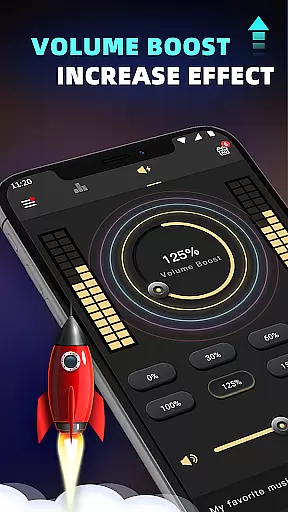
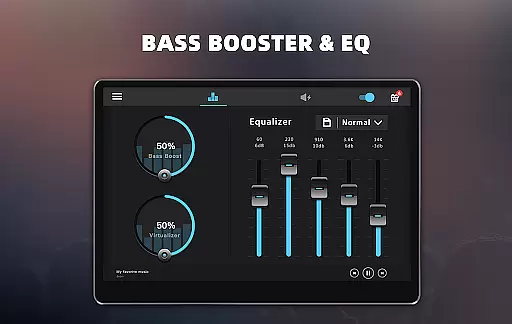
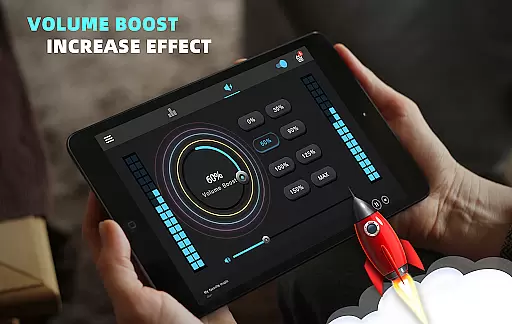
Bass Booster & Equalizer PRO is a premium audio enhancement application designed to elevate the sound quality of Android devices. This app offers an ad-free experience with advanced features such as Bass Boost, Volume Boost, Virtualizer, and a five-band Equalizer. Users can enjoy an improved auditory experience with customizable presets and 16 colorful themes.
The app's main appeal lies in its ability to transform ordinary audio into a rich soundscape. With options like Stereo surround sound effect and 10 preset equalizations ranging from Normal to Rock, users can tailor their listening experience to match their preferences. Whether you're enjoying music, watching videos, or engaging with other audio content, this app ensures that every note is heard as intended.
Perfect for audiophiles and casual listeners alike, Bass Booster & Equalizer PRO enhances the overall entertainment value of your device. By providing priority support and additional features like Notification control and Cool Spectrum visualization, it delivers both functionality and aesthetics.
Bass Booster & Equalizer PRO stands out with its comprehensive suite of audio-enhancing tools. The app includes a Bass Boost effect that adds depth to low-frequency sounds, a Volume Boost feature that amplifies speaker output, and a Virtualizer for creating an immersive listening environment. These effects work together to produce studio-quality sound directly from your mobile device.
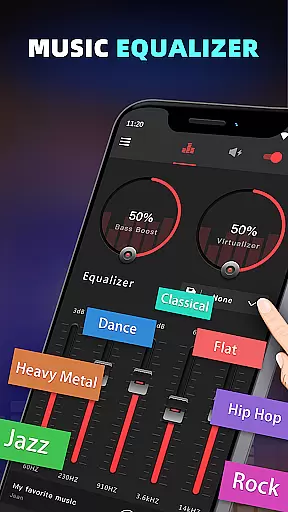
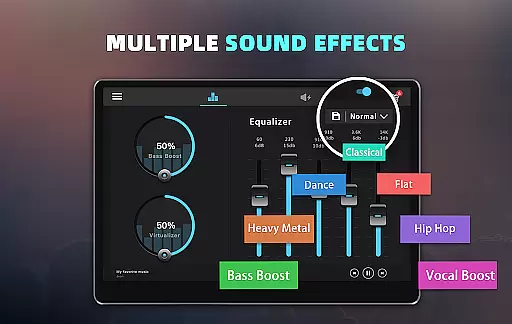
In addition to these core functionalities, the app provides a five-band Equalizer with 10 preset options, allowing users to fine-tune their audio settings. From Classic to Hip Hop, each preset caters to different musical genres, ensuring optimal playback quality. Users also have the option to create custom presets, giving them complete control over their sound profile.
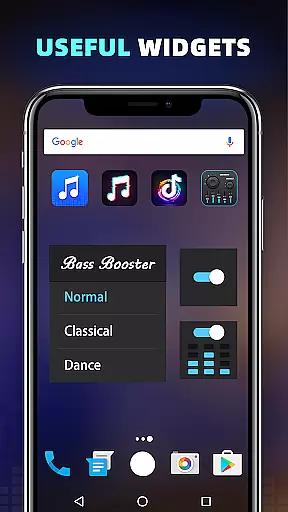
For added convenience, the app comes equipped with 3 Widgets (1x1, 1x1, 2x2) and works seamlessly with most Music and Video players. Its user-friendly interface makes installation and usage straightforward, while features like Notification control and Cool Spectrum enhance the overall user experience without compromising performance.
When it comes to music enhancement applications like Bass Booster & Equalizer PRO, the size and authenticity of the music library are crucial. This app doesn't host a music library itself but rather enhances the audio experience across various music and video players on your Android device.
The application ensures that any music or video played through it benefits from premium features such as Bass Boost, Volume Boost, Virtualizer, and a five-band Equalizer. These enhancements are applied to all audio content, ensuring that users can enjoy an improved sound quality without concerns about copyright infringement.
With over ten preset equalizations and a customizable option, users have a vast array of choices to tailor their listening experience. The app's compatibility with most music and video players means that users can apply these enhancements to a wide-ranging music library located on their device.
By focusing on improving the sound quality of existing audio files, Bass Booster & Equalizer PRO provides a service that respects copyright laws while offering users the tools to personalize and enhance their legally acquired music collection.
Audio quality options are at the forefront of Bass Booster & Equalizer PRO's offerings. The app provides users with advanced sound controls including Bass Boost, Volume Boost, and a five-band Equalizer, allowing for an enriched audio experience that can be customized to individual preferences.
Users can choose from ten preset equalizations, each tailored to different music genres such as Normal, Classic, Dance, Hip Hop, Jazz, Pop, and Rock. This feature ensures that no matter what type of music you're listening to, there is an audio setting that will make it sound its best.
In addition to presets, the app offers a customizable equalizer setting, giving audiophiles the freedom to adjust frequencies to their exact liking. Coupled with 16 Colorful Themes and a Cool Spectrum visualization, the auditory experience is matched with a visually pleasing interface.
The app also includes three widgets of varying sizes for quick access to audio controls, ensuring that users can easily manage their sound quality options. With these features, Bass Booster & Equalizer PRO delivers a high-quality, customizable audio experience that caters to both casual listeners and audio enthusiasts alike.
Ad-free experience
Priority customer support
Customizable equalizer presets
Wide range of audio effects
User-friendly interface
Premium version only
Limited free features
Requires manual adjustments
No automatic sound optimization
May drain battery faster

Make music anywhere. Turn your device into an instrument.
 4.4
4.4
Over 100 million tracks available for high quality streaming and download
4.60
Time Trainer: accurate metronome w tools to help you develop your internal time!
4.20
Ultimate Sonos Controller
4.70
Record, Mix & Master with all n-Track effects, 64-bit audio and Stem Separation.
4.70
Voice recorder - Audio recorder. Best recorder for recording
4.90
Let your Android device with the sound effects you want
4.50
Turn Every Moment into Music
3.60
Travel To The Music Universe
3.40
24,000 free audio books and no ads!
4.90
Full-featured, High-Quality Groovebox Workstation, perfect for Live Performance!
4.80
Most Advanced AI Song Generator and Music Creator. Rap, Pop, Rock, Gospel & more
4.70
Simple & Intuitive Metronome
4.70
Offline Music Player&MP3 Player with themes, equalizer, lyrics, music play mode
4.60
Reverse your voice & songs instantly! Fun singing challenge with cool effects.
4.60
Help you quickly get started with Shokz headphones
4.40
Smart piano keyboard, Classical to Pop, Real-time multiplayer connection!
4.20
Control your MIDI USB or Bluetooth devices in app and avoid some trampling
3.30
Simply convert wav to mp3. Clear. Reliable. Safe.
4.1


User Reviews