
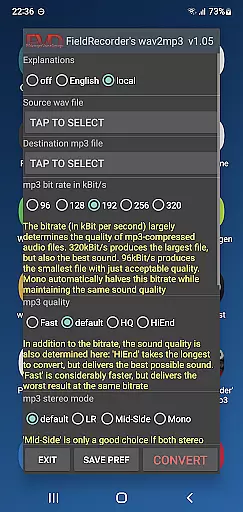
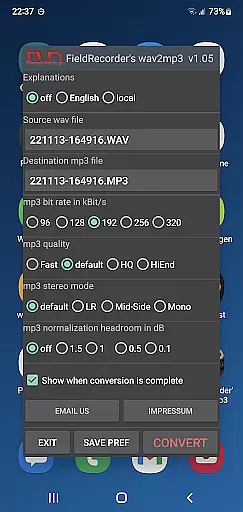
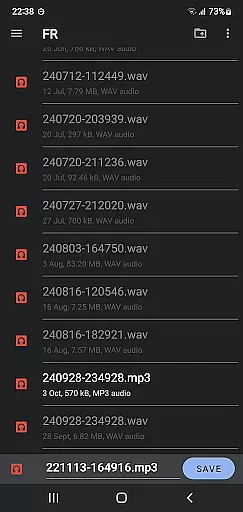
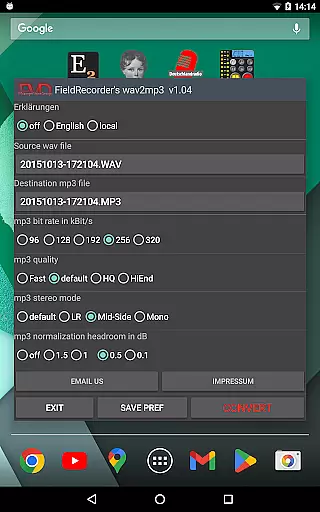
FieldRecorder's wav2mp3 is a streamlined audio conversion tool designed specifically for users who need to convert WAV files to MP3 format without any distractions. The app eliminates common annoyances such as ads, rating requests, and confusing options, offering a seamless experience with just one screen to manage the entire process. Simply select your source and destination files, tap 'Convert,' and let the app handle the rest in the background.
What sets this app apart is its commitment to user privacy and efficiency. With a download size under 1.3MB due to native code optimization, it's significantly lighter than comparable apps that average around 20MB. It provides clear error messages when issues arise and even offers a full refund option if you're not satisfied. Additionally, the app integrates seamlessly with 'Field Recorder,' allowing for invisible remote control operations, making it ideal for both casual users and audio professionals.
FieldRecorder's wav2mp3 stands out with its array of practical features tailored for efficient audio file conversion. One of the key highlights is its minimalist design philosophy—no ads, no data collection, and no intrusive rating requests. This ensures that users can focus solely on converting their files without distractions or privacy concerns.
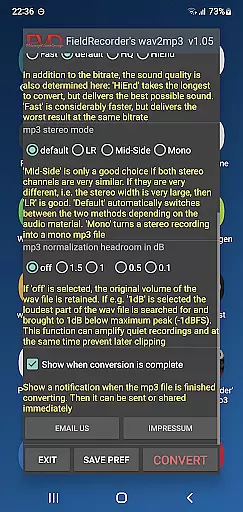
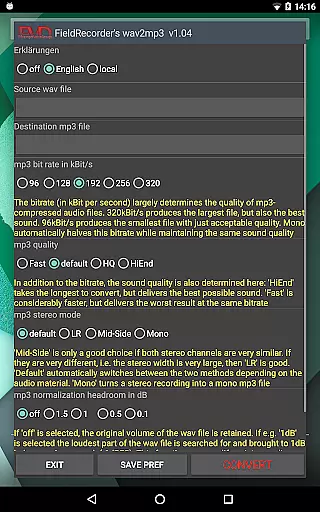
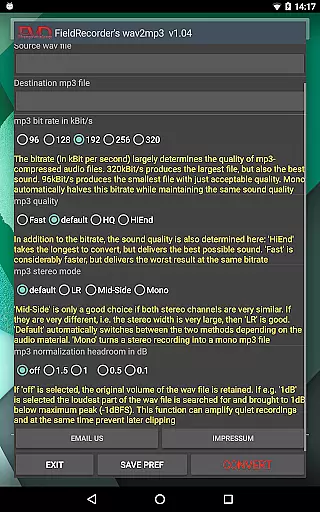
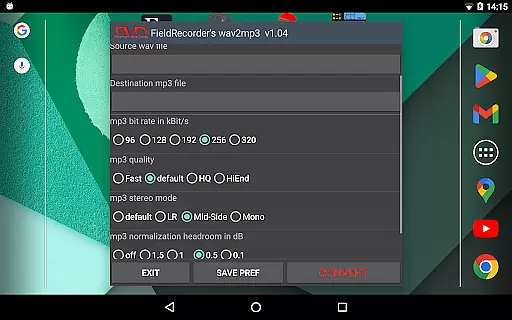
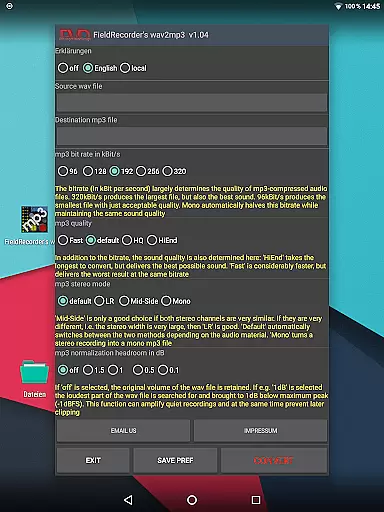
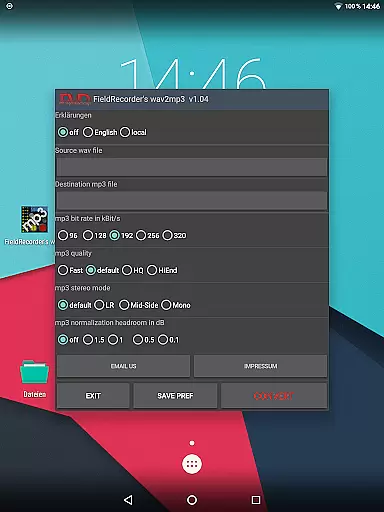
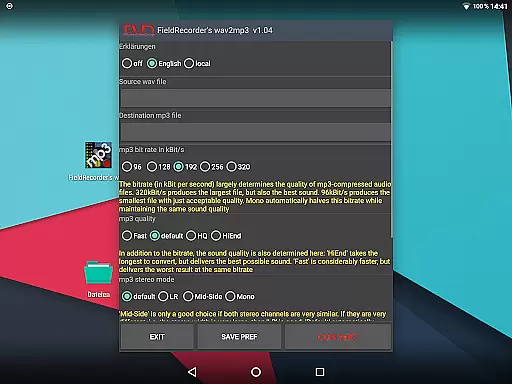
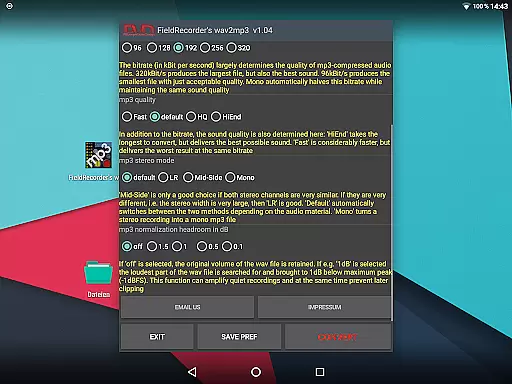
The app also offers several customization options to suit individual preferences. Users can choose from five common bit rates, specify encoding complexity for better sound quality, and select stereo modes like LR, Mid-Side, or mono creation. Additional settings include volume normalization and end-of-conversion notifications, which allow immediate sharing or further processing of the MP3 file. These features collectively ensure that the app caters to both basic and advanced user needs while maintaining an intuitive interface.
FieldRecorder's wav2mp3 may not boast an extensive music library, but it excels in providing a streamlined and efficient conversion process from WAV to MP3 formats. This app focuses on quality rather than quantity, ensuring that each file you convert maintains the integrity of the original audio content.
The application respects copyright by allowing users to convert only those files they legally own or have rights to, thus avoiding any legal issues associated with unauthorized distribution or use of copyrighted material. It does not collect data or spy on its users, making it a trustworthy tool for personal audio management.
With this app, musicians and audio professionals can manage their audio files without worrying about infringing on copyrights or facing legal repercussions. The simplicity of the conversion process ensures that even those new to audio editing can confidently use the app without fear of violating copyright laws.
FieldRecorder's wav2mp3 offers several options to control the audio quality during the conversion process. Users can choose from five common bit rates, which are halved when converting to mono, allowing for quick switching between different levels of audio clarity based on their specific needs.
The complexity of the MP3 creation can also be adjusted, giving users the ability to balance between conversion speed and sound quality. More complex settings will take longer to process but can yield better sound results, catering to audiophiles who demand high-fidelity audio.
Stereo mode selection enables encoding both channels separately or together, depending on the similarity between channels, or creating a mono file. Additionally, users can decide whether to preserve the original volume or maximize it while ensuring no clipping occurs during playback.
User-friendly interface
No ads or data collection
Fast background conversion
Customizable encoding options
Seamless integration with Field Recorder
Limited to WAV to MP3 conversion
No batch processing available
Basic UI design
Fewer features than some competitors
Paid app with no free version

Taal player that lets you sing any Indian & Western song with Tabla & Tanpura
 4.60
4.60
Most Advanced AI Song Generator and Music Creator. Rap, Pop, Rock, Gospel & more
4.70
Listen to live FM radio stations, sports, music and news on global radios online
4.70
Enhance the sound quality of your devices, listen to what you want
4.50
The ultimate media player for Android devices
3.90
Music Streaming suite for Ampache, Nextcloud Music and compatible backends.
4.1
Turn your Android phone into a professional audio analyser with up to 120 bands.
4.00
Play KORG’s revolutionary touch-based instrument on a variety of devices.
4.40
Travel To The Music Universe
3.40
Brian Eno and Peter Chilvers’ acclaimed music app Bloom, radically reinvented.
4.80 4.70
4.70
Record, Mix & Master with all n-Track effects, 64-bit audio and Stem Separation.
4.70
Unleash your creativity! Turn simple prompts into full fledged songs.
4.70
Super Sound Editor, Song Maker & Mixer, Vocal Remover, Voice Recorder & Changer!
4.60
DJ Music Mixer Pro is a real DJ controllers and DJ Music Studio to remix DJ.
4.40
Network/Cloud Streaming, Visualization, Graphic Equalizer and Sound Effects.
4.20
Sing, record, and create music together — enhanced by smart voice tools.
4.00
Powerful beat maker & DJ mixer to remix tracks, make music, & perform DJ mix
3.70
Slow music down without changing pitch.
3.70


User Reviews