
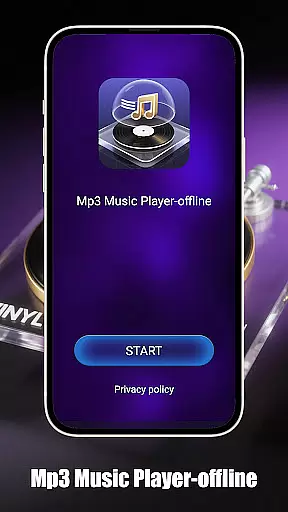
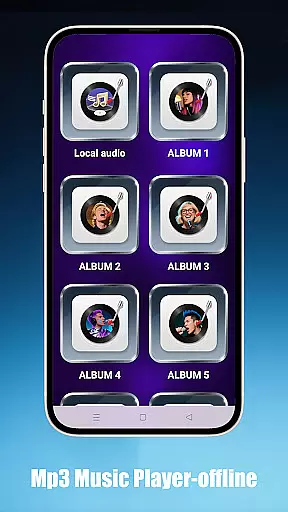
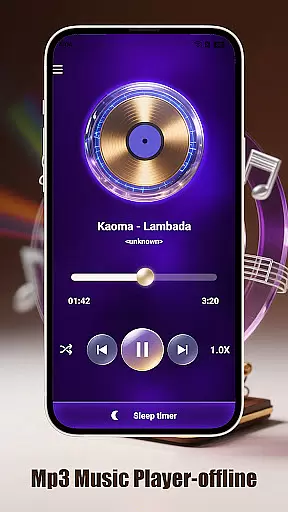
Mp3 Music Player - Offline is a dedicated music player for audiophiles who prefer local MP3 playback. With its sleek design and no-frills approach, this app offers powerful playback controls without requiring an internet connection.
Key features include smart playback modes with loop, shuffle, and adjustable speed options, effortless access to local music files through folder, artist, or album browsing, and a minimalist interface optimized for focus. Whether you're enjoying your favorite tracks or exploring new ones, this app ensures an uninterrupted listening experience.
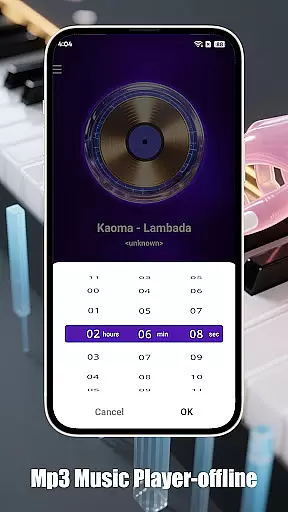
This app stands out with its advanced playback capabilities tailored for both casual listeners and podcast enthusiasts. The adjustable speed feature (0.5x–2.0x) allows users to customize their listening pace, while the sleep timer helps conserve battery life by auto-stopping playback.
For those who value organization, Mp3 Music Player - Offline provides seamless navigation through folders, artists, and albums. Its ultra-fast search function ensures that finding specific tracks is quick and easy. Additionally, the landscape-optimized UI delivers an immersive full-screen experience, making it perfect for focused listening sessions.
Mp3 Music Player - Offline offers a seamless way to manage and enjoy your personal music collection. While the app doesn't provide streaming services, it allows users to access an extensive local music library stored on their devices.
The application supports MP3 files, which are widely used due to their balance of quality and file size. Users can organize tracks by folders, artists, or albums, ensuring easy navigation through potentially vast collections. This organization capability enhances the user's ability to locate specific songs quickly without sifting through unrelated content.
Regarding copyright authenticity, this app respects intellectual property rights by focusing solely on playing locally stored files. It empowers users to play only those tracks they legally own, thus promoting ethical consumption of digital media. By not offering any form of unauthorized streaming or downloading, Mp3 Music Player - Offline upholds high standards of legality and integrity within its operational framework.
One of the standout features of Mp3 Music Player - Offline is its adjustable playback speed, ranging from 0.5x to 2.0x. This functionality caters to diverse listening preferences and purposes, whether you're casually enjoying music or using the player for focused learning sessions.
The absence of internet dependency ensures consistent audio quality without interruptions caused by buffering or connectivity issues. Listeners can expect clear sound reproduction every time they use the app, making it ideal for audiophiles who demand pristine audio experiences.
In addition to variable playback speeds, the app provides several smart playback modes such as loop, shuffle, and single-track playback. These options give users control over how their music is presented, allowing them to tailor each listening session according to mood or activity. Furthermore, the minimalist interface contributes to an immersive experience free from distractions, letting listeners fully immerse themselves in the nuances of their favorite tracks.
User-friendly interface
Offline functionality
Customizable playback speeds
Efficient folder navigation
Battery-saving sleep timer
Limited to MP3 format
No cloud streaming option
Basic equalizer settings
Occasional bugs reported
No social sharing features

The Music Journey in Your Hands
 4.30
4.30
Performance-Synthesizer & Multi-Track-Sequencer, polyphonic + multi timbral!
4.70
Walkout Song DJ is the most intuitive app to manage your sports music.
4.70
Save hundreds of dollars for a physical strobe tuner and instead use this app.
4.50
Simple & Intuitive Metronome
4.70
Music Streaming suite for Ampache, Nextcloud Music and compatible backends.
4.0
Offline Music Player&MP3 Player with themes, equalizer, lyrics, music play mode
4.60
Responsive piano with great sounds, graphics, and songs
4.80
Listen to offline music and sounds from all categories
4.70 4.70
4.70
Pay Once, no monthly payment
4.60
DJ Music Mixer - DJ Remix: remix songs, make beat music & record mix of DJ.
4.40
Ringtone Maker is free app create ringtone from music files or your recording.
4.40
Enjoy singing any song, no matter how high or low it is
4.30
PowerAudio is a powerful offline music player.
4.20
Next generation modular control surface
4.10
Turn your phone into a musical instrument from the future!
3.90
Sheet music reader, piano & music note player. Play music score & learn to read.
3.90
Remove ads permanently from Music Visualizer
4.0


User Reviews