
Hi-Q MP3 Voice Recorder (Pro) is a premier mobile application designed for high-quality audio recording. This feature-rich app supports 44 kHz audio sampling, ensuring professional-grade recordings for various use cases. From personal voice notes to band practice sessions, the app delivers exceptional audio fidelity that surpasses standard recording apps.
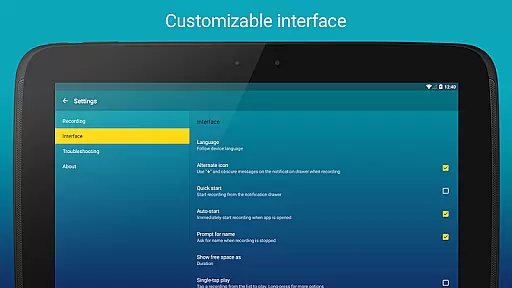
The application stands out with its customizable settings and user-friendly interface. Whether you're recording lectures, concerts, or brainstorming sessions, Hi-Q MP3 Voice Recorder (Pro) provides the tools needed to capture every detail. Its intuitive design and advanced features make it an essential tool for both casual users and audio professionals.
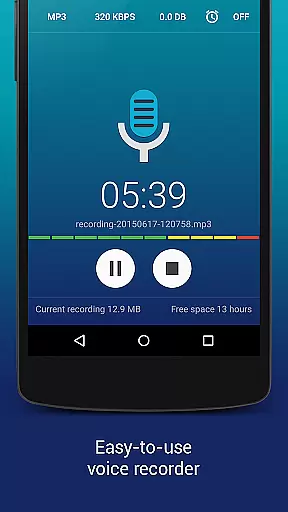
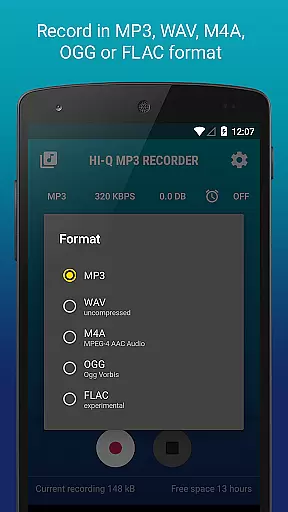
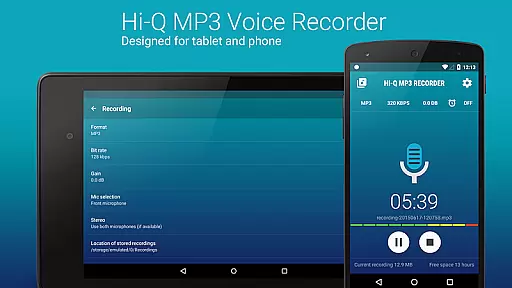
Hi-Q MP3 Voice Recorder (Pro) offers an impressive array of features that enhance the recording experience. The app supports multiple audio formats including MP3, WAV, OGG, M4A, and FLAC, with bit rates up to 320 kbps. Users can choose between front and back microphones based on sensitivity requirements and control gain levels in real-time for optimal recording quality.
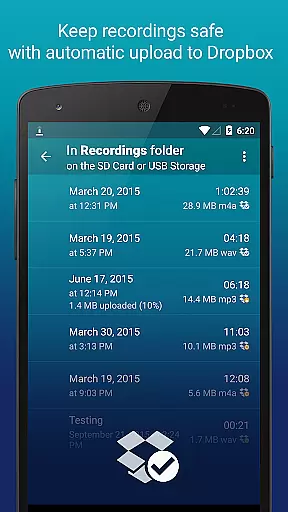
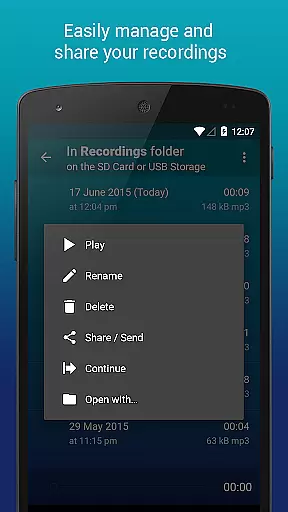
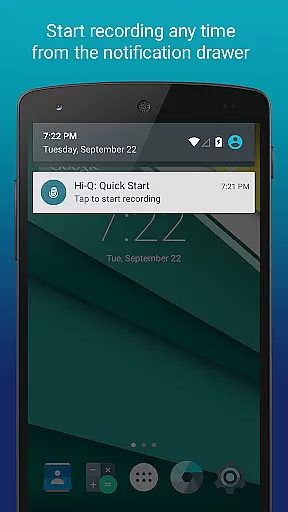
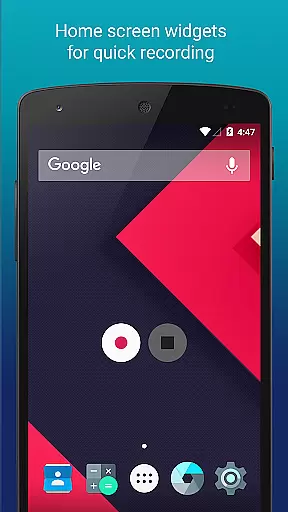
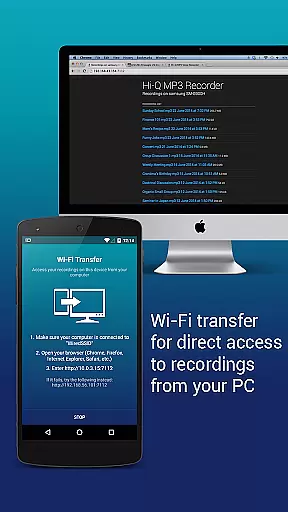
Additional standout features include discreet recording mode, home screen widgets for quick access, and automatic upload to cloud services like Google Drive and Dropbox. The built-in Wi-Fi transfer functionality allows seamless file sharing across devices. With comprehensive clip management tools, users can organize, edit, and share their recordings with ease.
Hi-Q MP3 Voice Recorder (Pro) offers an impressive range of capabilities that extend beyond simple recording. With the ability to store recordings as MP3 files, it ensures compatibility across various devices and platforms. The app supports multiple formats including WAV, OGG, M4A, and FLAC, providing users with flexibility in managing their audio library.
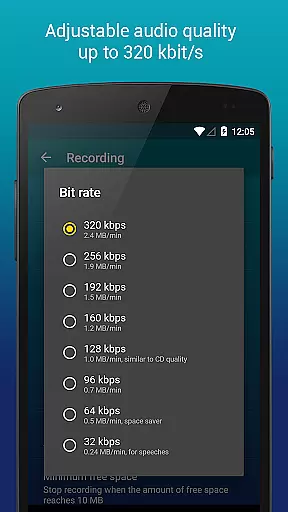
The application's dedication to high-quality audio is evident through its 320 kbps recording capability, ensuring that every nuance of sound is captured with clarity. This feature is crucial for musicians and audio professionals who require precision in their work. Additionally, the option to record in experimental formats like FLAC allows for lossless audio capture, catering to audiophiles who demand the highest fidelity.
Regarding copyright authenticity, Hi-Q MP3 Voice Recorder (Pro) emphasizes user-generated content, empowering creators to produce original material. While the app itself does not provide copyrighted music, it equips users with tools to create unique audio content legally. By offering such robust features, the app fosters an environment where creativity thrives without infringing on existing copyrights.
One of the standout features of Hi-Q MP3 Voice Recorder (Pro) is its comprehensive audio quality options. Users can customize their recording experience by adjusting the bit rate up to 320 kbps, allowing for superior sound reproduction. This level of customization ensures that whether you're capturing a live concert or a quiet lecture, the resulting audio will meet professional standards.
In addition to adjustable bit rates, the app provides input selection functionality, enabling users to choose between front and back microphones based on sensitivity and clarity preferences. This adaptability is particularly beneficial when recording diverse audio sources, from voice memos to musical performances. The inclusion of experimental formats like FLAC further enhances the app's appeal to audio enthusiasts seeking uncompromised quality.
Moreover, the app facilitates optimal recording conditions through its gain control feature, allowing real-time adjustments to accommodate varying noise levels. This ensures consistent audio quality regardless of environmental factors. Such meticulous attention to detail underscores Hi-Q MP3 Voice Recorder (Pro)'s commitment to delivering exceptional audio experiences tailored to individual needs.
High-fidelity audio recording
Multiple format support
Real-time gain control
Cloud integration
User-friendly interface
No phone call recording
SD card widget limitations
Premium price point
Advanced features may overwhelm beginners
Limited free version functionality

Your HD audio recorder on the go for music, meetings, ambience, animal sounds…
 4.30
4.30
Over 100 million tracks available for high quality streaming and download
4.60
Simple & Intuitive Metronome
4.70
USB audio recording and playback finally possible on Android 3.1 or higher!
3.90
Super Sound Editor, Song Maker & Mixer, Vocal Remover, Voice Recorder & Changer!
4.60
Voice recorder - Audio recorder. Best recorder for recording
4.90
Ringtone Maker is free app create ringtone from music files or your recording.
4.40
Sing, record, and create music together — enhanced by smart voice tools.
4.00
Travel To The Music Universe
3.40
Full-featured, High-Quality Groovebox Workstation, perfect for Live Performance!
4.80
Taal player that lets you sing any Indian & Western song with Tabla & Tanpura
4.60
The best music and audio player, with beautiful UI, music search and equalizer.
4.60
Visualize the guitar fretboard, master scales & play through changes like a pro!
4.50
DJ Music Mixer - DJ Remix: remix songs, make beat music & record mix of DJ.
4.40
Manage your Sonos system directly from your home-screen!
4.40
A sleek, no-frills player designed for true music lovers.
4.20
Background pads for your band
3.80
Simply convert wav to mp3. Clear. Reliable. Safe.
4.5
Make music anywhere. Turn your device into an instrument.
4.3


User Reviews