
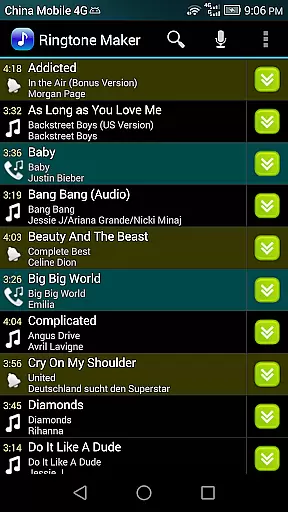
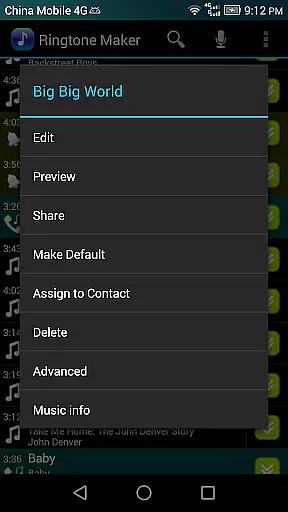
Ringtone Maker Pro is a versatile audio editing tool designed specifically for creating personalized ringtones, alarms, and notifications. This professional-grade application supports multiple audio formats including MP3, WAV, AAC/MP4, and 3GPP/AMR files, making it compatible with various devices and operating systems.
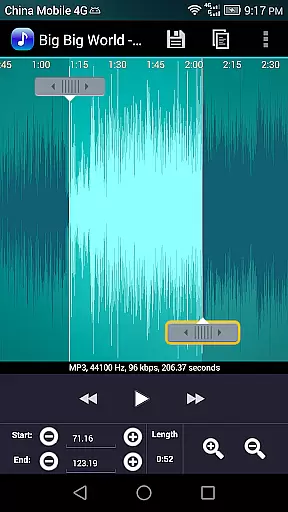
The app's intuitive interface allows users to precisely set start and end points through a timeline slider, manual input, or by pressing designated buttons. With advanced features like fade in/out effects, volume adjustment, and waveform visualization at five zoom levels, users can create high-quality audio clips tailored to their preferences. Whether you're looking to customize your phone's notification sounds or create unique ringtones for specific contacts, Ringtone Maker Pro offers the tools needed to achieve professional results.
Ringtone Maker Pro stands out with its comprehensive set of audio editing capabilities. The app enables users to perform essential editing functions such as copy, cut, and paste operations, while offering advanced options like fade in/out effects specifically for MP3 files. Users can adjust volume levels and preview their creations before finalizing them.
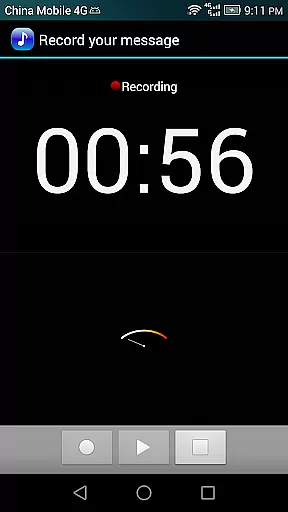
A distinctive feature is the scrollable waveform representation that provides visual feedback at five different zoom levels, allowing for precise editing. The touch interface makes it easy to set exact starting and ending points for audio clips. Additionally, the app includes playback functionality with an indicator cursor and automatic scrolling during preview. Users can also record new audio clips directly within the app and manage existing ones by sorting them according to tracks, albums, or artists.
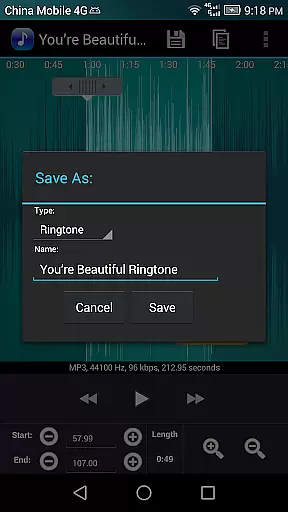
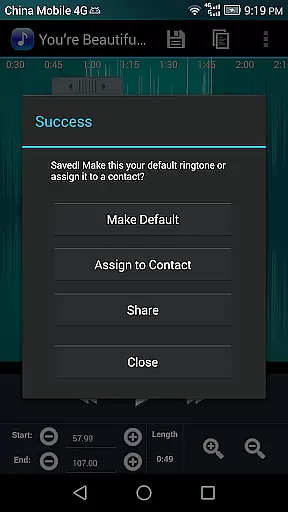
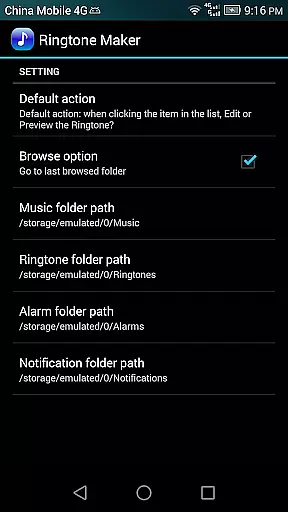
The application goes beyond basic editing by providing organizational tools for managing contact-specific ringtones and saving files in appropriate directories (ringtones, notifications, alarms, music). These features, combined with the ability to assign ringtones directly to contacts and modify them later, make Ringtone Maker Pro a complete solution for personalizing mobile audio experiences.
Ringtone Maker Pro offers an extensive music library that allows users to create ringtones, alarms, and notifications from a variety of audio file formats including MP3, WAV, AAC/MP4, and 3GPP/AMR. This vast compatibility ensures that users can work with their preferred file types, making the process seamless and versatile.
The app's commitment to copyright authenticity is evident in its transparent handling of audio files. Users can be confident that the ringtones they create do not infringe on any copyrights, as they are using their personal audio files for customization. This respect for intellectual property adds a layer of trust and reliability to the user experience.
With Ringtone Maker Pro, users have the freedom to explore and utilize their music collection to craft unique audio clips. The ability to sort tracks by albums and artists further enhances the management of one's music library within the app, ensuring a personalized and organized approach to ringtone creation.
One of the standout features of Ringtone Maker Pro is the level of control it provides over audio quality. Users can adjust the volume and apply fade-in/out effects specifically for MP3 files, allowing for professional-sounding edits that enhance the listening experience.
The app supports waveform visualization at five different zoom levels, giving users a detailed view of their audio files. This precision enables accurate setting of start and end points for ringtones, which is crucial for maintaining high audio quality in the final clip.
Furthermore, the ability to preview edited Ringtone files before saving them ensures that the audio meets the user's expectations. This feature-rich environment empowers users to produce high-quality audio clips that are marked as Music, Ringtone, Alarm, or Notification, catering to various personal and creative needs.
User-friendly interface
Multiple format support
Advanced editing tools
Waveform visualization
Contact management
Requires storage permission
Contact access needed
Paid version only
Complex for beginners
Ads in free version

Fun & Easy Voice Changer – Record, Edit & Add Hilarious Effects!
 4.50
4.50
Offline and always ad-free - stream in the highest quality available.
4.10
Record, Mix & Master with all n-Track effects, 64-bit audio and Stem Separation.
4.70
The alternative folder based music player.
4.20
24,000 free audio books and no ads!
4.90
Offline Music Player & MP3 Player.Powerful equalizer, Lyrics, Themes, Tag Editor
4.80
Powerful 10-Band equalizer pro with sound booster improves Android audio quality
4.30
Sheet music reader, piano & music note player. Play music score & learn to read.
3.90
Melody Beat: Great for travel, workouts, offline vibes, play your tunes anytime.
4.10
Full-featured, High-Quality Groovebox Workstation, perfect for Live Performance!
4.80
Simple & Intuitive Metronome
4.70
SqueezePlayer turns your Android phone or tablet into a SqueezeBox on its own!
4.60
Pay Once, no monthly payment
4.60
DJ Music Mixer - DJ Remix: remix songs, make beat music & record mix of DJ.
4.40
Help you quickly get started with Shokz headphones
4.40
Learn and play 2M+ music tabs & chords on guitar, ukulele, bass, and more
4.30
Time Trainer: accurate metronome w tools to help you develop your internal time!
4.20
No wifi music app. Mp3 offline. Tuner radio, young radio music. Music downloader
4.20
The Cubase remote control app
3.60


User Reviews