

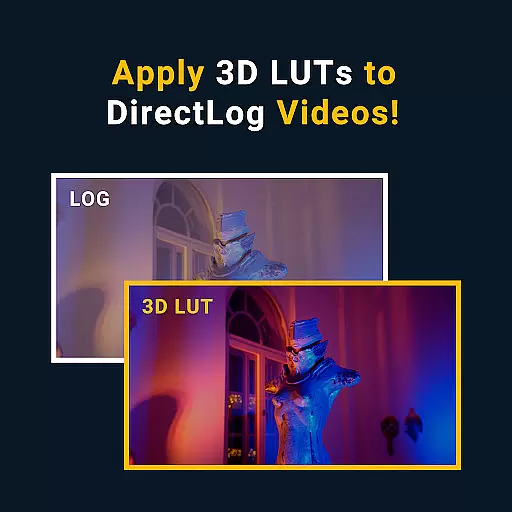


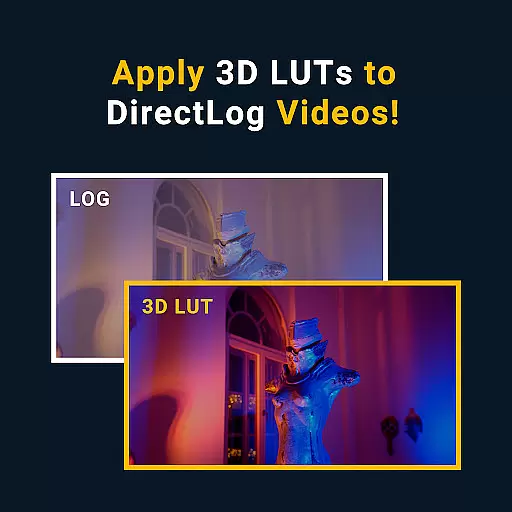
MotionCam Pro revolutionizes mobile photography by offering professional-grade tools directly on your smartphone. The app's standout feature is its ability to capture RAW videos, a first for smartphone cameras. This allows videographers and photographers to retain maximum detail and flexibility during post-processing.
In addition to video capabilities, MotionCam Pro enhances still photography through advanced computational algorithms. These replace standard camera software, enabling users to produce stunning images with improved dynamic range and color accuracy. Whether you're a professional photographer or an enthusiast, this app provides the tools needed to elevate your mobile photography experience.
MotionCam Pro stands out with its innovative features tailored for both videography and photography enthusiasts. The app's hallmark is its support for RAW video capture, allowing users to record footage with unparalleled quality and editability. This feature alone transforms how content creators approach mobile videography.
For photography, MotionCam Pro employs sophisticated computational algorithms that enhance image quality. These algorithms optimize various parameters such as exposure, white balance, and noise reduction, resulting in photos that rival those taken with high-end DSLR cameras. Additionally, the app offers intuitive controls and settings, giving users the flexibility to adjust parameters according to their creative vision.
The combination of these features makes MotionCam Pro an indispensable tool for anyone serious about mobile photography and videography. By bridging the gap between smartphone convenience and professional-grade results, it empowers users to capture and create like never before.
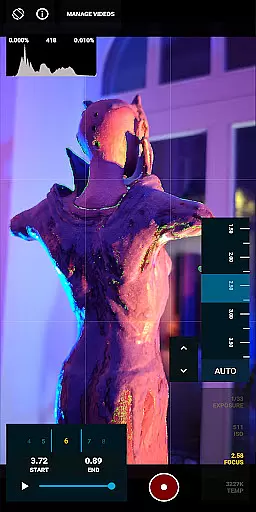
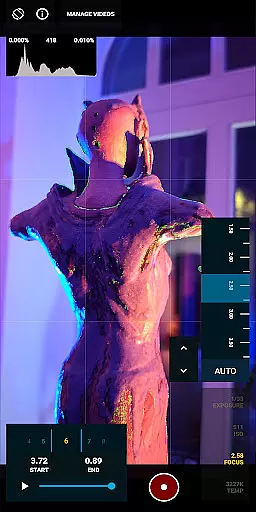
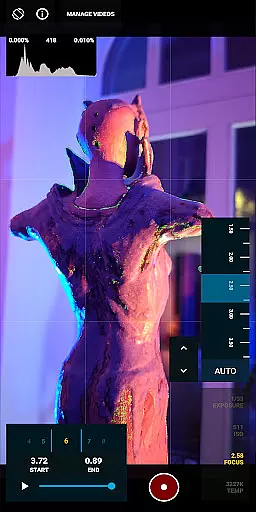
Real-time capture and preview functionality is essential for photographers who need to see the exact image they are capturing. MotionCam Pro excels in this area by providing users with a live view of their shot before taking it, ensuring precision and satisfaction with each photo.
The app's advanced computational photography algorithms process images instantly, offering a seamless experience that mimics professional-grade cameras. This allows users to adjust settings such as exposure, focus, and white balance on-the-fly, resulting in superior image quality.
With MotionCam Pro, users can also take advantage of RAW video capture, a feature not commonly found in smartphone applications. This capability provides videographers with unparalleled control over post-production editing, making it an indispensable tool for professionals.
MotionCam Pro incorporates AI beauty and enhancement features that elevate mobile photography to new heights. The app intelligently applies enhancements without compromising the natural look of subjects, preserving skin texture and facial expressions while reducing imperfections.
This intelligent enhancement system uses sophisticated algorithms to analyze each frame, applying adjustments that enhance overall image aesthetics without appearing artificial or overly processed. Users benefit from consistently stunning photos that maintain authenticity.
Additionally, MotionCam Pro offers customizable enhancement levels, allowing users to tailor the intensity of effects according to their preferences. Whether capturing portraits or landscapes, the app ensures every shot looks its best while retaining true-to-life qualities.
RAW video capture
Advanced photo algorithms
Professional-grade tools
Intuitive user interface
Active community support
Premium pricing
Steep learning curve
Limited device compatibility
High storage requirements
Occasional performance issues

AI portrait generator and polaroid AI selfie, fun AI generated AI photo creator!
 4.30
4.30
All-in-One Editor & AI Photo Enhancer, Beautify & Retouch, Collage, Cartoonify
4.20
Photo editor: AI filters, photo enhancer, pic collage maker, AI art generator.
4.80
Take videos and pictures with the popular TikTok TIME WARP SCAN filter.
4.60
Transform photos into videos! Create realistic or anime-style images easily!
4.50
Cartoon and artistic effects for your photos and videos
4.70
A light meter for true photographers.
4.20
Discover & download millions of art for The Frame TV or Hisense CanvasTV
4.60
Unlock the full potential of your DJI drone with Litchi
4.50
Pro version: AR sun/moon tracker for any date. Tool for photographers & planners
4.90
AI Photo Editor with 100+ Filters, Effects! Remove BG, Retouch & Photo Enhancer.
4.80
See your baby AI baby face generator AI baby maker Face generator babymaker fun!
4.70
Your personal guide to the sun and moon. Plan ahead, visualize and predict!
4.70
The original Rarevision VHS look seen everywhere!
4.70
Enhance, retouch & create your story - Share the moment with Photoshop Express.
4.60
PhotoSync Bundle Add-On License. Enables all features and services in PhotoSync.
4.60
What celebrity do you look like? Celebs will find your celebrity match!
4.10
How would you look like with a differently shaped nose, chin or lips?
3.90
Astrophotography with your smartphone, photo live stacking and much more!
3.90


User Reviews