
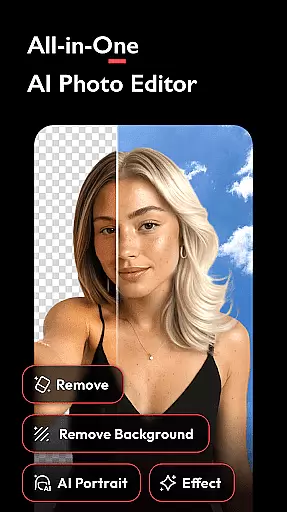


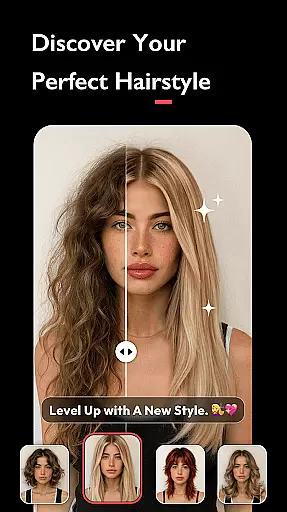
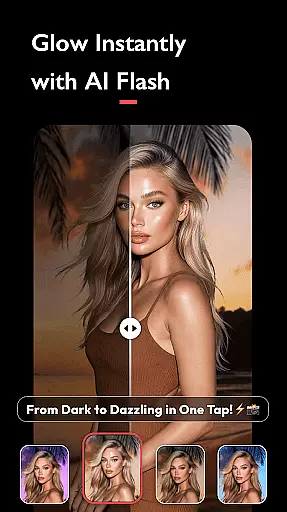
AI Photo Editor - Polish is a powerful photography application that utilizes advanced AI technology to transform your photo editing experience. The app offers an extensive suite of tools including AI filters, photo enhancement, background removal, and portrait generation, making professional-level editing accessible to everyone.
With over 500 AI filters, effects, templates, and stickers, users can easily enhance their images with features like one-tap HD enhancement, object removal, and avatar creation. Whether you're refining personal photos or creating content for platforms like LinkedIn, TikTok, or Instagram, this app provides the necessary tools without requiring specialized skills.
The app's standout feature is its ability to cater to both casual users and professional creators. From simple adjustments like brightness and contrast to advanced edits such as body tuning and face retouching, AI Photo Editor - Polish ensures every photo looks stunning while maintaining ease of use.
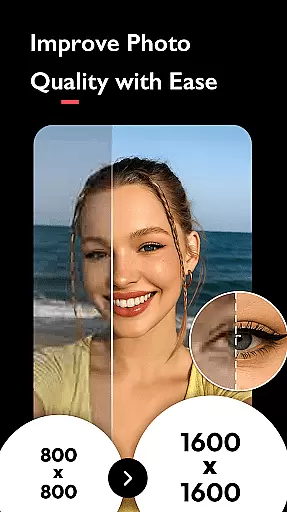
AI Photo Editor - Polish stands out through its innovative AI-powered features that simplify complex editing tasks. The AI Filters section includes CCD, Flash, and trendy options that instantly elevate photo quality. The AI Photo Enhancer tool fixes blurry images and boosts resolution to HD with just one tap.
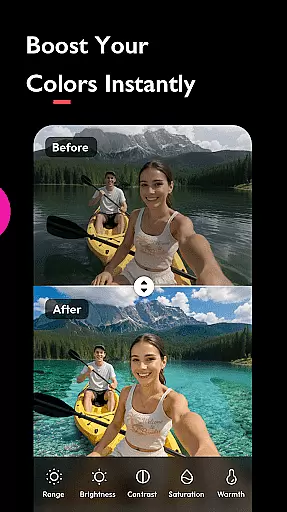
For creative professionals, the app offers advanced features like AI Cartoon for designing avatars, AI Remove for cleaning up unwanted objects, and AI Portrait for generating professional headshots. Additionally, the AI Beautify tool allows detailed facial retouching, while Auto Adjust optimizes tones for brightness, contrast, and saturation.
Users can also experiment with artistic effects such as Bokeh, Lens Flare, and HSL color enhancement. With support for photo collages, text overlays, and high-resolution saving, this app ensures every edit meets professional standards while remaining user-friendly.
Real-time capture and preview functionality is essential for ensuring that users can see the results of applying various AI filters, effects, and beautification tools instantly. This immediate feedback allows users to make necessary adjustments before finalizing their edits, thus enhancing user satisfaction and engagement.
AI Photo Editor - Polish offers a dynamic real-time preview feature that lets users experiment with over 500 AI filters, effects, and templates. As users browse through different options, they can instantly see how each change impacts their photos, providing an interactive and intuitive editing experience.
The benefit of real-time capture and preview in this app is the ability for users to perfect their images on the go. Whether it's adjusting brightness, applying trendy Y2K or VHS filters, or using AI-powered tools like skin smoothing and background removal, users can achieve desired results efficiently without any guesswork.
This feature significantly enhances the overall user experience by making photo editing accessible and enjoyable. Users can confidently create content for platforms like Instagram and LinkedIn, knowing exactly how their final image will look, which boosts their creative productivity and social media presence.
AI beauty and enhancement features are crucial for delivering natural-looking edits that enhance a user's best features without appearing overly processed. The challenge lies in maintaining authenticity while still achieving noticeable improvements in photo quality.
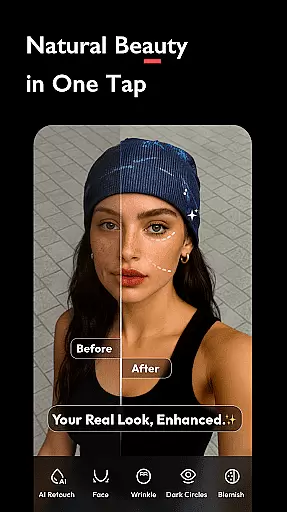
In AI Photo Editor - Polish, advanced AI algorithms power the beautification tools, ensuring that enhancements such as skin smoothing, facial retouching, and body tuning appear realistic. These tools leverage next-gen AI technology to analyze facial structures and apply adjustments that preserve natural aesthetics.
Users benefit from these sophisticated AI capabilities by achieving professional-grade edits effortlessly. The appu2019s AI Beautify function refines facial features subtly, offering options to brighten skin, slim faces, and elongate legs, all while retaining a lifelike appearance.
Ultimately, the emphasis on natural enhancement fosters trust and reliability among users who seek polished yet genuine representations of themselves. This positions AI Photo Editor - Polish as a go-to solution for influencers, business owners, and everyday creators aiming to elevate their visual storytelling with authentic edits.
User-friendly interface
Extensive filter library
Advanced AI tools
High-quality results
Versatile editing options
Occasional processing delays
Watermark on free version
Limited advanced features
In-app purchases required
Heavy storage usage

Remote control of the phone camera from your Wear OS smartwatch
 3.70
3.70
Perfect photos with body shaping, BG changer and object remover.
3.70
Photobooth mini FULL app will allow you to add more fun to your parties
4.00
Transform photos into videos! Create realistic or anime-style images easily!
4.50
Cartoon and artistic effects for your photos and videos
4.70
Movie camera, supports pro recording settings for filming. Try it and be amazed!
4.50
Transform Photos: Edit, Beautify and Craft Memories & Make Collages!
4.10
Welcome to ProShot, the most powerful camera app on Android.
4.20
Edit photos with the picture generator: PS2 & AI Clay filters, cartoon effects.
4.50
Gallery show photo, video, slideshow, is perfect 3D effect private photo albums.
4.80
See your baby AI baby face generator AI baby maker Face generator babymaker fun!
4.70
PhotoSync Bundle Add-On License. Enables all features and services in PhotoSync.
4.60
Create AI photos & videos with Enhancer; restore, fix, beautify, enhance photos
4.50
Create AI Photos, Improve and restore quality of blurry, old or damaged pics.
4.20
A light meter for true photographers.
4.20
What celebrity do you look like? Celebs will find your celebrity match!
4.10
Astrophotography with your smartphone, photo live stacking and much more!
3.90
Superimpose one photo on top of another using the original Superimpose app!
3.20
Raw Image Viewer. Gallery with support of raw images (.cr3, .cr2, .nef, .raf).
2.00


User Reviews