

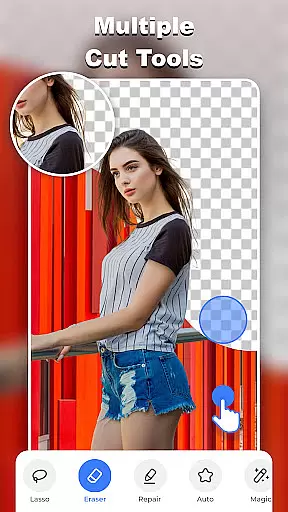
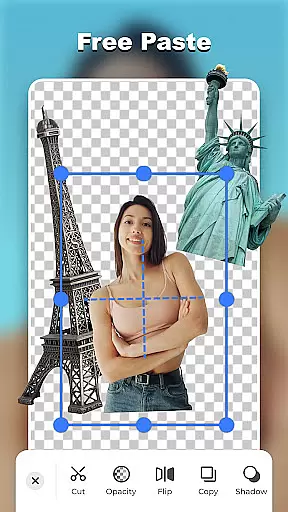

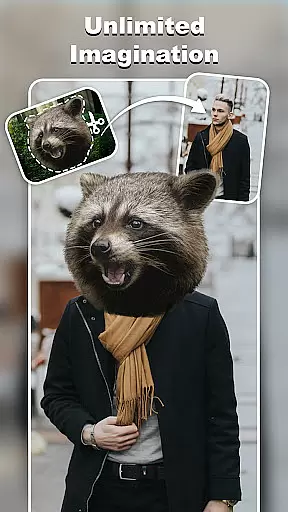

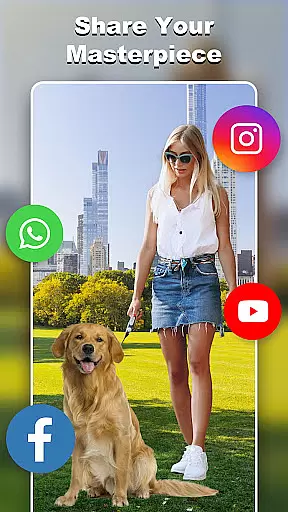
Cut and Paste Photo Editor is an innovative photography app that simplifies the process of cutting and pasting objects in photos. Powered by AI, this tool allows users to effortlessly create high-quality cutouts, perform face swaps, and remove backgrounds with precision. The intuitive interface ensures a seamless experience for both casual users and professional photographers.
With its robust set of features, including magic cutting tools, smooth pasting capabilities, and an extensive online background library, the app caters to various creative needs. Whether you're looking to enhance personal photos or optimize product images for e-commerce platforms like Amazon and Etsy, Cut and Paste Photo Editor provides all the necessary tools to produce stunning results.
The app boasts a comprehensive suite of editing tools designed to unleash limitless creativity. Users can take advantage of pixel-level cut and paste functionality, a fast background eraser, and high-quality output options. These features ensure professional-grade edits with minimal effort.
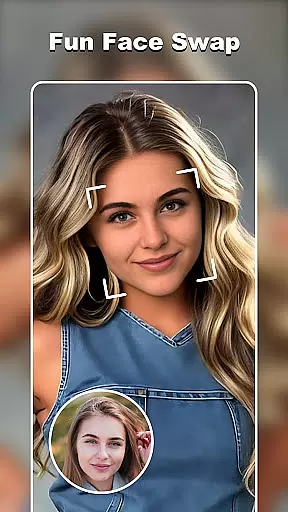
One standout aspect is the Fun Face Swap feature, which transforms selfies into countless artistic styles using AI technology. Additionally, the app offers ready-made templates and colorful decorations, allowing users to quickly enhance their projects with stylish stickers and unique text captions in over 20 fonts.
For e-commerce professionals, the AI-powered background remover streamlines product photo editing, helping items stand out on platforms such as eBay and Shopify. This powerful photo editor truly empowers users to bring their imaginative ideas to life while maintaining exceptional image quality throughout the process.
Real-time capture and preview functionality is essential for any photography app, allowing users to see exactly what their final image will look like before taking the shot. Cut and Paste Photo Editor excels in this area by providing a seamless experience where users can instantly visualize their edits.
The app's advanced AI technology enables real-time adjustments as you edit, ensuring that every change, from background removal to face swaps, appears instantly on the screen. This immediate feedback empowers users to make precise modifications without delay.
With its intuitive interface, even complex tasks such as creating high-quality cutouts or applying color corrections are performed effortlessly. Users can witness their creative visions come to life right before their eyes, enhancing both efficiency and satisfaction.
This feature not only saves time but also significantly improves the overall user experience by making photo editing more interactive and engaging. Whether you're a professional photographer or an amateur enthusiast, the ability to preview your work in real-time is invaluable.
In todayu2019s digital age, AI beauty and enhancement features have become crucial for photography apps. Cut and Paste Photo Editor leverages sophisticated AI algorithms to deliver natural-looking enhancements that preserve the authenticity of each photo.
From smoothing skin textures to brightening eyes, the app offers a range of tools designed to enhance facial features subtly. These enhancements are applied with precision, ensuring that the original character of the subject is maintained while still achieving a polished look.
One standout feature is the AI-powered background remover, which allows users to create professional-grade product photos with clean backgroundsu2014perfect for e-commerce platforms. The app ensures that edges are flawlessly blended, maintaining the natural appearance of the main subject.
Ultimately, these AI-driven enhancements enable users to elevate their images without compromising on realism. By striking the perfect balance between enhancement and naturalness, Cut and Paste Photo Editor stands out as a top choice for those seeking genuine yet refined photo edits.
User-friendly interface
Advanced AI technology
Versatile editing tools
Extensive template library
E-commerce optimization
Limited free features
Occasional ads
Premium subscription required
Learning curve for beginners
High system requirements

Search, tag and rate your way to an organized image gallery
 4.40
4.40
Trendy TikTok time warp scan funny filter app brings you unique photos & videos.
4.40
Viewfinder, Light meter, Reciprocity failure time, DOF & Bellows Extension
4.60
Natural Beauty, Selfie Retouch
4.30
Photo Exif Editor allows to view, add and modify EXIF data of multiple photos
4.50
AI Photo Editor with 100+ Filters, Effects! Remove BG, Retouch & Photo Enhancer.
4.80
Enhance, retouch & create your story - Share the moment with Photoshop Express.
4.60
Hair color changer, AI haircut app, fun hair editor and buzz cut filter for all!
3.80
Discover & download millions of art for The Frame TV or Hisense CanvasTV
4.60
Cartoon and artistic effects for your photos and videos
4.70
Create collages easily! Nice pic collage maker & background eraser for Instagram
4.50
Edit like a pro with Hypic. Apply filters, AI effects, & magic touch.
4.40
Virtual makeup, hair filters & body tuner—edit from face to full body!
4.20
Professional camera app that brings DSLR manual photography controls to Android.
4.20
Photobooth mini FULL app will allow you to add more fun to your parties
4.00
How old age camera Gender Swap App Face Shape Hairstyle App Hair Styler App fun!
4.00
Turn photos into cartoons & avatars! - Photo Editor, Cartoon Face!
3.90
Long exposure camera with computational photography
2.60
Snap photos remotely using your Garmin watch as the camera trigger
4.0


User Reviews