

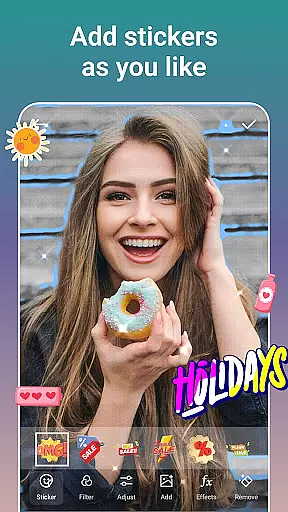
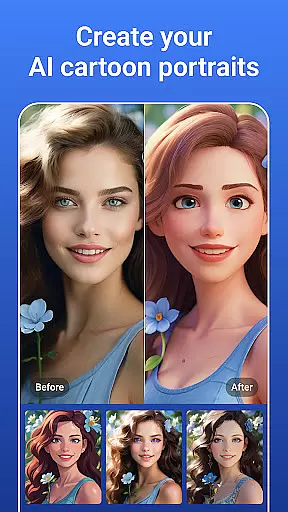

PicsLeap is an advanced AI-powered photo editing application that offers a comprehensive suite of tools for enhancing, transforming, and personalizing your images. With features like One-Tap Enhance, Magic Eraser, AI Face Swap, and AI Cartoon Filters, PicsLeap caters to both amateur photographers and professionals seeking efficient editing solutions.
The app stands out with its user-friendly interface and powerful capabilities such as AI Remove Background, Double Exposure effects, and an extensive library of 100+ filters and effects. Whether you're looking to create watermark-free art or relive moments through enhanced resolution, PicsLeap provides the tools to express your unique style and vision.
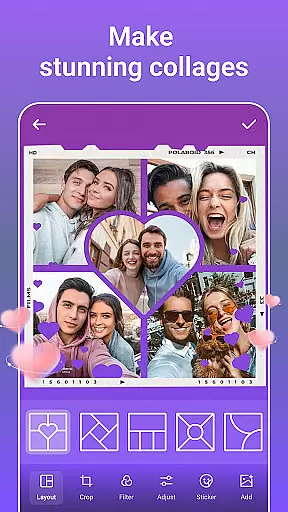
Perfect for social media enthusiasts, PicsLeap allows seamless sharing on platforms like Instagram and Facebook. Its collage maker and storytelling features make it easy to craft visual narratives, while precise color adjustment tools ensure every photo is a masterpiece.
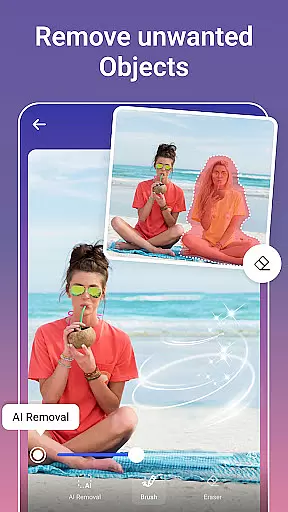
PicsLeap distinguishes itself through its innovative use of artificial intelligence to simplify complex photo editing tasks. The AI-driven Magic Eraser and Background Remover allow users to effortlessly remove unwanted objects and swap backgrounds with a single tap, making professional-quality edits accessible to everyone.
With over 100 filters and effects ranging from retro to cinematic styles, PicsLeap empowers users to experiment with different aesthetics. The app's Double Exposure and Blur features enable creative transformations, while advanced tools like HSL, Curve, and Split Tone provide granular control over color adjustments.
In addition to its robust editing capabilities, PicsLeap includes fun and engaging features such as AI Cartoon Filters, body effects, and Graffiti decoration. These tools not only enhance productivity but also inspire creativity, allowing users to explore new artistic possibilities and share their unique creations with ease.
Real-time capture and preview functionality is essential for ensuring that users can immediately see the results of their photo edits. PicsLeap offers a seamless experience where every adjustment, effect, or filter applied is instantly visible, allowing users to fine-tune their images with precision.
The app leverages advanced AI algorithms to process changes in real time without compromising on quality. This means whether you're enhancing resolution, swapping faces, or applying cartoon filters, what you see on the screen is exactly how the final image will look.
This feature significantly enhances user satisfaction as it eliminates guesswork from editing. Users can experiment with different styles and effects confidently, knowing they have full control over the outcome before saving or sharing their work across platforms like Instagram and Facebook.
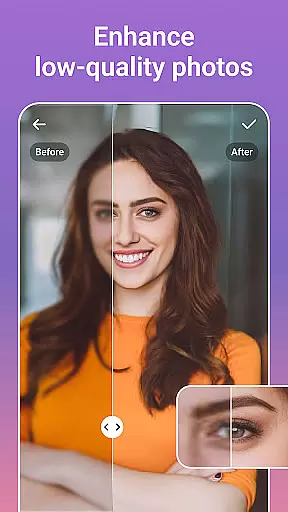
PicsLeap stands out by offering AI-powered beauty and enhancement features that maintain natural aesthetics while improving overall image quality. The One-Tap Enhance tool intelligently adjusts various parameters such as brightness, contrast, and color balance to bring out the best in each photo without making it appear overly processed.
In addition to general enhancements, specialized tools like Magic Eraser and AI Face Swap allow for targeted improvements. These features help remove unwanted elements or swap faces between photos while preserving realistic textures and details, ensuring edits are subtle yet effective.
By focusing on maintaining authenticity, PicsLeap ensures that edited images retain their original charm and character. Whether reviving old photos or creating stunning collages, users can trust that their creations will look polished but not artificial, enhancing both personal memories and professional projects alike.
User-friendly interface
Advanced AI features
Extensive filter library
Professional editing tools
Fun creative options
Occasional processing delays
Limited free features
Subscription required for premium
High storage usage
Learning curve for beginners

Remote control of the phone camera from your Wear OS smartwatch
 3.70
3.70
Gallery show photo, video, slideshow, is perfect 3D effect private photo albums.
4.80
Viewfinder, Light meter, Reciprocity failure time, DOF & Bellows Extension
4.60
Android Native system HD camera app. Never been so simple and faster.
4.70
Create Business Headshots, Polaroid Filter, Retake Photos,Profile Pics,AI Photos
4.50
Photo editor & gallery. Crop pictures & edit photos offline, no wifi!
4.50
AI-powered video creator by MiniMax - Where ideas meet cinema
4.20
Your personal guide to the sun and moon. Plan ahead, visualize and predict!
4.70
Your Family Calendar + Photos. Manage your Skylight Calendar and Skylight Frame.
4.40
Pro version: AR sun/moon tracker for any date. Tool for photographers & planners
4.90
See your baby AI baby face generator AI baby maker Face generator babymaker fun!
4.70
Light-weight Media Gallery app for Android made with Jetpack Compose
4.60
Shooting photos and records video easily and efficient with professional Camera
4.30
Smart, light, and fast photo and video gallery
4.30
What celebrity do you look like? Celebs will find your celebrity match!
4.10
The #1 app for B&W film developing featuring an advanced darkroom timer.
4.10
Gallery Slideshow is slideshow maker app for slideshow from your gallery photos.
3.90
USB Storage Access for Photos, Videos, Music and Documents
3.80
Pet Camera
3.70


User Reviews