



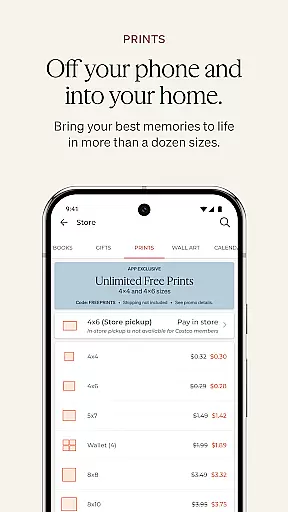
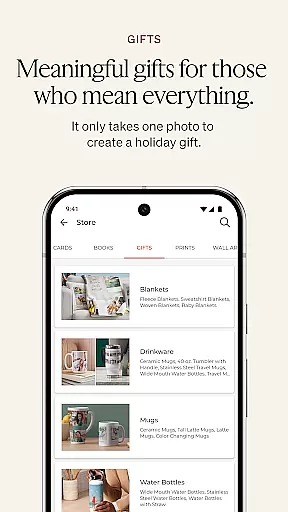
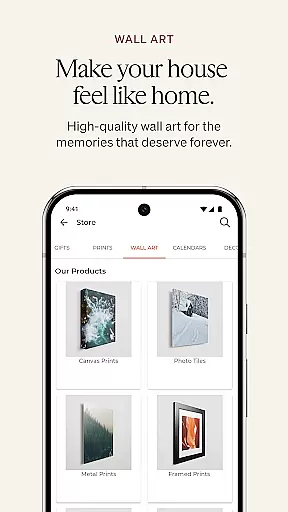
Shutterfly is a comprehensive photo editing and personalization app designed for creating meaningful, customized photo gifts and products. With its intuitive interface, users can design personalized items such as photo books, holiday cards, home decor, prints, and calendars. The app's standout feature is its ability to transform cherished memories into tangible keepsakes that carry emotional significance, making it ideal for special occasions like weddings, birthdays, and graduations.
In addition to its creative tools, Shutterfly offers practical features such as envelope address printing, 24-Hour Photo Book Designer Service, and seamless integration with various photo storage platforms. Whether you're looking to create heartfelt invitations or unique gifts like jigsaw puzzles and throw blankets, Shutterfly provides the tools to make it happen efficiently and beautifully.
Shutterfly stands out with its diverse range of creative and practical features tailored to enhance user experience. One notable feature is the 24-Hour Photo Book Designer Service, where users can upload photos and let professional designers craft a beautifully curated photo book within a day. This service saves time while ensuring high-quality results, making it perfect for busy individuals who still want a personalized touch.
The app also includes artistic filters that allow users to transform their photos into stunning sketches, adding a unique flair to their creations. Additionally, improved navigation tools simplify product discovery, while seamless integration with platforms like Amazon Photos, Google Photos, Facebook, and Instagram ensures easy access to stored images. These features collectively empower users to create and share meaningful moments effortlessly.
Shutterfly offers a seamless real-time capture and preview experience, allowing users to instantly see their photos come to life. This feature is crucial for ensuring that every captured moment meets personal standards before it's transformed into a cherished keepsake.
The app integrates with various photo sources including Shutterfly's own storage, Amazon Photos, Google Photos, Facebook, and Instagram. Such extensive connectivity options ensure that regardless of where your photos are stored, they can be easily accessed and previewed within the app.
Users benefit from immediate feedback on their images, enabling them to make informed decisions about which photos to use for creating personalized gifts. The ability to preview in real-time enhances the creative process, making it more interactive and satisfying.
Shutterfly incorporates advanced AI beauty and enhancement features that elevate photo quality while maintaining natural aesthetics. This balance between enhancement and authenticity is vital for producing personalized items that truly reflect the user's memories.
With artistic filters and tools designed to transform special moments into beautiful sketches, users can apply unique effects to their photos. These enhancements not only improve visual appeal but also add an artistic touch to gifts, making them stand out.
The AI-driven enhancements ensure that all personalizations, from photo books to custom home decor, retain a genuine feel. By prioritizing naturalness, Shutterfly guarantees that each item carries a powerful emotional connection, preserving the integrity of cherished memories.
User-friendly interface
Wide variety of customization options
Fast photo book design service
Seamless third-party integrations
Emotionally impactful creations
Limited advanced editing tools
Premium features come at extra cost
Occasional glitches in photo uploads
Subscription required for full access
Learning curve for new users

Create funny photos and videos with the popular Time Warp Scan filter.
 4.90
4.90
Application for remote controlling DSLR
3.00
Create & Edit with AI: AI Remove, Enhance, Retouch, Filter
4.10
Cartoon and artistic effects for your photos and videos
4.70
Light-weight Media Gallery app for Android made with Jetpack Compose
4.60
Movie camera, supports pro recording settings for filming. Try it and be amazed!
4.50
Photo editor & gallery. Crop pictures & edit photos offline, no wifi!
4.50
Smart, light, and fast photo and video gallery
4.30
Remote control the phone camera shutter from your smartwatch and take a picture
1.60
Perfect body tune & face app - photo retouch, makeup, slim body & beautify face.
4.80
Amazing Photo Effects - The most fun you can have with your photos!
4.70
The original Rarevision VHS look seen everywhere!
4.70
Automatically backup your photos and videos to computer, NAS and Cloud services
4.60
AI photo editor with hair editor, retouch tools, hair color changer & filters!
4.50
AI photo enhancer with Sora 2! Enhance, descratch, and colorize your old photos.
4.50
Search, tag and rate your way to an organized image gallery
4.40
Edit like a pro with Hypic. Apply filters, AI effects, & magic touch.
4.40
All-in-One Editor & AI Photo Enhancer, Beautify & Retouch, Collage, Cartoonify
4.20
Professional camera app that brings DSLR manual photography controls to Android.
4.20


User Reviews