
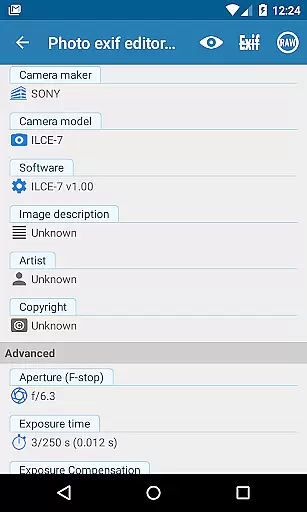
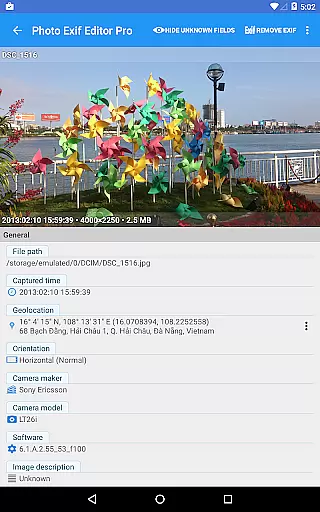
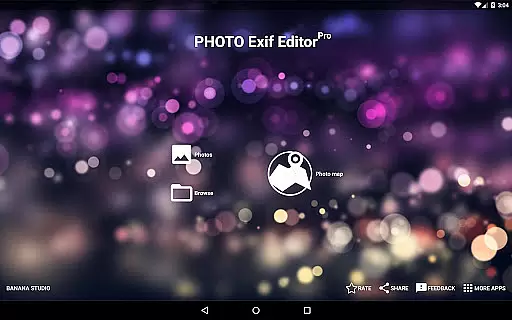
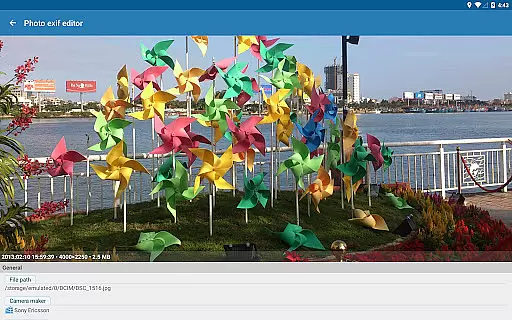
Photo Exif Editor Pro is a comprehensive tool designed for photographers and enthusiasts who need to manage the metadata of their images. This application allows users to view, add, and modify Exif data in photos, which includes crucial details like camera settings, GPS location, and other image attributes.
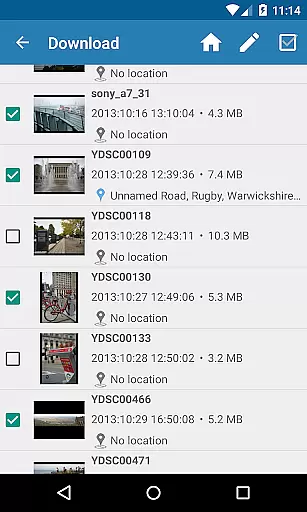
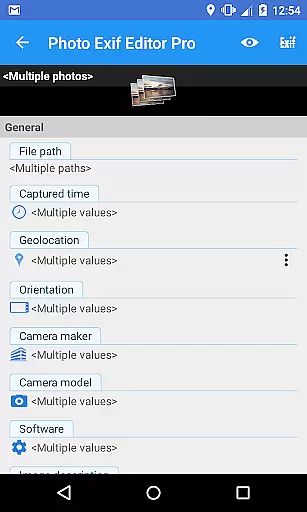
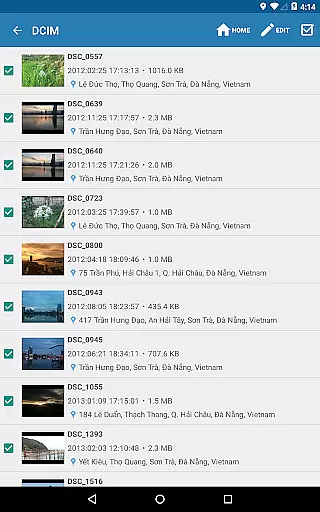
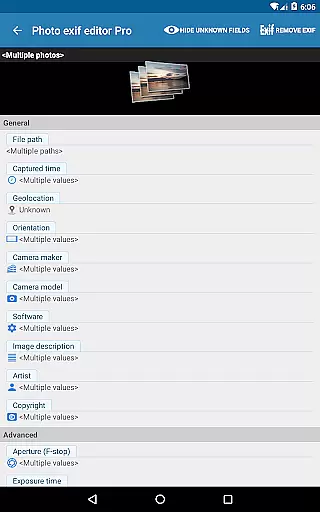
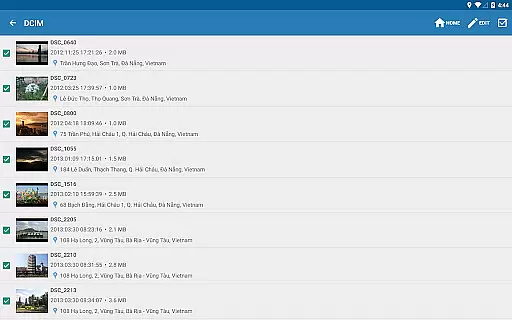
The app stands out with its user-friendly interface that simplifies the process of correcting or enhancing photo information. It supports batch editing, making it efficient for handling multiple files at once. Additionally, the pro version offers an ad-free experience and provides access to raw data of images, catering to advanced users seeking detailed insights into their photographs.
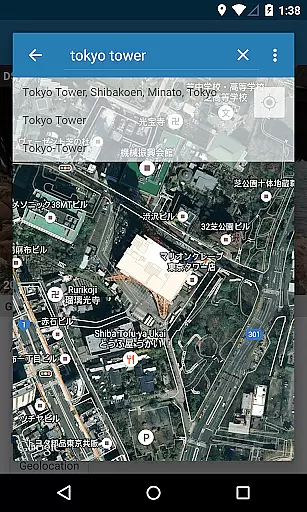
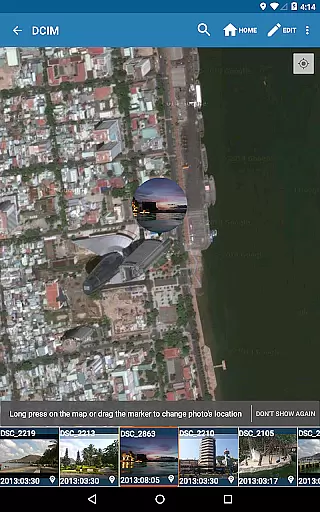
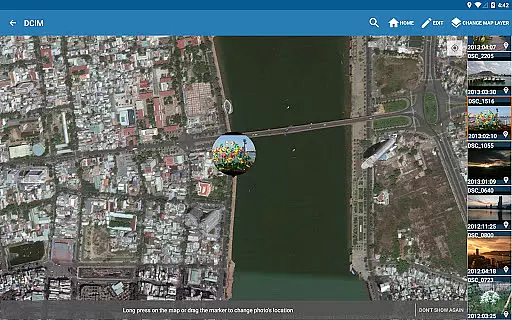
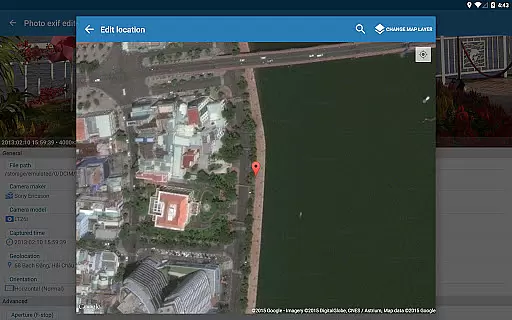
Whether you're organizing a photo library or preparing images for professional use, Photo Exif Editor Pro serves as an essential utility. Its ability to integrate Google Maps for location tagging adds another layer of functionality, ensuring your photos are not only well-organized but also geographically contextualized.
Photo Exif Editor Pro boasts a range of features tailored for meticulous image management. One of its primary capabilities is the extensive support for various file formats including JPG, PNG, and RAW, allowing users to edit Exif data across different types of images seamlessly.
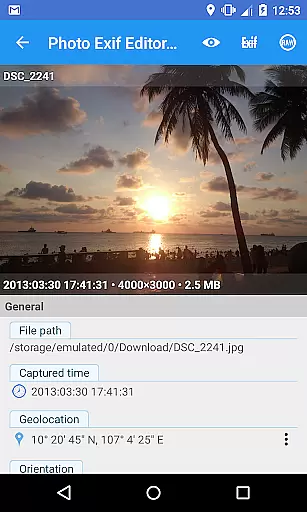
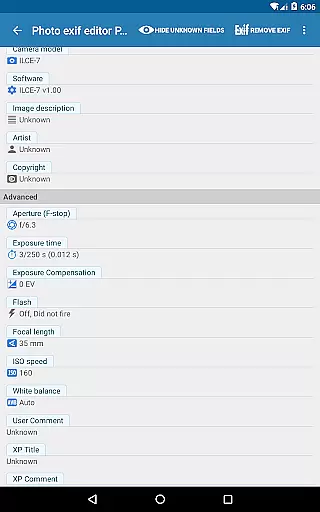
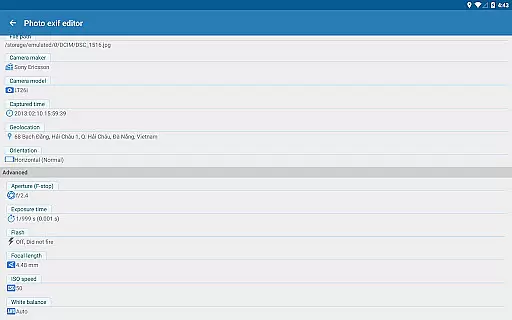
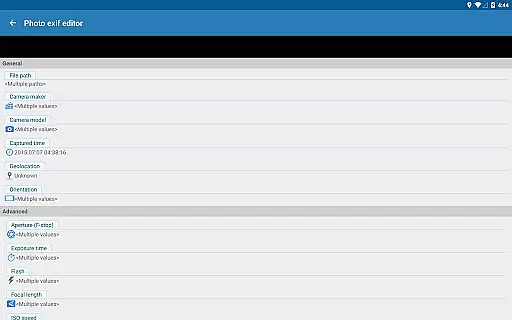
The application's standout feature is its batch editing functionality, enabling users to modify multiple photos simultaneously. This is complemented by the option to adjust critical Exif tags such as camera model, captured time, orientation, aperture, shutter speed, focal length, ISO speed, and white balance. Such detailed control ensures that every aspect of the image metadata can be customized according to specific needs.
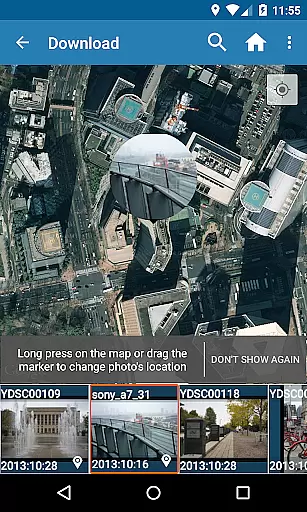
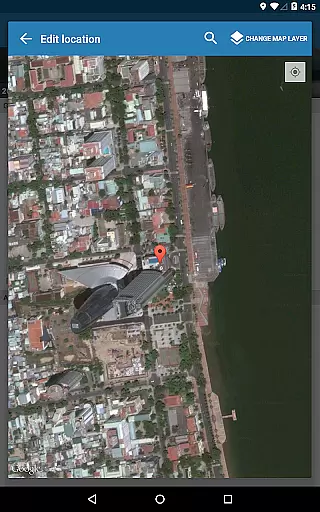
Furthermore, the integration with Google Maps facilitates precise location tagging, enhancing the geographical context of each photograph. The pro version also promises future enhancements, consolidating features from 'EXIF Pro - ExifTool for Android' to deliver a robust toolset for both photo and multimedia file editing.
Real-time capture and preview functionality is essential for photography apps as it allows users to see exactly what the camera sees before taking a shot. This ensures that the framing, lighting, and composition are just right before capturing an image.
Photo Exif Editor Pro offers a seamless real-time capture experience by integrating with Android's native camera system. Users can open the camera directly from the app by long-pressing the Gallery button, providing quick access to photo opportunities without delay.
The app also supports various image formats including JPG, PNG, and RAW, ensuring that photographers have flexibility in how they capture their images. The ability to work with these formats means that users can take advantage of higher quality captures when needed.
With its user-friendly interface, Photo Exif Editor Pro makes it easy for photographers to adjust settings on-the-fly and preview changes instantly. This feature empowers users to experiment with different photographic styles and techniques, enhancing their creative process.
AI beauty and enhancement features are becoming increasingly popular in photography applications, allowing users to improve the aesthetic appeal of their photos while maintaining a natural look. These tools use advanced algorithms to analyze and enhance facial features, skin tones, and overall image quality.
Photo Exif Editor Pro includes powerful AI-driven enhancements that allow users to modify EXIF tags such as white balance, ISO speed, and aperture. By adjusting these parameters, users can achieve more balanced and visually appealing images without compromising authenticity.
In addition to basic edits, the app provides options for batch editing multiple photos at once. This saves time and effort, especially for professional photographers who need to process large volumes of images efficiently while keeping them looking natural.
Furthermore, the app's integration with Google Maps enables users to add or correct location data using precise GPS tagging. This not only enhances the metadata but also adds context to the photographs, making them richer and more informative without altering their inherent natural qualities.
User-friendly interface
Batch editing capability
Comprehensive Exif tag support
Google Maps integration
No ads in pro version
Limited to Android 4.4 and above
External SD card write restrictions
Advanced features may overwhelm beginners
Location permission required for full functionality
Premium version comes at a cost

Gallery show photo, video, slideshow, is perfect 3D effect private photo albums.
 4.80
4.80
Find time and duration of different sunlight phases at any location
4.90
Create & Edit with AI: AI Remove, Enhance, Retouch, Filter
4.10
Android Native system HD camera app. Never been so simple and faster.
4.70
Collage your moments in one tap: 1000+ layouts, filters, stickers, and texts.
4.90
Easily create custom gifts, cards, photo books & more on the Shutterfly app!
4.60
Enhance, upscale, and transform your images — on your device, without limits
4.70
Unlock the full potential of your DJI drone with Litchi
4.50
Solocator stamps photos you take with GPS location, Compass Direction, Date/Time
3.80
The original Rarevision VHS look seen everywhere!
4.70
Take videos and pictures with the popular TikTok TIME WARP SCAN filter.
4.60
Discover & download millions of art for The Frame TV or Hisense CanvasTV
4.60
Add Watermark - Sign your pictures with a text or logo. Effective, quick, easy!
4.50
HD Camera Pro with HD Video shooting, Panorama, Photo editor , Beauty Camera.
4.50
Easily stitch panoramas from multiple photos or video.
4.40
Create AI Photos, Improve and restore quality of blurry, old or damaged pics.
4.20
Catch sunlight, sunrise sunset times and sun phases with the AR sun tracker.
4.10
Professional quality photo edits with the new Snapseed.
4.00
Hair color changer, AI haircut app, fun hair editor and buzz cut filter for all!
3.80


User Reviews