
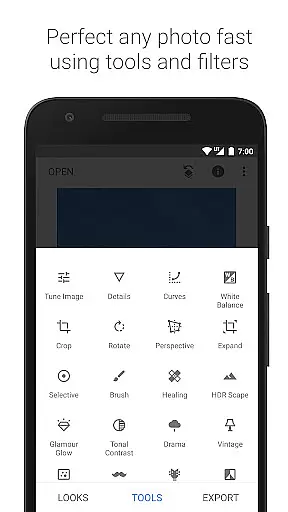
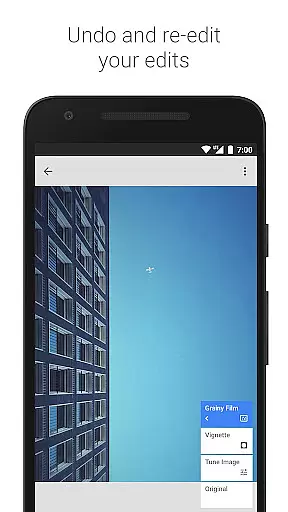
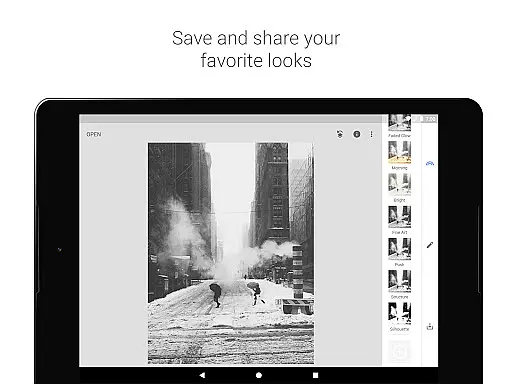
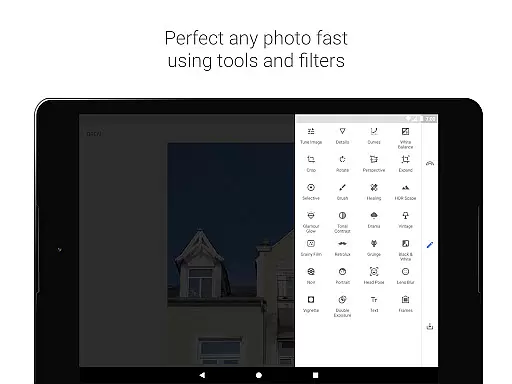
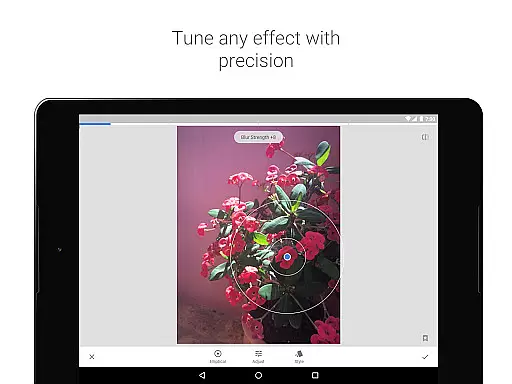
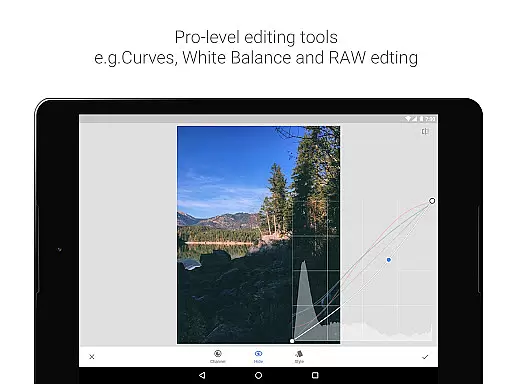
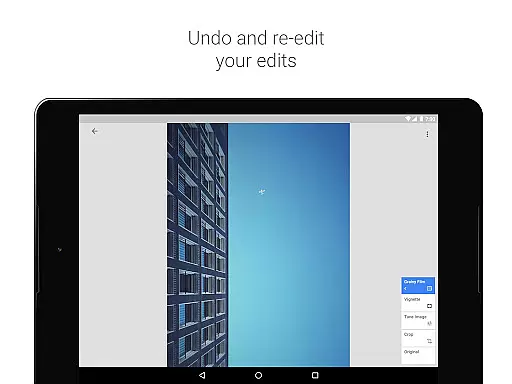
Snapseed is a comprehensive photo editing application developed by Google, offering professional-grade tools for both amateur and expert photographers. The app provides an extensive suite of 29 tools and filters, including options like Healing, Brush, Structure, HDR, and Perspective correction, making it a versatile choice for detailed photo enhancement.
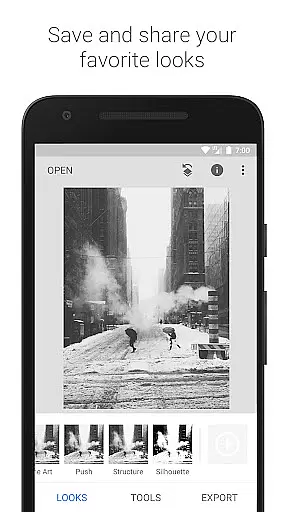
One of Snapseed's standout features is its ability to open and edit both JPG and RAW files, allowing users to work with high-quality images directly on their mobile devices. Users can save custom looks and apply them to future projects, ensuring consistent styling across photos. With selective filter brushes and precise control over all styles, the app delivers exceptional flexibility in photo editing.
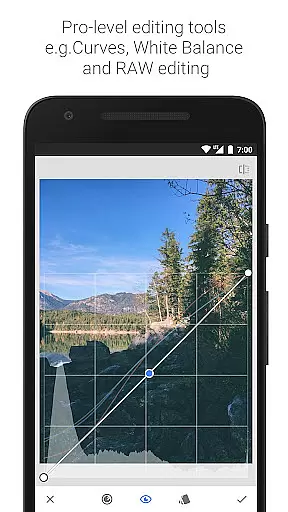
The application is particularly useful for photographers who need to correct image perspectives, adjust white balance, or add creative effects such as lens blur and vintage film styles. Its intuitive interface and powerful editing capabilities make it an essential tool for anyone looking to enhance their photography with professional-level precision.
Snapseed distinguishes itself through its robust feature set tailored for detailed photo manipulation. The app includes advanced tools like RAW Develop, which allows users to tweak RAW DNG files non-destructively, preserving original image data while enabling complex edits. This feature is complemented by precise control options in tools like Tune Image and Details, which help bring out surface textures and fine-tune exposure.
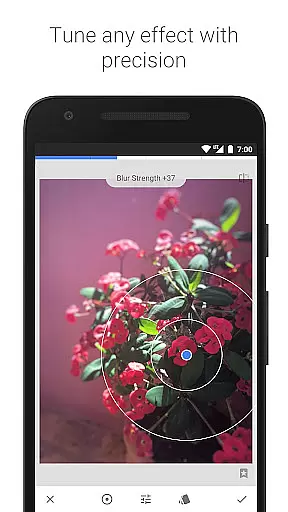
Another notable aspect is the Selective filter, powered by Control Point technology. This feature lets users place up to eight points on an image and assign specific enhancements to each, with the algorithm intelligently applying changes across the photo. Additionally, tools like Healing and Vignette provide practical solutions for removing unwanted elements and adding artistic touches respectively.
The app also offers creative filters such as HDR Scape, Drama, and Grainy Film, enabling users to experiment with various photographic styles. With dedicated tools for face enhancement and pose correction, Snapseed caters to portrait photographers seeking to refine facial features and improve subject poses. These features collectively establish Snapseed as a leader in mobile photo editing applications.
Snapseed offers a powerful real-time capture and preview feature that allows photographers to see adjustments as they are made. This immediate feedback is crucial for making precise edits without guesswork.
The application supports both JPG and RAW file formats, providing flexibility in handling different types of images. The ability to open and tweak RAW DNG files ensures that users can make non-destructive edits while maintaining the highest quality possible.
With selective filter brushes and control points, Snapseed enables detailed retouching of exposure, saturation, brightness, or warmth. Users can position up to 8 points on the image and assign enhancements, allowing the algorithm to work its magic with fine, precise control.
This real-time functionality not only enhances productivity but also empowers photographers to experiment with confidence, knowing they can revert changes or fine-tune settings until achieving the desired outcome.
Snapseed incorporates advanced AI beauty and enhancement features that elevate photo editing to new levels of naturalness. These tools go beyond basic adjustments by intelligently enhancing facial features and skin tones.
The Face Enhance tool focuses on eyes, adds face-specific lighting, or smoothens skin with remarkable subtlety. It ensures that enhancements look realistic rather than over-processed, preserving the authenticity of the original image.
In addition to facial enhancements, Snapseed offers Glamour Glow and Tonal Contrast filters. These provide a fine glow ideal for fashion or portraits and selectively boost details in shadows, midtones, and highlights respectively.
By combining these sophisticated AI-driven tools with traditional editing techniques, Snapseed delivers an unparalleled balance between enhanced aesthetics and natural appearance, ensuring every edited photo retains its genuine essence.
User-friendly interface
Extensive editing tools
Supports RAW files
Customizable filters
Precise control options
Steep learning curve
Overwhelming for beginners
Limited social sharing
No cloud integration
Occasional performance lag

Effortlessly organize, view and share your photos & videos with Gallery app!
 4.40
4.40
What celebrity do you look like? Celebs will find your celebrity match!
4.10
Edit like a pro with Hypic. Apply filters, AI effects, & magic touch.
4.40
Photo prints, cards, & gifts at Walgreens. Easy ordering & fast local pickup !
4.80
Create collages easily! Nice pic collage maker & background eraser for Instagram
4.50
Easily create custom gifts, cards, photo books & more on the Shutterfly app!
4.60
Hair color changer, AI haircut app, fun hair editor and buzz cut filter for all!
3.80
PhotoSync Bundle Add-On License. Enables all features and services in PhotoSync.
4.60
Welcome to ProShot, the most powerful camera app on Android.
4.20
Gallery show photo, video, slideshow, is perfect 3D effect private photo albums.
4.80
See your baby AI baby face generator AI baby maker Face generator babymaker fun!
4.70
AI photo editor with hair editor, retouch tools, hair color changer & filters!
4.50
Fit multiple photos on one post. Create carousels & scroll layouts for Instagram
4.50
Natural Beauty, Selfie Retouch
4.30
Professional photography on your mobile phone
4.20
Luminar: Photo Editor - easy picture editing with AI
4.20
Create & Edit with AI: AI Remove, Enhance, Retouch, Filter
4.10
Photo editor: face & body editor, beauty cam, filters and quality enhancer.
4.00
Create amazing frames with up to five photos. Rounded corners, effects and more!
3.60


User Reviews