
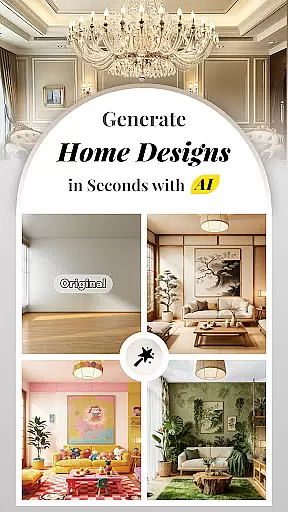


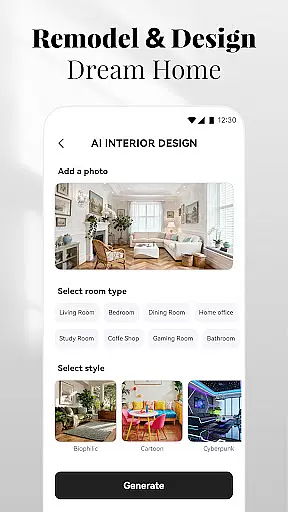
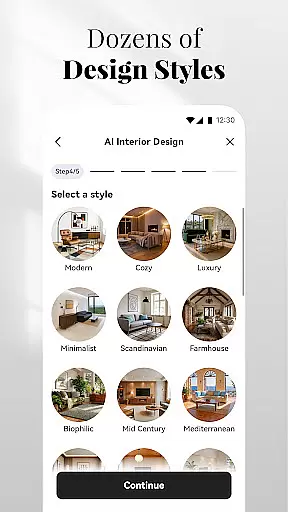

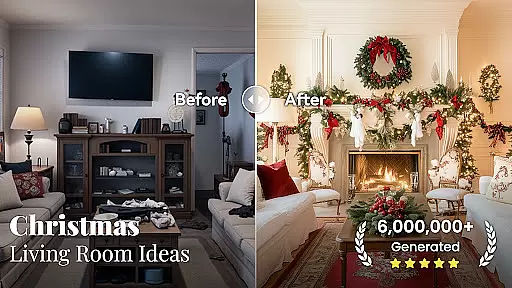

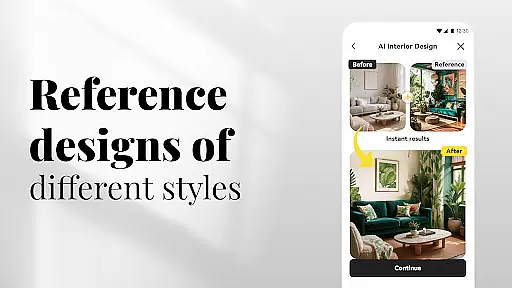


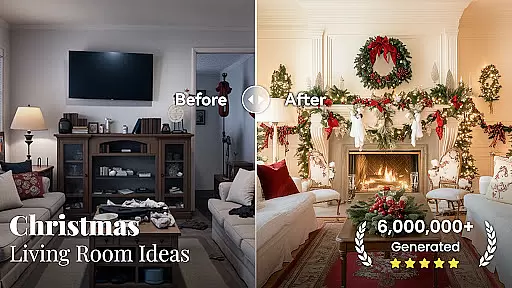

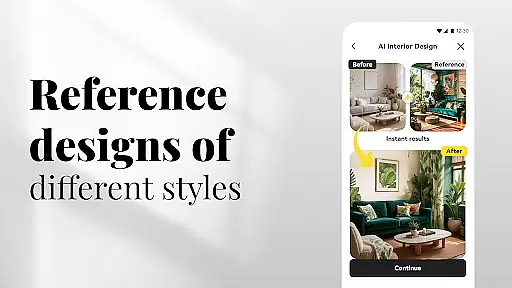

AI Home Design is a revolutionary application that leverages artificial intelligence to transform your living space. The app's core functionality lies in its ability to generate personalized interior, exterior, and landscape designs simply by analyzing uploaded photos of your space. Whether you're looking to revamp your living room, redesign your backyard, or visualize home renovations, this tool caters to all your design needs.
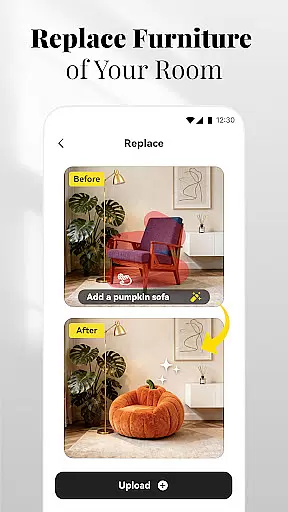
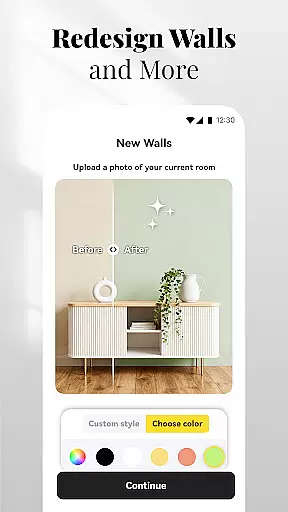
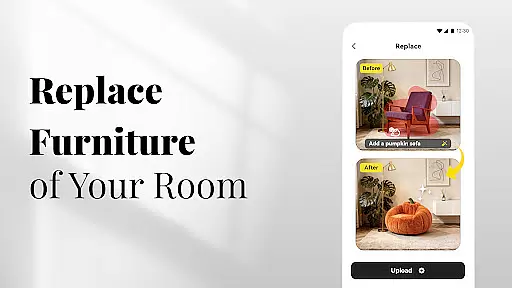
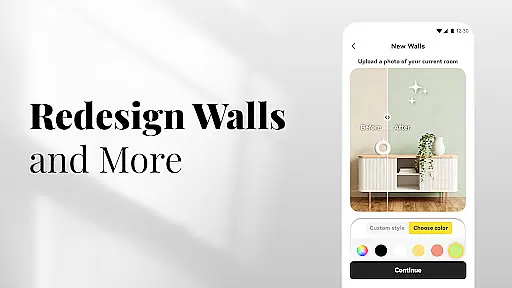
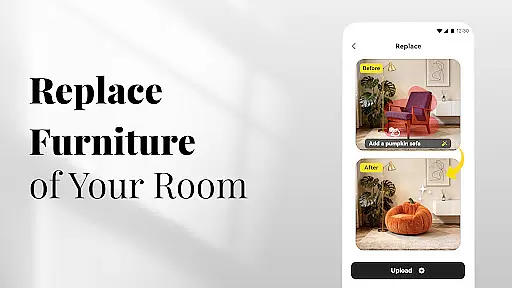
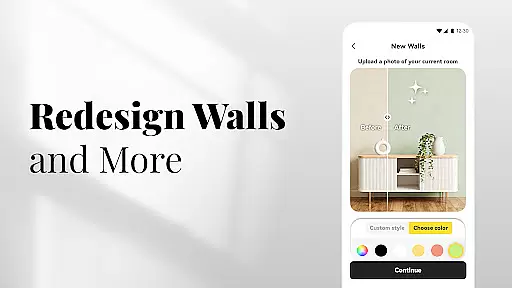
One standout feature is the AI-powered Replace tool, which allows users to swap furniture and decor effortlessly, offering a virtual room makeover experience. Additionally, the app provides features like New Walls for experimenting with wall colors and textures, Instant Flooring to preview various flooring options, and Cleanup to remove clutter from images. These tools collectively empower users to explore creative home design ideas without any physical constraints.
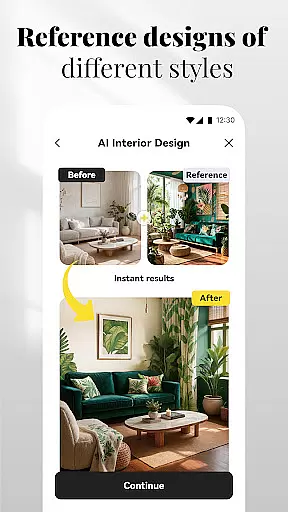
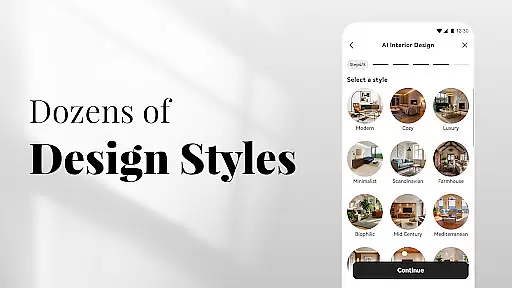
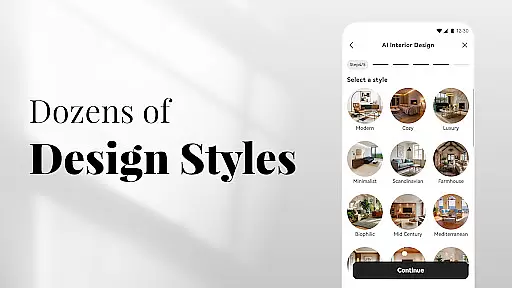
The app is particularly useful for homeowners, renters, and real estate professionals who want to experiment with styles before making actual changes. By uploading reference photos or using existing room images, users can apply popular design aesthetics such as modern, rustic, or farmhouse styles to their spaces. This makes AI Home Design not only a practical tool but also an innovative platform for sharing and collaborating on design inspirations via social media.
AI Home Design stands out due to its diverse range of specialized design tools tailored to both indoor and outdoor spaces. The AI Interior Design feature analyzes room dimensions and characteristics to create customized plans complete with furniture arrangements and color palettes. This ensures that every design suggestion aligns perfectly with the user's preferred style, whether it's modern chic or rustic warmth.
For outdoor spaces, the AI Backyard & Landscape Design tool helps users plan patios, gardens, and front yard upgrades. It offers instant landscaping ideas that enhance curb appeal while maintaining practicality. Similarly, the AI Exterior Design feature transforms home exteriors by generating novel design concepts based on uploaded house photos, providing limitless possibilities for renovation projects.
Additional functionalities include the Replace tool for swapping items within a room, New Walls for testing different wall finishes, Instant Flooring previews, and Cleanup for decluttering images. Each feature is designed to streamline the design process, allowing users to visualize changes instantly and make informed decisions about their home improvement projects.
In the realm of digital home design, having access to comprehensive creative tools is paramount. AI Home Design offers an extensive suite of features that cater to every aspect of interior and exterior home planning. From AI Interior Design & Decor that transforms any uploaded room photo into a personalized style haven, to AI Exterior Design & Renovation that reimagines your home's outer appearance with just a picture, the app ensures no creative stone is left unturned.
Moreover, the inclusion of specialized tools such as 'Replace' for swapping out furniture or decor effortlessly, and 'New Walls' for experimenting with different colors and textures, provides users with unparalleled flexibility in their design journey. These innovative functionalities empower users not only to visualize but also to materialize their unique aesthetics without physical constraints.
The app further enhances user experience by offering practical utilities like 'Instantly Install New Flooring,' allowing virtual previews of various flooring options, and 'Cleanup' for achieving clutter-free visualizations. Such robust capabilities ensure that whether you're revamping a single room or redesigning an entire property, AI Home Design equips you with all necessary instruments to bring your visions to life accurately and efficiently.
Flexibility in design formats and canvas dimensions is crucial for accommodating diverse project requirements and personal preferences. AI Home Design excels in this domain by providing versatile solutions tailored to varied design needs. Users can upload images of spaces they wish to redesign, regardless of size or complexity, knowing that the advanced AI technology will adapt seamlessly to each unique scenario.
Whether itu2019s crafting intricate backyard landscapes using AI garden tools or exploring bold new styles for kitchen renovations, the application supports multiple types of environments and scales. This versatility extends beyond mere spatial reconstructions; it encompasses detailed adjustments such as replacing specific items within a room while maintaining harmony with existing elementsu2014a testament to its adaptive prowess.
Furthermore, sharing these meticulously crafted designs on social media platforms becomes effortless thanks to the appu2019s compatibility with popular outlets like TikTok, Instagram, Pinterest, and Houzz. By facilitating easy exportation and presentation across different mediums, AI Home Design underscores its commitment to delivering both functional depth and format agilityu2014ensuring creations are not confined but celebrated widely.
User-friendly interface
Wide range of design styles
Instant design previews
Social sharing capabilities
Comprehensive room planning
Limited offline functionality
Premium features require payment
Dependent on photo quality
Occasional AI inaccuracies
Subscription model may deter

The ultimate tool for creating animations
 4.60
4.60
Download now for a stylish and functional timepiece
4.2
Floor Plan Creator lets you create, edit and share floor plans.
4.00
Design your dream room with AI. Get decor ideas & plan home interiors
3.90
Sketch, trace and master AR drawing with awesome anime art!
3.30
Digital Drawing: Draw & Paint
4.10
Art of Combination Wear OS Watch Faces
3.30
2D animation studio for Android tablets - unlimited layers, infinite timeline
4.70
Draw, make movies & animate cartoons easily with our 2D animation maker app
4.40
Draw beautiful mandala's very easily
4.60
Castle is social media for creating and playing games!
4.60
Photo editor for art, avatars, filters & fun transformations.
4.60
The perfect place to start sketching! Use Sketchbook to draw and paint sketches.
4.50
Kling AI is an image and video generation and editing studio powered by AI.
4.50
Customizable Outlined Fonts. Watch Face Format. Battery friendly Digital Clock.
4.20
OneUI 8.5 icons ✨ Smooth, modern & based on the latest Play Store design ??
4.10
Paint with oils and sketch with natural tools on a realistic virtual canvas.
3.80
Apply cartoon, caricature, and portrait effects to make your photos stand out!
3.60
Art of Combination Wear OS Watch faces
4.4


User Reviews