
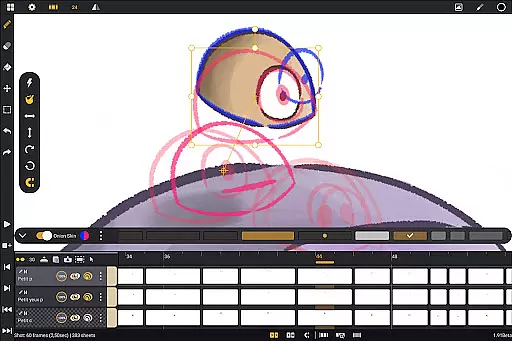
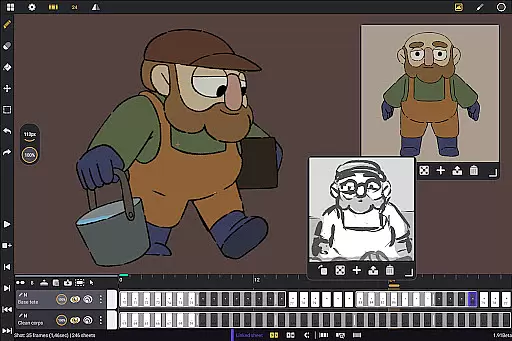
Callipeg is a professional-grade 2D hand-drawn animation app designed for Android devices, offering all essential tools for animators of every level. With features like studio-like organization, adjustable frame rates up to 4K canvas size, and unlimited layer support, it transforms your tablet into a portable animation studio. The app supports importing and exporting in multiple formats, making it versatile for both beginners and professionals.
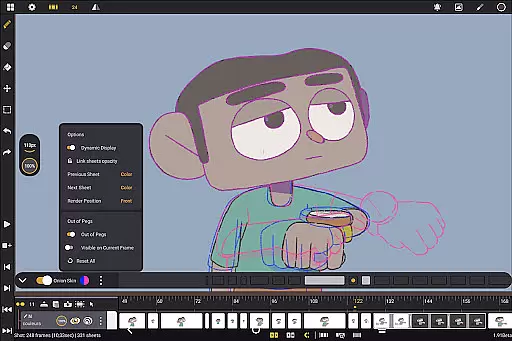
Designed with usability and flexibility in mind, Callipeg provides customizable workspaces, onion skinning, and comprehensive drawing tools. Whether you're creating storyboards, keyframe animations, or complete shots, the app ensures an intuitive workflow. Its compatibility with pressure-sensitive styluses enhances the natural drawing experience, while its active community and learning resources help users master their craft.
Callipeg stands out with its robust feature set tailored for professional animators. The app allows organizing shots through drag-and-drop functionality, applying color tags, and using filters for efficient asset management. Animators can adjust frame rates between 12 to 60 frames per second and work on large canvases up to 4K resolution, ensuring high-quality output.
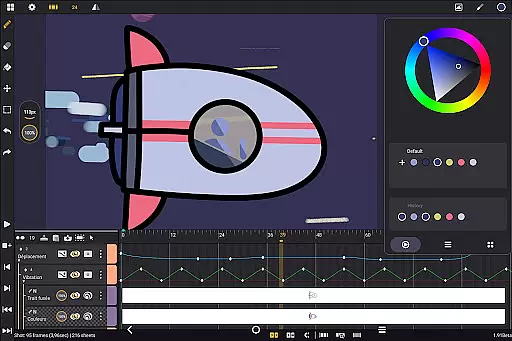
The app offers unlimited layers of various types including drawing, video, transformation, audio, and group layers. It also includes advanced drawing tools such as customizable brushes, a color wheel, and palettes. Features like onion skinning with adjustable opacity and gesture-based controls streamline the animation process. Additionally, flexible import and export options in formats like .mp4, .gif, and .psd ensure seamless integration with industry-standard software.
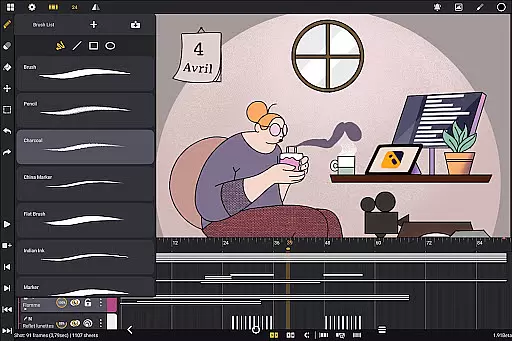
In the realm of digital art and animation, having a comprehensive set of creative tools is paramount. Callipeg rises to the occasion by offering an extensive suite designed to cater to both novices and professionals in the Art & Design category. The app includes a versatile brush set featuring pencil, charcoal, ink, and more, allowing artists to emulate traditional drawing techniques digitally.
Customization is at the heart of Callipeg's toolset. Users can adjust brush smoothing, tip shape, and texture, ensuring that each stroke aligns with their artistic vision. This flexibility empowers creators to produce unique textures and styles, enhancing the individuality of their work. Moreover, the inclusion of a color wheel, sliders, and palettes streamlines the coloring process, making it intuitive and efficient.
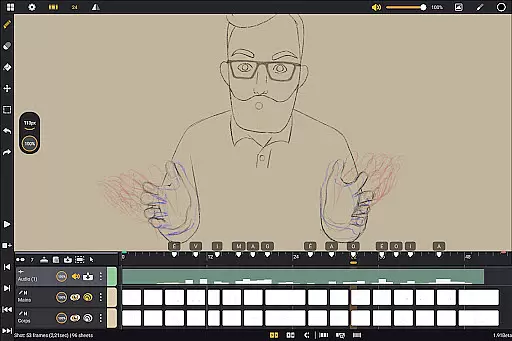
Callipeg also supports unlimited layers of various types, including drawing, video, transformation, audio, or group layers. This feature enables complex compositions and detailed animations, accommodating imports of images, video clips, and audio files for advanced techniques like rotoscopy or lip-syncing. Such robust layer management assures artists maintain full control over their projects' intricacies.
Ultimately, Callipegu2019s complete toolkit transforms an Android device into a portable animation studio. By providing all essential features without subscriptionu2014just a one-time purchaseu2014it stands out as an accessible yet powerful choice for animators seeking professional-grade software on-the-go.
Flexibility in canvas size and format compatibility is crucial for artists who require precision and adaptability in their work. Callipeg addresses this need by supporting canvases up to 4K resolution, catering to high professional standards within the Art & Design domain. This expansive canvas capability allows animators and designers to execute detailed work without compromising quality.
The ability to adjust frame ratesu2014including options like 12, 24, 25, 30, or 60 frames per secondu2014further enhances creative control. Animators can customize these settings based on project requirements, whether crafting slow cinematic sequences or fast-paced animations. This adaptability ensures that every motion aligns perfectly with the creator's intended rhythm and style.
Additionally, Callipeg offers flexible import and export options, accommodating multiple formats such as .mp4, .gif, .png, .tga, .psd, and .peg. Projects can be imported and exported in industry-standard formats like .json, .xdts, and .oca, preserving timing and layer structures across different software platforms. This interoperability facilitates seamless collaboration and integration into broader production pipelines.
By combining large canvas support with versatile format handling, Callipeg empowers artists to innovate freely while maintaining technical excellence. Its design prioritizes usability and flexibility, ensuring that creatives can focus on their artistry without being constrained by technical limitations.
Professional-grade tools
No subscription model
Active user community
High customizability
Cross-platform file support
Stylus-dependent performance
Steep learning curve
Limited free resources
Large file sizes
Occasional bugs

Stylish letters, Stylish Keyboard, Symbols, Emojis, Cool nickname
 4.40
4.40
Create neon drawing with magic doodle and fun doodle art effects!
4.50
Text to Image, Image to Video & AI Chat
4.20
Passport size photo maker, create ID photo and visa photo in seconds
4.80
Design unique, funny and adorable cat stickers that reflect your own style!
3.80
AR Anime Drawing: How to draw anime with AR drawing & sketching apps!
4.00
Your homescreen as an elegant glass with customized blur, lighting, and visuals.
3.70
Turning simple sketches into captivating tales filled with life and motion
3.90
Draw, fidget, and spin glow art! Relax and express your creativity with a finger
4.60
The ultimate tool for creating animations
4.60
Video AI: Revolutionize Your Content Creation with Advanced Video Generation
4.50
Create stylish invitation cards using templates for weddings, birthdays & RSVP.
4.20
Create Logos, Tattoos, AI Art & more with our AI Photo Generator & Design Editor
4.20
Resize photos and print photos in exact size with our powerful photo printer!
3.80
Create sweet, cool and unique couple avatars easily, in just a few steps!
3.40
Vidu is an AI video generator made for creators and aspiring makers.
3.30
Art of Combination Wear OS Watch Faces
3.30
Draw anime easily with AR guidance, sketch templates & trace tools!
3.10
Art of Combination Wear OS Watch faces
4.3


User Reviews