
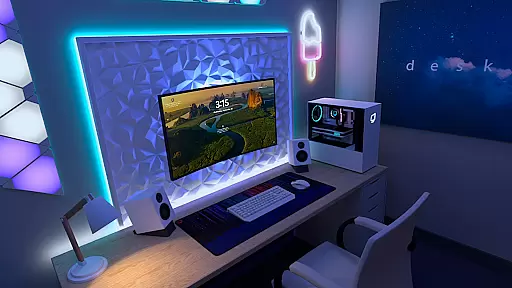
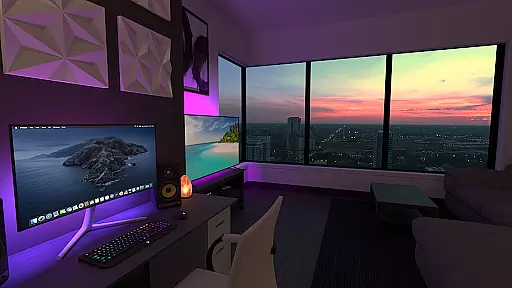
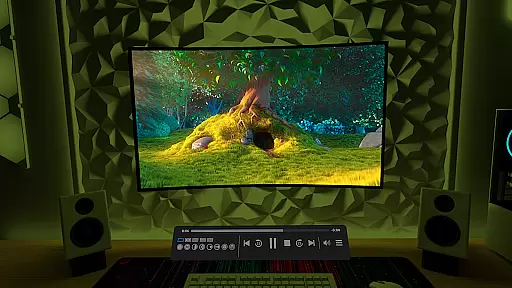
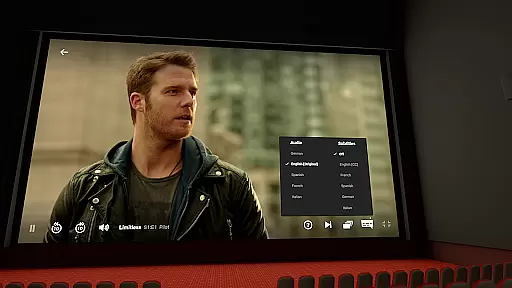
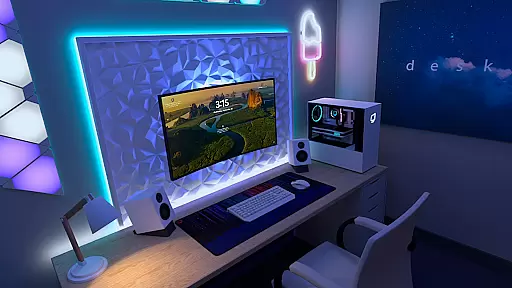

Virtual Desktop is a powerful tool that allows users to connect wirelessly to their computers for an immersive experience. With the ability to watch movies, browse the web, and play games on a large virtual screen, this app transforms how you interact with your computer remotely. Designed for low latency and high-quality streaming, it's perfect for both entertainment and productivity.
The application supports PCs and laptops running Windows 10 or 11, as well as macOS Catalina or later. It also enables PCVR game streaming for VR Ready PCs. Additional features include video streaming from your computer, support for Bluetooth devices, multi-monitor setups, and microphone passthrough options. Whether at home or on the go, Virtual Desktop provides a seamless connection to your computer system.
Virtual Desktop offers a range of advanced features tailored for a smooth user experience. The app requires a Gigabit Ethernet connection to ensure optimal performance, supporting both 5 and 6 GHz routers. This makes it suitable for high-bandwidth activities like streaming PCVR games or watching high-definition videos directly from your computer.
Users can enjoy a versatile setup with support for Bluetooth mice, keyboards, and gamepads, enhancing interaction with the virtual environment. The app also supports 3D content in Side-by-Side or Over-Under formats and accommodates multi-monitor configurations. Remote connections over the internet are possible with UPnP enabled on your router, providing flexibility for various use cases.
Virtual Desktop excels in delivering a seamless and high-quality streaming experience, ensuring that users can efficiently connect to their computers wirelessly. The app is optimized for low latency, which is crucial for activities such as watching movies, browsing the web, and even playing games on a giant virtual screen.
One of the standout features is its ability to stream PCVR games, providing an immersive experience without noticeable delays. This is made possible by the app's native development tailored for performance, supporting both local and remote connections over the internet with UPnP enabled on your router.
The application supports a wide range of devices running Windows 10 or 11, macOS Catalina or later, making it versatile for different user setups. Whether you're using a VR Ready PC or a standard laptop, Virtual Desktop ensures that your streaming quality remains top-notch, enhancing productivity and entertainment value.
Despite its advanced capabilities, Virtual Desktop maintains an intuitive and user-friendly interface. The design focuses on ease of use, allowing users to quickly navigate through various features without a steep learning curve. This simplicity extends to its setup process, where connecting to your computer is straightforward, provided you meet the necessary requirements like a Gigabit Ethernet connection.
Users can easily access functionalities such as downloading or streaming videos directly from their computers via the Videos tab. Additionally, support for Bluetooth peripherals like mice, keyboards, and gamepads adds to the convenience, ensuring that users have a familiar and comfortable interaction with their virtual desktop environment.
Furthermore, the inclusion of multi-monitor support and 3D content options showcases the app's commitment to providing a comprehensive yet accessible toolset. These features are presented in a manner that does not overwhelm the user, maintaining clarity and enhancing overall usability.
High-quality streaming
Wide device compatibility
Supports PCVR gaming
Multi-monitor support
Remote connection capability
Requires wired Ethernet
Windows/macOS only
Higher system requirements
No mobile OS support
Internet UPnP dependency

Quickly switch to an encrypted DNS server on Android TV
 4.50
4.50
Transfer Files, APK from Phone to Watch & Install.
4.2
HD Video player and downloader for all formats, fast & smooth 4K video playback.
4.60
App to pay for FUTO Keyboard
4.60
Monitor car performance in real time and troubleshoot malfunctions.
4.80
Automate everything from settings to photos, SMS to speech. ADC2 prize winner.
4.10
Button mapper, mouse toggle, sleep timer and a lot of another features
4.50
Fun lie-detection pranks for friends and parties.
3.80
Your personal health butler
3.60
FV File Manager Pro, Fast and powerful file manager for Android
4.60
eXtended Permission Manager - a small app to manage permissions and AppOps
4.50
Clean up large files and similar photos, fast and easy to use
4.40
VESC Tool can monitor and configure VESC-compatible devices over BLE and Wifi
4.20
MS-DOS in your pocket. Play old DOS games anywhere you are ;)
4.10
View detailed information about your Nissan Leaf the dealer never shows you.
4.10
A simple app to back up and restore SMS & MMS messages and call logs.
4.10
Family Locator, Share location, StayConnect with your family in real time
3.90
Unleash gamepad precision for ultimate mobile gaming dominance.
3.90
Download any file easily and quickly with Downloader
4.4


User Reviews