
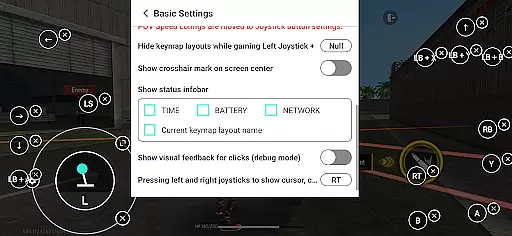
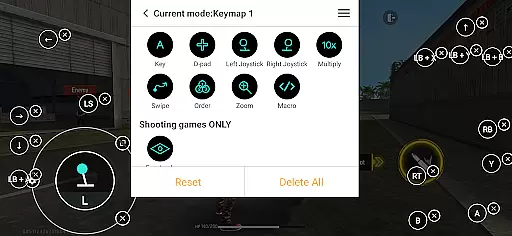
Panda Gamepad Pro is a powerful tool designed to enhance your mobile gaming experience by allowing you to use your gamepad for precise control. This app eliminates the frustration of touch controls, providing gamers with an edge in their favorite titles.
With unique features like direct game launch and ban-proof technology, it ensures seamless gameplay without risking account bans. Supporting a wide range of controllers and games, this app is compatible with almost any setup you have.
Whether you're playing on Android 11+ or using a rooted device, activation is straightforward and secure. The app also offers extensive resources including video tutorials and guides to help users get started easily.
The standout feature of Panda Gamepad Pro is its ability to launch games directly, bypassing the need for cloning. This convenience saves time and enhances the gaming experience right from the start.
Security is paramount, which is why the app allows safe login through Google Play accounts while employing technology that prevents bans during gameplay. Its universal compatibility means whether you're using modern or older controllers, they will work flawlessly with most mobile games.
For ease of use, the app supports hassle-free activation across different versions of Android, ensuring that all players can enjoy enhanced controls regardless of their device specifications.
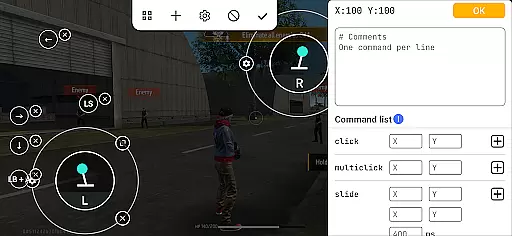
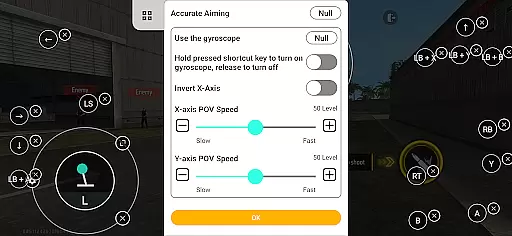
Panda Gamepad Pro excels in delivering precise and effective control functionality for mobile gaming. The app ensures that every button press, joystick movement, and trigger pull translates directly into accurate in-game actions.
Through its advanced mapping technology, the app supports a wide range of gamepad brands, ensuring compatibility with both modern and older controllers. This universal support allows gamers to use their preferred hardware without limitations or performance compromises.
The direct game launch feature eliminates unnecessary steps, allowing players to jump straight into gameplay with optimized controls. This seamless integration enhances the overall gaming experience while maintaining system stability and performance.
For users concerned about security, the app provides safe Google Play account login and ban-proof gaming features. These ensure uninterrupted gameplay without risking account penalties, making it an essential tool for competitive mobile gamers.
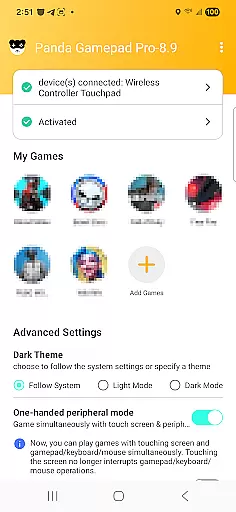
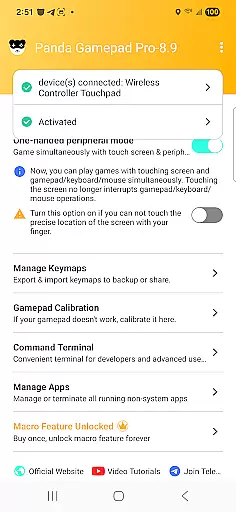
The user interface of Panda Gamepad Pro is designed with simplicity and intuitive navigation in mind. Upon launching the app, users are greeted with a clean layout that organizes key features like gamepad configuration, activation methods, and tutorial links in an easily accessible manner.
Activation processes are streamlined based on device specifications. For Android 11 and above, users can activate the app directly on their devices, while Android 10 and below users benefit from quick PC or Mac activation. Rooted devices enjoy automatic setup, minimizing technical barriers for all types of users.
Comprehensive video tutorials and guides further enhance usability by providing step-by-step instructions for setup and troubleshooting. These resources ensure even novice users can quickly master the app's functionalities without frustration.
This thoughtful design approach makes Panda Gamepad Pro suitable for both casual and hardcore gamers who value efficiency and ease of use in their gaming accessories.
Enhanced game control
Ban-proof technology
Wide controller support
Direct game launching
Secure account integration
Requires initial setup
Limited iOS support
Premium version costs
Occasional bugs
Learning curve for new users

PDF Reader - Document Viewer: Read, Manage & Organize Your Documents
 3.10
3.10
Safely recover deleted photos, videos, and files with a single easy tap.
3.70
Optimize your WiFi network, turn your phone into Wifi Analyzer
4.70
Mirror your screen to Chromecast and Android TV - Super fast and simple
4.60
Making emulation easy for everyone!
4.30
Fast Video Downloader, Movie Downloader, Torrent Downloader & Adblock Browser
4.70
Download any file easily and quickly with Downloader
4.3
Clean up your phone, find files, play media, and share files offline
4.50
The ideal app to be the digital eye of your family
3.40
Connect wirelessly to your computer to watch movies, browse the web, play games
5.00
Excellent scientific calculator with symbolic algebra, integrals, derivatives
4.80
The Ultimate Flex Drivers Utility App - Convenient Tapping & Block Filters
4.70 4.50
4.50
Screen Mirroring for Roku Sticks, Roku TCL TV and Roku Hisense TV
4.50
Game Booster, GFX Tool is now compatible with newer game update
4.50
Quickly check the frequency of the Earth
4.30
Signal Strength, Mobile, Wifi, Speed Test, Bad Signals, Cellular, 5G, LTE, 4G
4.20
A simple app to back up and restore SMS & MMS messages and call logs.
4.10
Family Locator, Share location, StayConnect with your family in real time
3.90


User Reviews