
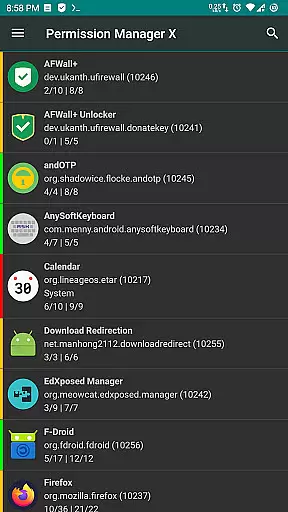
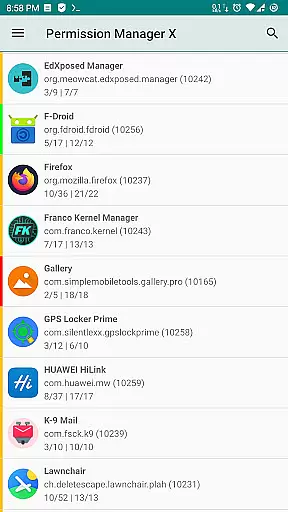
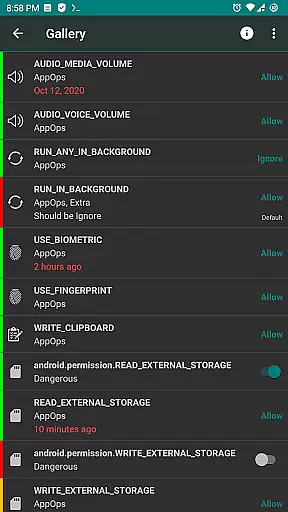
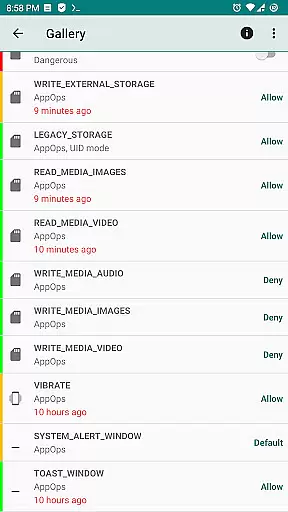
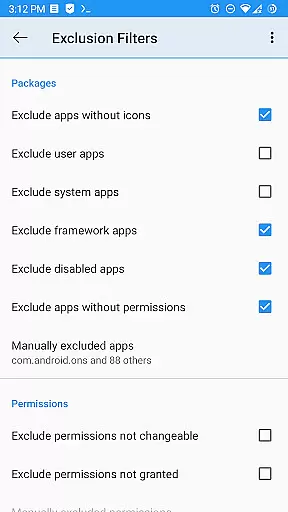
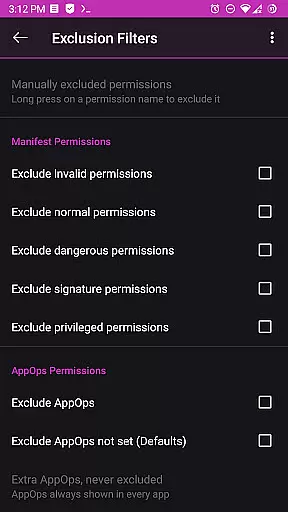
Permission Manager X offers a comprehensive solution for managing app permissions with precision and efficiency. The app allows users to view, grant, or revoke both manifest permissions and AppOps permissions from a single screen. This dual control ensures that users can manage standard permissions like Storage and Camera alongside more granular controls such as background execution and clipboard access.
The app's ability to set reference states for permissions is particularly valuable. These reference states can be backed up and restored, making it easy to maintain your preferred permission settings even after reinstalling apps, changing devices, or upgrading your ROM. This feature saves significant time and effort while ensuring privacy remains intact.
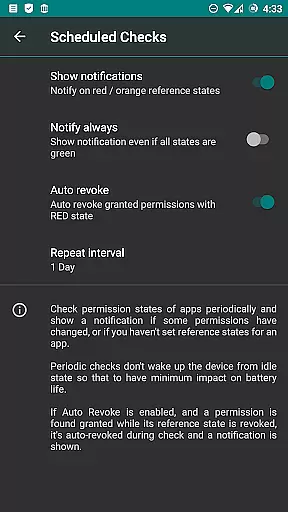
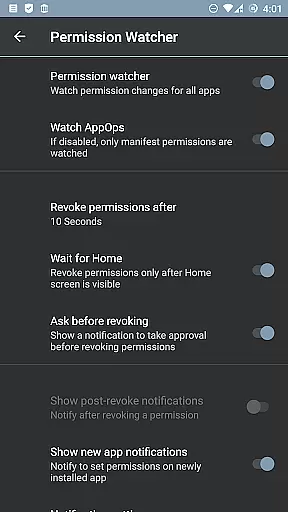
For advanced users, Permission Manager X provides paid features that enhance its functionality further. These include scheduled checks for bad reference states, auto-revoking granted permissions with red states, and the Permission Watcher tool. Such tools ensure that unwanted permissions are swiftly removed, maintaining optimal security and performance.
Despite its powerful capabilities, Permission Manager X maintains an intuitive and user-friendly interface. The design emphasizes ease of use without compromising on functionality, allowing both novice and experienced users to navigate effortlessly. Colored bars on the left side of the screen provide quick visual cues, enabling users to review packages and permissions at a glance.
The app includes helpful resources such as a detailed guide and FAQs available online. These materials explain key concepts like manifest permissions, AppOps, and Permission References, ensuring users understand how to leverage the appu2019s full potential. Additionally, search suggestions and theming options enhance the overall user experience by simplifying navigation and personalization.
While some features require the device to be rooted or ADB enabled over the network, the basic functionalities remain accessible to all users. This balance between advanced capabilities and accessibility makes Permission Manager X a versatile tool suitable for various levels of technical expertise.

A powerful, easy-to-use flight computer on your phone or tablet!
 3.80
3.80
Family Locator, Share location, StayConnect with your family in real time
3.90
card-reader app
2.20
Forza Tuning Calculator App for Forza Horizon 5, Motorsport and Earlier Titles
4.40
An easy-to-use calculator designed to save time calculating and bending conduit
4.30
A non-root local ADB shell client. READ BELOW!
3.40
Signal Strength, Mobile, Wifi, Speed Test, Bad Signals, Cellular, 5G, LTE, 4G
4.20
Create your own custom widget with endless possibilities
3.90
Pro Emulator is an easy to use game console emulator for a range of consoles.
4.40
Learn the vast amount of system information about device and monitor it's state
4.70 4.50
4.50 4.50
4.50
Head tracking for PC sim games such as MSFS 2024 or Elite:Dangerous. No headset!
4.50
With videos, electrical calculators, and built-in ebook, Ugly’s has your answer.
4.50
Screen Mirroring for Roku Sticks, Roku TCL TV and Roku Hisense TV
4.50
Remote for Roku, Fire TV, Samsung TV, LG TV, Android TV, Chromecast and VIZIO TV
4.20
App that Recover your pictures, videos or files after you delete them.
4.20
1-Click close all background apps on Android TV
3.90
Undelete and recover your lost or deleted files with DiskDigger!
3.40


User Reviews