
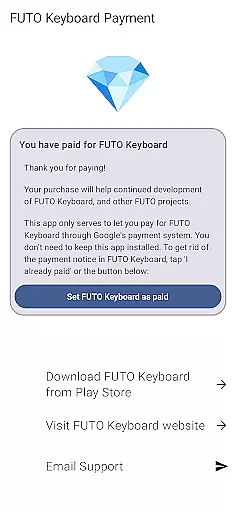
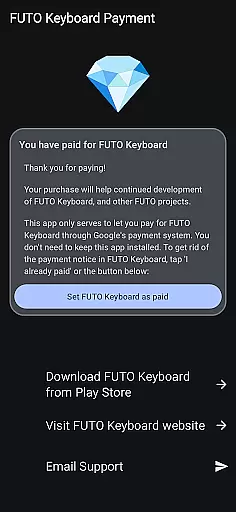
Payment for FUTO Keyboard is a specialized tool application designed to facilitate payment for the main FUTO Keyboard app. This app itself does not include any keyboard functionality but serves as a gateway for users to unlock premium features in the core FUTO Keyboard app through Google Play.
The primary purpose of this app is to remove payment notifications from the base FUTO Keyboard, which users can access after purchasing via this platform. It ensures that users who have already paid for FUTO Voice Input or acquired the keyboard through other means do not need to pay again. However, it is essential to have the FUTO Keyboard installed before considering this purchase.
This app is ideal for users who prefer using Google Play for their transactions and want seamless integration with the FUTO ecosystem without dealing with external payment methods.
Payment for FUTO Keyboard offers several notable features tailored to enhance user experience within the FUTO ecosystem. Firstly, it provides an easy and secure method to pay for the FUTO Keyboard app directly through Google Play, streamlining the payment process for users.
Another significant feature is its ability to integrate seamlessly with the main FUTO Keyboard app. Once purchased, this tool removes all payment-related notices from the base app, ensuring a cleaner and uninterrupted user interface. This functionality is particularly beneficial for users who value minimal distractions while typing.
Additionally, the app ensures that users who have previously paid for related services like FUTO Voice Input are not required to make redundant payments. This smart recognition of prior payments highlights its efficient design and commitment to providing value to loyal users.
When it comes to utility apps like Payment for FUTO Keyboard, the precision and reliability of core functions are paramount. This app serves as a payment gateway specifically designed to unlock features in the main FUTO Keyboard application.
The app ensures that once a user completes the payment process, the corresponding features in the FUTO Keyboard are accurately unlocked without delay. This direct functionality guarantees users can immediately benefit from their purchase by removing payment notices in the base app.
By focusing on seamless integration with the primary keyboard app, Payment for FUTO Keyboard demonstrates its commitment to delivering an effective transaction experience. The app's success hinges on this accuracy, ensuring customers receive exactly what they pay for.
A straightforward and intuitive interface is crucial for utility applications such as Payment for FUTO Keyboard. Users should be able to navigate through the payment process effortlessly, without encountering unnecessary complexity.
This app achieves simplicity by providing clear instructions and a direct pathway to complete the payment. With minimal steps required to finalize the transaction, users can quickly return to using the main keyboard application.
The design prioritizes functionality over form, ensuring that each screen guides the user efficiently toward the end goal. This approach not only enhances the overall user experience but also reinforces trust in the app's ability to deliver on its promises.
Streamlined payment process
Seamless integration with FUTO Keyboard
Eliminates redundant payment notices
Secure transaction via Google Play
User-friendly interface
No standalone functionality
Requires FUTO Keyboard installation
Limited to Google Play purchases
Potential confusion for first-time users
Additional app clutter

 4.50
4.50
Head tracking for PC sim games such as MSFS 2024 or Elite:Dangerous. No headset!
4.50
HD Video player and downloader for all formats, fast & smooth 4K video playback.
4.60
Quickly & easily calculate the spacing of handrail balusters
4.20
VESC Tool can monitor and configure VESC-compatible devices over BLE and Wifi
4.20
Effortlessly run ADB commands directly on your device without a PC.
4.20
PC precision for mobile gaming: dominate with keyboard and mouse!
4.30
Game Booster, GFX Tool is now compatible with newer game update
4.50
Mobile Security with Scam Protection | Malware & Virus Cleaner | Safe Browser
4.70
Enjoy smooth gameplay with Game Booster
4.90
Small and simple app to Verify Root Access and BusyBox Install!
4.70
FV File Manager Pro, Fast and powerful file manager for Android
4.60
Quickly switch to an encrypted DNS server on Android TV
4.50
Quickly check the frequency of the Earth
4.30
MS-DOS in your pocket. Play old DOS games anywhere you are ;)
4.10
Detect hidden spy camera with advanced scanning {{ Premium version }}
4.00
A recovery soft,it features photo recovery, video recovery, file recovery.
3.40
Save any video in HD - paste the link, download fast and watch offline.
4.5
Download any file easily and quickly with Downloader
4.2


User Reviews