
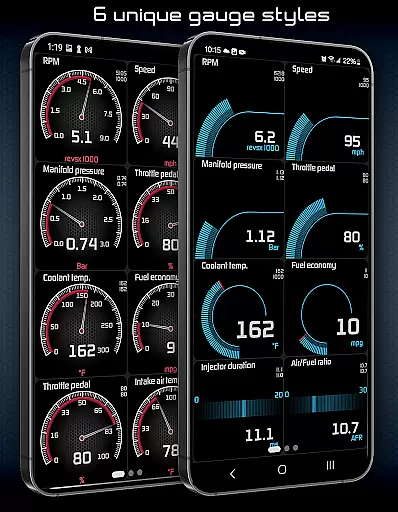
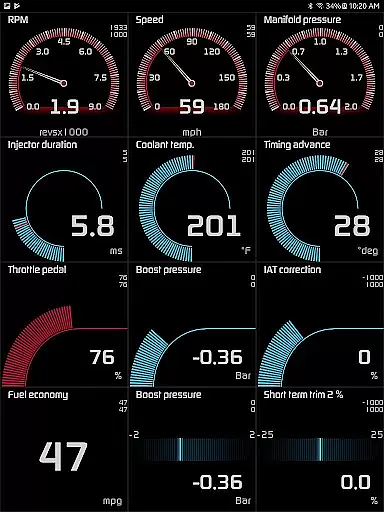
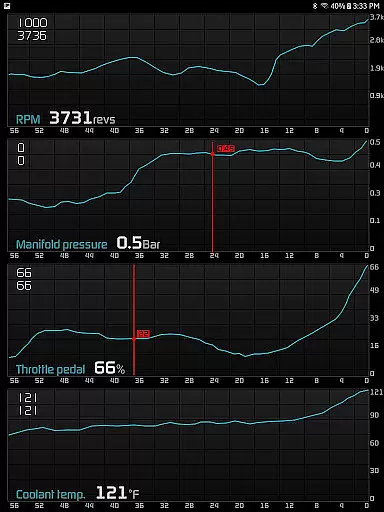
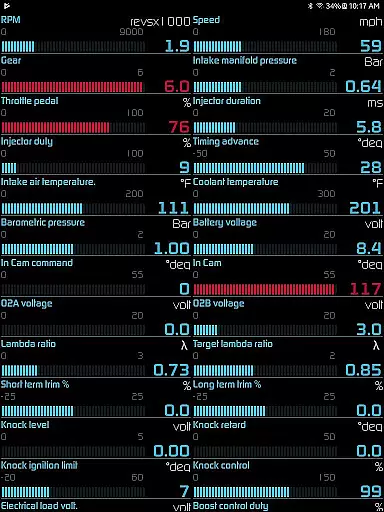
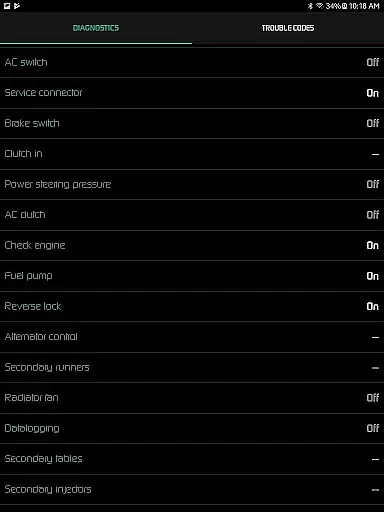
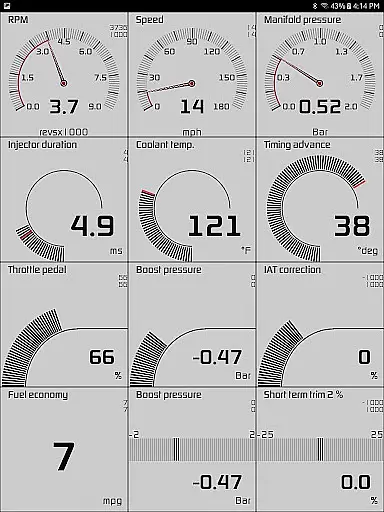
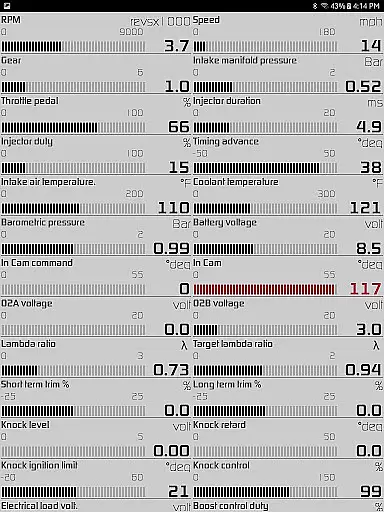
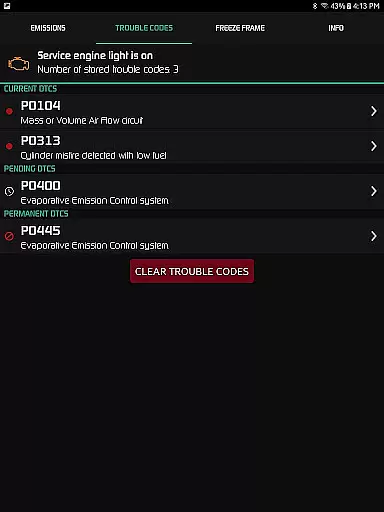
Hondata is a powerful automotive tool that transforms your Android device into a comprehensive performance tracking and diagnostic system for Honda vehicles. The app provides real-time monitoring of up to 80 sensors, including fuel economy, boost pressure, and battery voltage, through customizable gauges and interactive graphs. Users can troubleshoot issues by accessing the vehicle's onboard ECU, read and clear trouble codes, and even track fuel economy over various time intervals.
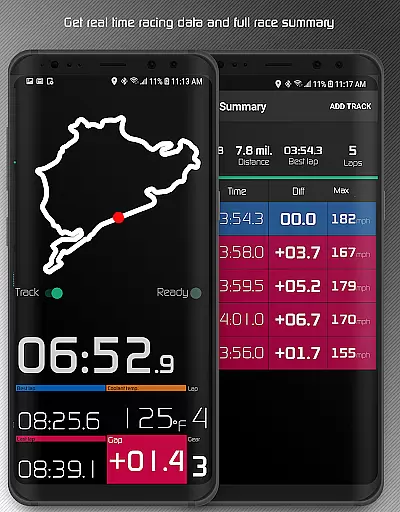
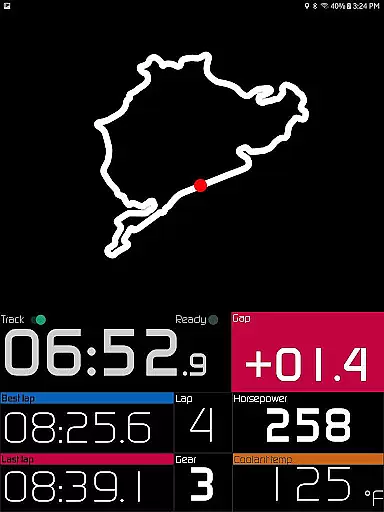
One of the standout features is the racetrack functionality, which allows users to measure drag race times, lap times, and receive detailed race summaries. Additionally, Hondata supports advanced data logging, enabling users to export recorded sensor data as CSV files for further analysis. With its compatibility with Flashpro, Kpro4, and 300v3 systems, this app is an essential tool for Honda enthusiasts looking to maximize their vehicle's performance while saving on fuel costs.
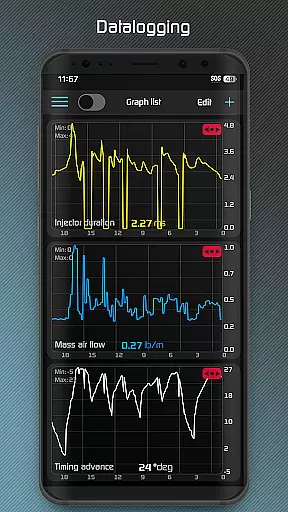
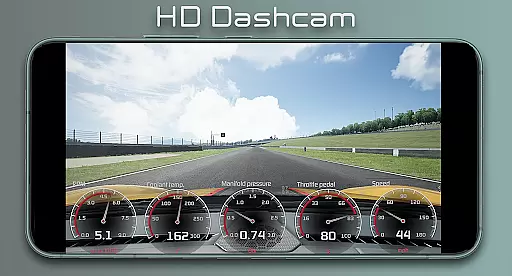
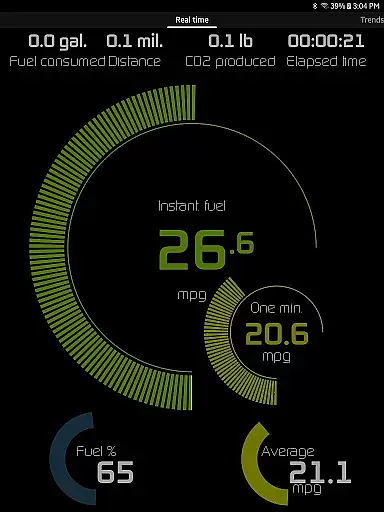
Hondata offers an extensive range of features designed to enhance vehicle performance monitoring and diagnostics. The app provides customizable gauges that allow users to track up to 80 real-time sensors, such as fuel economy, boost pressure, and G-force measurements. Users can plot this sensor data onto interactive graphs, recording information from up to four sensors simultaneously and exporting it as CSV files for deeper analysis.
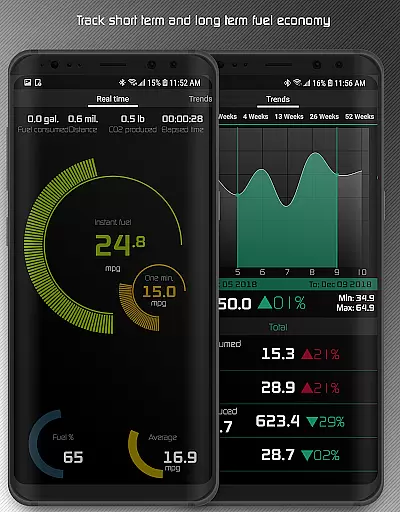
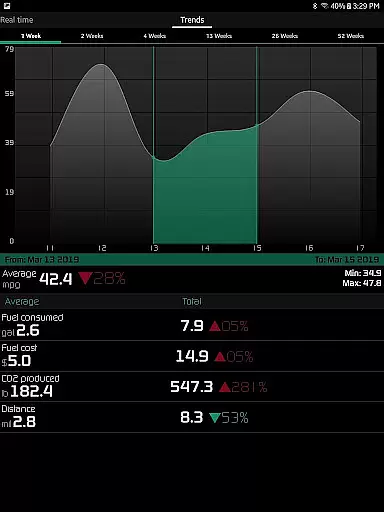
The racetrack feature is particularly impressive, offering detailed performance metrics like drag race times (0-60 mph, quarter-mile), lap times, and real-time GPS-based circuit tracking. Additionally, the app includes long-term fuel economy tracking across five different time intervals, complete with interactive graphs. Other notable features include speed limit warnings, HUD gauges for night driving, and engine overheating notifications, making it a versatile tool for both daily driving and performance racing scenarios.
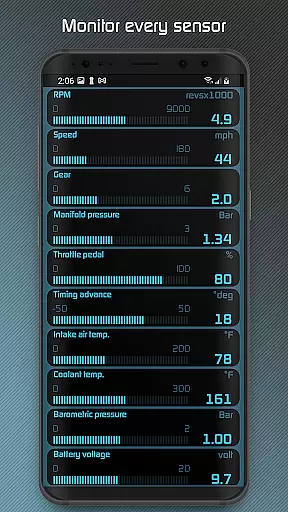
The Hondata app excels in providing precise and effective core functions that are essential for monitoring and maintaining your Honda vehicle. With the ability to track up to 80 sensors in real time, it offers unparalleled insight into your car's performance. The customizable gauges allow you to monitor critical parameters such as fuel economy, boost pressure, battery voltage, and G force, ensuring that you have accurate data at your fingertips.
Furthermore, the app's capability to plot sensor data onto interactive graphs and record data from multiple sensors simultaneously enhances its effectiveness. This feature not only allows for real-time analysis but also enables users to save recorded data in CSV format for further scrutiny. Such functionality is crucial for those who require detailed diagnostics and performance tracking, making the Hondata app an indispensable tool for Honda owners.
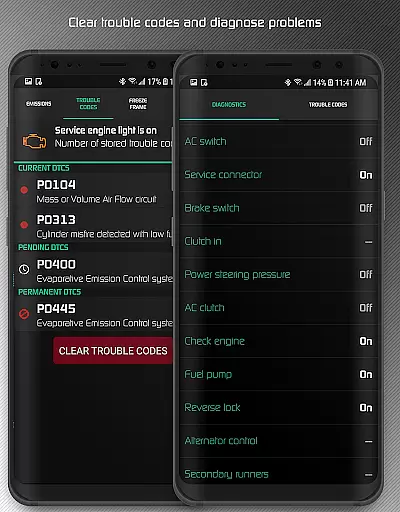
In addition to sensor tracking, the Hondata app provides valuable diagnostic information by allowing users to read and clear vehicle trouble codes. This can save both time and money by identifying issues before visiting a mechanic. The app also supports reading from up to 40 diagnostic parameters, offering a comprehensive view of your vehicle's health. These capabilities ensure that users can maintain their vehicles effectively, thus prolonging their lifespan and optimizing performance.
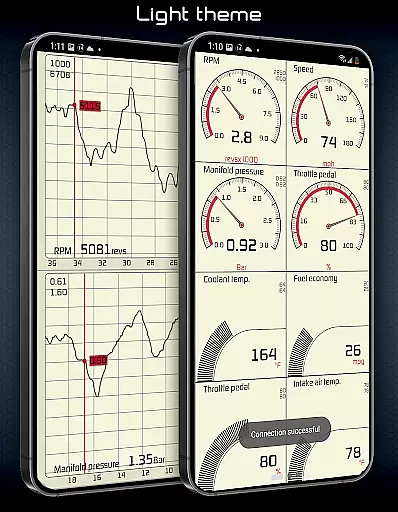
Despite its advanced features, the Hondata app maintains a user-friendly interface that ensures ease of use for Honda owners. The app offers two themes to choose from, allowing users to select a visual style that suits their preferences. Additionally, the layout is designed to be intuitive, with clearly labeled gauges and controls that make navigation straightforward, even for those who may not be technically inclined.
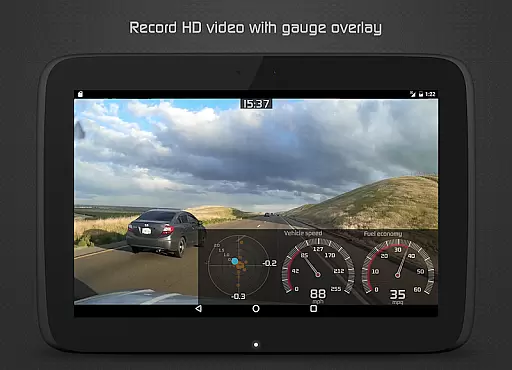
One of the standout aspects of the Hondata app's interface is the customizable gauge list feature. This allows users to track every available sensor simultaneously, providing a comprehensive overview without overwhelming the user. The app also includes helpful features like speed limit warnings and HUD gauges for night driving, which enhance safety and convenience without complicating the user experience.
Moreover, the Hondata app supports landscape mode for all views, making it adaptable to various device orientations and user preferences. Whether you're using the app for daily monitoring or detailed diagnostics, its intuitive design ensures that you can access the information you need quickly and efficiently. By combining powerful functionality with a simple and intuitive interface, the Hondata app delivers an exceptional user experience that meets the needs of both casual drivers and automotive enthusiasts alike.
User-friendly interface
Comprehensive sensor tracking
Real-time performance monitoring
Advanced data logging capabilities
Detailed racetrack analytics
No Android Auto support
Limited head unit compatibility
Requires specific hardware (Flashpro, Kpro4)
Complex for beginners
MAF/MAP sensor dependency

 4.50
4.50
pdf merge, word to pdf, jpg to pdf, edit pdf, convert to pdf and much more!
4.20
Family Locator, Share location, StayConnect with your family in real time
3.90
Amateur Radio app for APRS: Track friends, exchange messages, get tactical info.
3.90
An easy-to-use calculator designed to save time calculating and bending conduit
4.30
Best leveling tool for your Android device. Hang paintings like a pro.
4.90
A non-root local ADB shell client. READ BELOW!
3.40
Navigate with Ease and Style
4.90
Remote Play with FSR upscaling, low latency & full controller support
4.80
Excellent scientific calculator with symbolic algebra, integrals, derivatives
4.80
Easily install aab(Android App Bundle) files on your Android device with our app
4.80
NFC Tools can read and write NFC tags.
4.70
eXtended Permission Manager - a small app to manage permissions and AppOps
4.50
Clean up large files and similar photos, fast and easy to use
4.40
Quickly & easily calculate the spacing of handrail balusters
4.20
Create your own live wallpaper or check out thousands already made presets
3.90
Clean the junk files on your device
3.40
Transfer Files, APK from Phone to Watch & Install.
4.2
Download any file easily and quickly with Downloader
4.3


User Reviews