
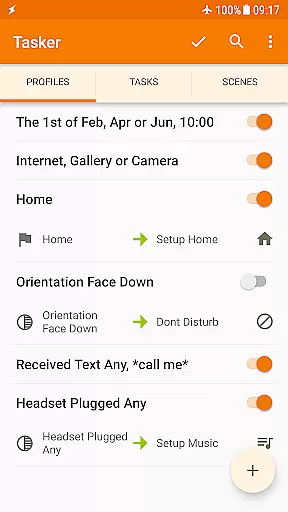
Tasker is a powerful automation tool designed to streamline and customize your Android experience. It allows users to automate a wide range of tasks based on various triggers such as location, time, or specific events. With over 350 actions available, Tasker can manage settings, send messages, backup files, and even create standalone apps.
This app is ideal for tech-savvy individuals who want to maximize their phone's potential. Whether you're looking to automate daily routines or develop complex systems, Tasker provides the flexibility and control needed to tailor your device exactly how you want it.
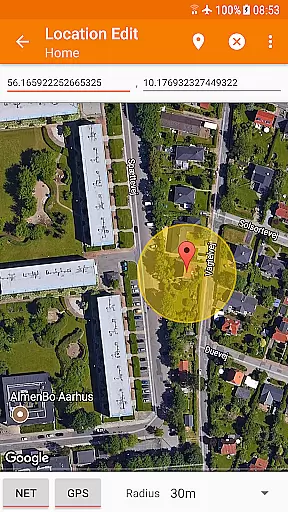
Tasker stands out with its extensive customization options and automation capabilities. The app supports more than 130 contexts and events, enabling users to trigger actions based on a myriad of conditions like Wi-Fi network, received SMS, or current location. Its ability to integrate with third-party apps through plugins expands its functionality significantly.
One of the key features is the capacity to design custom user interfaces using Scenes, allowing personalized interaction with your automated tasks. Additionally, Tasker includes developer-friendly tools such as HTTP requests and supports creating standalone apps via the Tasker App Factory, making it a versatile choice for both casual users and developers alike.
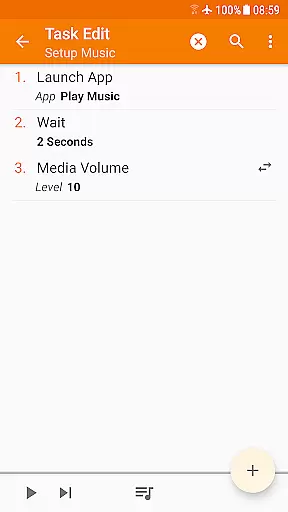
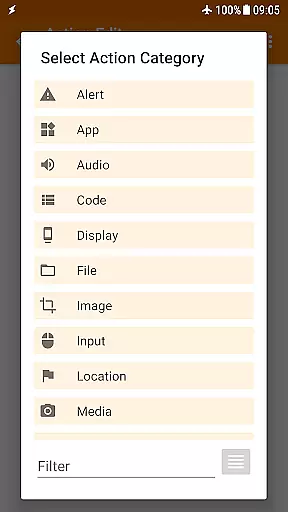
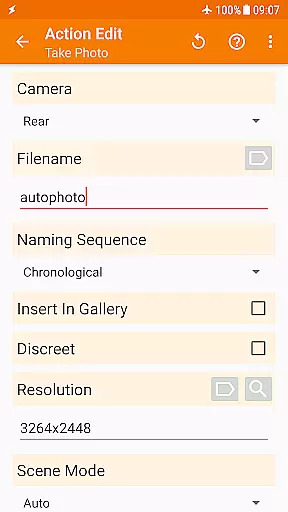
Tasker exemplifies core function accuracy and effectiveness by offering over 350 actions that allow users to customize their Android experience extensively. These actions range from sending SMS, controlling system settings like Wi-Fi Tether and Dark Mode, to manipulating files and controlling music playback.
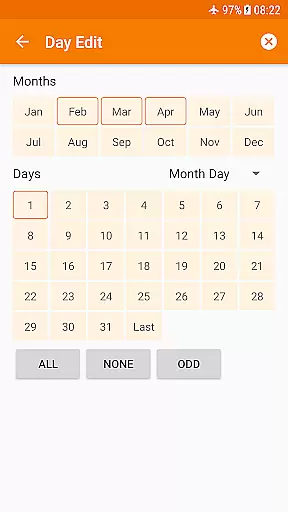
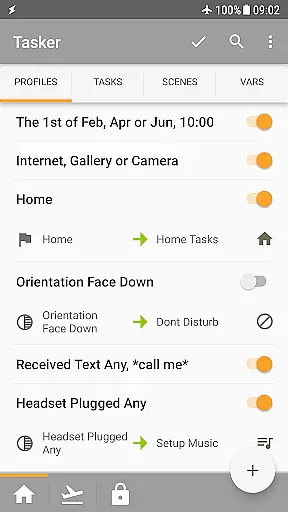
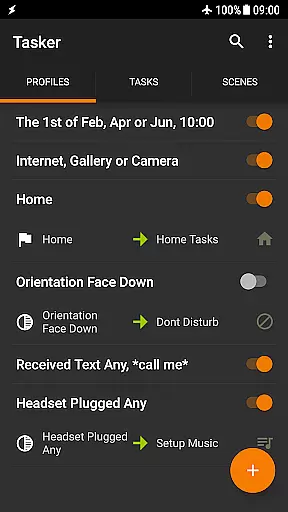
The app's strength lies in its ability to combine various contexts and tasks seamlessly. Users can automate based on the app they're using, time of day, location, Wi-Fi network, received messages or calls, and even the currently playing song. This flexibility ensures that Tasker can handle virtually any automation need a user might have.
With precise triggers such as launcher shortcuts, quick setting tiles, widgets, and hardware buttons, Tasker guarantees that actions are performed accurately when needed. The integration with Join allows for remote triggering from other devices, enhancing accessibility and convenience.
For developers, Tasker supports calling Web APIs through powerful HTTP Auth and Request actions, making it an invaluable tool for creating complex automated workflows. Its compatibility with third-party apps extends its functionality further, ensuring users can interact with a wide array of services efficiently.
Despite its vast capabilities, Tasker maintains interface simplicity and intuitiveness by providing clear guides and starter resources. New users can easily navigate through the appu2019s functionalities thanks to comprehensive documentation available on their website, including starter guides and pre-made projects.
Tasker's design allows users to create automations without needing extensive technical knowledge. With straightforward options to set up automations via simple clicks and selections, users can quickly adapt the app to their daily routines. Video tutorials demonstrate how easy it is to create automations, lowering the learning curve significantly.
The app also features scenes that let users design custom UIs tailored to display specific information or trigger particular tasks. This level of personalization ensures that each useru2019s interaction with Tasker remains intuitive and relevant to their needs.
Moreover, Tasker offers a 7-day trial period allowing potential users to explore its features before committing financially. This approach not only simplifies decision-making but also enhances user satisfaction by ensuring they understand the appu2019s value proposition thoroughly.
Highly customizable
Extensive automation options
Rich set of actions and triggers
Developer-friendly features
Active community support
Steep learning curve
Requires initial setup time
Paid app with no free version
Some features need root access
Overwhelming for beginners

pdf merge, word to pdf, jpg to pdf, edit pdf, convert to pdf and much more!
 4.20
4.20
Just swipe the edge to do something!
4.40
Use your phone as a webcam on your computer over WiFi or USB.
4.40
Family Locator, Share location, StayConnect with your family in real time
3.90
Safely recover deleted photos, videos, and files with a single easy tap.
3.70
Universal TV remote control all TVs, Roku, LG, Samsung, Fire, Vizio, Sony, TCL.
4.40
Connect wirelessly to your computer to watch movies, browse the web, play games
5.00
Fun lie-detection pranks for friends and parties.
3.80
Protect your device with antivirus, storage cleanup, and system monitoring
4.70
Bedrock Together: Join any bedrock server on Xbox/PS
4.80
Small and simple app to Verify Root Access and BusyBox Install!
4.70
HD Camera captures every special moment.
4.60
HD Video player and downloader for all formats, fast & smooth 4K video playback.
4.60
Canon PRINT is a companion app for your Canon printer.
4.60
Pro Emulator is an easy to use game console emulator for a range of consoles.
4.40
App that Recover your pictures, videos or files after you delete them.
4.20
Create your own custom widget with endless possibilities
3.90
PDF Reader - Document Viewer: Read, Manage & Organize Your Documents
3.10
Unlock your Essential Key. Create custom shortcuts to your favorite apps!
4.0


User Reviews