
Leaf Spy Pro is a specialized diagnostic tool designed for Nissan Leaf electric vehicle owners. This application enables users to monitor crucial battery information and other vehicle data through an Android device with Bluetooth, paired with a supported ELM327 OBDII Bluetooth adapter. With the introduction of Bluetooth 4.x LE support in version 0.39.97, users can now benefit from improved connectivity and reduced power consumption.
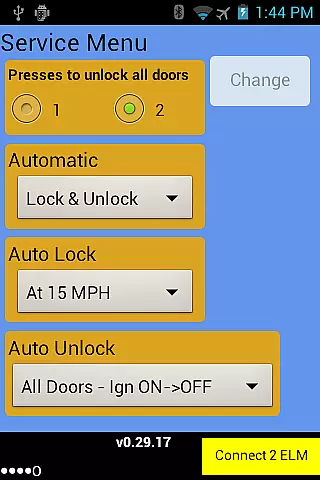
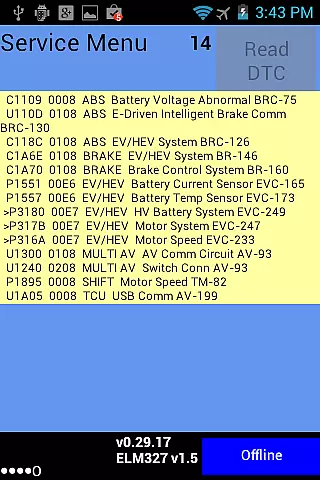
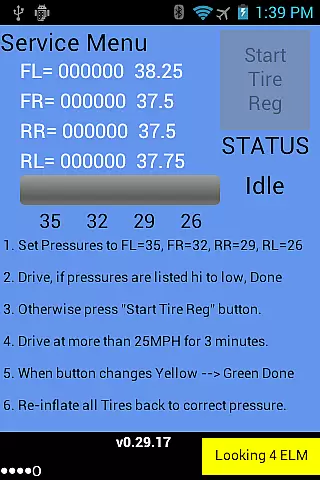
The app provides detailed insights into battery health, including voltage readings of each cell pair, temperature sensors, and battery capacity metrics. Leaf Spy Pro goes beyond basic monitoring by offering advanced functionalities typically reserved for dealership diagnostics. These include adjusting door lock settings, reading Diagnostic Trouble Codes (DTC), managing tire positions after rotations, and controlling Vehicle Sound for Pedestrians (VSP) on select models.
Whether you're a tech-savvy EV owner or a professional technician, Leaf Spy Pro delivers valuable data that helps optimize vehicle performance and maintenance. The app's comprehensive logging features and graphic displays make it an essential tool for anyone seeking deeper understanding and control over their Nissan Leaf's operational parameters.
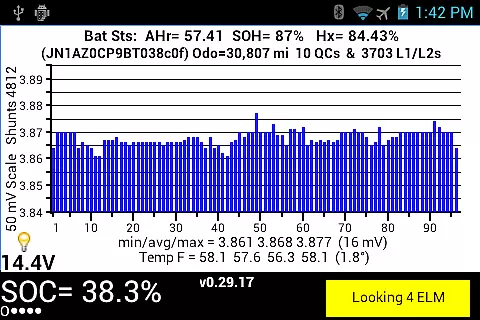
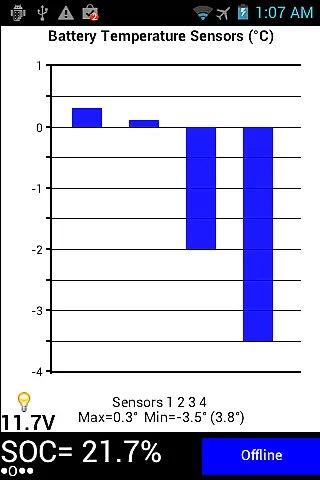
Leaf Spy Pro stands out with its extensive feature set tailored for Nissan Leaf owners. The application provides detailed monitoring of 96 cell pair voltages, highlighting any active shunts, alongside minimum, average, and maximum voltage readings. Users can view battery temperature across multiple sensors and access crucial metrics like Battery AHr rating, which indicates remaining capacity.
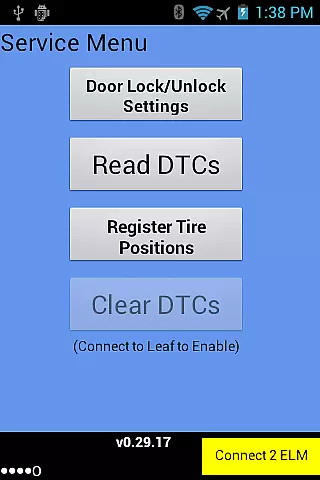
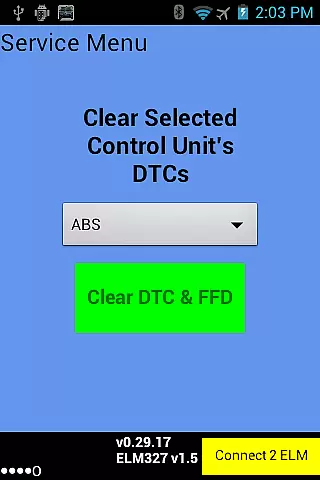
Beyond basic monitoring, Leaf Spy Pro offers advanced diagnostic capabilities. The Pro version allows users to modify automatic door lock settings, read and reset Diagnostic Trouble Codes (DTCs), register tire positions post-rotation, and control VSP sounds on compatible models. A unique logging function records most displayed data along with optional GPS location, exportable as CSV files for easy analysis in spreadsheet applications.
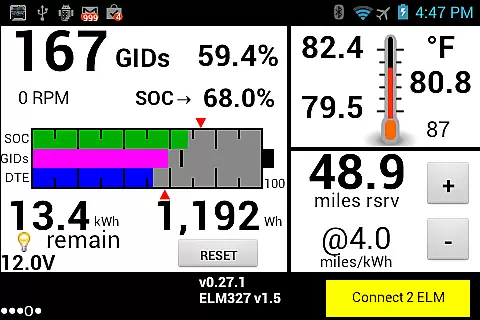
The application's graphic displays provide visual representations of State of Charge (SOC), GIDs, Distance to Empty (DTE), and battery temperature profiles. Additional features include tire pressure monitoring with low-pressure warnings, ambient temperature readings, and resettable energy usage meters. These comprehensive tools empower users to maintain optimal vehicle performance while avoiding unnecessary dealership visits.
Leaf Spy Pro exemplifies core function accuracy by providing precise monitoring of a Nissan Leaf's battery and vehicle information. This includes real-time data on cell voltages, battery temperature, and energy levels, which are crucial for maintaining the health and efficiency of an electric vehicle.
The application employs advanced algorithms to interpret data from the vehicle's onboard diagnostics, ensuring that users receive reliable and actionable insights. For instance, it highlights shunt activity and logs diagnostic trouble codes, empowering users with dealer-level information directly on their Android devices.
Users benefit from enhanced control over their vehicle maintenance with features like the ability to reset DTCs and register tire positions after rotations. These functions not only save time and money but also extend the lifespan of the vehicle by preventing potential issues.
Furthermore, Leaf Spy Pro's compatibility with Bluetooth 4.x LE adapters, such as LELink, ensures effective communication with reduced power consumption. This technological advancement underscores the app's commitment to delivering both accurate and efficient functionality to its users.
Despite its technical depth, Leaf Spy Pro maintains an interface that is both simple and intuitive. The design philosophy centers around making complex vehicle data accessible without overwhelming the user, thus catering to both tech-savvy individuals and those less familiar with electric vehicles.
Key information is presented in a clear, organized manner, utilizing visual aids like histograms and graphic displays for SOC, GIDs, and DTE. This approach allows users to quickly grasp their vehicle's status at a glance, enhancing the overall user experience.
Navigation within the app is straightforward, with logically grouped features that allow effortless access to different types of information and controls. Users can easily switch between monitoring battery health, adjusting automatic door lock settings, or controlling VSP sounds on supported models.
Additionally, the inclusion of a built-in help file and logging function demonstrates the app's dedication to user-friendliness. By offering comprehensive support and easy data export options, Leaf Spy Pro ensures that users of all skill levels can effectively utilize its full range of powerful tools.
User-friendly interface
Comprehensive battery monitoring
Advanced diagnostic functions
Bluetooth 4.x LE support
Detailed logging capabilities
Requires compatible adapter
Limited iOS functionality
Complex for beginners
Additional costs for full features
Model-specific limitations

 4.10
4.10
A convenient photo, video, and file recovery tool.
4.00
Just swipe the edge to do something!
4.40
PDF Reader - Document Viewer: Read, Manage & Organize Your Documents
3.10
Fluid navigation gestures for all of us!
4.30
Save any video in HD - paste the link, download fast and watch offline.
4.0
The Ultimate Flex Drivers Utility App - Convenient Tapping & Block Filters
4.70
Remote Play with FSR upscaling, low latency & full controller support
4.80
Screen recorder with audio to record high-quality videos and take screenshots.
4.40
Best leveling tool for your Android device. Hang paintings like a pro.
4.90
Easily install aab(Android App Bundle) files on your Android device with our app
4.80
Learn the vast amount of system information about device and monitor it's state
4.70
Canon PRINT is a companion app for your Canon printer.
4.60
eXtended Permission Manager - a small app to manage permissions and AppOps
4.50
Screen Mirroring for Roku Sticks, Roku TCL TV and Roku Hisense TV
4.50
MS-DOS in your pocket. Play old DOS games anywhere you are ;)
4.10
Smart and comfortable browsing experience.
3.80
Safely recover deleted photos, videos, and files with a single easy tap.
3.70
Download any file easily and quickly with Downloader
4.4


User Reviews