
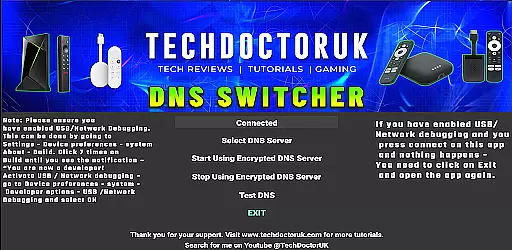
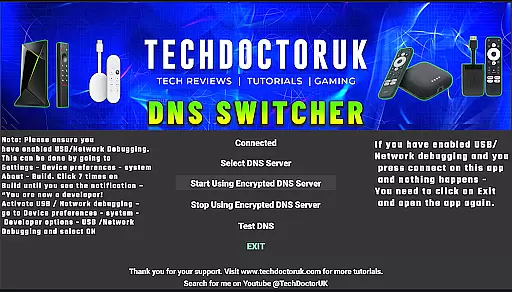
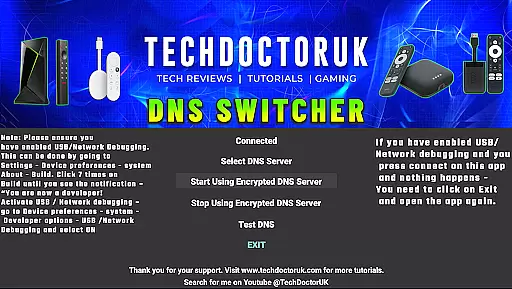
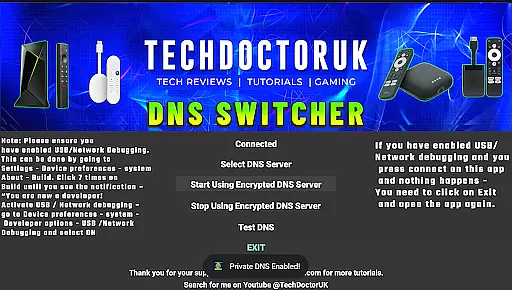
TDUK DNS Switcher is a specialized tool designed to enhance your Android TV's security by enabling encrypted DNS server usage. This application allows users to protect their privacy and secure their DNS requests from potential threats. With a selection of well-known encrypted DNS servers available, users can easily switch between different options or input custom server details for personalized protection.
The app is particularly useful for tech-savvy individuals who prioritize online security and want to ensure their smart TV is as protected as their other devices. By configuring the DNS settings through TDUK DNS Switcher, users can prevent unauthorized access and data tracking, making it an essential tool for safeguarding personal information on Android TV platforms.
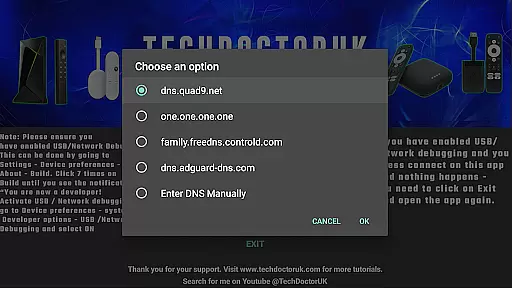
TDUK DNS Switcher offers several key features that make it stand out in the realm of digital security tools. Firstly, the app provides a straightforward interface for selecting and setting encrypted DNS servers, ensuring that even those with limited technical knowledge can enhance their device's security. Users can choose from a list of trusted DNS providers or manually enter specific server addresses for more customized control.
Another notable feature is the requirement for USB or Network Debugging to be enabled before use, adding an extra layer of security by preventing unauthorized access to the app's settings. This precaution ensures that only knowledgeable users with physical access to the device can modify its DNS configurations, further protecting against potential cyber threats.
TDUK DNS Switcher focuses on providing users with a reliable way to enhance their Android TV's security by switching to encrypted DNS servers. This functionality is crucial for protecting user privacy and ensuring that DNS requests remain confidential and tamper-proof.
The app allows users to choose from a list of well-known encrypted DNS servers, or they can manually input their preferred server. This flexibility ensures that whether you are looking for maximum privacy or specific content filtering, the application delivers accurate and effective results tailored to your needs.
By enabling USB or Network Debugging, users can seamlessly integrate this tool into their setup, making sure that the core function of DNS encryption is not only accurate but also easy to manage. The straightforward implementation enhances the overall effectiveness of the app.
Ultimately, TDUK DNS Switcher empowers users to take control of their DNS settings, offering peace of mind through enhanced security measures. This precision in managing DNS requests translates directly into a safer and more private browsing experience on Android TV.
A simple and intuitive interface is essential for tools like TDUK DNS Switcher, especially when dealing with technical configurations such as DNS settings. The app excels in providing an easy-to-navigate interface that makes the process of switching DNS servers straightforward even for non-technical users.
Upon opening the app, users are greeted with a clean layout that guides them through the necessary steps to enable encrypted DNS. Clear instructions ensure that tasks such as enabling USB or Network Debugging are hassle-free, reducing potential confusion and errors during setup.
Moreover, the minimalist design does not overwhelm users with unnecessary options, focusing instead on delivering a seamless experience. By prioritizing essential features and presenting them in an accessible manner, TDUK DNS Switcher ensures that users can quickly configure their desired settings without any steep learning curve.
This focus on simplicity and intuitiveness significantly enhances user satisfaction, allowing individuals to efficiently manage their DNS preferences while enjoying improved privacy and security on their Android TV devices.
User-friendly interface
Enhanced privacy protection
Custom DNS server options
Trusted DNS provider choices
Additional security measures
Requires technical setup
Limited to Android TV
No automatic updates
Manual configuration needed
Potential compatibility issues

 4.50
4.50
A recovery soft,it features photo recovery, video recovery, file recovery.
3.40
Clean the junk files on your device
3.40
An easy-to-use calculator designed to save time calculating and bending conduit
4.30
Effortlessly run ADB commands directly on your device without a PC.
4.20
Detect hidden spy camera with advanced scanning {{ Premium version }}
4.00
Play your X-Box games remotely in 1080p with any controller and zero latency
4.60
Automate everything from settings to photos, SMS to speech. ADC2 prize winner.
4.10
The ideal app to be the digital eye of your family
3.40
Small and simple app to Verify Root Access and BusyBox Install!
4.70
Canon PRINT is a companion app for your Canon printer.
4.60
App to pay for FUTO Keyboard
4.60
Planner and Tracker for Stardew Valley
4.60
The Ultimate Bluetooth Keyboard & Mouse. Securely control your PC, Mac, and more
4.50
View detailed information about your Nissan Leaf the dealer never shows you.
4.10
A simple app to back up and restore SMS & MMS messages and call logs.
4.10
Introducing Smart Printer, your ultimate destination for printing solutions!
4.00
This app unlocks the Pro features of the Central for DayZ app
3.60
Unlock your Essential Key. Create custom shortcuts to your favorite apps!
4.5


User Reviews