
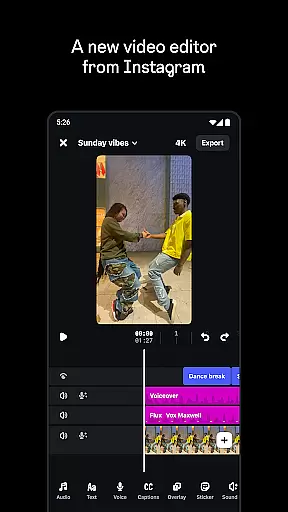
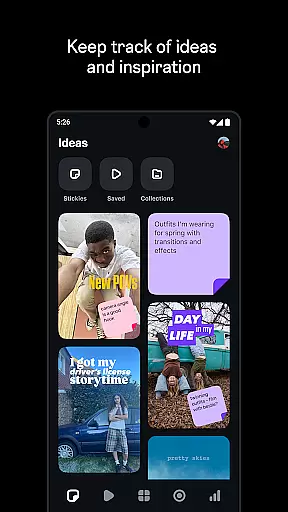
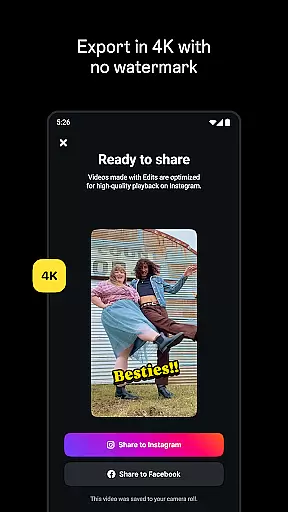
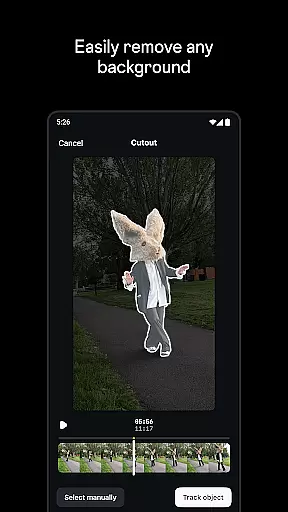
Edits is a powerful mobile video editor designed specifically for content creators who want to produce professional-quality videos directly on their smartphones. The app provides a complete suite of editing tools that streamline the creative process, allowing users to capture, edit, and export high-quality videos in 4K resolution without watermarks. Its intuitive interface makes it easy to manage drafts, track ideas, and access advanced editing features like single-frame precision and AI-powered animations.
One of Edits' standout features is its ability to integrate seamlessly with Instagram, enabling creators to share their work with minimal effort while maintaining optimal playback quality. Whether you're looking to enhance audio clarity, add dynamic overlays, or generate automatic captions, this app offers all the necessary tools in one place. It's particularly useful for social media managers, influencers, and video creators who need an efficient way to produce engaging content for platforms like Instagram Reels.
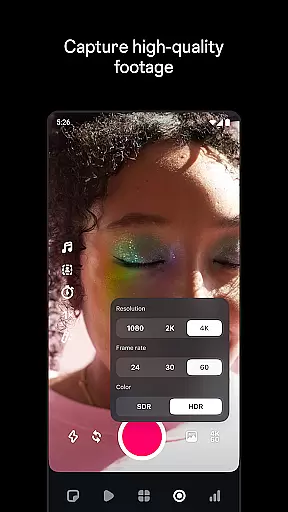
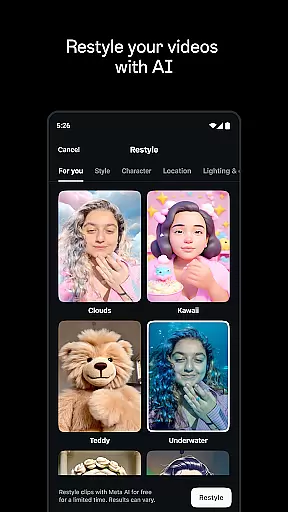
Edits stands out with its comprehensive set of video editing capabilities tailored for mobile creators. The app allows precise control over every aspect of video production, from capturing high-quality clips up to 10 minutes long to fine-tuning edits with single-frame accuracy. Users can experiment with various creative options such as green screen effects, video overlays, and AI animations that bring static images to life. Advanced camera settings let you adjust resolution, frame rate, and dynamic range while upgraded flash and zoom controls ensure better footage quality.
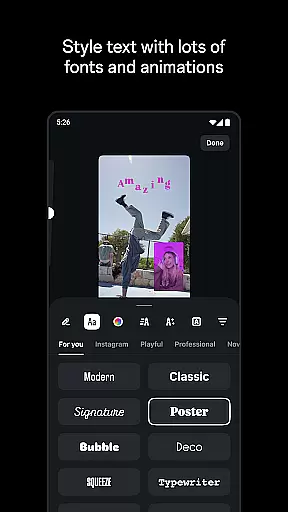
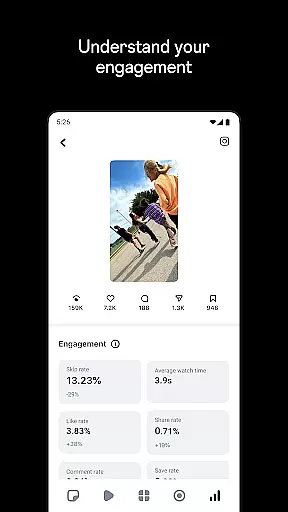
Beyond basic editing, Edits offers several unique features that enhance productivity and creativity. The app includes automatic caption generation, customizable fonts, sound effects, filters, stickers, and background noise removal tools. Creators can also monitor their content's performance through a live insights dashboard, helping them understand engagement metrics and optimize future projects. With built-in support for trending audio discovery and draft management, Edits becomes an indispensable tool for anyone serious about creating compelling video content on the go.
Edits, an Instagram App, offers extensive video format compatibility to cater to diverse creator needs. The application supports high-resolution 4K video exports without watermarks, ensuring that your content maintains its quality across various platforms.
With the capability to capture high-quality clips up to 10 minutes in length, Edits provides a seamless transition from recording to editing. This ensures that creators can start editing right away without worrying about format conversion or quality loss.
The app's sophisticated editing tools are designed to work with a variety of video formats, allowing users to apply single-frame precision edits and add a multitude of effects, stickers, and soundtracks without any hiccups.
Furthermore, Edits facilitates easy sharing to Instagram with high-quality playback, making certain that the video format supports the best viewing experience on social media platforms.
Edits harnesses the power of AI to revolutionize the video editing process, offering creators tools that simplify and enhance their workflow. One standout feature is the ability to bring images to life through AI animation, providing dynamic content options for creators.
The app includes automatic caption generation which not only saves time but also allows for customization in how captions appear within videos, catering to individual style preferences and improving accessibility.
Audio enhancement is another AI-powered feature, enabling clearer voiceovers and effective background noise removal. This results in professional-sounding audio tracks that complement the visual elements of the video.
Additionally, Edits' AI capabilities extend to browsing reels with trending audio, inspiring creators with content ideas and informing their creative decisions based on current trends and audience engagement insights.
User-friendly interface
Advanced editing tools
Seamless Instagram integration
Automatic caption generation
High-quality export options
Limited to mobile devices
Requires learning curve
No desktop version available
Premium features may cost extra
Occasional bugs reported

IPTV-Smarters Player Pro M3U - Watch Live Stream TV Channels with Chromecast
 4.00
4.00
Capture images & record videos for USB Camera, Webcam, Microscopes, Endoscopes
3.80
Support 1000+ Video Format, Subtitle Download, mp3 & Background Play, Cast On TV
4.60
Video Downloader, Multiple Resolution Options, Video Player
4.50
Add date and time watermark to photos and videos
4.50
The essential companion to your Blue Iris PC software
2.50
Powerful video player with advanced hardware acceleration and subtitle supports
4.20
Photo editor & video maker with music and slideshows.
4.10
convenient, safe and fast at Video Downloader & Player
4.60
Flud is a simple and beautiful BitTorrent client for Android.
4.80
Find, download, and play torrents with the official BitTorrent® Pro app
4.70
High-Quality USB Camera Viewer & HDMI Display
4.70
Watch a large amount of high-definition short drama content
4.60
Fast & Private Video Downloader App. Save all videos easily from the Internet.
4.40
Create & edit videos with AI
4.30
Movie maker & video editing app with AI effects and green screen
4.30
Your media, on your terms.
4.10
Live TV, anywhere in your home
3.80
Stream high quality video from your camera over NDI protocol
4.1


User Reviews