
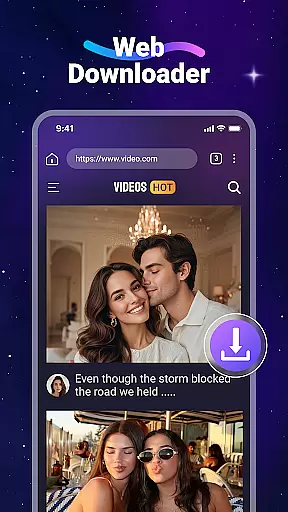
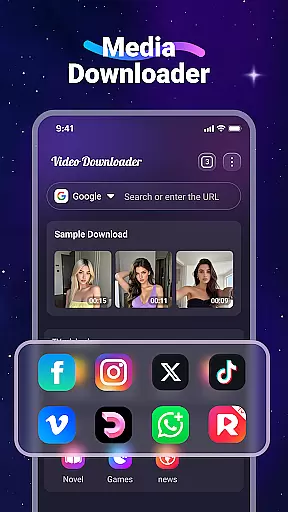
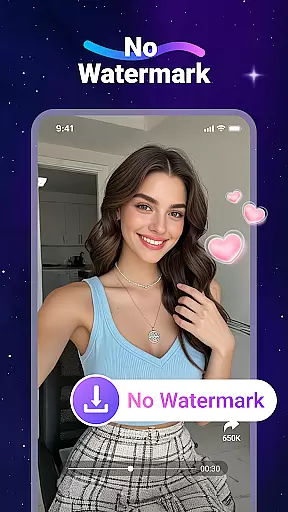
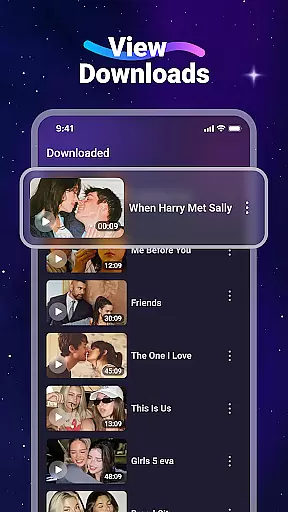
Video Downloader is a versatile utility app designed for users who want to download and manage video and audio files directly from the web. The app's core functionality lies in its ability to quickly detect and download multimedia content from various websites, allowing users to access their favorite videos and music offline. With support for all major file formats, including MP4, MP3, and PDF, this app ensures compatibility across different media types.
Beyond basic downloading capabilities, Video Downloader offers a built-in media player for seamless offline playback, as well as an integrated web browser that simplifies the process of finding and saving content. Whether you're commuting without internet access or looking to save web content for later, this app provides a reliable solution for managing your digital library on the go.
Video Downloader stands out with its comprehensive set of features tailored for efficient media management. One of its key strengths is the fast download speed, which allows users to save large video files in minimal time. The app also supports background downloading, enabling multitasking without interrupting the download process. Additionally, users can store downloaded files on an SD card, making it ideal for devices with limited internal storage.
Another notable feature is the built-in web browser, which automatically detects downloadable video content on web pages. Users can bookmark their favorite websites for quick access and easily organize downloaded files through the intuitive "Files" tab. While the app does not support YouTube downloads due to legal restrictions, it remains compatible with many other popular platforms like Instagram, Facebook, and TikTok, offering a broad range of usability.
Video Downloader stands out for its extensive video format compatibility, ensuring users can download and play a wide range of file types without hassle. This includes popular formats such as MP4, AVI, and MOV, alongside audio formats like MP3 and M4A.
The app's robust support for various formats means that no matter the source website, users can expect their downloads to be compatible with their device's native media player or any third-party players they prefer to use.
This versatility in format handling not only enhances user convenience but also broadens the app's utility across different devices and operating systems, making it an indispensable tool for anyone looking to access multimedia content offline.
Beyond just downloading, Video Downloader incorporates AI-powered editing features that elevate the user experience. These tools allow for smart trimming, format conversion, and quality enhancement without needing specialized knowledge.
Users can take advantage of intuitive controls to modify their downloaded videos effortlessly. The AI algorithms ensure that edits are processed quickly and efficiently, maintaining high output quality while simplifying complex tasks.
This integration of artificial intelligence into the editing process not only saves time but also opens up creative possibilities, enabling users to customize their content precisely as they envision, all within a single application.
User-friendly interface
Fast download speeds
Supports all major formats
Built-in media player
SD card compatibility
No YouTube support
Limited to non-copyrighted content
Requires manual input for URLs
Ads may appear frequently
Offline mode only for downloaded files

IPTV-Smarters Player Pro M3U - Watch Live Stream TV Channels with Chromecast
 4.00
4.00
Your media, on your terms.
4.10
Cast Videos from Web Browser, IPTV to Roku, Chromecast, DLNA, Smart TV +more
4.60
Tik & Story Saver-Download ALL social media videos, photos & reels no watermark.
4.80
AirMirror is Receiver for Screen Mirroring and Casting from Apple Devices.
3.60
Download website videos fast&privacy
4.40
AI Video Editor with Music, Filter, Slideshow, Effect, Merge & Trim Video.
4.80
Livestream, news, & gaming content. Watch, chat, and upload. Join Rumble today!
3.80
Fast & Private HD Video Downloader with Built-in Proxy Browser and Video Player.
4.50
Pro video editor app for Instagram, edit video with song, AI, effect & slowmo.
4.80
?100% FREE! Download & save videos? safely in this app. All formats supported.
4.60
Snaptubè Video Downloader app allows to download videos and music in Snaptube. .
4.60
Watch IPTV on your Android device
4.60
This app was created to edit the metadata of music files.
4.20
Connect 2 UVC devices for recording and broadcast video/audio stream
3.90
Cast to Smart TV, Fire TV. Cast video, photo - Fast & Stable!
3.90
Watch full episodes of your favorite Cartoon Network and Cartoonito shows!
3.50
Mix with Virtual DJ directly from your phone or tablet !
3.10
The smartest M3U IPTV Player your playlists have ever seen.
4.5


User Reviews