
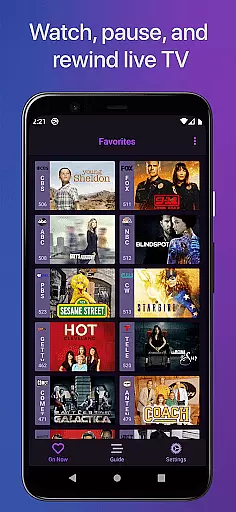
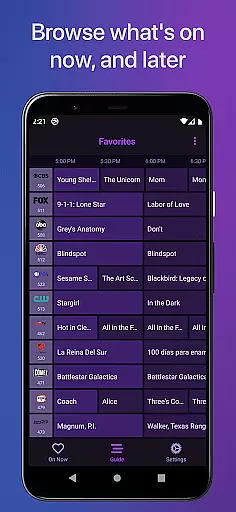
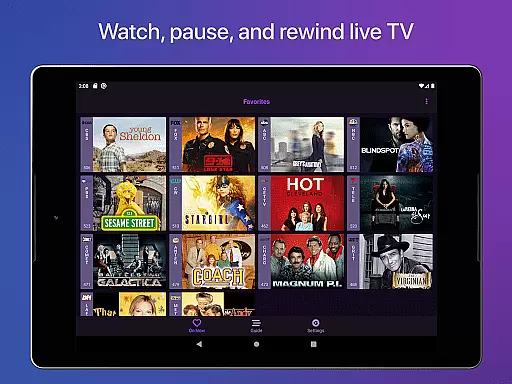
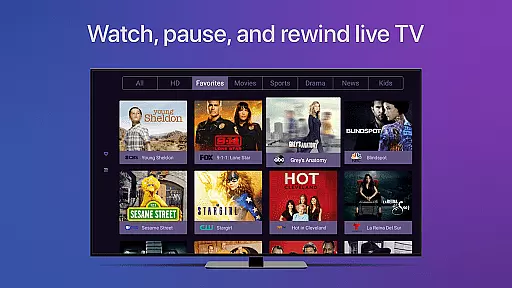
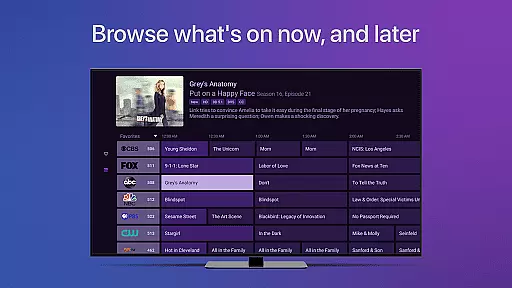
Channels for HDHomeRun is a versatile live TV streaming application that allows users to watch, pause, and rewind both local and cable TV directly on their Android devices. By integrating with an HDHomeRun networked TV tuner, this app provides a seamless experience for enjoying Full HD streaming, complete with 5.1 Surround Sound and closed captioning. Users can also take advantage of advanced features such as channel favoriting, auto discovery, and the ability to browse other channels while watching TV.
The app is particularly beneficial for those who want to enjoy live primetime TV, local news, and sports without switching inputs or using multiple devices. It supports various HDHomeRun tuners, making it possible to use one antenna for all TVs in the house. With its intuitive interface and comprehensive guide data, Channels offers a convenient way to manage your viewing preferences and enhance your entertainment setup.
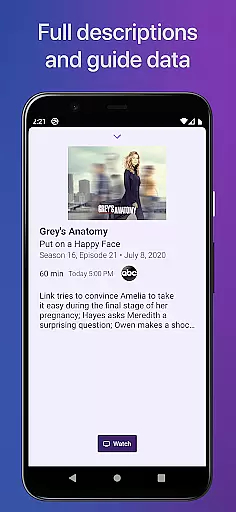
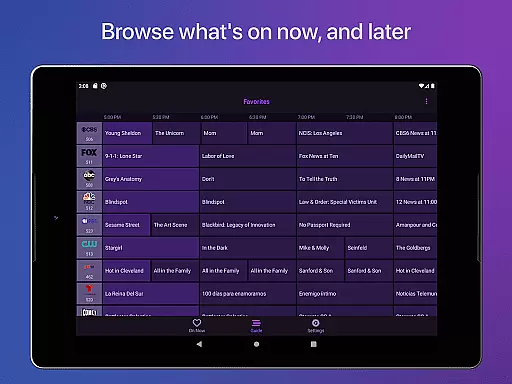
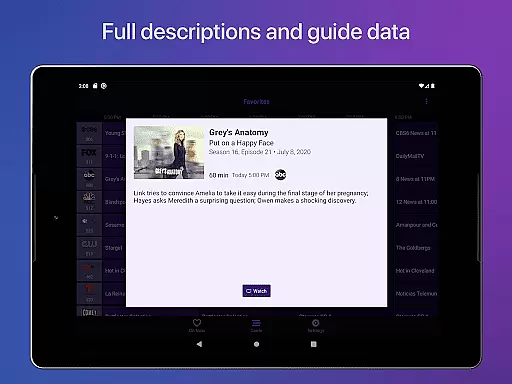
One of the standout features of Channels for HDHomeRun is its robust functionality that caters to diverse user needs. The app supports pausing, rewinding, and fast-forwarding live TV, providing users with control over their viewing experience. Additionally, it offers a full grid guide and detailed guide data, ensuring users can easily navigate through available programming. The inclusion of Full HD streaming and 5.1 Surround Sound ensures high-quality audio-visual experiences, while closed captioning makes content accessible to a wider audience.
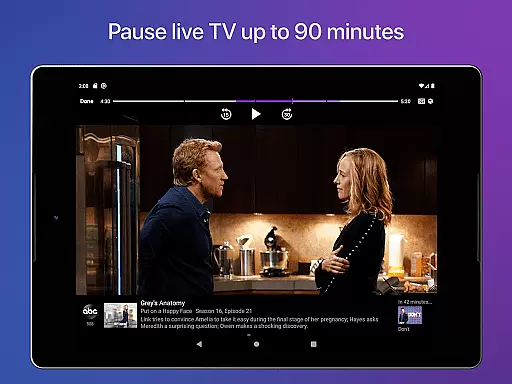
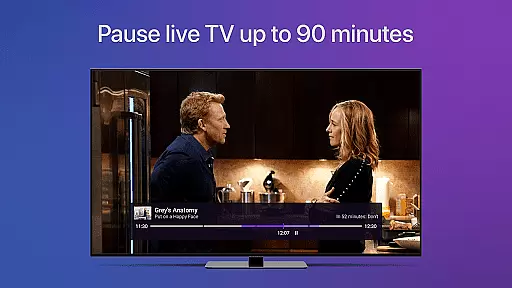
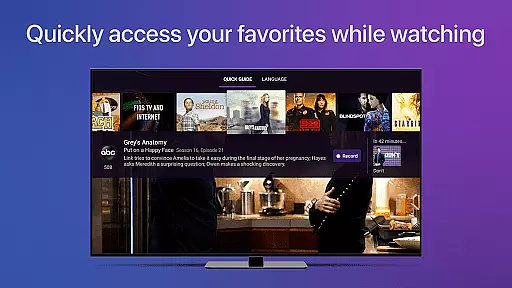
Channels also excels in usability with features like channel favoriting, jumping back to the last channel, and managing HDHomeRun devices directly from the app. These functionalities are complemented by practical innovations such as the live TV buffer, which works for approximately 90 minutes depending on device storage. Moreover, the Quick Guide feature allows users to see what else is on their favorite channels, enhancing the overall user experience by simplifying multitasking and personalization options.
Channels for HDHomeRun offers extensive video format compatibility, ensuring users can stream a wide variety of content without interruptions. The app supports both standard and high-definition broadcasts, including Full HD streaming where bandwidth allows.
This flexibility in format support means that whether you're watching local news or primetime TV, the transition between channels is smooth and seamless. Users with different types of HDHomeRun tuners can enjoy their favorite shows without worrying about format issues.
The inclusion of 5.1 Surround Sound further enhances the viewing experience, making Channels ideal not just for casual viewing but also for an immersive home theater setup. Closed captioning support ensures accessibility for all viewers.
By supporting a broad range of video formats, Channels positions itself as a versatile tool for enjoying live TV on Android devices, bridging the gap between traditional broadcasting and modern streaming services.
While primarily a live TV streaming app, Channels for HDHomeRun incorporates AI-powered features that enhance the user experience beyond simple playback. The app's intelligent buffering system creates a live TV buffer of approximately 90 minutes, depending on device storage.
This smart buffer, combined with intuitive touch controls, allows users to effortlessly pause, rewind, and fast-forward through live television. The AI-driven timeline feature enables precise scrubbing through the buffered content using the Touch surface.
Additionally, the Quick Guide feature uses intelligent algorithms to display relevant information about other channels while maintaining focus on the current program. This helps users make informed decisions about what to watch next without losing their place.
These AI-powered enhancements transform a basic live TV viewing experience into an interactive, user-friendly interface that rivals modern streaming applications, setting Channels apart from traditional broadcast viewing methods.
User-friendly interface
High-quality streaming
Comprehensive guide data
Advanced remote control
Multi-device support
Requires HDHomeRun tuner
No DRM stream support
Network dependency
Limited external access
Subscription needed for DVR

Video Downloader is an utility that can save videos and music from web sites
 4.20
4.20
Watch a large amount of high-definition short drama content
4.60
Create & edit videos with AI
4.30
Play ALL formats in 4K & HD. Video downloader, MP3 player, Chromecast & more.
4.80
Stream Web Videos to Chromecast, Samsung, LG, Sony, Roku, Fire TV, DLNA + more
4.00
An easy-to-use and all-round screen recorder with audio
4.80
IPTV Loader, loads your own Playlist. DOES NOT CONTAIN ANY LIST OR CHANNELS
4.60
Browser for Sony TV to stream web videos, online movies and live tv
3.20
Browser + Remote for Roku to stream webvideos, online movies and livestreams
4.60
High-Quality USB Camera Viewer & HDMI Display
4.70
Video player, file manager for all formats, 4K/HD media player supports subtitle
4.30
KMPlayer Plus (Divx Codec) officially support Divx codec.
4.30
Turn your phone into a wireless camera!
4.20
Browser for Samsung TV to stream webvideos, online movies and livestreams in HD
4.10
Powerful, professional, versatile teleprompter. Developed by an active film crew
4.00
IPTV-Smarters Player Pro M3U - Watch Live Stream TV Channels with Chromecast
4.00
Capture images & record videos for USB Camera, Webcam, Microscopes, Endoscopes
3.80
This app is an emulator of some specific IPTV boxes
3.50
Download videos easily & play them all in one smart, powerful video manager.
3.40


User Reviews