
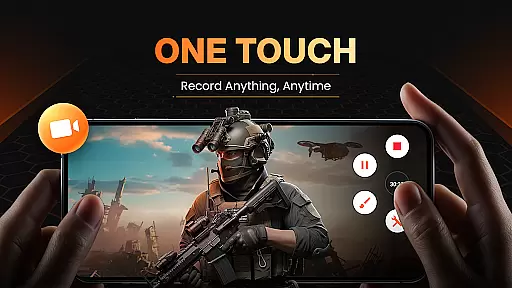
XRecorder is a versatile screen recording app designed for capturing smooth and clear videos, screenshots, and live game shows without any watermarks. It offers advanced features such as internal audio recording, facecam, and video editing tools.
With support for up to 120 FPS and Full HD resolution, XRecorder ensures high-quality recordings. The app also includes YouTube & RTMP live streaming capabilities, making it ideal for gamers and content creators who want to share their experiences in real-time.
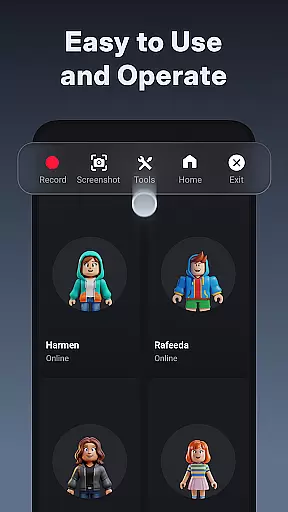
Whether you're recording gameplay, tutorials, or important moments, XRecorder provides an intuitive floating ball interface for easy control and customization. Its comprehensive editing suite allows users to trim, crop, add music, and apply stylish filters to enhance their videos.
XRecorder stands out with its rich feature set tailored for both casual users and professional content creators. One of its key features is the ability to record internal audio without noise on Android 10 and above, ensuring crystal-clear sound quality.
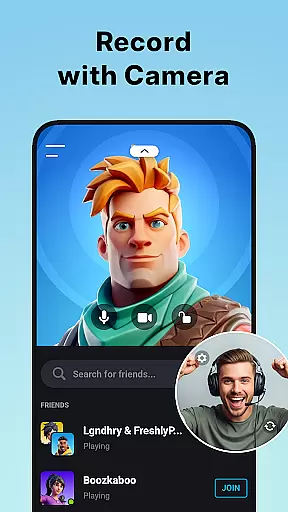
The app's facecam functionality lets users capture their reactions in a customizable overlay window, which can be freely positioned and resized. This is particularly useful for tutorial creators and streamers who want to engage with their audience more personally.
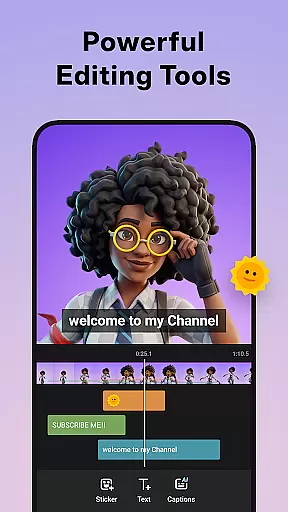
Additionally, XRecorder offers robust video editing tools, including trimming, cropping, rotating, and speed adjustments. Users can also add popular music tracks, funny stickers, and stylish filters to personalize their content. The built-in trash bin feature allows for easy recovery of deleted files within three days, providing peace of mind against accidental deletions.
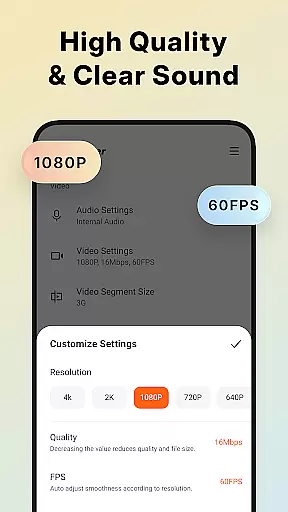
Video format compatibility is a crucial feature for any video player and editor, ensuring that users can work with a wide range of video files without the need for conversion. Screen Recorder - XRecorder excels in this area by supporting various resolutions and frame rates, from 240p to 1080p Full HD and 15FPS to 60FPS. This flexibility allows content creators to record and edit videos tailored to specific platforms or audiences.
The application's ability to export Full HD videos with custom settings, including bitrate up to 12Mbps, ensures high-quality output suitable for professional use. Whether you're recording gameplay, tutorials, or live streams, XRecorder provides the necessary tools to produce crisp and clear videos. The inclusion of internal audio recording on Android 10 or above further enhances the user experience by capturing sound without external noise interference.
Moreover, XRecorder offers advanced features such as trimming, cropping, rotating, and adjusting video ratios, making it versatile for different scenarios. Users can add music, apply filters, and even speed up or slow down their footage, providing creative freedom. With these capabilities, XRecorder stands out as an all-in-one solution for both casual and professional video editors seeking comprehensive format support and robust editing options.
AI-powered editing features are revolutionizing how we create and edit videos, offering smart solutions that enhance productivity and creativity. Screen Recorder - XRecorder incorporates several AI-driven tools designed to streamline the editing process while delivering professional-grade results. One standout feature is the automatic facecam functionality, which intelligently captures the user's reactions in a customizable overlay window, perfect for tutorials, vlogs, or gaming content.
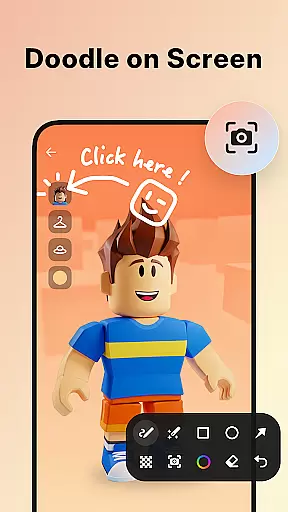
In addition to facecam, XRecorder includes brush tools that allow users to draw directly onto the screen during recordings, adding a personalized touch to presentations or instructional videos. These annotations can highlight key points or provide visual cues, enhancing viewer engagement. Furthermore, the app's video editor leverages AI to simplify complex tasks like trimming, splitting, and merging clips, enabling users to focus on storytelling rather than technical details.
XRecorder also supports RTMP live streaming, empowering creators to broadcast directly to platforms like YouTube with minimal setup. The integration of AI beauty enhancements and real-time filters ensures that streamers look their best, regardless of lighting conditions. By combining traditional editing tools with cutting-edge AI technology, XRecorder delivers a powerful yet accessible platform for anyone looking to elevate their video content creation game.
User-friendly interface
High-quality recording
No watermark
Advanced editing tools
Live streaming support
Limited to Android
Some features require newer OS
Occasional bugs reported
Ads present in free version
Storage management needed

Cast Videos from Web Browser, IPTV to Roku, Chromecast, DLNA, Smart TV +more
 4.60
4.60
Cast to Chromecast, Xbox, Fire Stick, Roku, DLNA, Smart TV & No Feature Limited!
4.50
High-Quality USB Camera Viewer & HDMI Display
4.70
Browser for Samsung TV to stream webvideos, online movies and livestreams in HD
4.10
Browser + Remote for Roku to stream webvideos, online movies and livestreams
4.60
Livestream, news, & gaming content. Watch, chat, and upload. Join Rumble today!
3.80
Enjoy your favorite videos and channels with the official YouTube app.
3.90
Manage your YouTube channel on the go
4.40
Capture the moment and Cut
3.40
VLC Remote lets you control your VLC Media Player on Mac, PC or Linux.
4.60
Seamlessly connect and control your smart devices, anytime, anywhere with ease.
4.60
Video Downloader is an utility that can save videos and music from web sites
4.20
Your media, on your terms.
4.10
IPTV-Smarters Player Pro M3U - Watch Live Stream TV Channels with Chromecast
4.00
Make your own Animations, Video and Photo Edits, Visual Effects, and more!
4.00
Capture images & record videos for USB Camera, Webcam, Microscopes, Endoscopes
3.80
This app is an emulator of some specific IPTV boxes
3.50
Video player with powerful streaming playback and various convenient features.
2.10
Powerful HD video player with support for all formats & subtitles.
4.4


User Reviews