
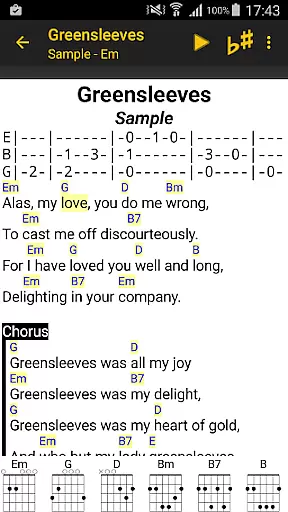
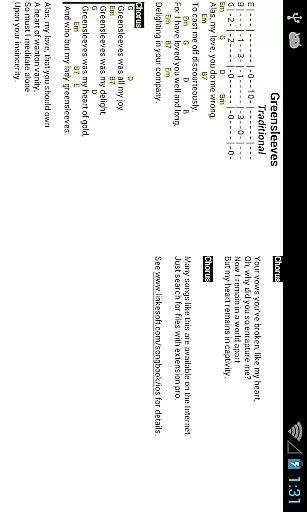
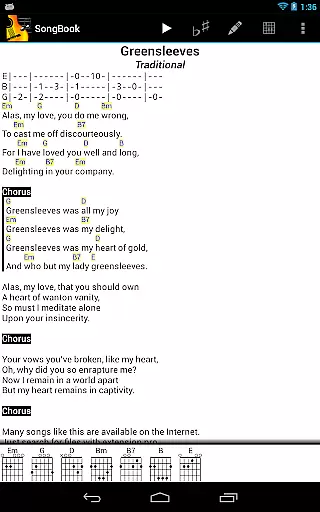
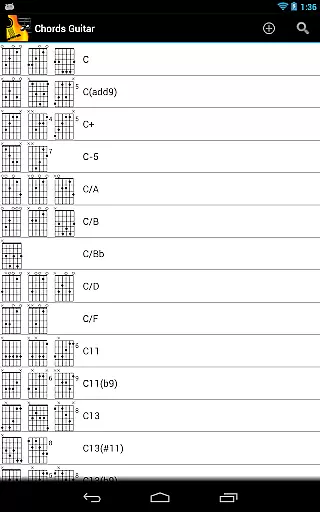
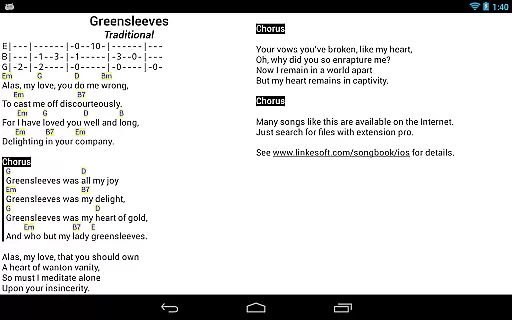
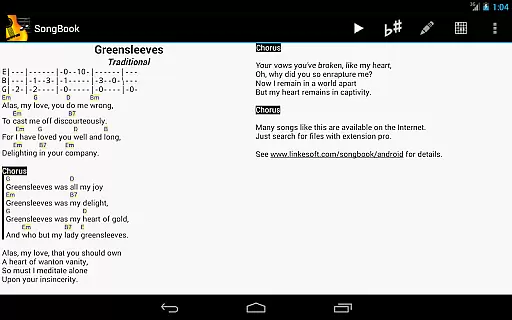
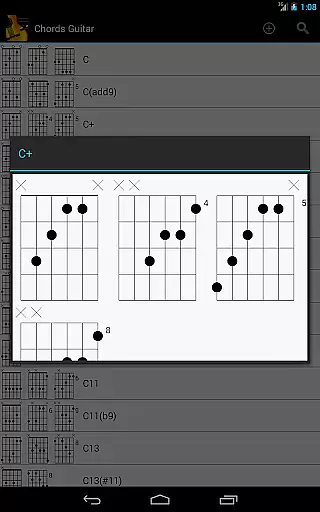
SongBook is a versatile music management application designed specifically for Android users who want to organize and access their song collections with ease. The app provides complete lyrics and chords for songs, making it an ideal tool for musicians, singers, and music enthusiasts on the go. With SongBook, you can tap on any chord to instantly view its definitions, which is particularly useful for learning new songs or improving your musical skills.
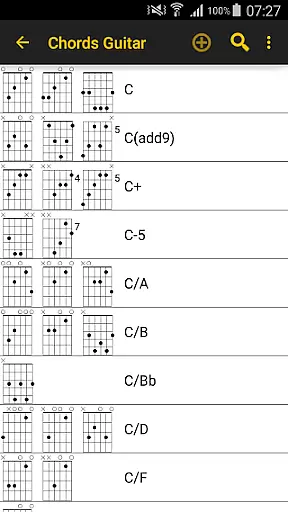
One of the standout features of SongBook is its comprehensive and extensible chord libraries that cater to various instruments such as guitar, ukulele, banjo, and piano. This ensures that no matter what instrument you play, you'll have access to accurate and detailed chord information. Additionally, the app offers practical functionalities like transposing chords on the fly, auto-scrolling through lyrics, and pinch-to-zoom gestures for better readability. These features make SongBook an indispensable tool for practice sessions, live performances, or simply enjoying music anytime, anywhere.
SongBook boasts a range of features that enhance the user experience for musicians and music lovers alike. One of its key capabilities is the extensive chord library that supports multiple instruments including guitar, ukulele, banjo, and piano. This feature allows users to explore different chords and their variations, helping them expand their musical repertoire. The chord libraries are not only comprehensive but also extensible, meaning users can add custom chords or modify existing ones to suit their specific needs.
In addition to its robust chord library, SongBook offers several practical tools that streamline music practice and performance. Users can transpose chords with a single tap, allowing for quick adjustments during practice sessions or live performances. The auto-scroll feature is another highlight, enabling hands-free reading of lyrics and chords by automatically scrolling through the content at a customizable speed. Furthermore, the pinch-to-zoom functionality enhances readability by letting users zoom in and out of the text effortlessly. These thoughtful features collectively create a seamless and enjoyable music management experience.
SongBook offers a comprehensive music library that caters to various musical instruments including guitar, ukulele, banjo, and piano. This extensive collection ensures that musicians of all levels have access to the chords and lyrics they need for their performances.
The app's chord libraries are not only vast but also extensible, allowing users to add custom chords and definitions. This feature enhances the authenticity of the content as it adapts to the specific needs of each musician, ensuring accurate and personalized resources.
With SongBook, you can be confident in the copyright authenticity of the materials provided. The developers have taken care to include only legitimate content, giving users peace of mind when accessing and using the app's resources for practice or performance.
SongBook provides several audio quality options that enhance the user experience. These features include the ability to transpose chords on the fly, which is invaluable for musicians who need to adjust keys quickly during practice or live performances.
In addition to transposition, the app supports auto-scroll functionality, ensuring that musicians can focus on their playing without having to manually scroll through lyrics and chords. This seamless integration of technology makes for an uninterrupted and immersive musical experience.
Furthermore, SongBook includes pinch-to-zoom capabilities, enabling users to easily read lyrics and chords regardless of font size or visual preferences. This attention to detail in audio and visual presentation underscores the app's commitment to delivering high-quality options tailored to individual needs.
User-friendly interface
Comprehensive chord library
Real-time transposition
Auto-scroll functionality
Pinch-to-zoom support
Limited offline support
No MIDI integration
Occasional bugs
Ads in free version
Learning curve

Make music anywhere. Turn your device into an instrument.
 4.1
4.1
Visualize the guitar fretboard, master scales & play through changes like a pro!
4.50
The ultimate media player for Android devices
3.90
A sleek, no-frills player designed for true music lovers.
4.20
Enjoy singing any song, no matter how high or low it is
4.30
Manage your Sonos system directly from your home-screen!
4.40
MilkDrop for Android TV
3.00
Ringtone Maker is free app create ringtone from music files or your recording.
4.40
Sing, record, and create music together — enhanced by smart voice tools.
4.00
Make songs with AI! Any genre, custom lyric, song generator for music creation!
4.80
Responsive piano with great sounds, graphics, and songs
4.80
Unleash your creativity! Turn simple prompts into full fledged songs.
4.70
Play KORG’s revolutionary touch-based instrument on a variety of devices.
4.40
Equalizer, Bass Booster and Volume Booster (Eq & Bass) improve sound quality
4.30
Bass Booster Pro takes auto-equalizing to the next level!
4.30
Powerful 10-Band equalizer pro with sound booster improves Android audio quality
4.30
Time Trainer: accurate metronome w tools to help you develop your internal time!
4.20
Versatile MP3 recorder with auto-backup to Dropbox and Google Drive
4.10
Powerful beat maker & DJ mixer to remix tracks, make music, & perform DJ mix
3.70


User Reviews