
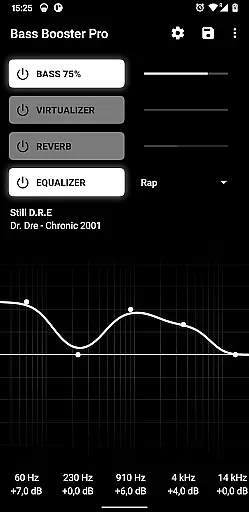
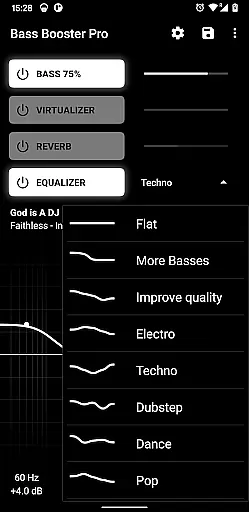
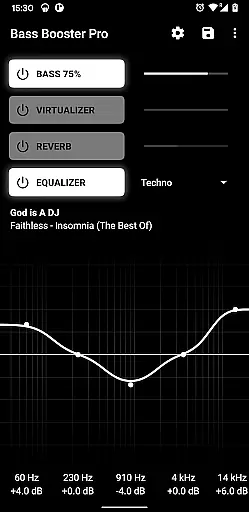
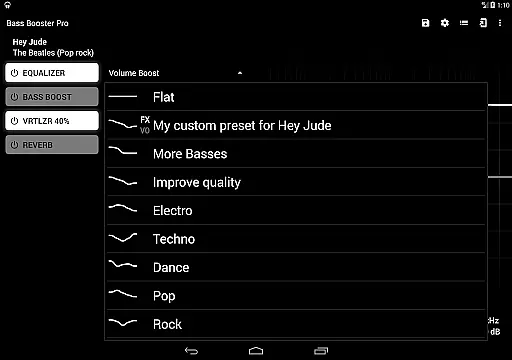
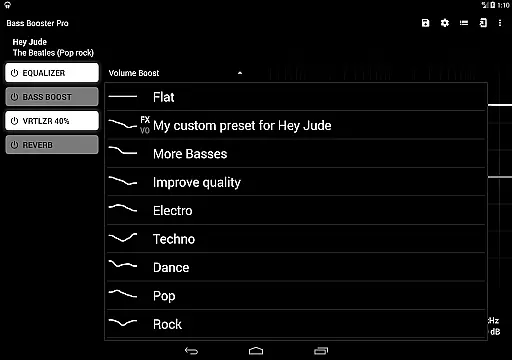
Bass Booster Pro offers an extensive music enhancement experience with its 20 built-in presets, catering to a wide variety of music genres. These include popular styles such as Pop, Rock, and Jazz, ensuring that users can find the perfect sound profile for their listening preferences.
While the app doesn't directly manage a music library, it enhances the audio quality of existing libraries on your device. The app's compatibility with various media players ensures that your personal music collection benefits from improved bass and sound clarity.
The app is conscientious about copyright, providing features that work with legally owned music files stored locally on your device. This respect for copyright law ensures that users can enjoy enhanced audio experiences without infringing on intellectual property rights.
By focusing on improving the audio quality of your current music library, Bass Booster Pro adds value to your existing collection, making each listening session more enjoyable without the need to purchase additional music tracks.
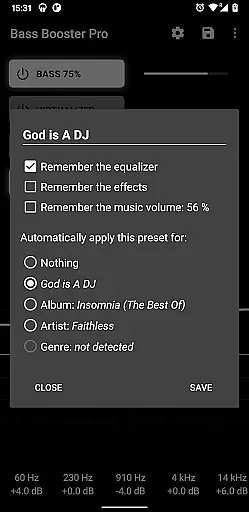
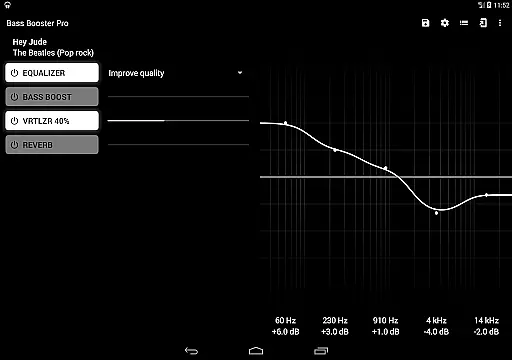
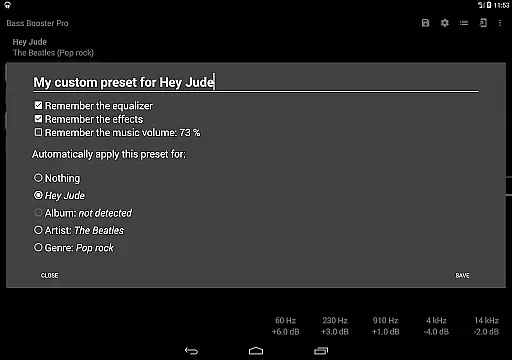
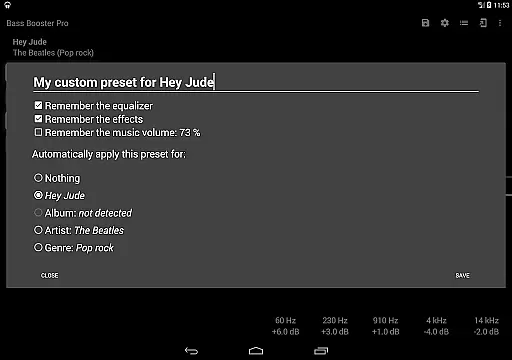
Bass Booster Pro stands out in its ability to significantly enhance audio quality through customizable presets. Users have access to unlimited custom presets in the Pro version, allowing personalized audio adjustments tailored to individual preferences and music types.
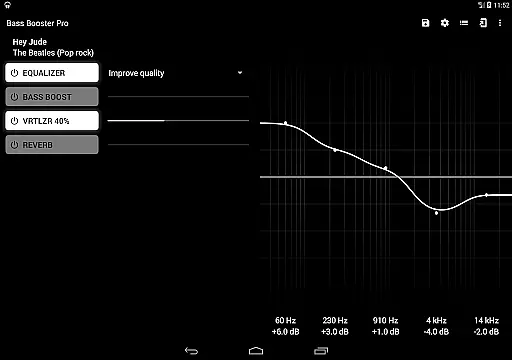
Included in its feature set are advanced audio options like a virtualizer, reverb effects (in beta), and a music visualizer. These tools collectively contribute to a richer, more immersive sound experience, elevating the auditory impact of your music.
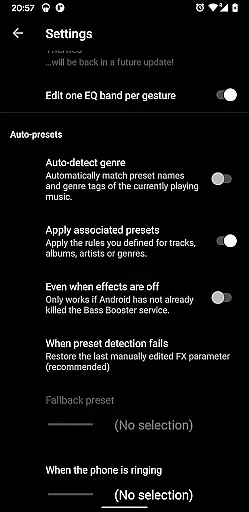
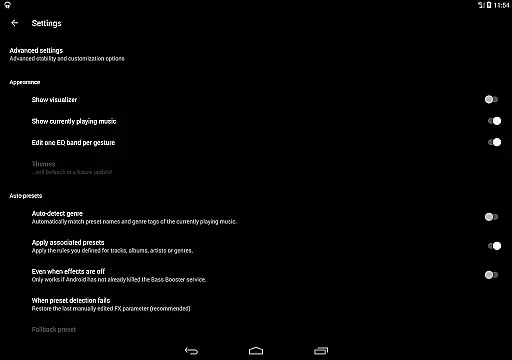
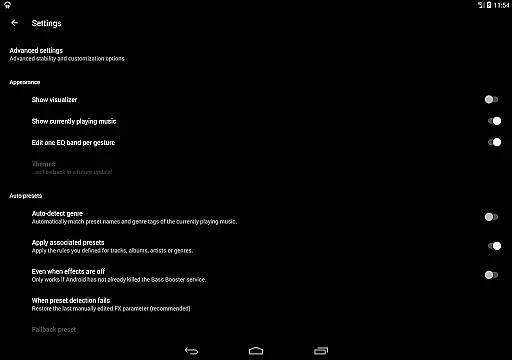
Furthermore, the app provides homescreen shortcuts and preset auto-detection, streamlining the process of optimizing audio settings. This functionality ensures that the best audio quality options are consistently applied, based on the music genre or specific tracks being played.
With these comprehensive audio quality options, Bass Booster Pro empowers users to transform their listening experience, offering unparalleled control over how music sounds on their devices.

Over 100 million tracks available for high quality streaming and download
 4.60
4.60
JBL PartyBox APP works with 110/310/710/120/320/520/Encore/Encore 2/Encore Ess 2
4.80
Network/Cloud Streaming, Visualization, Graphic Equalizer and Sound Effects.
4.20
Brian Eno and Peter Chilvers’ acclaimed music app Bloom, radically reinvented.
4.80
Next generation modular control surface
4.10
Voice recorder - Audio recorder. Best recorder for recording
4.90
Turn your Android phone into a professional audio analyser with up to 120 bands.
4.00
Full featured mp3 and audio player with Chromecast and Android Auto support.
4.40
Sing, record, and create music together — enhanced by smart voice tools.
4.00
Performance-Synthesizer & Multi-Track-Sequencer, polyphonic + multi timbral!
4.70
Listen to live FM radio stations, sports, music and news on global radios online
4.70
SqueezePlayer turns your Android phone or tablet into a SqueezeBox on its own!
4.60
A complete sound package for the sound engineer or enthusiast
4.60
Fun & Easy Voice Changer – Record, Edit & Add Hilarious Effects!
4.50
DJ Music Mixer Pro is a real DJ controllers and DJ Music Studio to remix DJ.
4.40
No wifi music app. Mp3 offline. Tuner radio, young radio music. Music downloader
4.20
Smart piano keyboard, Classical to Pop, Real-time multiplayer connection!
4.20
Simple mp3 and mp4 player with advanced features.
3.40
Music Streaming suite for Ampache, Nextcloud Music and compatible backends.
4.4


User Reviews