
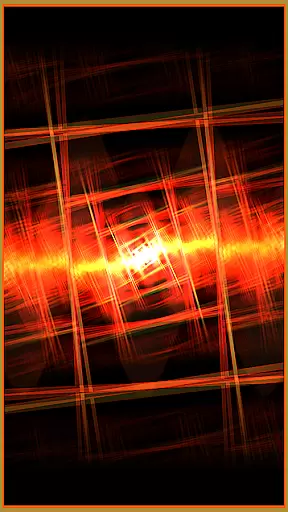


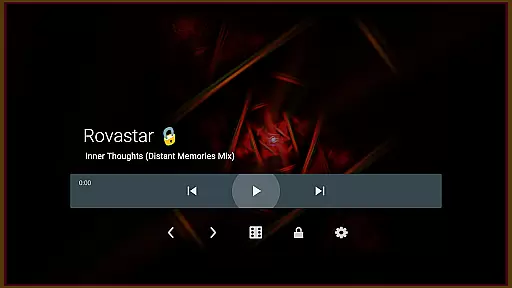

projectM Music Visualizer TV is a cutting-edge music visualization app designed specifically for Android TV. It offers the smoothest graphics and the largest selection of presets, making it highly responsive to music. The app allows users to visualize any sound playing on their Android TV, whether it's from Pandora, Spotify, or other music players. With projectM, you can enjoy stunning visuals while controlling playback without needing to switch apps.
This app stands out as a modernized version of MilkDrop, compatible with MilkDrop (.milk) presets. It provides an immersive audio-visual experience with over 200 visual effects and 60 FPS Pixel Shaded Rendering. Users can customize their experience by adjusting settings like texture size and mesh size to balance quality and performance. This makes projectM ideal for enhancing your music-listening experience on a big screen.
projectM Music Visualizer TV boasts an array of advanced features that set it apart in the realm of music visualization. One of its standout capabilities is the ability to visualize any sound playing on your Android TV, integrating seamlessly with popular music players such as Pandora, Spotify, and Google Music. This ensures that users can enjoy dynamic visuals synchronized perfectly with their favorite tracks.
The app includes over 200 visual effects and supports 60 FPS Pixel Shaded Rendering, delivering fluid and vibrant animations. Additionally, projectM offers configurable graphics quality settings, allowing users to fine-tune texture size and mesh size for optimal performance. These features collectively provide a customizable and high-quality audio-visual experience, making projectM a top choice for those seeking an immersive entertainment setup on their Android TV.
projectM Music Visualizer TV offers an impressive collection of over 200 visual effects, ensuring a rich and diverse music visualization experience. This extensive library provides users with a wide array of stunning visuals that cater to different musical tastes and preferences.
The app's compatibility with MilkDrop (.milk) presets further expands its visual offerings. Users can enjoy the nostalgia of classic visual effects while exploring new, modern graphics, creating a bridge between the past and present in music visualization technology.
Copyright authenticity is at the core of projectM's offering. As an official product from the original projectM developers, users can trust the legitimacy of the visual content provided. This ensures a worry-free experience where users can focus solely on enjoying their music with breathtaking visuals.
projectM Music Visualizer TV excels in delivering exceptional audio quality options. The app supports 60 FPS Pixel Shaded Rendering, providing smooth and fluid visualizations that perfectly synchronize with the music. This high frame rate ensures that even the most intricate visual details are preserved during fast-paced sequences.
Users have the flexibility to customize their experience through configurable graphics quality settings. By adjusting parameters such as texture size and mesh size under the app's settings, users can fine-tune the balance between visual fidelity and performance based on their device capabilities.
The app's responsiveness to various music sources, including Pandora, Spotify, and other players, guarantees consistent audio quality across different platforms. Whether using the stock player or popular streaming services, projectM maintains its signature visualization quality without compromising audio integrity.
Smoothest graphics
Most presets available
Highly responsive to music
Compatible with multiple music players
Customizable graphics settings
Requires specific hardware
May consume significant resources
Limited mobile device support
Preset compatibility issues
Interface not intuitive for beginners

Formerly known as Spotistats! View your top tracks, artists, albums and more!
 4.40
4.40
Performance-Synthesizer & Multi-Track-Sequencer, polyphonic + multi timbral!
4.70
DJ Music Mixer - DJ Remix: remix songs, make beat music & record mix of DJ.
4.40
Network/Cloud Streaming, Visualization, Graphic Equalizer and Sound Effects.
4.20
The ultimate media player for Android devices
3.90
Bass Booster & Volume Equalizer Pro improves your music and video sound quality
4.60
Record, Mix & Master with all n-Track effects, 64-bit audio and Stem Separation.
4.70
Sheet music reader, piano & music note player. Play music score & learn to read.
3.90
Travel To The Music Universe
3.40
24,000 free audio books and no ads!
4.90
More downloads than any other metronome. Includes drum machine & tempo trainer.
4.80
Offline Music Player & MP3 Player.Powerful equalizer, Lyrics, Themes, Tag Editor
4.80
Responsive piano with great sounds, graphics, and songs
4.80
Most Advanced AI Song Generator and Music Creator. Rap, Pop, Rock, Gospel & more
4.70
Walkout Song DJ is the most intuitive app to manage your sports music.
4.70
Enhance the sound quality of your devices, listen to what you want
4.50
Guzheng Master supports many playing techniques as an acoustic Guzheng
4.50
DJ Music Mixer Pro is a real DJ controllers and DJ Music Studio to remix DJ.
4.40
Master Salsa Rhythm quickly and with a lot of fun!
4.30


User Reviews