
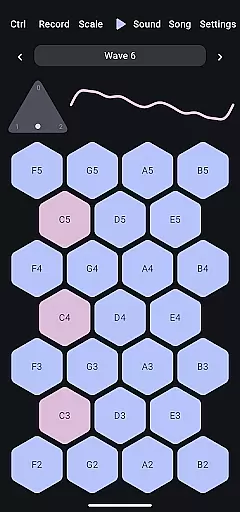
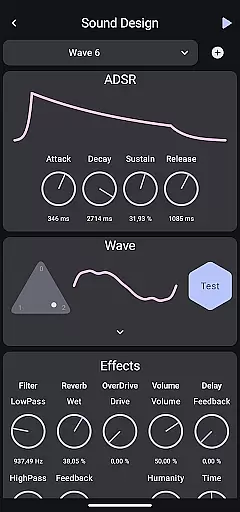
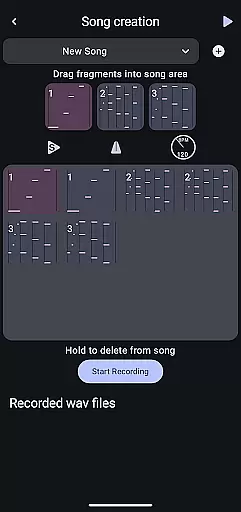
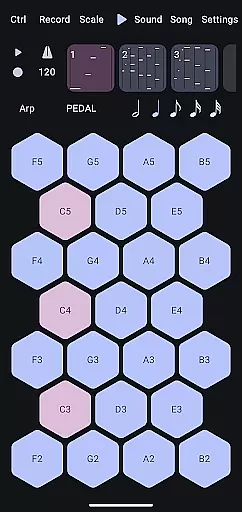
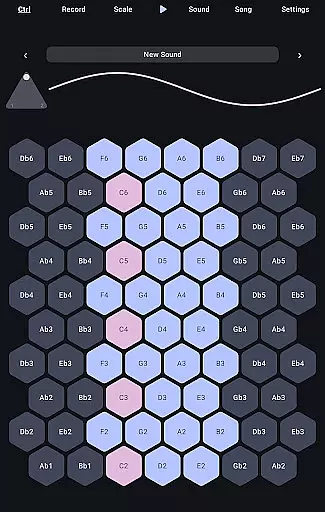
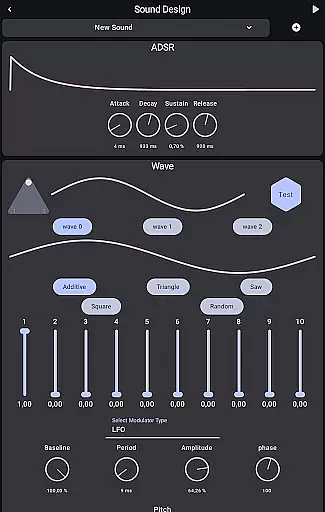
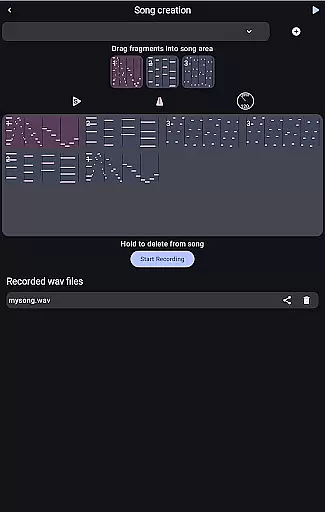
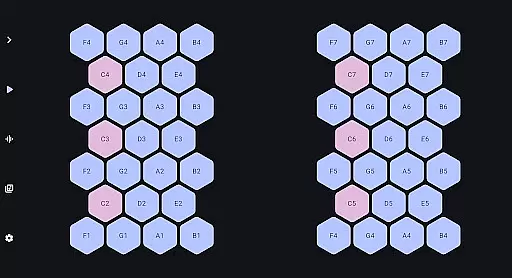
Wave 6 is a cutting-edge wavetable and additive synthesizer designed to transform your mobile device into a versatile musical instrument. This app allows musicians and enthusiasts alike to create, record, and perform music anywhere, anytime. With its ability to mix and morph between three customizable waveforms, Wave 6 empowers users to craft dynamic and organic sounds that range from smooth ambient tones to bold electronic leads.
The app's intuitive interface makes it easy to compose songs, design unique textures, and even collaborate with friends in real-time. Whether you're an experienced producer or just starting out, Wave 6 provides the tools necessary to unleash your creativity and make music that truly moves with you.
Wave 6 stands out with its powerful wavetable and additive synthesis capabilities. The app offers three fully customizable waveforms that can be mixed and morphed to create a wide variety of sounds. Users can explore everything from rich ambient pads to aggressive synth leads, all within a single platform.
In addition to its core synthesis features, Wave 6 includes robust recording and performance functionalities. Musicians can capture their ideas on the go, build complex compositions, and even perform live using their mobile devices. The app also supports real-time collaboration, allowing users to jam with friends remotely. These features combine to create a comprehensive music production tool that fits right in your pocket.
Wave 6 offers a versatile music creation platform that allows users to craft their own unique sounds. The app provides access to an extensive range of customizable waves, which serve as the building blocks for your musical creations.
With the ability to mix and morph between three different waves, users can explore countless sound combinations. This flexibility ensures that each piece of music produced is original and copyright-free, giving creators peace of mind when sharing or publishing their work.
The app's capability to create everything from ambient tones to electronic leads means that musicians have a wide palette to choose from. Whether you're composing songs or designing sound textures, Wave 6 supports your creative process without legal concerns over sound usage.
Audio quality is paramount in music production, and Wave 6 delivers on this front by enabling high-quality sound output. As a wavetable and additive synthesizer, it captures the nuances of each note, ensuring clarity and depth in every composition.
Users can record and perform with the assurance that their music will retain its intended quality. The app's sophisticated synthesis engine translates complex wave interactions into rich audio experiences, suitable for both studio recordings and live performances.
Moreover, Wave 6 facilitates collaboration by maintaining consistent audio standards across devices. Musicians can jam with friends or share their compositions knowing that the integrity of the sound will be preserved, making it an ideal tool for collaborative music projects.
Intuitive Interface
Powerful Synthesis
Real-Time Collaboration
Dynamic Sound Design
Portable Music Creation
Limited Free Features
Steep Learning Curve
High CPU Usage
Few Presets Available
No MIDI Support

Formerly known as Spotistats! View your top tracks, artists, albums and more!
 4.40
4.40
Enhance the sound quality of your devices, listen to what you want
4.50
Next generation modular control surface
4.10
The best music and audio player, with beautiful UI, music search and equalizer.
4.60
Learn to play the piano using falling notes!
3.80
Offline Music Player & MP3 Player.Powerful equalizer, Lyrics, Themes, Tag Editor
4.80
Ringtone Maker is free app create ringtone from music files or your recording.
4.40
Offline Tunes, Unlimited Vibes
3.90
One-tap booster for max volume - enjoy powerful sound with this audio booster
4.50
Listen to live FM radio stations, sports, music and news on global radios online
4.70
Walkout Song DJ is the most intuitive app to manage your sports music.
4.70
Bass Booster Pro takes auto-equalizing to the next level!
4.30
Master Salsa Rhythm quickly and with a lot of fun!
4.30
A High-Precision Audio Spectrum Analysis App
4.20
Network/Cloud Streaming, Visualization, Graphic Equalizer and Sound Effects.
4.20
Turn your phone into a musical instrument from the future!
3.90
The Skullcandy App Experience
3.20
Remove ads permanently from Music Visualizer
4.3
Music Streaming suite for Ampache, Nextcloud Music and compatible backends.
4.5


User Reviews