
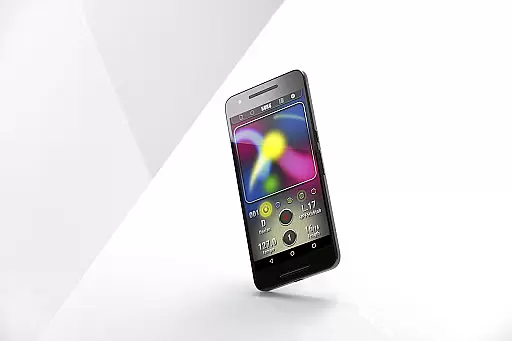
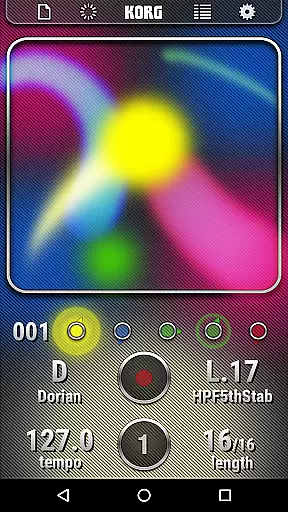
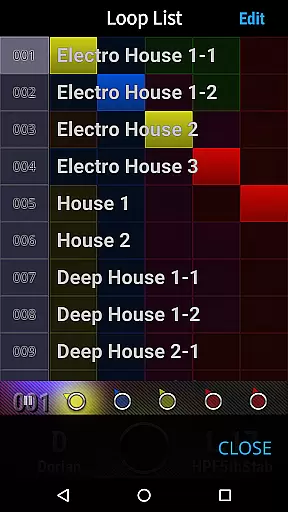
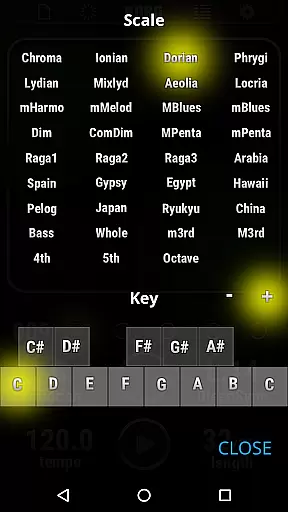
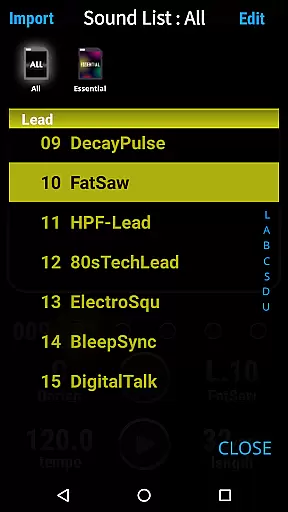
KORG Kaossilator for Android offers a rich music library with 150 built-in sounds, covering various music styles including EDM, hip-hop, house, techno, dubstep, nu-disco, and electro. This extensive sound selection allows users to explore different genres and create diverse musical pieces effortlessly.
The app ensures that all the sounds provided are authentic and royalty-free, meaning users can perform and produce music without worrying about copyright issues. This feature is particularly beneficial for creators who want to share or monetize their music, as it eliminates potential legal concerns related to sound usage.
By providing such a comprehensive range of high-quality, copyright-cleared sounds, KORG Kaossilator empowers musicians and hobbyists alike to focus on their creativity and expression, knowing they have a solid foundation of legitimate audio resources at their disposal.
One of the standout features of KORG Kaossilator for Android is its ability to deliver professional-grade audio quality. The app supports various audio settings, allowing users to adjust parameters such as bit depth and sample rate to achieve the desired sound fidelity.
This flexibility in audio quality options ensures that whether you're performing live or producing tracks in a home studio, your music will maintain clarity and richness. Advanced users can take full advantage of these settings to fine-tune their output, while beginners can rely on default presets optimized for different scenarios.
Ultimately, this attention to audio detail enhances the overall user experience, making KORG Kaossilator not just an accessible tool for music creation but also a reliable platform for achieving impressive sonic results.

Time Trainer: accurate metronome w tools to help you develop your internal time!
 4.20
4.20
Gorgeous UI, Powerful music Search and Equalizer, the great choice for you!
4.70
Walkout Song DJ is the most intuitive app to manage your sports music.
4.70
The only true audiophile music player with Hi-Fi audio rendering and DSP engine
3.90
Record, Mix & Master with all n-Track effects, 64-bit audio and Stem Separation.
4.70
Play your hearts out on TouchTunes jukeboxes & connect with fellow music lovers.
4.80
Simple mp3 and mp4 player with advanced features.
3.40
Powerful 10-Band equalizer pro with sound booster improves Android audio quality
4.30
Customize Your Favorite Songs and Videos with booster.
4.70
Your song collections with lyrics and chords on Android smartphones and tablets.
4.80
More downloads than any other metronome. Includes drum machine & tempo trainer.
4.80
Visualize the guitar fretboard, master scales & play through changes like a pro!
4.50
Let your Android device with the sound effects you want
4.50
Manage your Sonos system directly from your home-screen!
4.40
Smart piano keyboard, Classical to Pop, Real-time multiplayer connection!
4.20
Offline and always ad-free - stream in the highest quality available.
4.10
Versatile MP3 recorder with auto-backup to Dropbox and Google Drive
4.10
The iconic iOS metronome app is now on Android.
3.70
Remove ads permanently from Music Visualizer
4.4


User Reviews